Customers
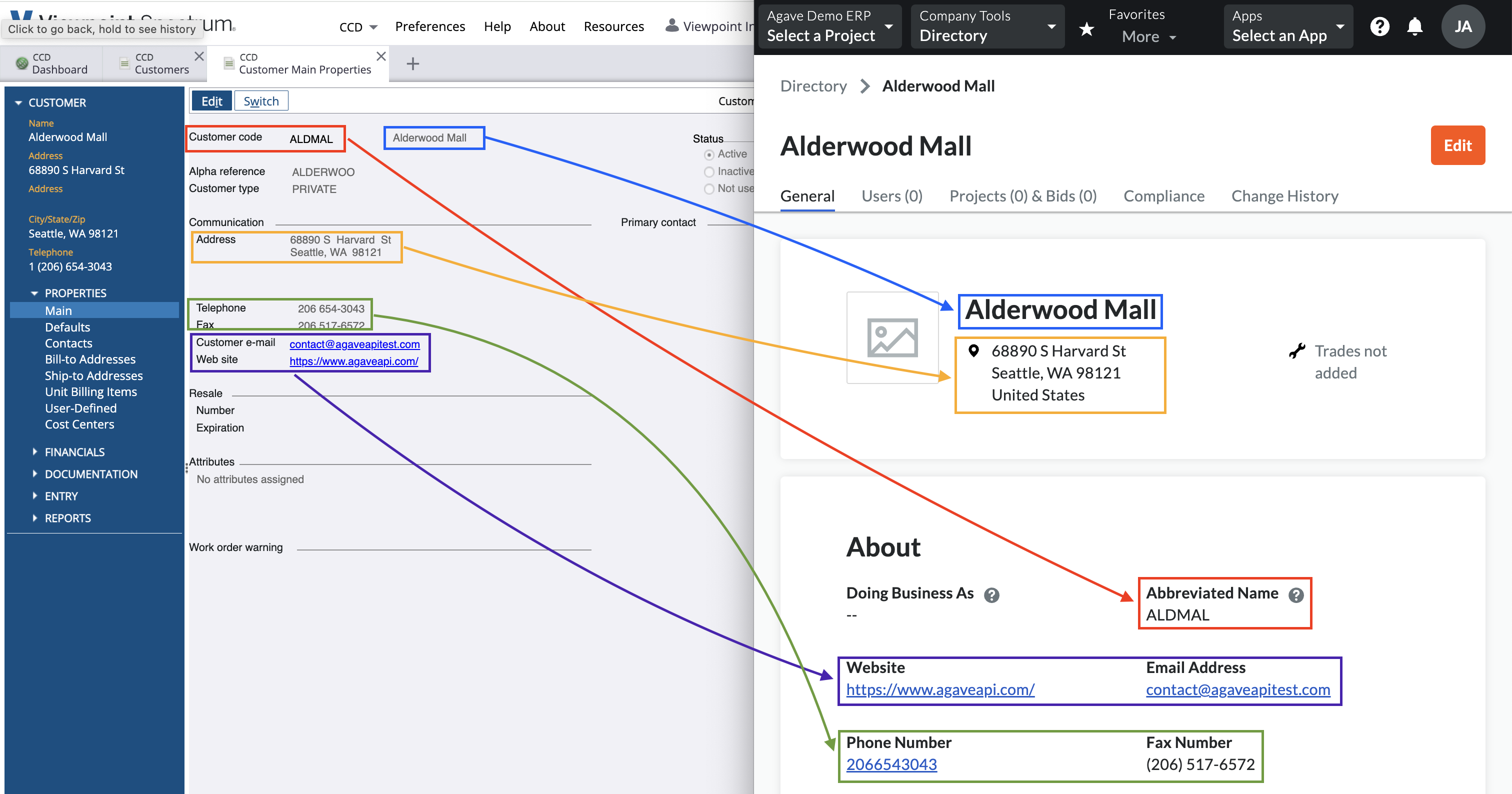
Visual Mapping
Video Tutorial
Common Errors and FAQs
What Info-Link Tables do I need?
The following Info-Link tables are required when syncing Customers from or to Spectrum:
- CR_CUSTOMER_MASTER_MC
- CR_TERMS_MASTER_MC
- CR_CUSTOMER_CONTACTS_MC
- PA_CONTACTS_MASTER
For details on enabling Info-Link tables for your user, see Steps 2.7 in our Spectrum authentication guide.
Filters
Agave can apply default filters for you to sync only a subset of Customers to either Foundation or Procore. For example, you may only want to sync Customers that are active Customers. Let your Agave Account Manager know what filters you would like to apply and we can apply these for you.
What fields does Agave Sync "Auto-link" on?
Agave Sync will auto-link on the following fields for Customers:
- Name
- Address
- Code/Number
- Phone
Can Agave Sync write custom fields to Procore Customers?
No - at the moment, this is a limitation with Procore where Procore does not allow for custom fields on “Company” records.
How do we differentiate between Vendors and Customers in Procore?
Procore does not have a way to differentiate between Vendors and Customers at the moment. However, Agave Sync can apply a suffix (e.g. of "(Customer)") to Customers to differentiate them if you would like.