Cost Codes
Agave Sync allows you to sync Foundation Cost Codes to Procore.
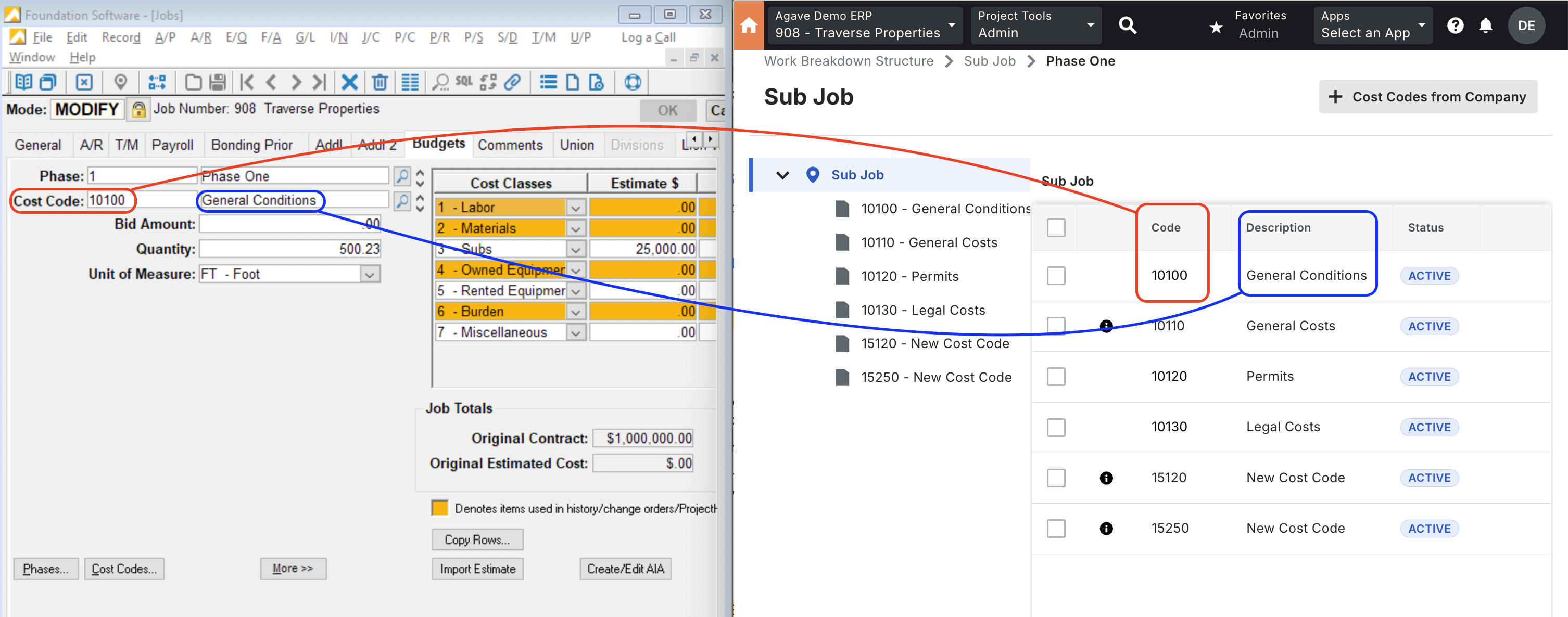
Visual Mapping
Video Tutorials
FAQs and Common Errors
Can we sync Cost Codes from Procore to Foundation?
No, we cannot write cost codes directly from Procore to Foundation. However, cost codes can be created in Foundation as a byproduct of syncing Budget Line Items (BLIs) via genies. Therefore, Cost Code syncing is always either Foundation → Procore or Link-only. There is no direct Procore → Foundation sync for cost codes.
How are Cost Codes exported to a Foundation Project?
When a Budget is exported from your Project Management system to Foundation, Agave adds the Cost Codes from that Budget to the Project in Foundation. Agave Sync then auto-links the Cost Codes for that Project.
If a Cost Code does not exist in Foundation at the Company-level, Agave Sync will add it for you.
Can I sync Cost Code Groups from Foundation to my Project Management system?
Yes, Agave Sync allows for you to sync Cost Code Groups to your Project Management system. These Cost Code Groups can serve as a first-tier in your Cost Code structure.
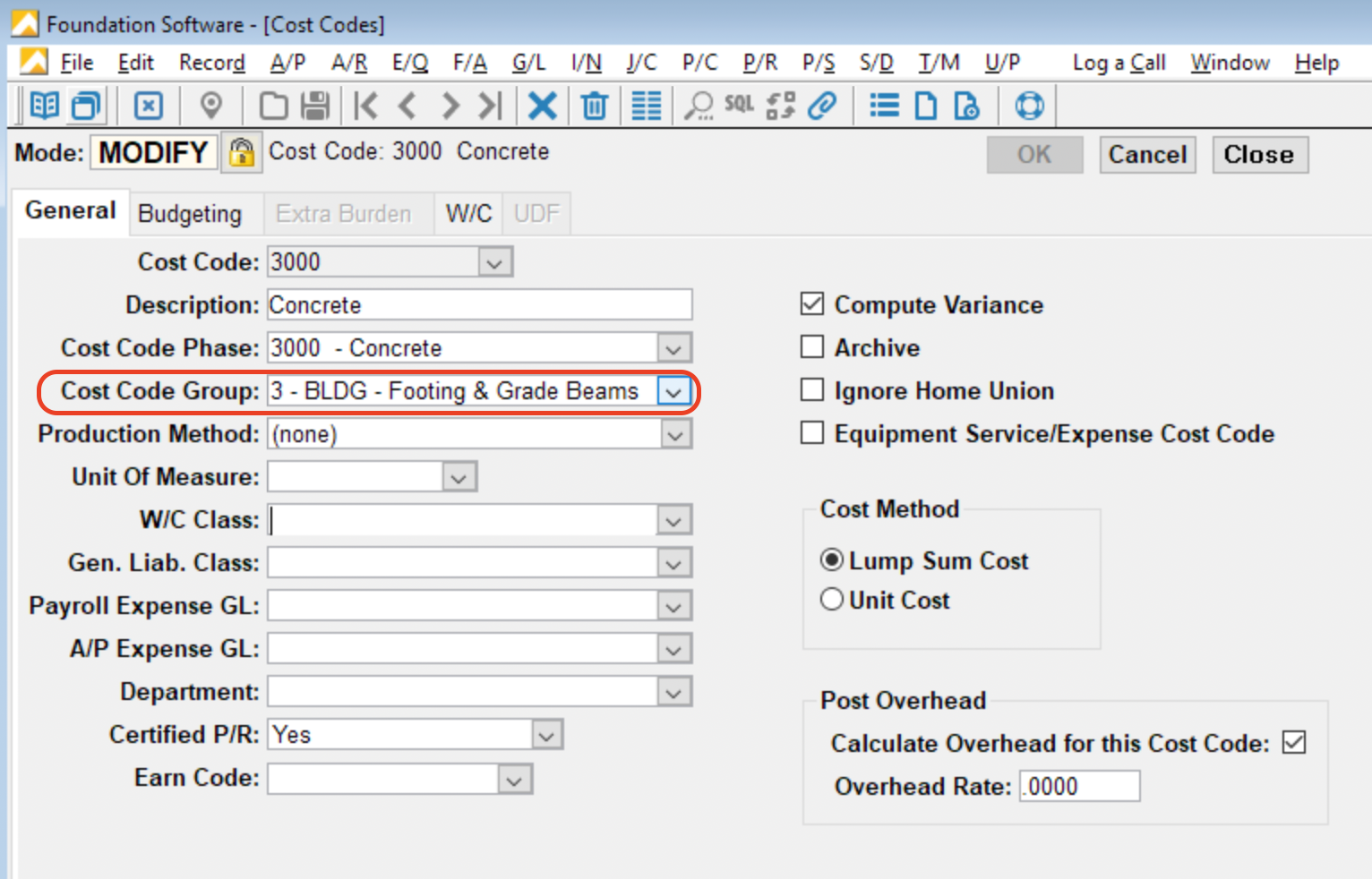
If you would like to sync Cost Code Groups from Foundation to your Project Management system, let your Agave Account Manager know and they can enable a setting.
Deleting Cost Codes
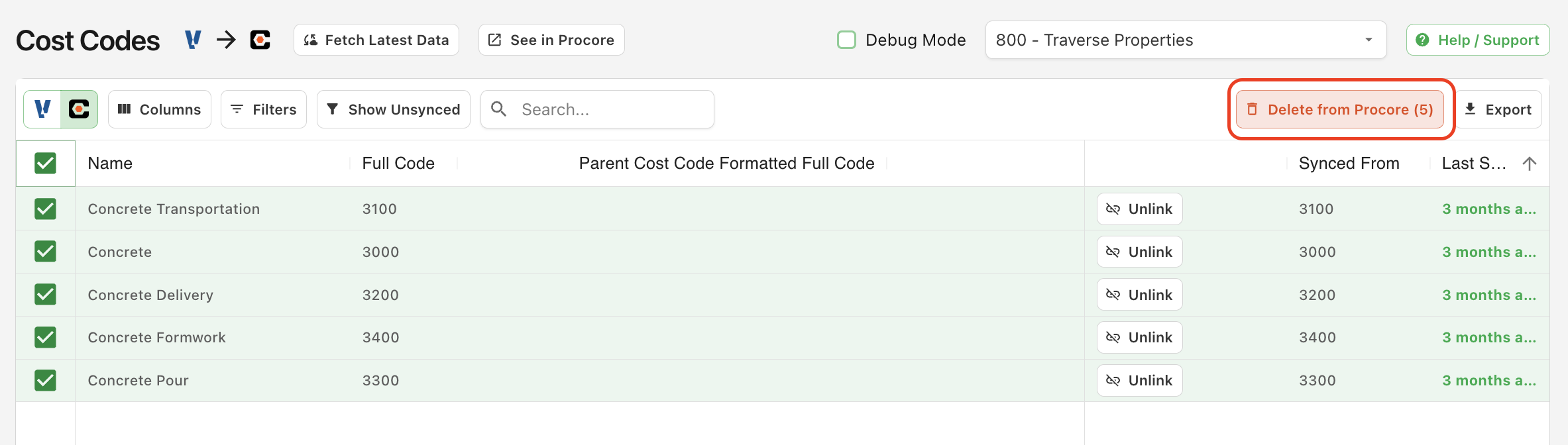
You may unintentionally sync Cost Codes to Procore. Instead of manually deleting them in the Procore UI, you can use Agave Sync.
To delete the Cost Codes, navigate to the Procore view in Agave Sync and select Delete from Procore: