Units of Measure
Agave Sync allows you to link Sage Intacct Units of Measure to Procore Units of Measure.
Visual Mapping
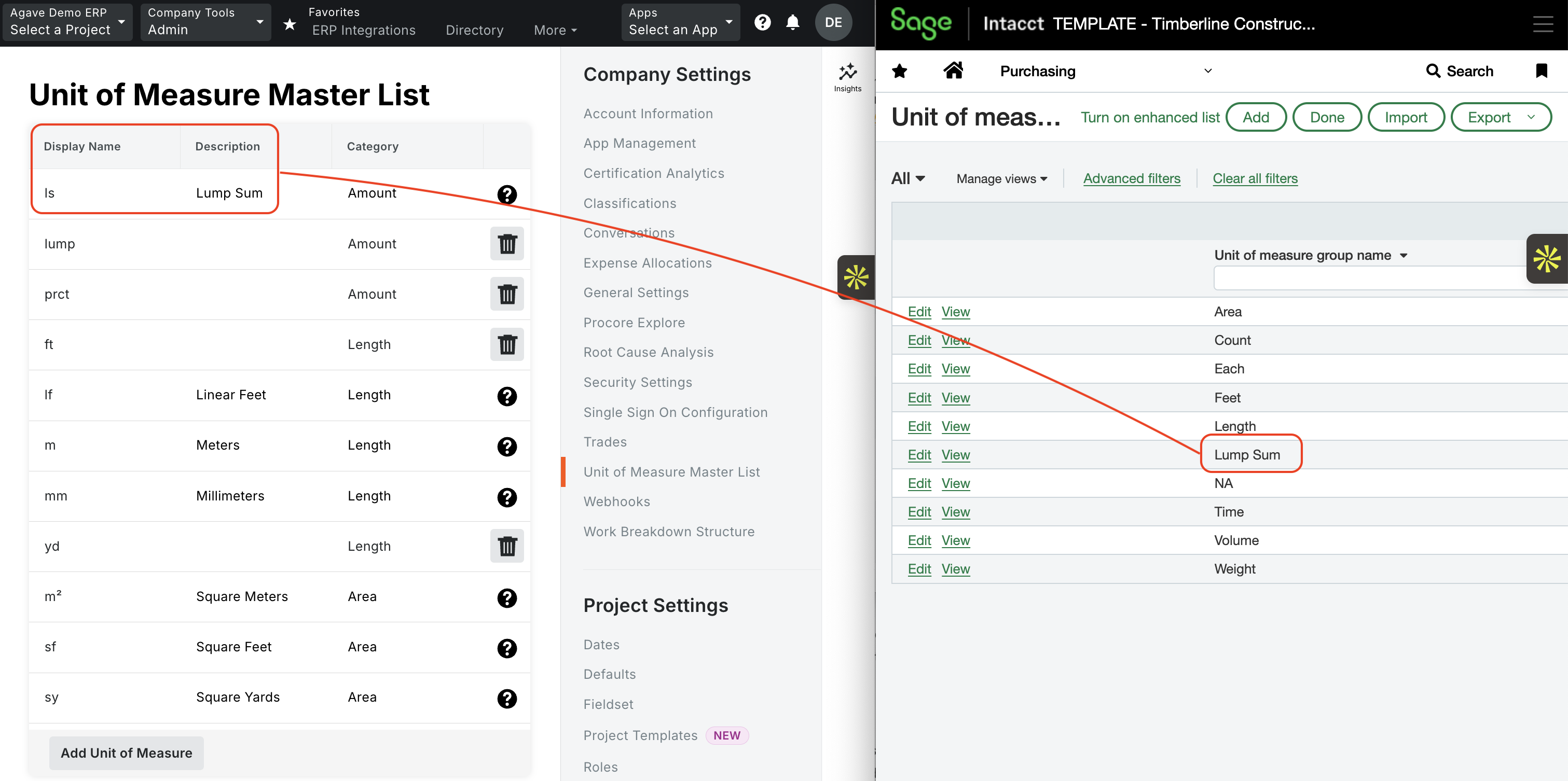
Configuration in Sage Intacct
UoM Guidance
- Add, don't delete: Sage Intacct's default UoM groups cannot be altered or deleted. If a UoM used in Procore is missing from Sage Intacct, simply add it. Sage Intacct's predefined UoM groups include: Area, Count, Length, Time, Volume, and Weight.
- UoMs must match 1:1: every UoM used in Procore must exist in Sage Intacct so the sets line up exactly.
- Sync the Code, not the Group: the Sage Intacct UoM Code (e.g.,
LS,Each) must exactly match the value used in Procore, including capitalization. Do not try to match the Group Name (e.g., "Lump Sum"). - Set a fallback for inactive users: if you don't actively use UoM groups, set the Default group in Purchasing configuration to
Count(Base unit:Each). Sage Intacct still requires a default unit to calculate prices behind the scenes — missing this will cause transaction errors. - UoMs are global: UoMs apply to all entities. Confirm before adding new ones, as it affects the entire Sage Intacct environment.
- Estimates are the exception: Budget Line Items (estimates) do not require strict mapping — their UoM can be any value (free text field).
- Where to find/configure UoMs: Units of Measure can be found and/or configured in three modules: Order Entry, Purchasing, and Inventory Control. You only need to add a UoM once — for example, if you add a UoM to the Order Entry module, it will automatically be made available in the other two modules.