AR Invoices (Owner Invoices)
Agave Sync allows you to import Procore Owner Invoices to Sage Intacct AR Invoices and vice-versa.
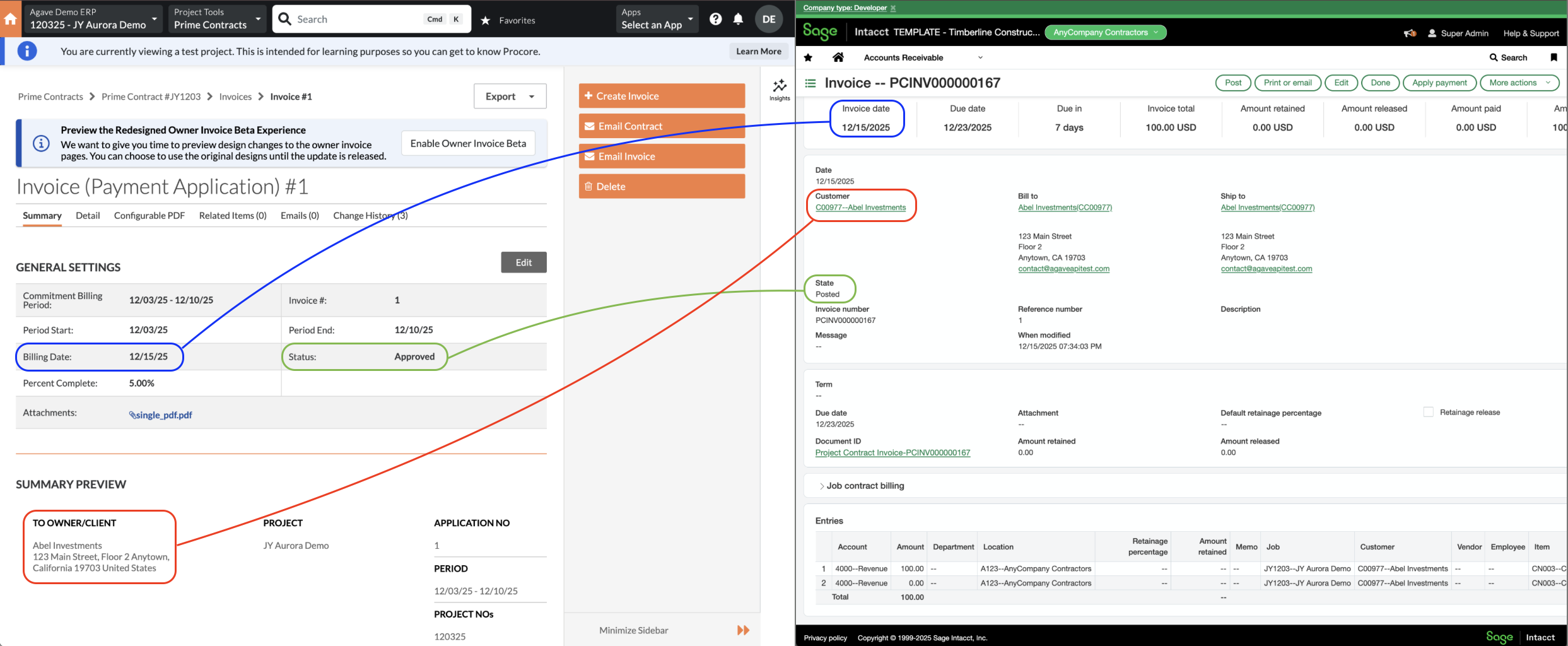
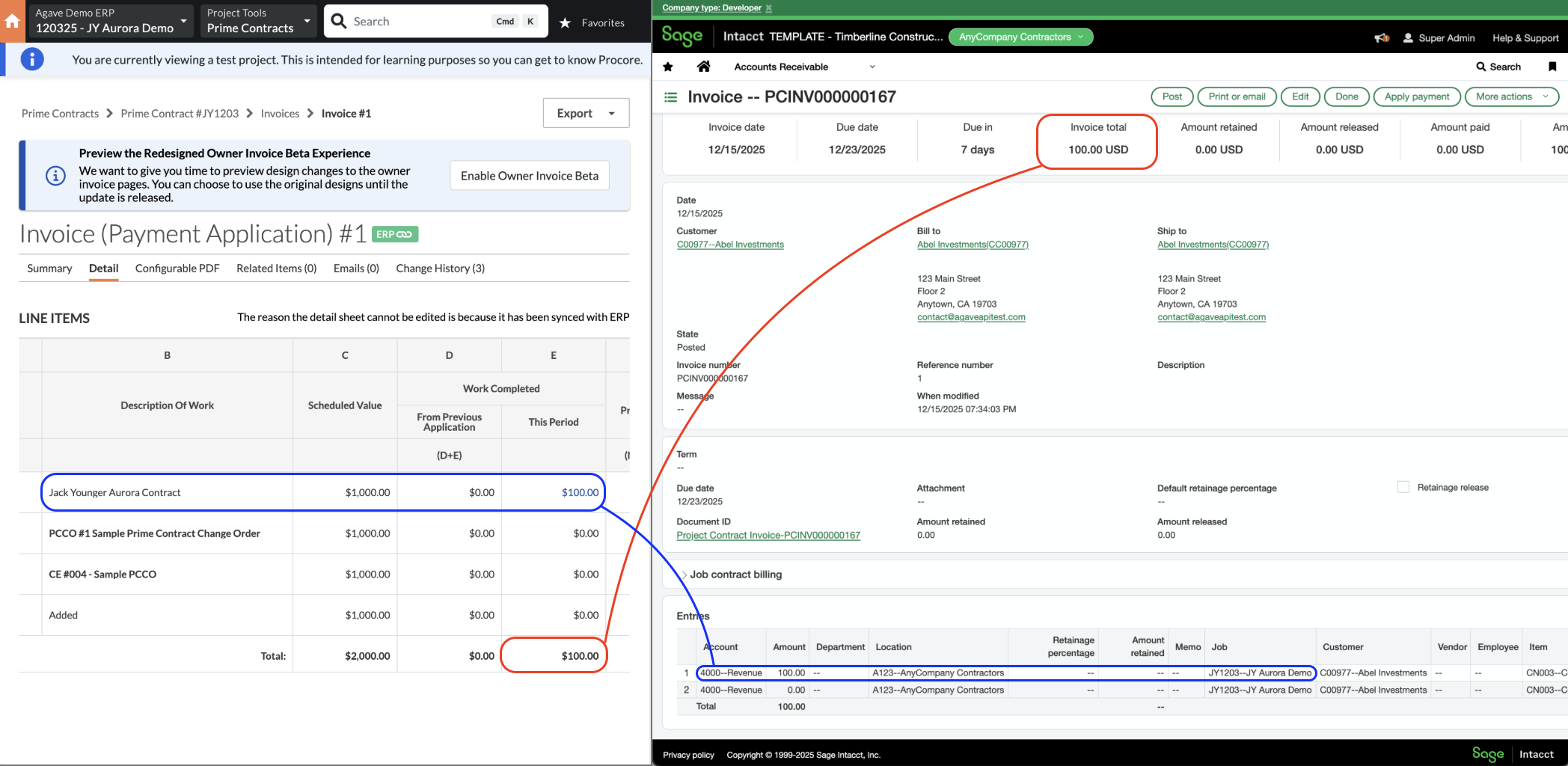
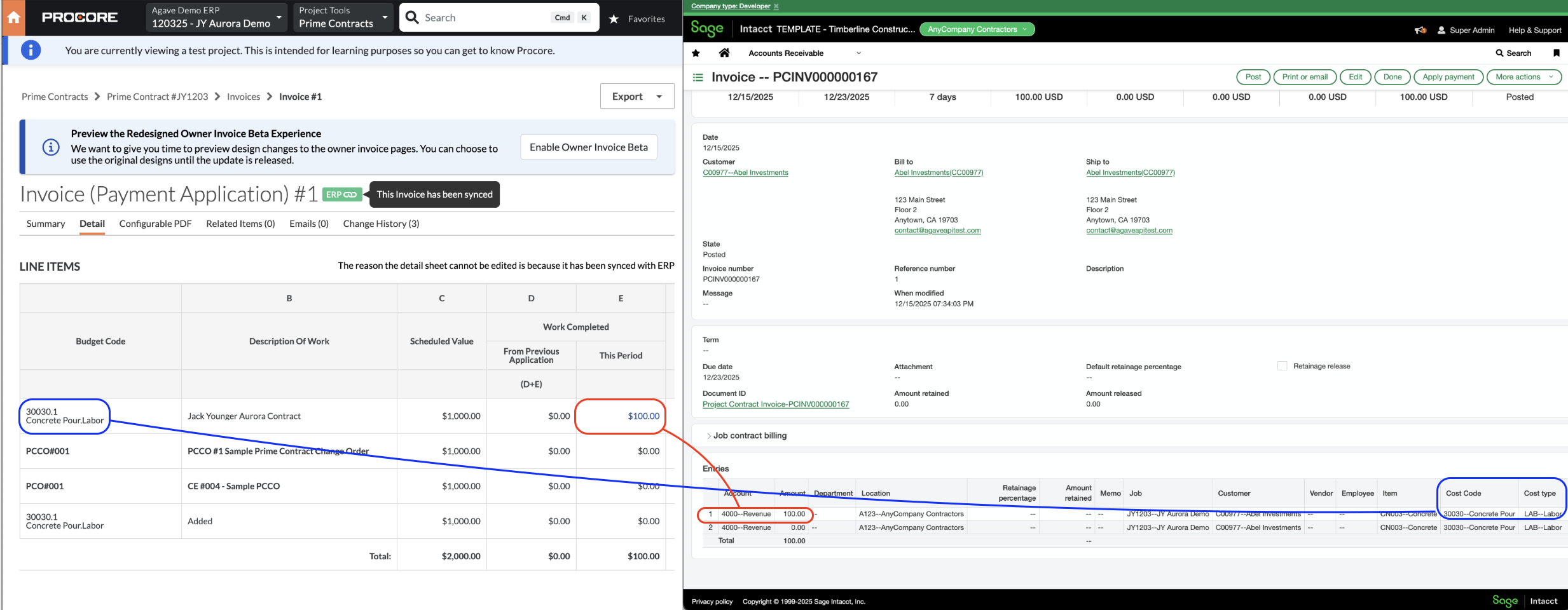
Visual Mapping
Subcontractor AR Invoices
Common Errors and FAQs
How are the subtotal and retention amounts calculated for each Line Item?
Subtotal Amount
Agave Sync calculates the subtotal for a Procore Owner Invoice Line Item using this formula:
subtotal = work_completed_this_period + materials_moved + (materials_presently_stored - materials_previously_stored on the last Owner Invoice)
This ensures the subtotal reflects only the new work and materials completed or stored during the current billing period, by subtracting any materials already reported on the previous invoice.
Retention Amount
Agave Sync calculates the retention amount for a Procore Owner Invoice Line Item as:
retention = work_completed_retainage_retained_this_period + materials_retainage_retained_moved + (materials_stored_retainage_retained_this_period - materials_preivously_stored_retainage_retained_this_period on the last Owner Invoice)
This formula accounts for new retainage amounts held during the current period, including any adjustments for materials that have moved categories (e.g., from stored to installed), while subtracting retention already reported in prior periods to avoid duplication.
Does Agave support retainage release?
Yes. Agave supports both withholding and releasing retainage on Procore Owner Invoices.
Procore tracks retainage withheld and retainage released as separate amounts on each line. Agave nets the two together when writing to Sage Intacct, so the retainage on the Sage Intacct line reflects the net change for the period. A line that withholds $725 and releases $725 in the same period arrives in Sage Intacct with $0 retainage.
When a line releases retainage without billing any new work or materials in the period, Agave writes it to Sage Intacct as a retainage release on the Project Contract Invoice — billing the previously withheld retainage rather than new work.
Configuration in Sage Intacct
Order Entry Transaction Definition for AR Invoices
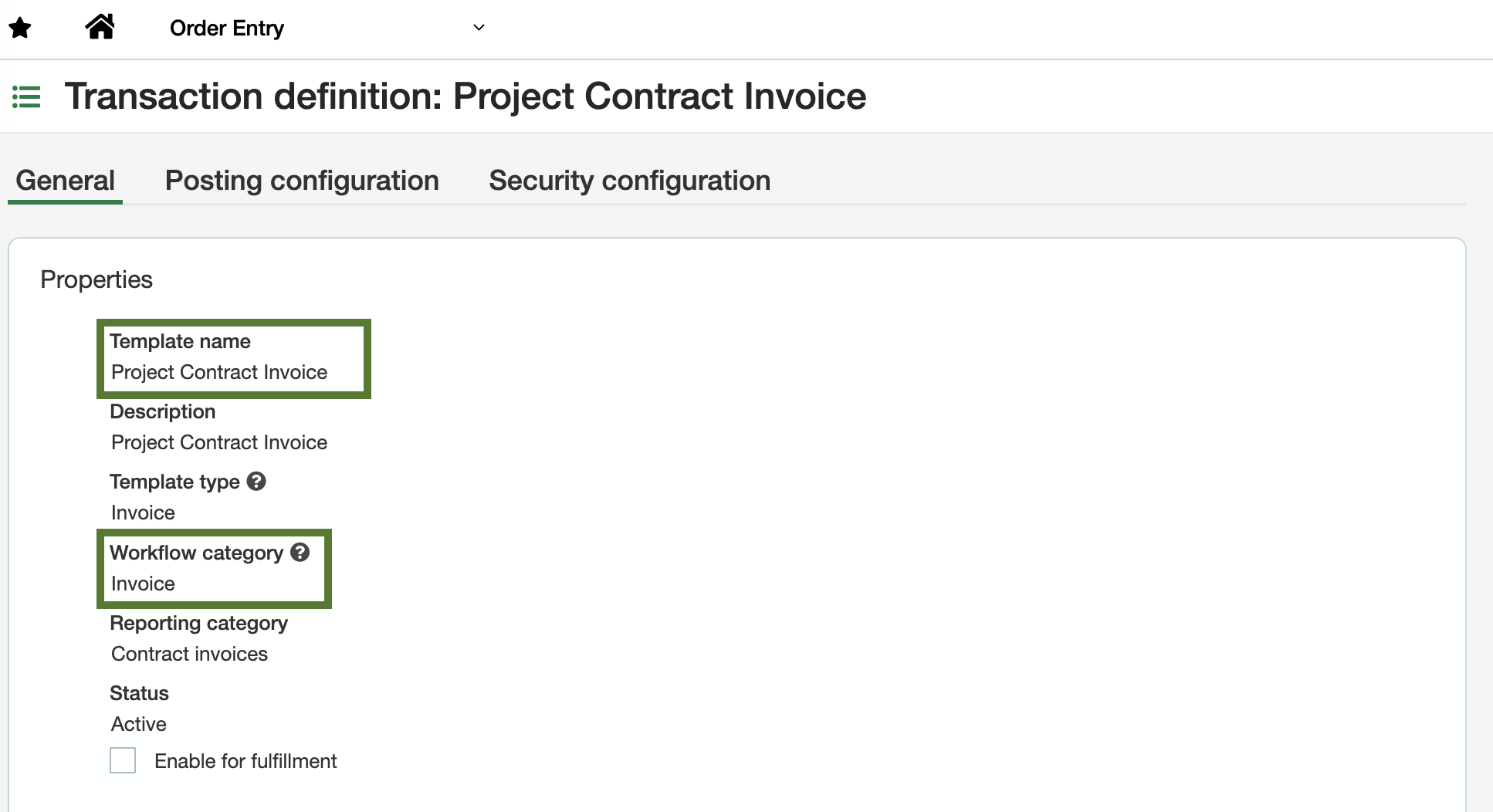
Configure a single Order Entry Transaction Definition in Sage Intacct for AR Invoices. You can find or configure these under Order Entry → Setup → More → Transaction Definitions.
The template name is flexible; the required settings are:
- Workflow category:
Invoice - Enable job contract billing: selected
Default Item ID for AR Invoice Line Items
Since Procore does not assign Item IDs for AR Invoices, provide a single default Item ID that corresponds to a contract revenue GL Account. Your Agave Account Manager can apply this default for you.