Subcontracts
Agave allows you to sync Sage Intacct Subcontracts with Procore Subcontracts and vice versa
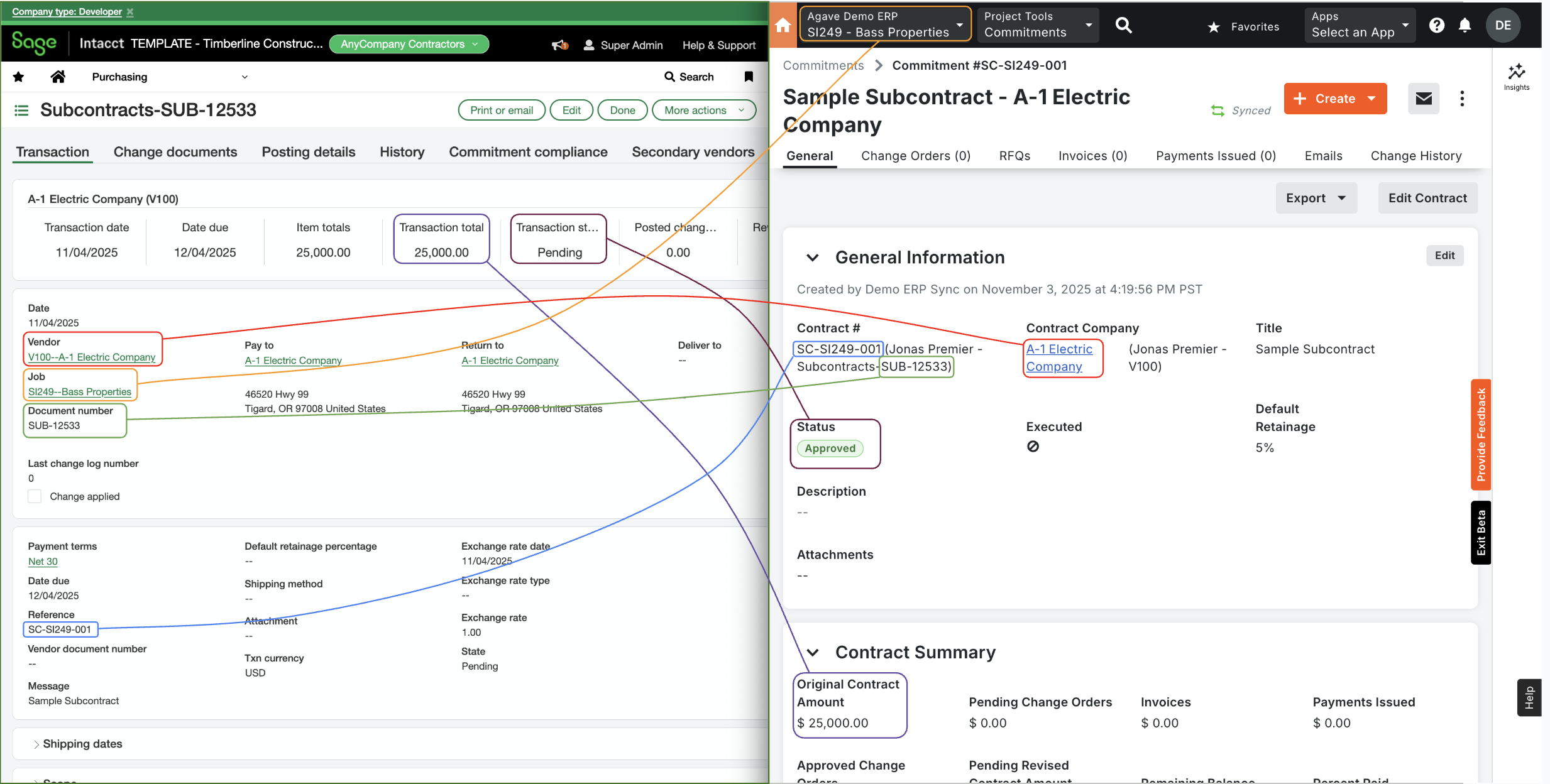
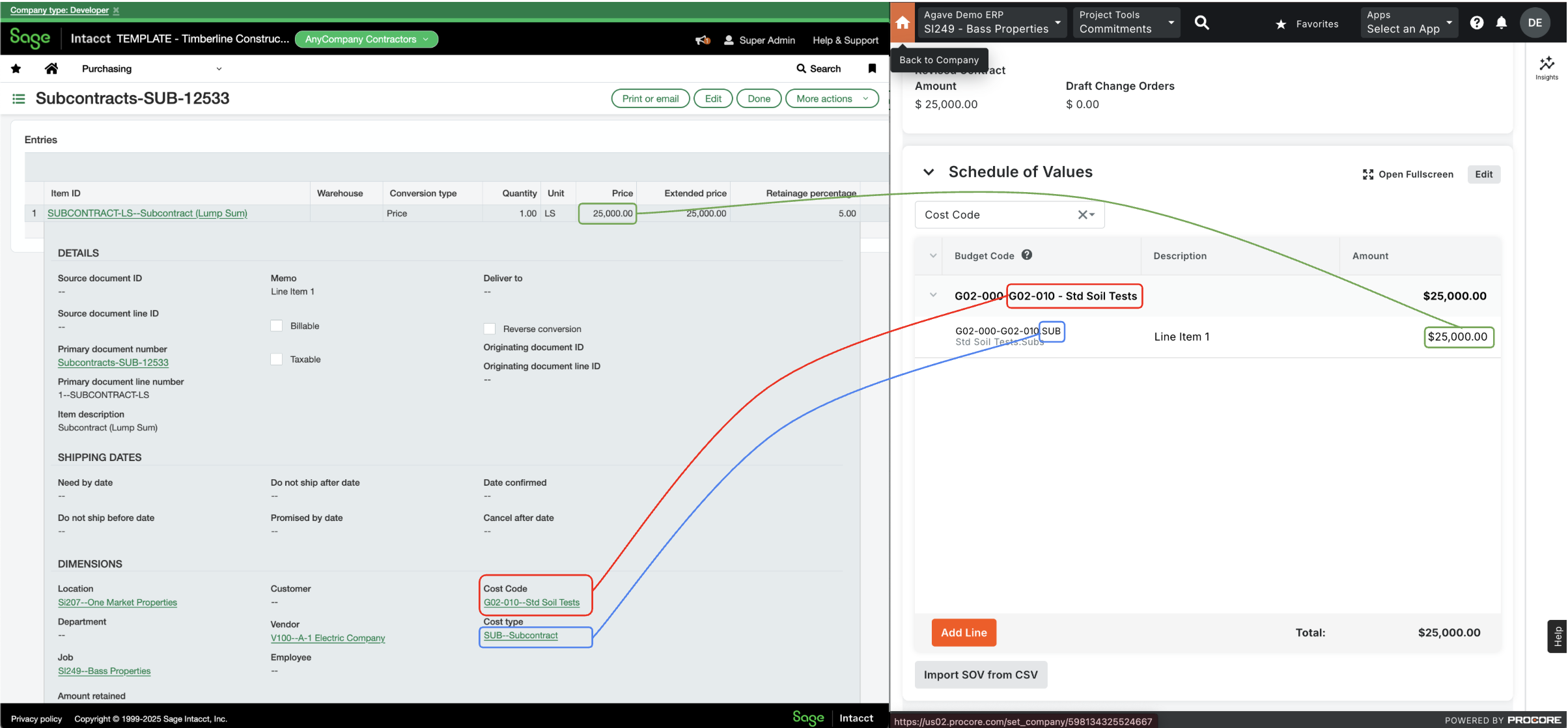
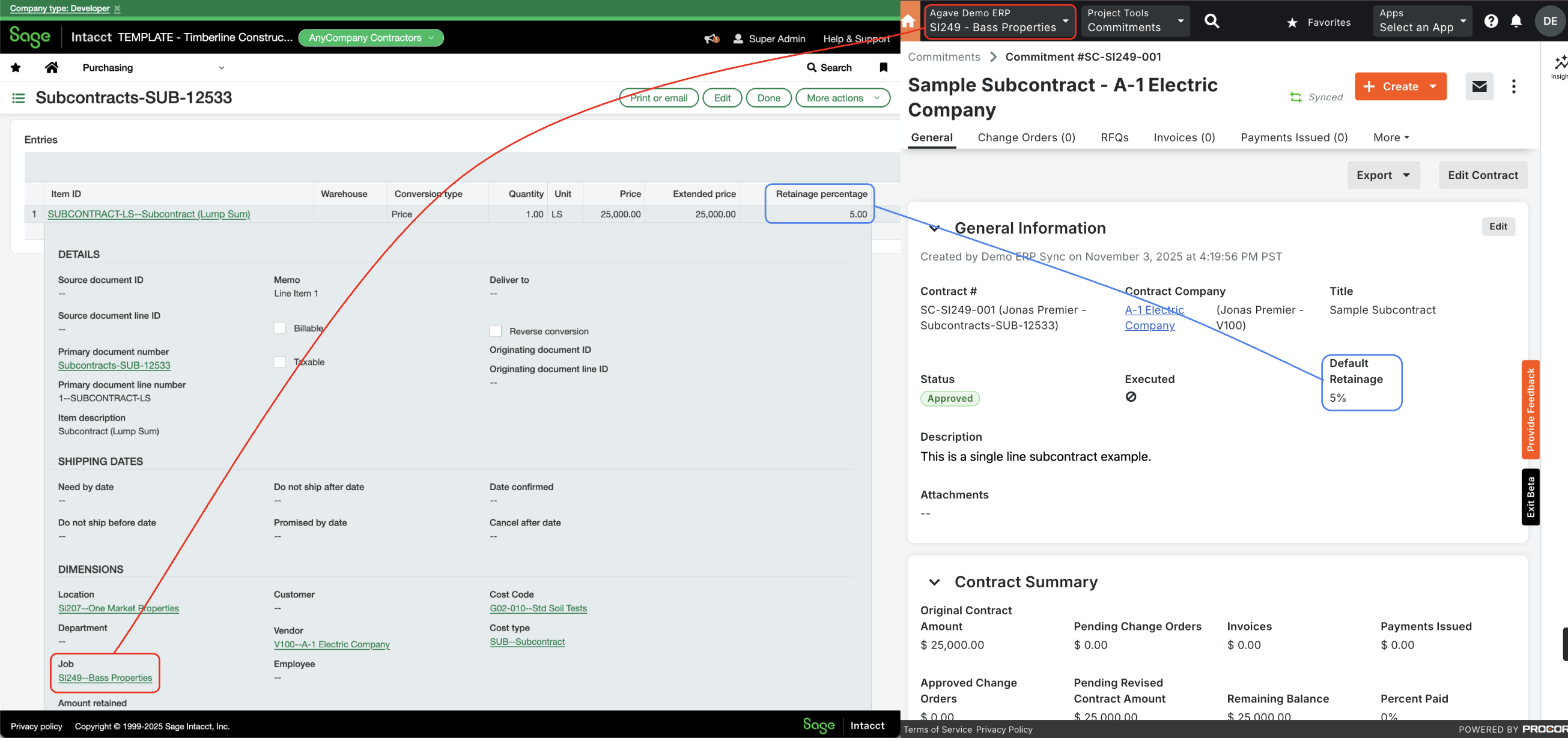
Visual Mapping
Video Tutorial
Common Errors and FAQs
Error: The Executed Date Field is Required.
This error occurs when your ERP requires a date for when the Subcontract was executed. Agave Sync uses the Contract Date field in Procore for this date.
To resolve this error:
-
Go to the Subcontract in Procore.
-
Scroll down to the Contract Dates section.
-
Add a date under Contract Date:
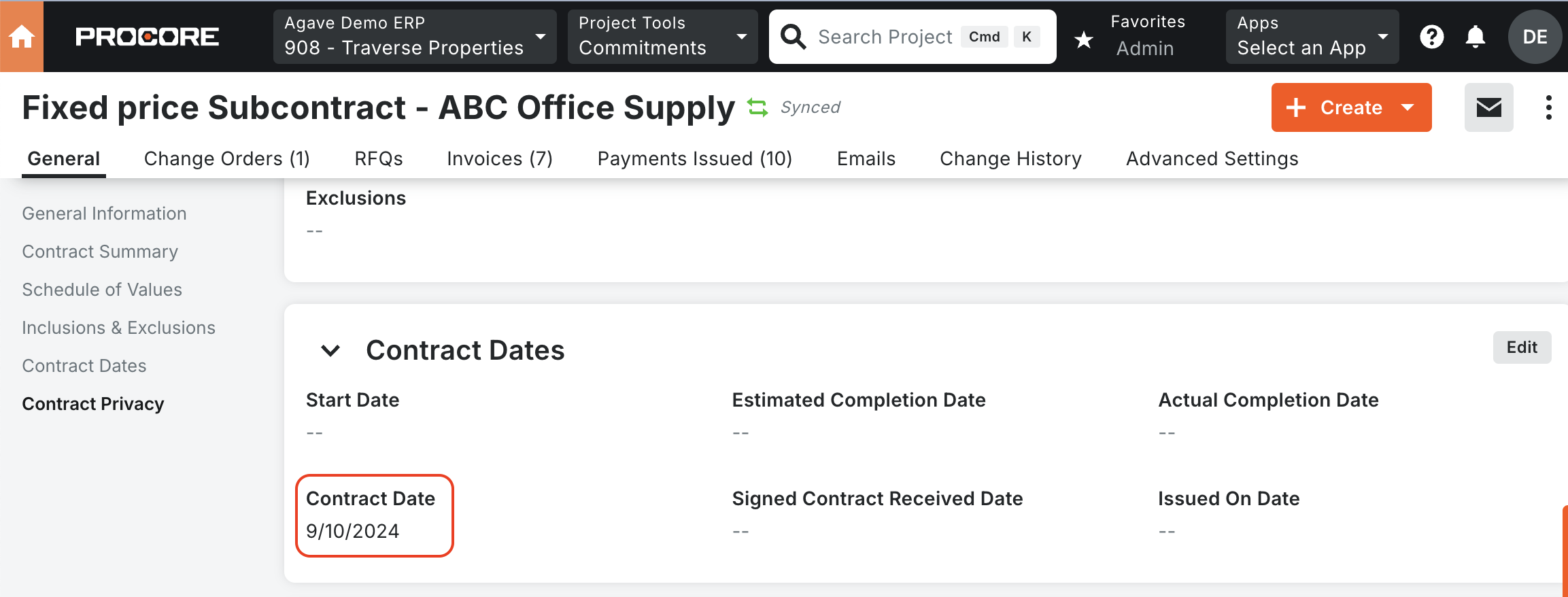
To avoid this error, we recommend making the Contract Date field required. See Procore's Guide on how to make this field required.
Error: Document Number is missing
This error occurs when your Sage Intacct configuration requires a document number for subcontracts. Please reach out to your Agave implementation team so that they can enable a setting in your configuration to fix this.
Configuration in Sage Intacct
Purchasing Transaction Definition for Subcontracts
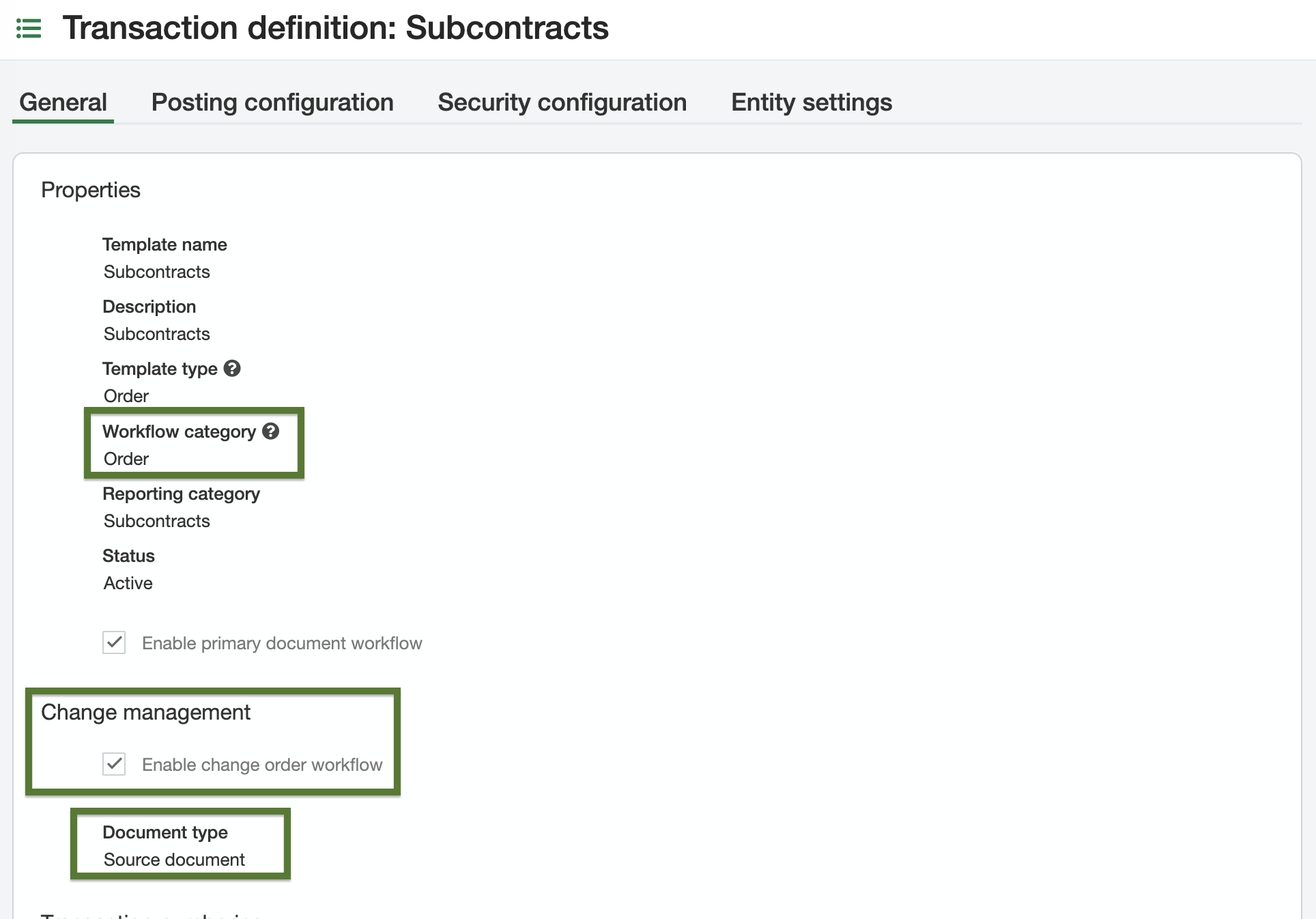
Configure a Purchasing Transaction Definition in Sage Intacct for Subcontracts. Template names are flexible; the required settings are:
- Workflow category:
Order - Change management workflow: enabled, with document type set to
Source Document
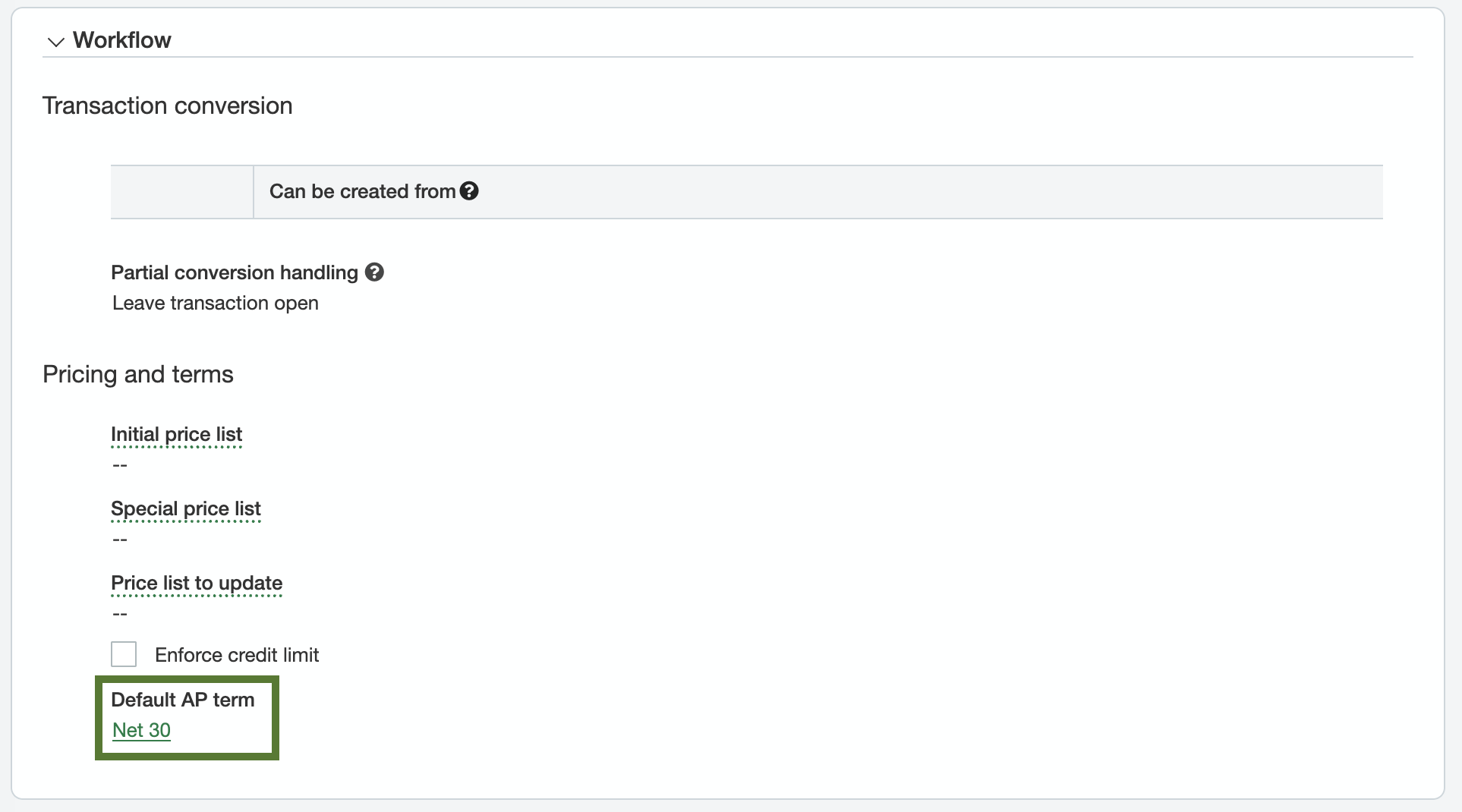
Optionally, configure a default AP term as a fallback for cases when terms aren't specified on the vendor record.
Top level vs entity level
Purchasing Transaction Definitions can live at the top level or the entity level. Top level definitions are inherited by all entities; entity level definitions are scoped to that entity only.
- If the same transaction definitions should apply across all entities, configure them at the top level.
- If entities need their own distinct transaction definitions, configure them at the entity level.
Item IDs on Subcontract Line Items
Sage Intacct requires Item IDs on every line item for Purchasing Transactions, but Procore does not assign Item IDs. There are two supported approaches:
- Default Item ID approach — provide a single default Item ID that Agave applies to every Subcontract Line Item during the sync. Your Agave Account Manager can enable this setting for you.
- Matched Item ID approach — configure Item IDs in Sage Intacct as exact string matches to the standard cost type IDs used in Procore. Typically, these Items belong to different GL Groups that correspond to different COGS accounts (Materials, Equipment, Subcontracts, etc.) — mirroring your cost types. This approach gives you per-cost-type GL posting.