Budget Transfers
Agave Sync allows you to sync Procore Budget Changes to Sage Intacct in one of two ways:
- As Sage Intacct Revised Estimates, or
- As Sage Intacct Change Requests with a Change Request Type of Budget Transfer.
Which option is used is set by Agave on the backend. Reach out to your Implementation Manager to discuss which option is right for you.
Visual Mapping
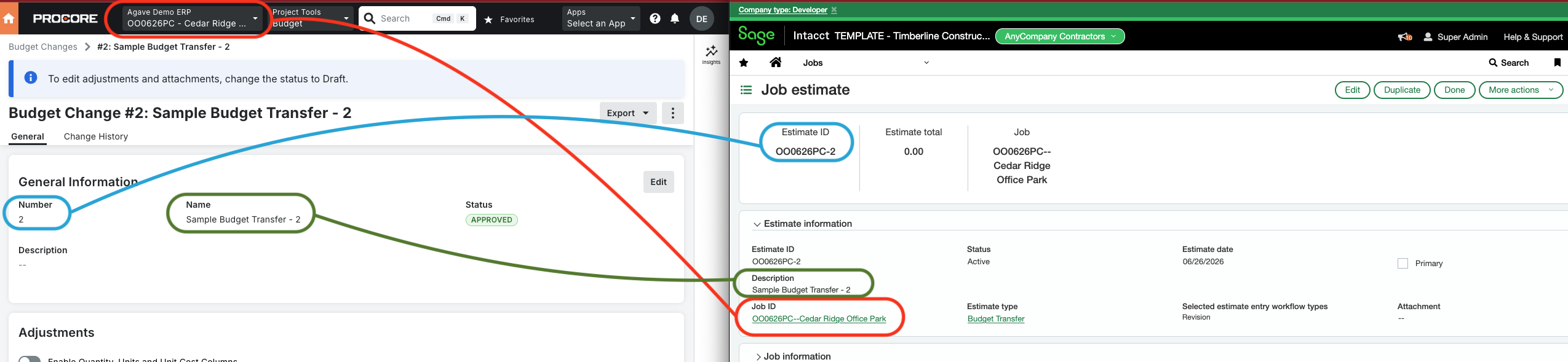
Option 1: Revised Estimates
Agave Sync only supports syncing Budget Changes to Sage Intacct Estimates with a workflow type of Revised.

Option 2: Change Requests
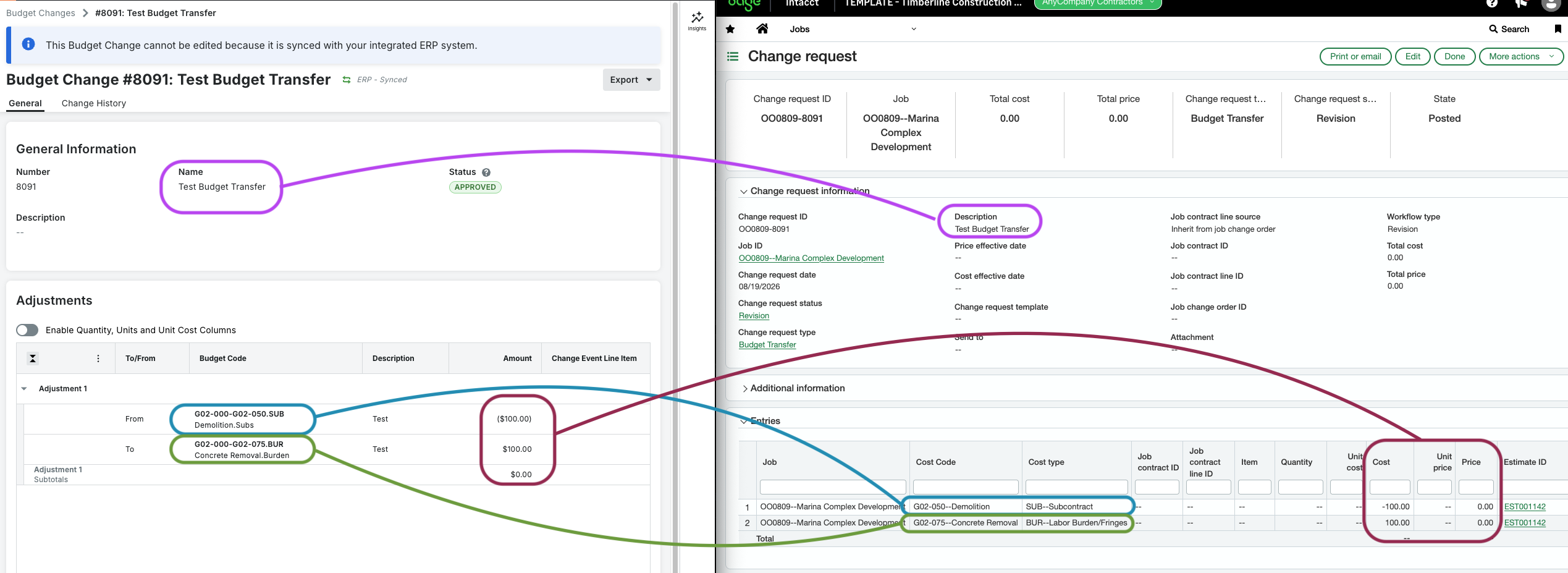
When syncing as a Change Request, each Budget Change line is created as a Change Request Entry on the Job, with the same Cost Code and Cost Type and the amount set as the Entry's Cost.
Video Tutorial
FAQs and Common Errors
What are pre-requisites to syncing Budget Changes?
In order to sync a Budget Change, you will need to sync the associated Project, Cost Code, Cost Type, and Unit of Measure beforehand.
How is the Revised Estimate number determined in Intacct?
In order to ensure uniqueness, the Revised Estimate number is set to the Project Number and the Procore Budget Change Number (i.e. "[Project Number]-[Budget Change Number]").