Projects (Jobs)
Agave Sync allows you to import Sage Intacct Jobs to Procore Projects and vice-versa.
Video Tutorial
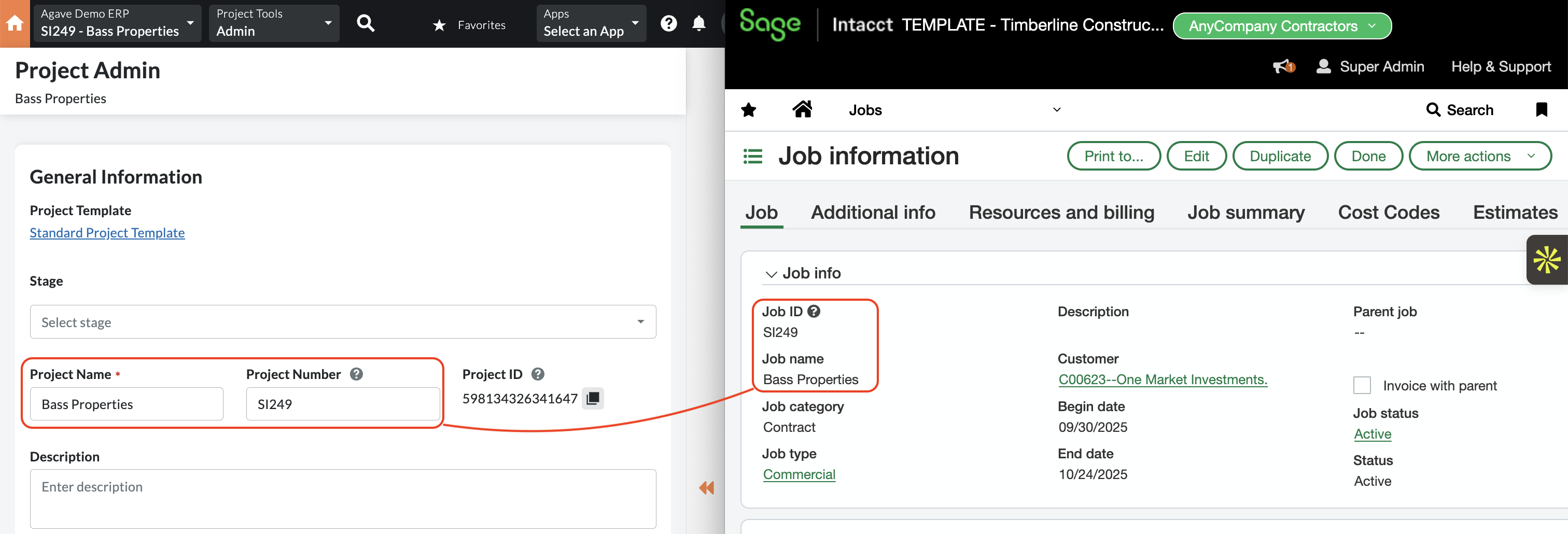
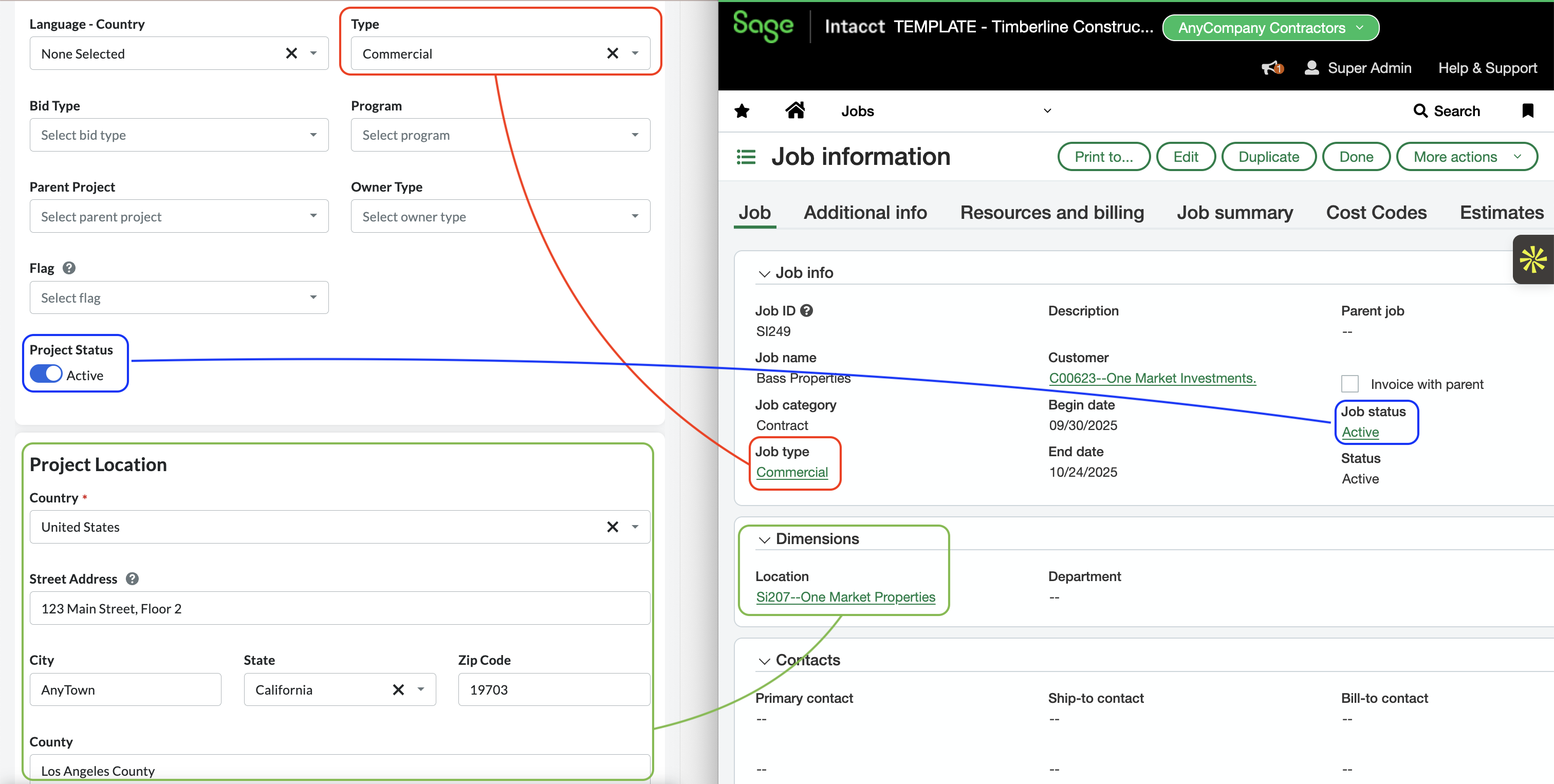
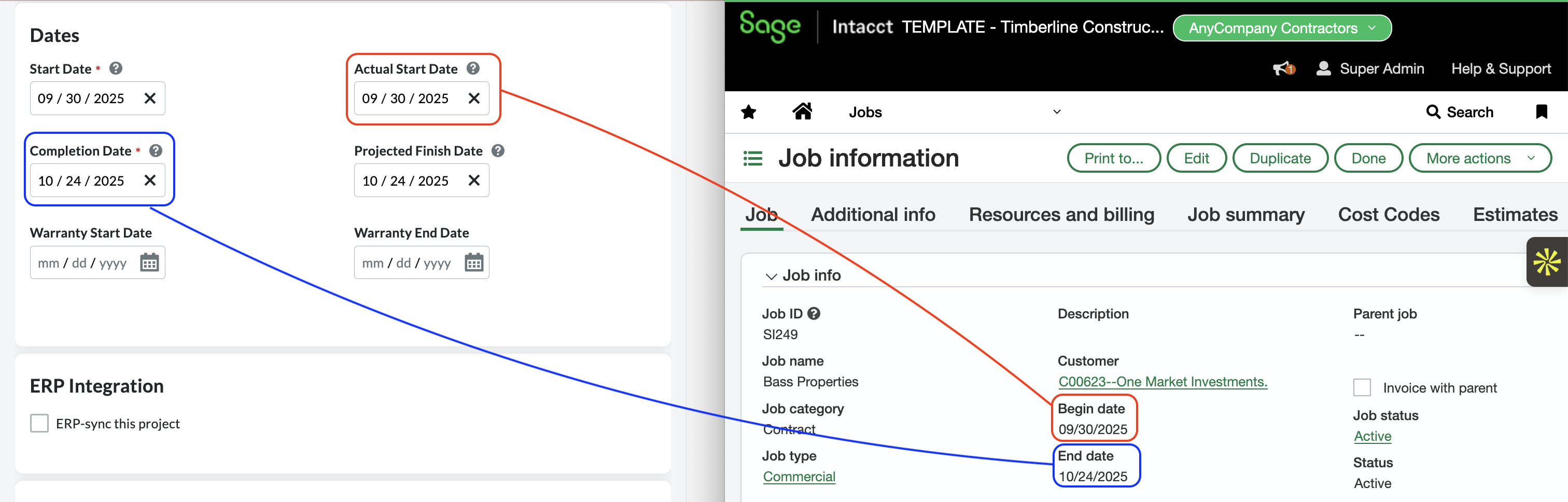
Visual Mapping
Common Errors and FAQs
Are there any pre-requisites to syncing Projects?
No. However, we recommend setting a filter beforehand to ensure only the Projects you plan to use in Procore are synced.
What fields does Agave Sync "Auto-link" on?
Agave Sync will auto-link on the following fields for Projects:
- Name
- Address
- Code/Number
Can Agave Sync sync custom fields to Procore Projects?
Yes. Let your Agave Account Manager know which Custom Fields you would like to sync to.
Configuration in Sage Intacct
Project Estimate Types
Sage Intacct uses Project Estimate Types to group budget data by workflow type for GL budget posting. To support the full range of estimate-related sync scenarios with Procore, configure at least one active Project Estimate Type for each of the following workflow types. Type names are flexible:
- Original — for Budget Line Items synced from Procore
- Revision — for Budget revisions synced from Procore
- Approved Change — for Prime Contract Change Orders posting to the estimate
- Forecast — for Cost Projections synced from Procore
Without an active Project Estimate Type for a given workflow type, the corresponding sync will fail to post the estimate.