Cost Codes (Service Items)
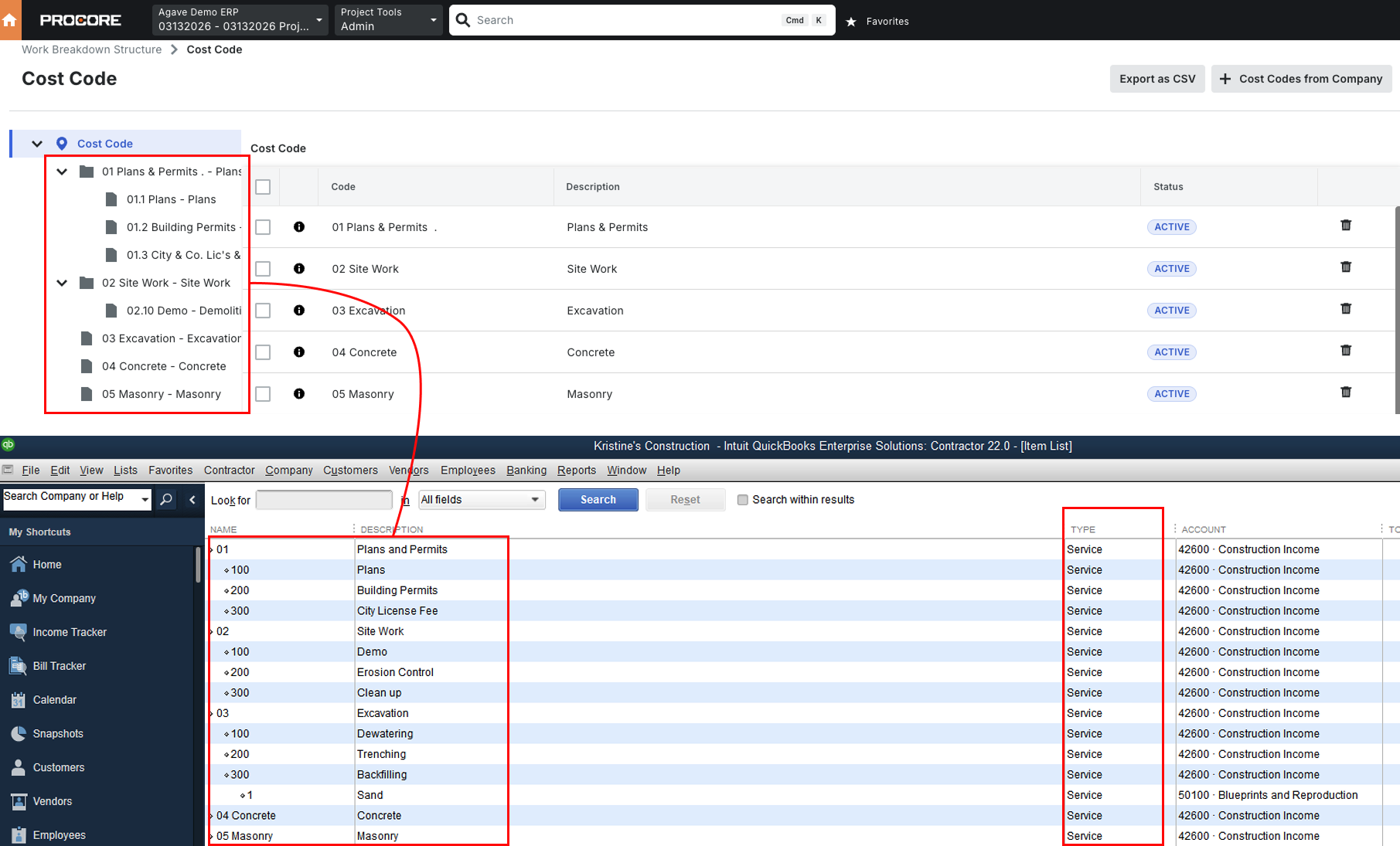
Agave Sync allows you to import a Project's Cost Codes (Service Items) from QuickBooks Desktop to Procore.
Agave Sync defaults to using QuickBooks Desktop Items that have a type of "Service" for Cost Codes in Procore (see below).
Visual Mapping
Common Errors and FAQs
Does Agave support syncing other Items type in QuickBooks Desktop?
By default, Agave syncs Items in QuickBooks Desktop that have a type of "Service" for Cost Codes in Procore. We can also support additional item types such as Inventory, Non-Inventory, Other Charge etc.
Does Agave support syncing Chart of Accounts or General Ledger (G/L) Accounts?
We do not support G/L account-based tracking. If you are tracking costs via G/L accounts under Chart of Accounts on QuickBooks Desktop rather than Items, you would need to migrate to Items in order to integrate with Procore using Agave.
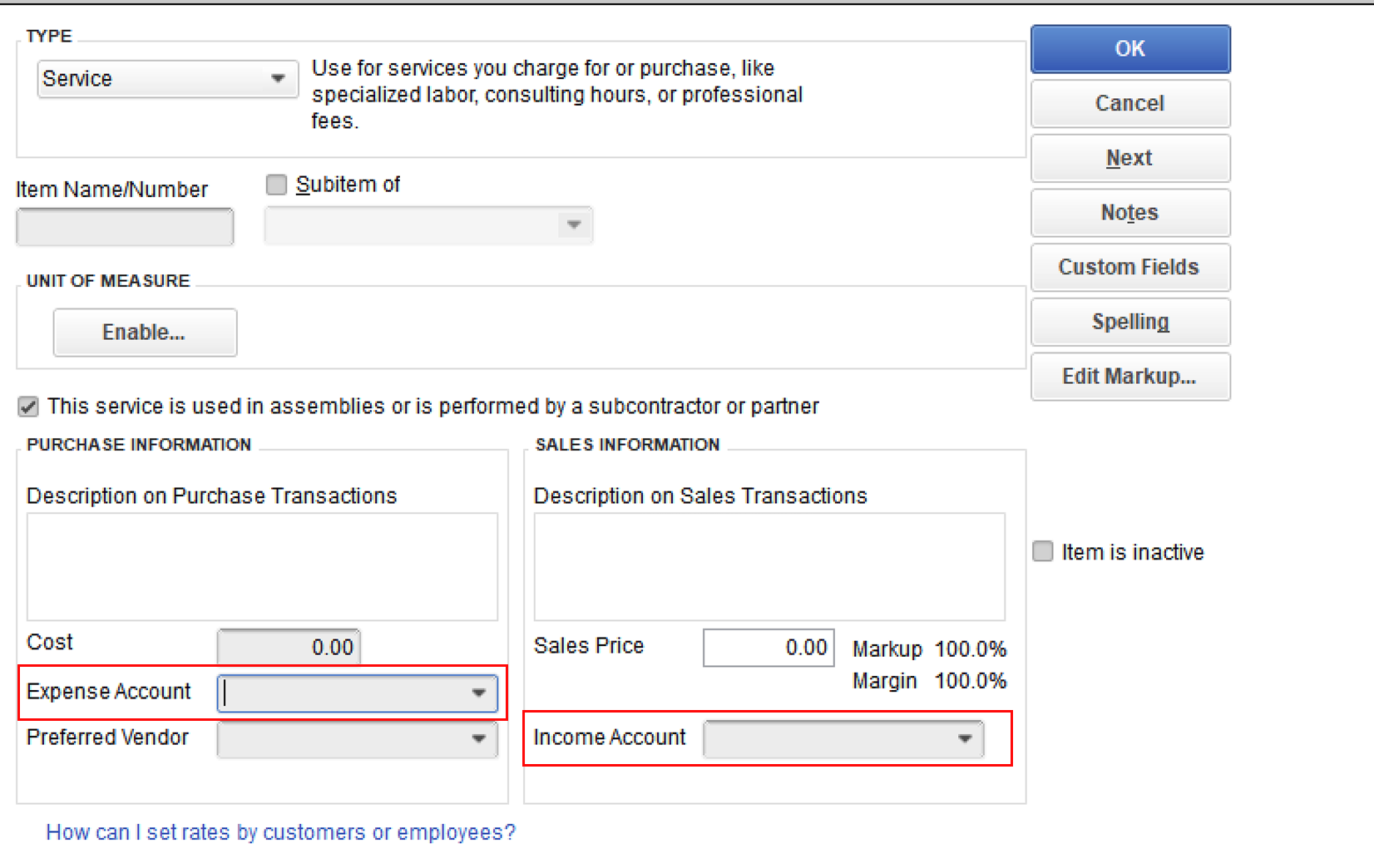
QuickBooks Desktop allows you to associate an Expense Account and an Income Account to each Item (see below).
Does Agave support syncing Sub Jobs?
We do not support syncing Sub Jobs or any Budget Code Segments outside of Cost Code (Service Items) and Cost Types (Classes).