Timecard Entries
Agave Sync allows you to export Procore Timecard Entries to QuickBooks Desktop Timesheets.
Visual Mapping

Time Types and Payroll Items
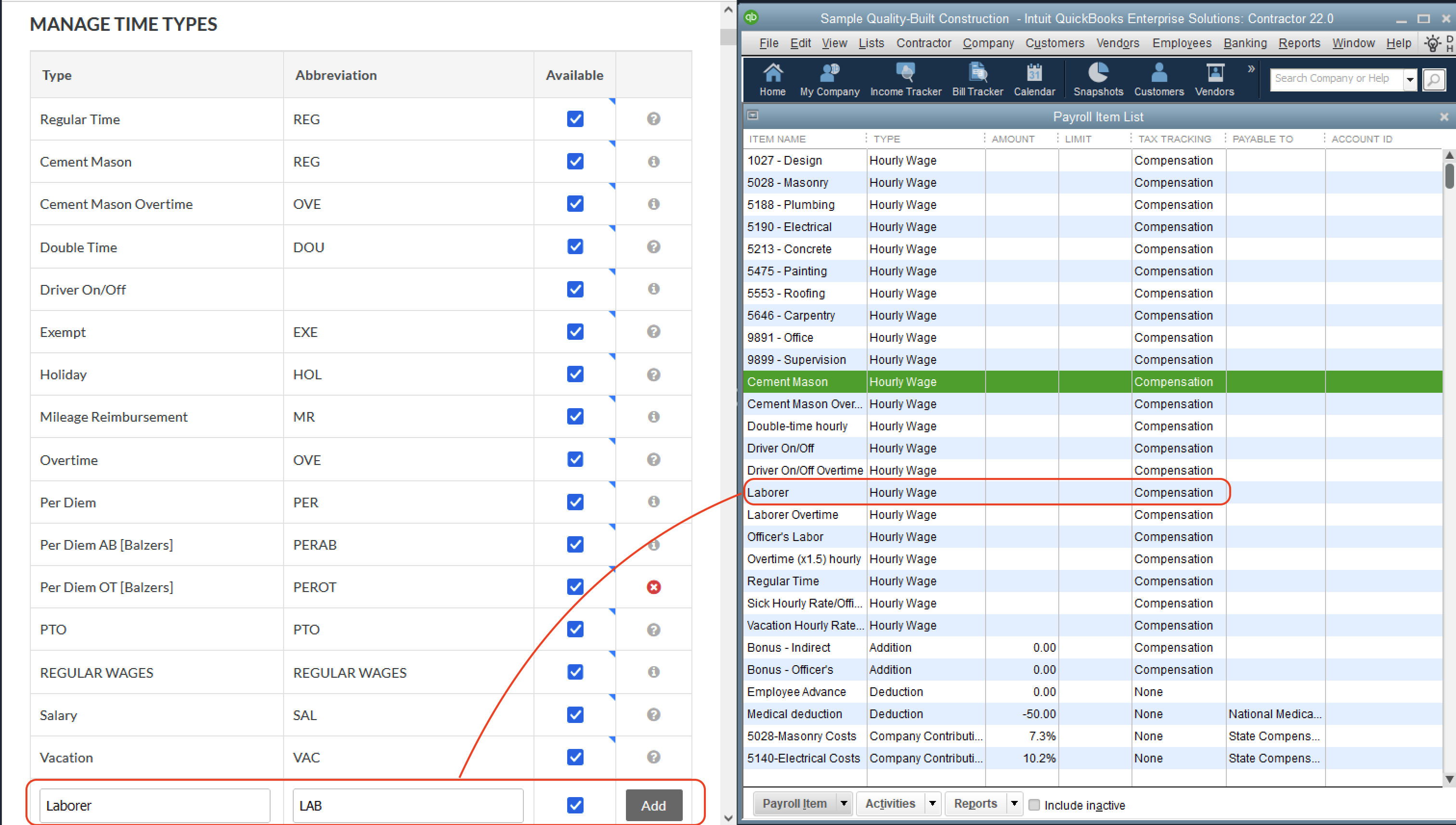
To sync Timecards from Procore to QuickBooks Desktop, you will want to make sure your Procore Time Types match your QuickBooks Desktop Payroll Items.
To add Procore Time Types:
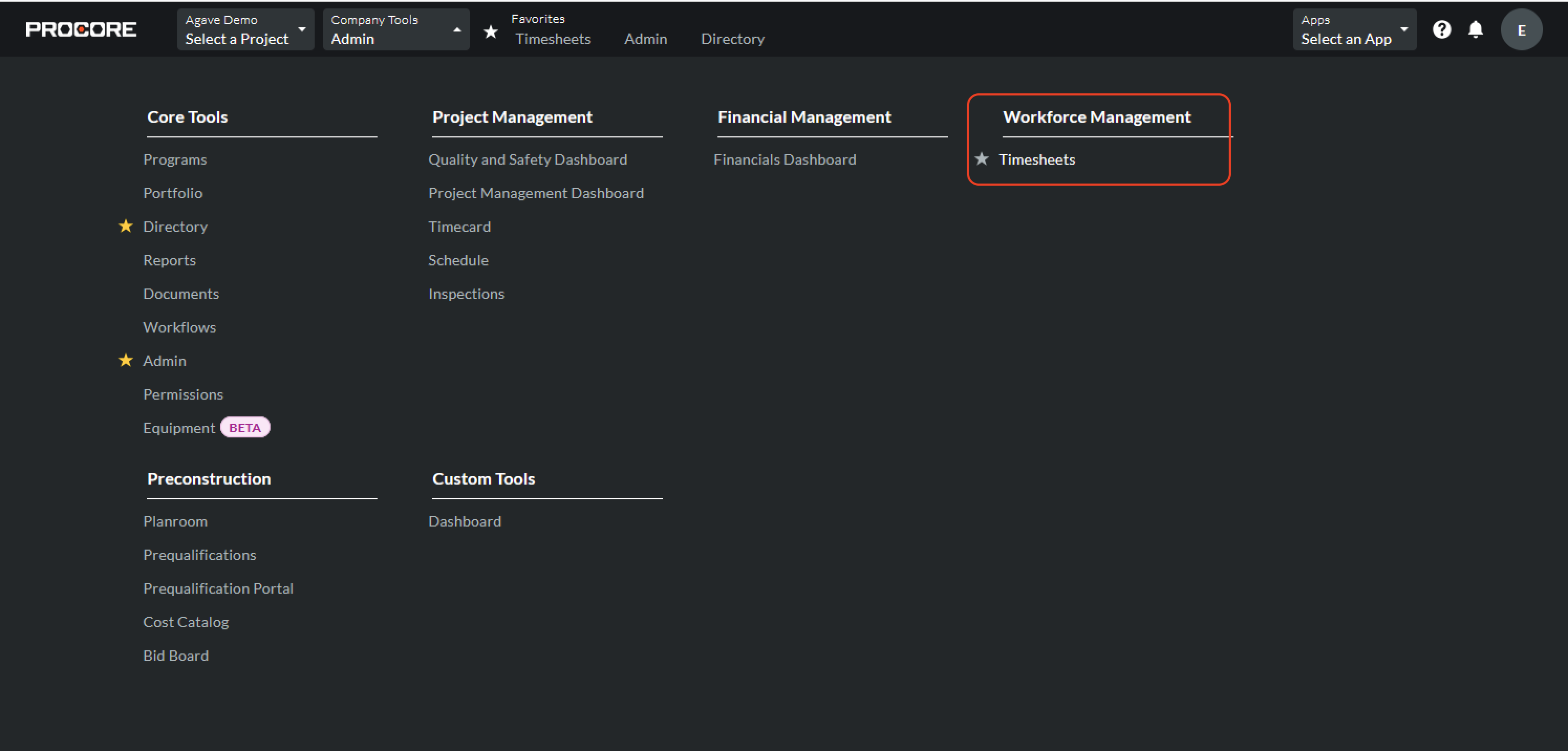
- From the Procore homepage, go to Company Tools-->Timesheets (under Workforce Management).
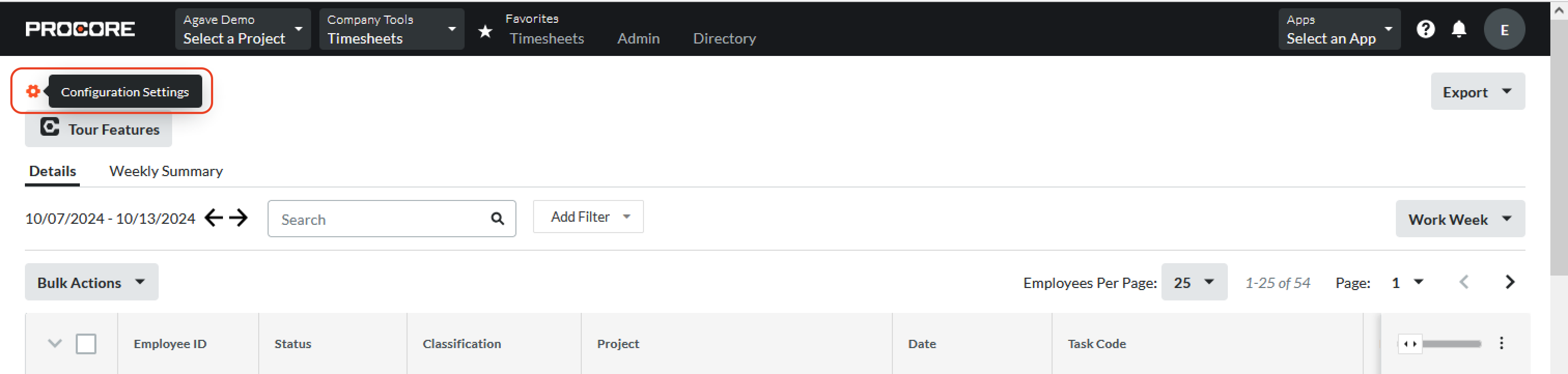
- Select the gear icon for Configuration Settings at the top left:
- Add Time Types that match to your existing QuickBooks Desktop Payroll Items:
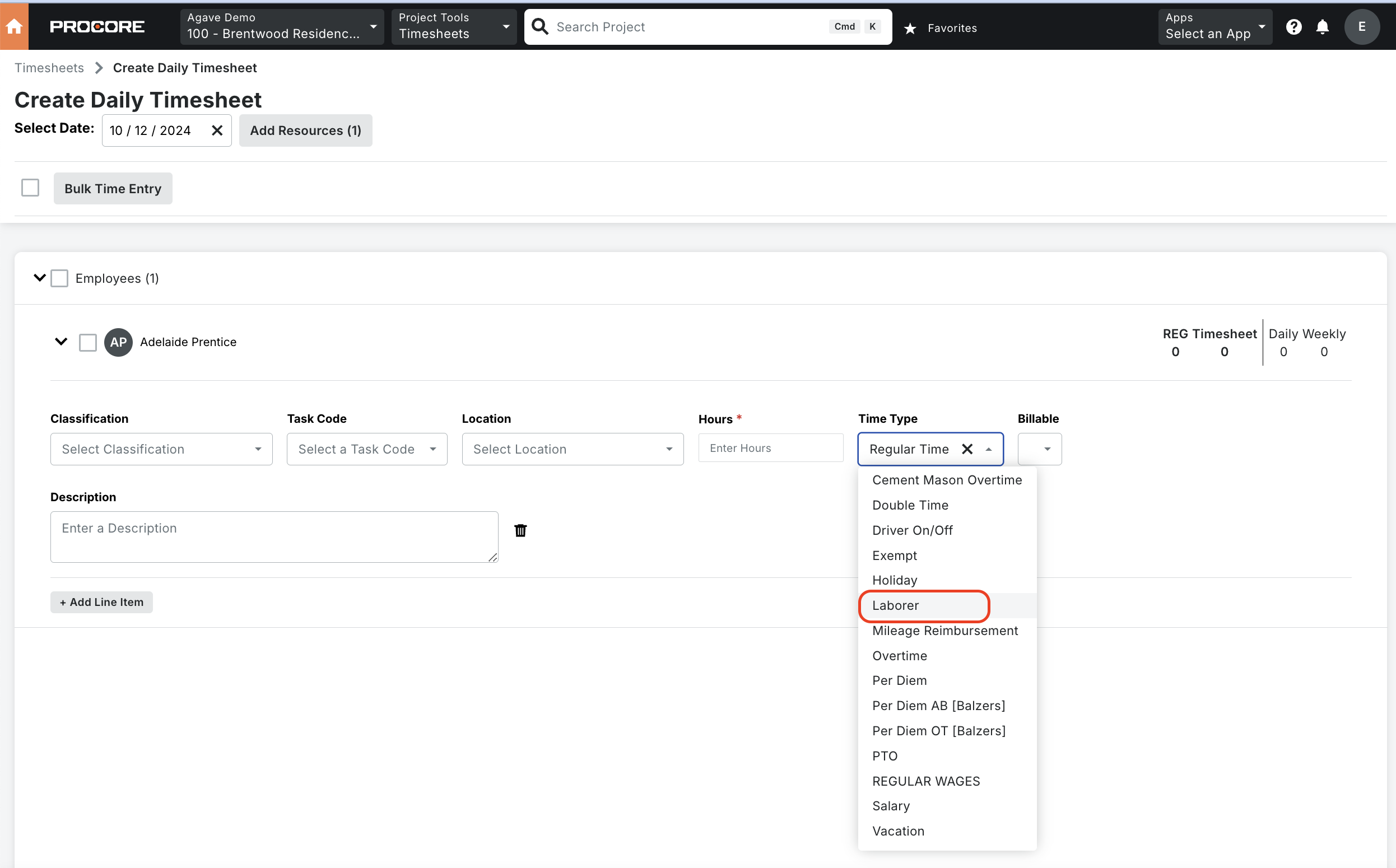
- The new Time Type will appear as an option in the drop-down for Timecard Entries:
To learn more about creating Time Types in Procore, see their documentation.