Subcontracts
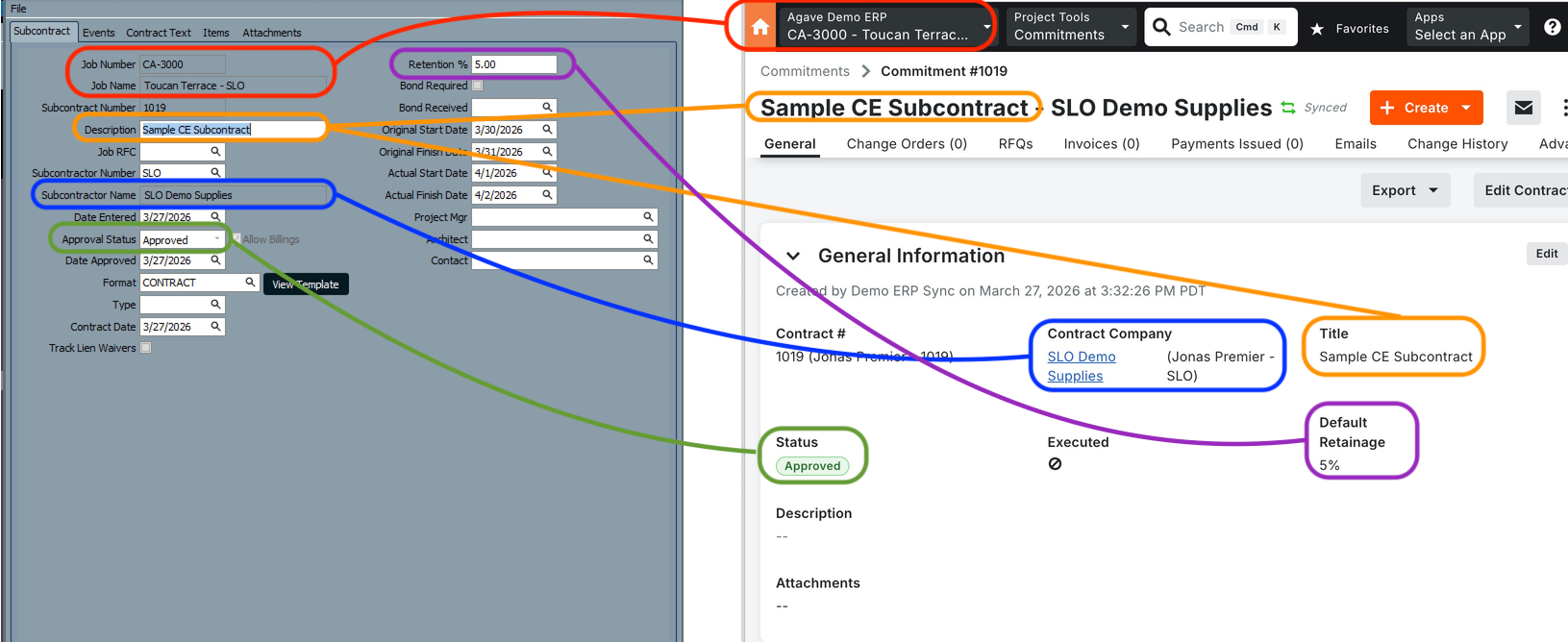
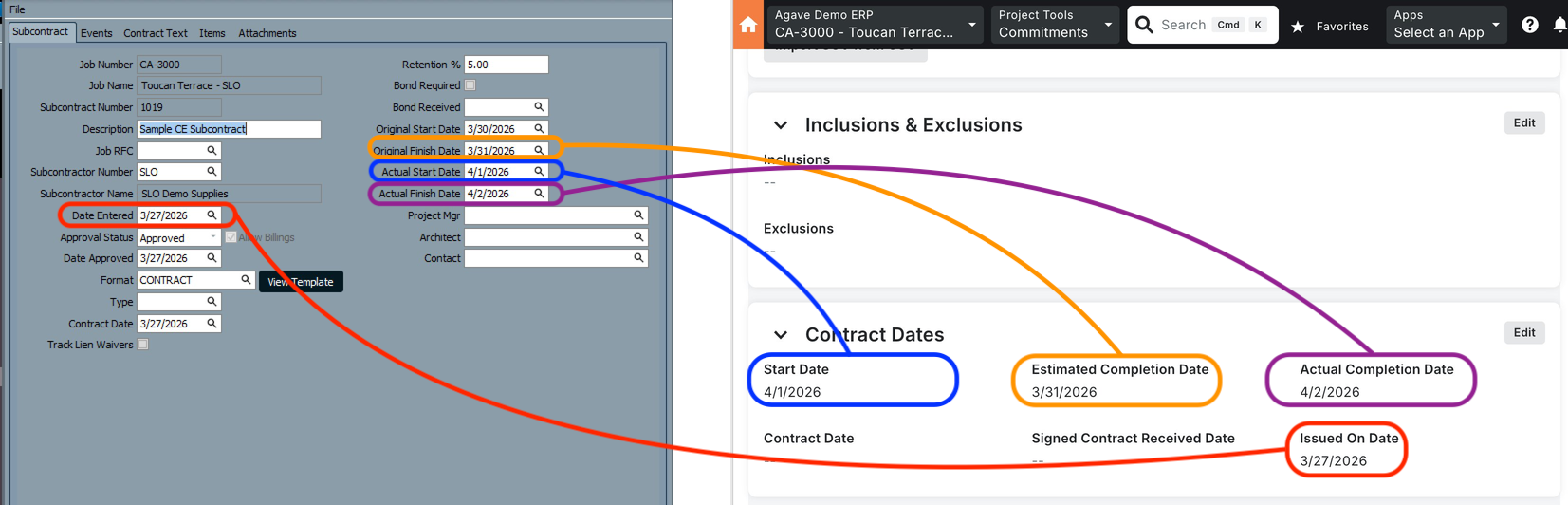
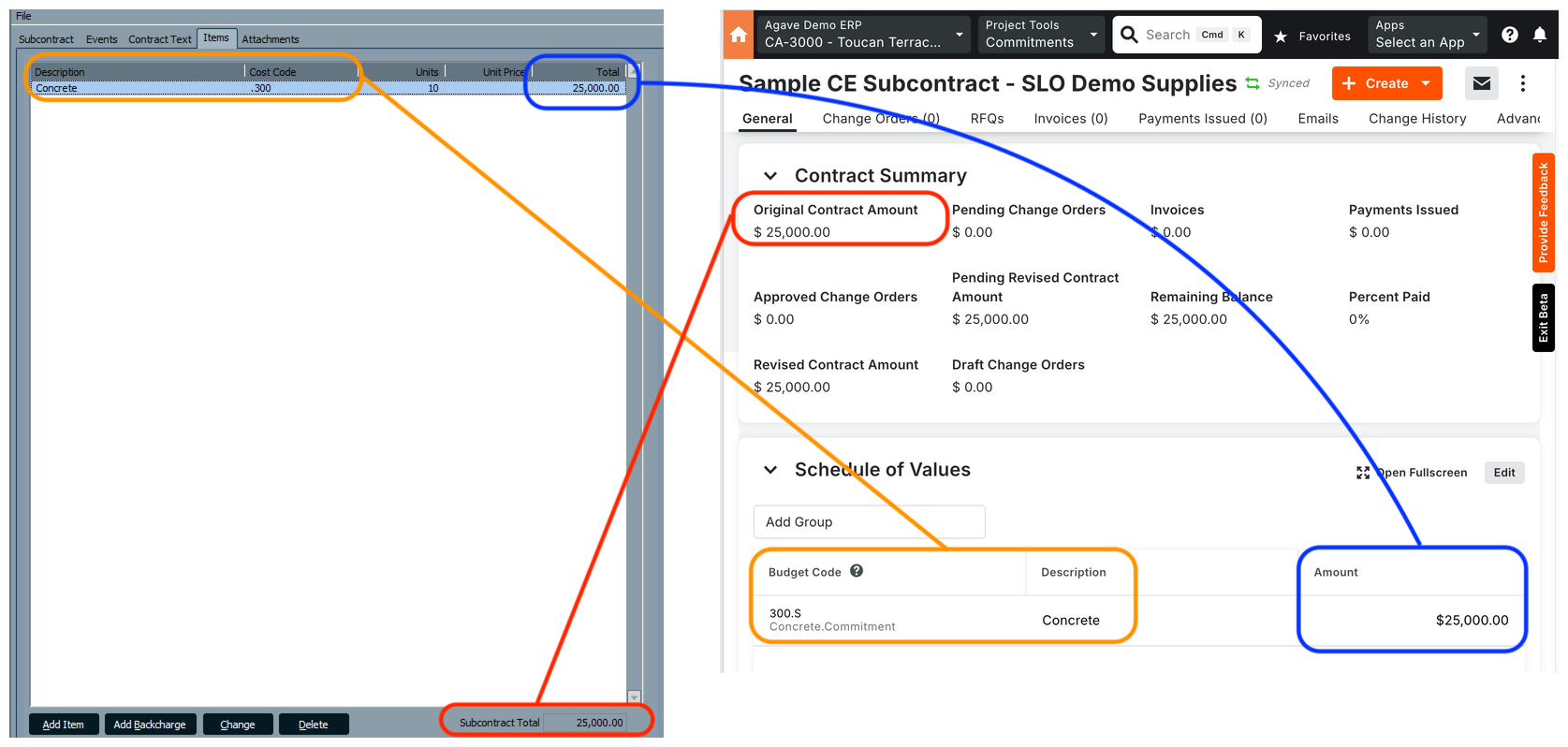
Agave Sync allows for you to sync ComputerEase Subcontracts to Procore Commitments (Subcontracts).
note
Only ComputerEase Subcontracts with a status of "Approved" can be synced to Procore. Subcontracts with a status of "Pending" or "Denied" will not sync.
Visual Mapping
Common Errors and FAQs
What are pre-requisites to syncing Subcontracts from ComputerEase to Procore?
All of the following associated records must be synced beforehand:
- The Vendor,
- The Project (Job),
- The Sub Job (Phase) if applicable,
- The Cost Code (Category Code), and
- The Cost Type.
Why is my Subcontract not syncing?
Only ComputerEase Subcontracts with a status of Approved can be synced to Procore. Subcontracts with a status of "Pending" or "Denied" will be skipped.
What status will the Subcontract have in Procore?
All synced Subcontracts are created in Procore with a status of Approved and an accounting method of Amount Based.