Prime Contract Change Orders (Job RFCs)
Agave Sync allows for you to sync Procore Potential Change Orders to ComputerEase Job RFCs.
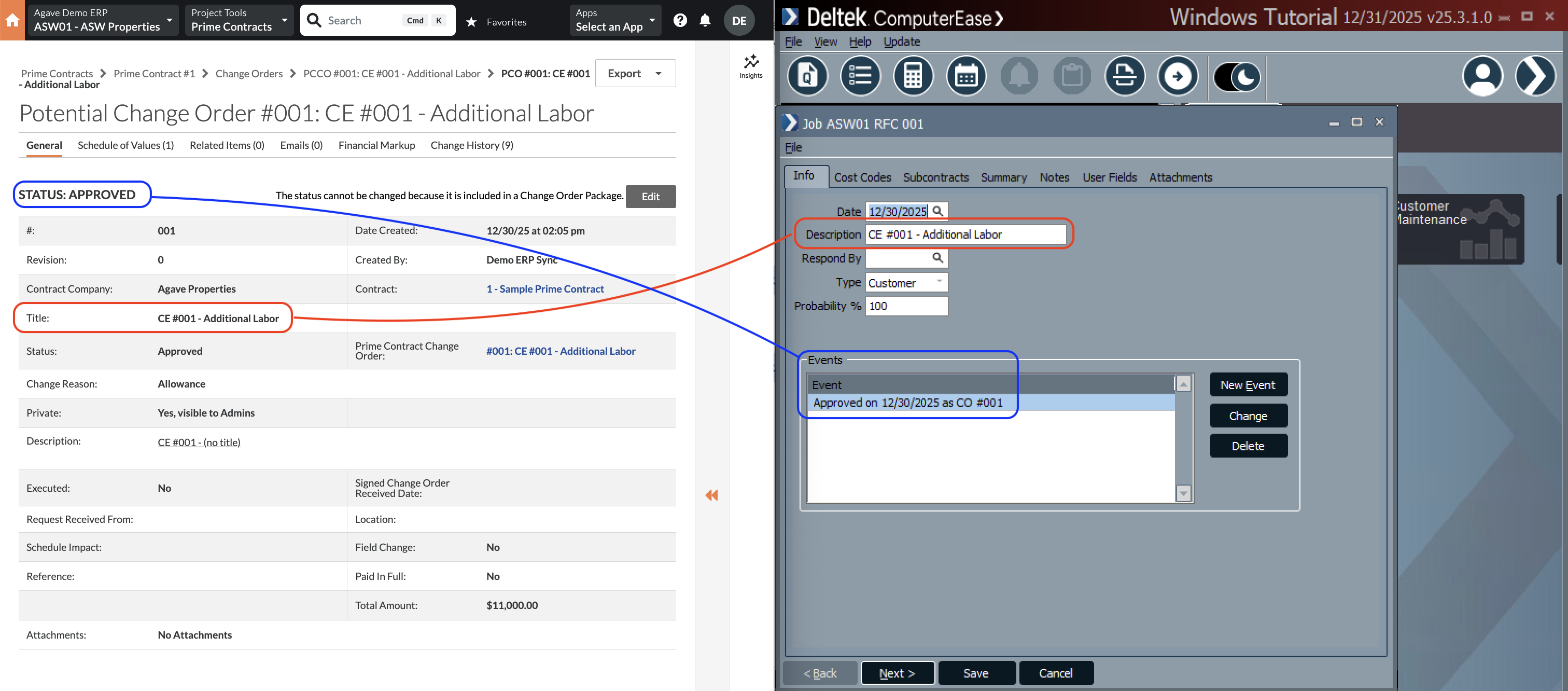
Agave Sync exports Prime Contract Change Orders to ComputerEase with a Type of Customer, Probability of 100, and a Status of Approved.
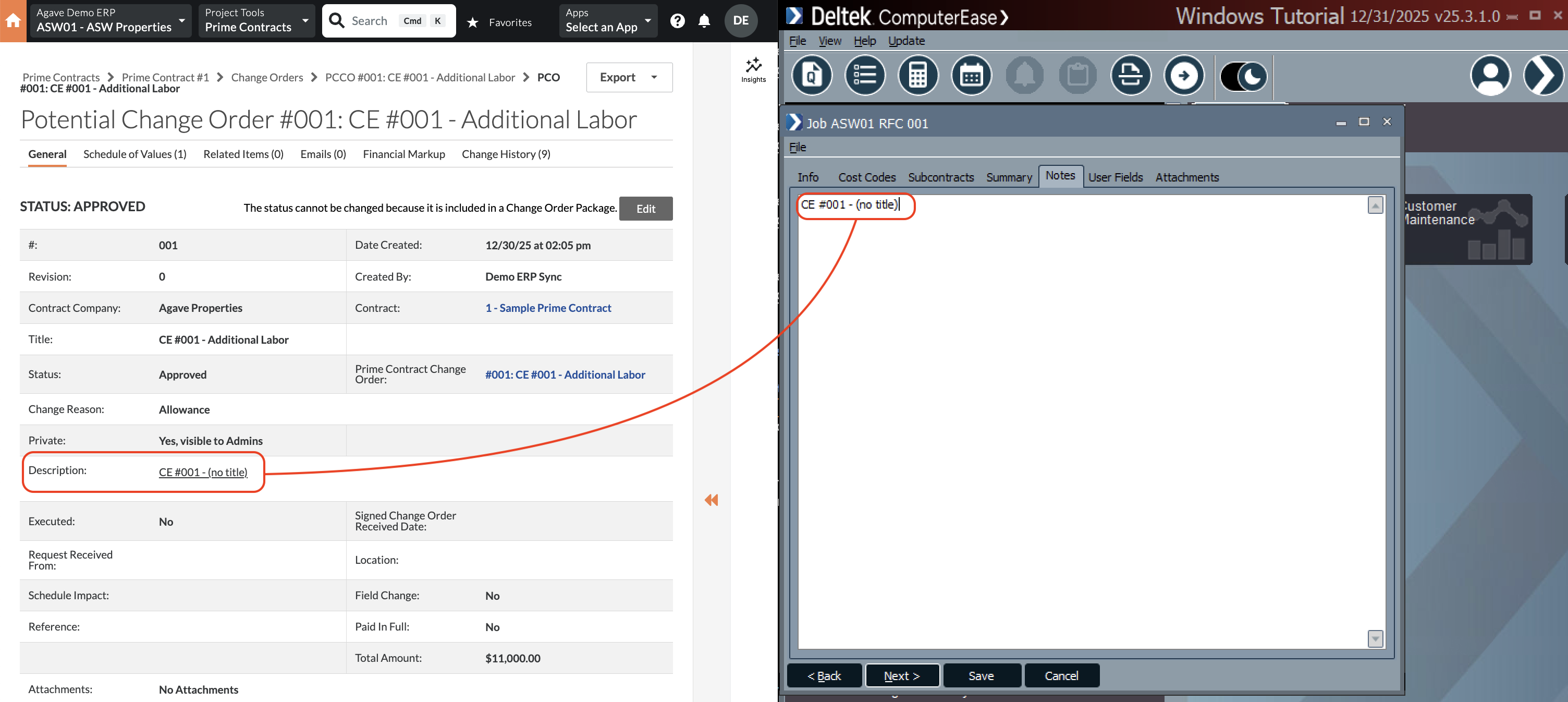
Visual Mapping

Common Errors and FAQs
What are pre-requisites to syncing Prime Contract Change Orders from Procore to ComputerEase?
All of the following associated records must be synced beforehand:
- The Customer,
- The Project (Job),
- The Sub Job (Phase) if applicable,
- The Cost Code (Category), and
- The Cost Type.
Setting Cost and Revenue Amounts from Procore
When syncing Prime Contract Change Orders from Procore to your ERP, you may want to distinguish between Cost and Revenue amounts so that Profit (Revenue − Cost) can be calculated accurately on the Change Order.
Agave Sync supports two approaches for determining how cost and revenue are derived.
Available Approaches
1. Use Procore’s Markup Tool (Default)
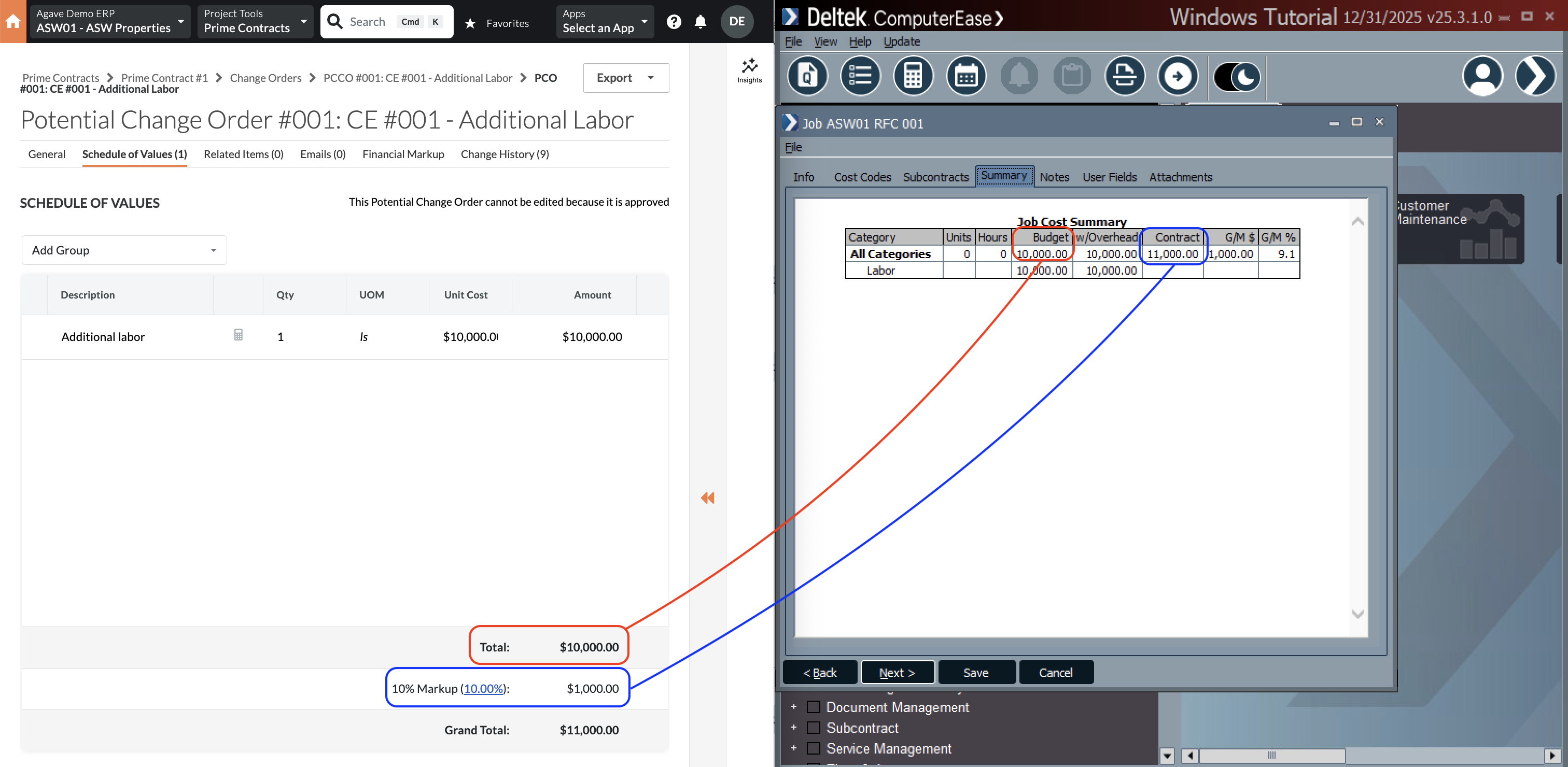
If you use Procore’s Markup Tool, Agave Sync will automatically handle the separation of cost and revenue.
- Horizontal and vertical markup amounts will:
- Be excluded from creating Cost or Estimate amounts in the ERP
- Be included only in the Revenue amount
- Non-markup amounts will continue to generate both cost and revenue as expected
- This approach is enabled by default and requires no additional configuration
Best used when:
- You are already using Procore’s native markup functionality
- Markup represents pure revenue (no associated cost)
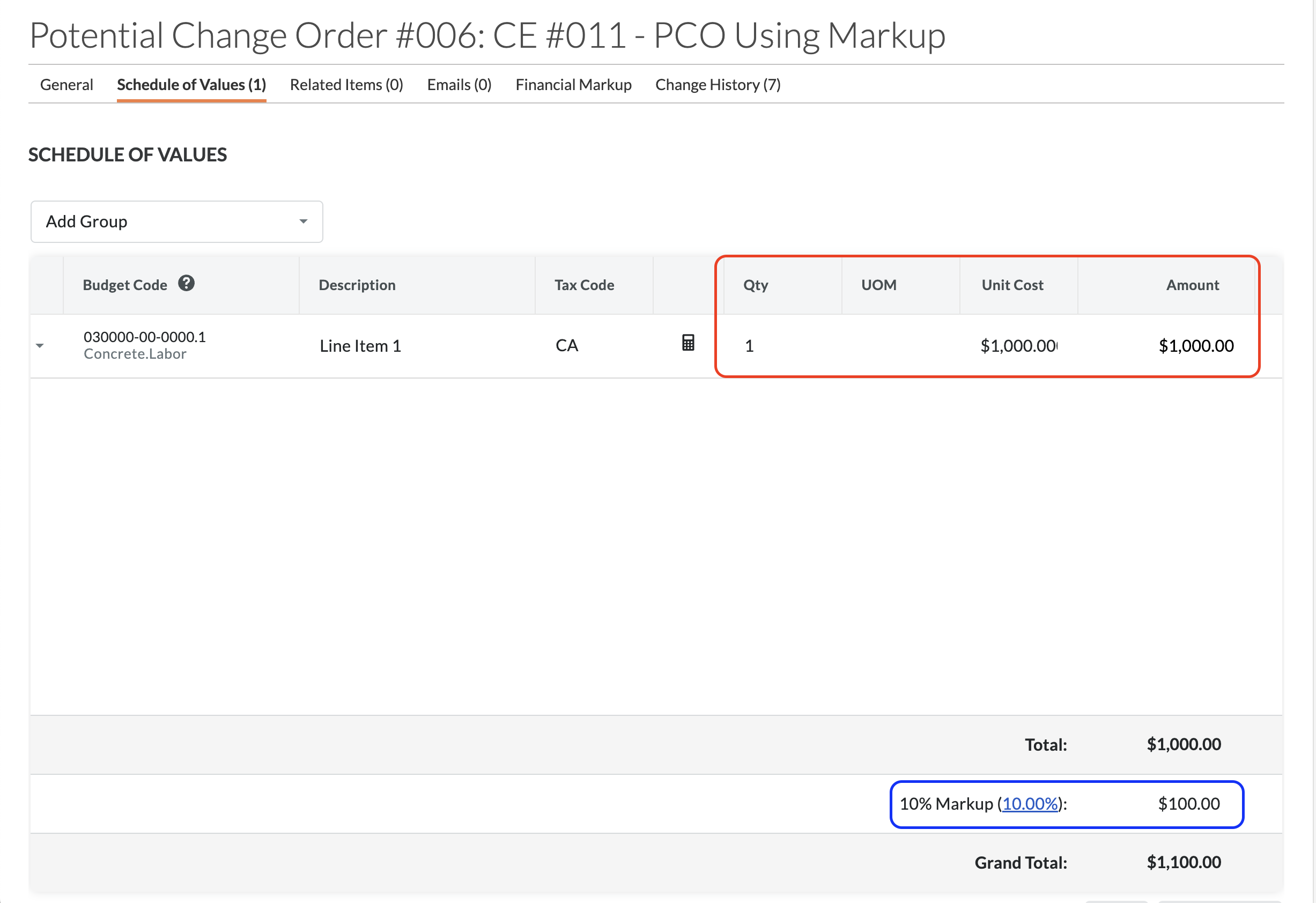
In the below example, the Cost or Estimate amount is equal to the PCO Line Item amount total (see red rectangle), while the Revenue amount is equal to the PCO Line Item amount total plus any markup amounts (see blue rectangle):
2. Use the Cost ROM from the Associated Change Event
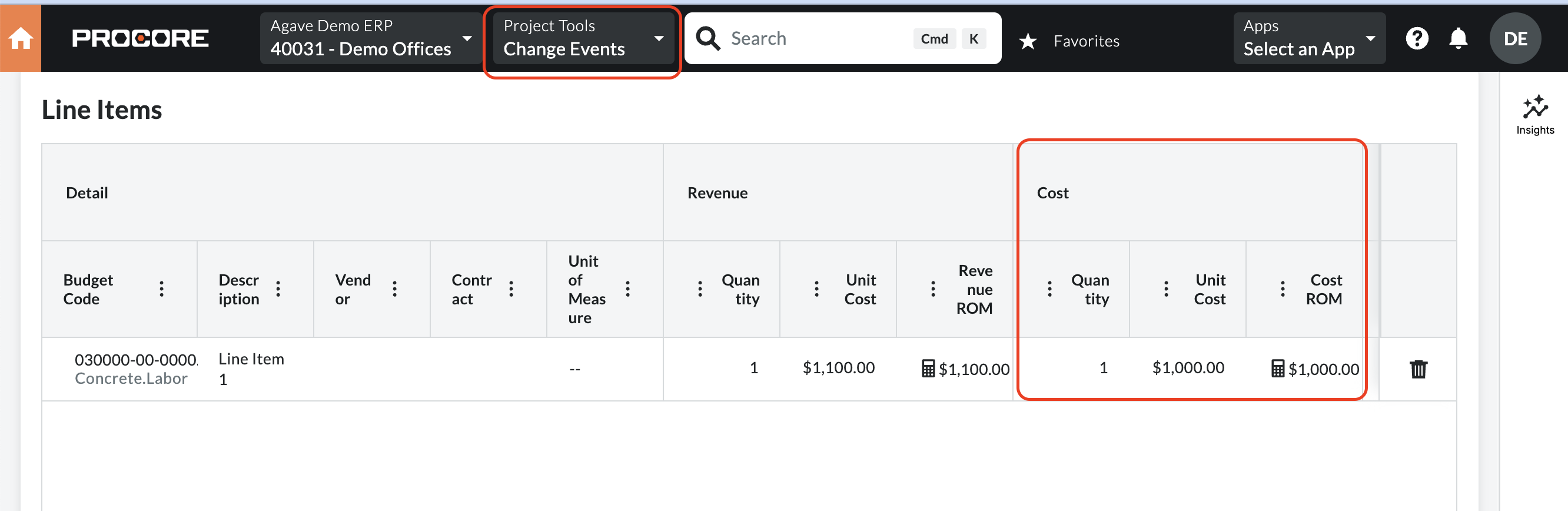
If you do not plan to use Procore’s Markup Tool but still want to separate cost and revenue, Agave Sync can use the Cost ROM from the Change Event associated with the Prime Contract Change Order as the source of the Cost amount.
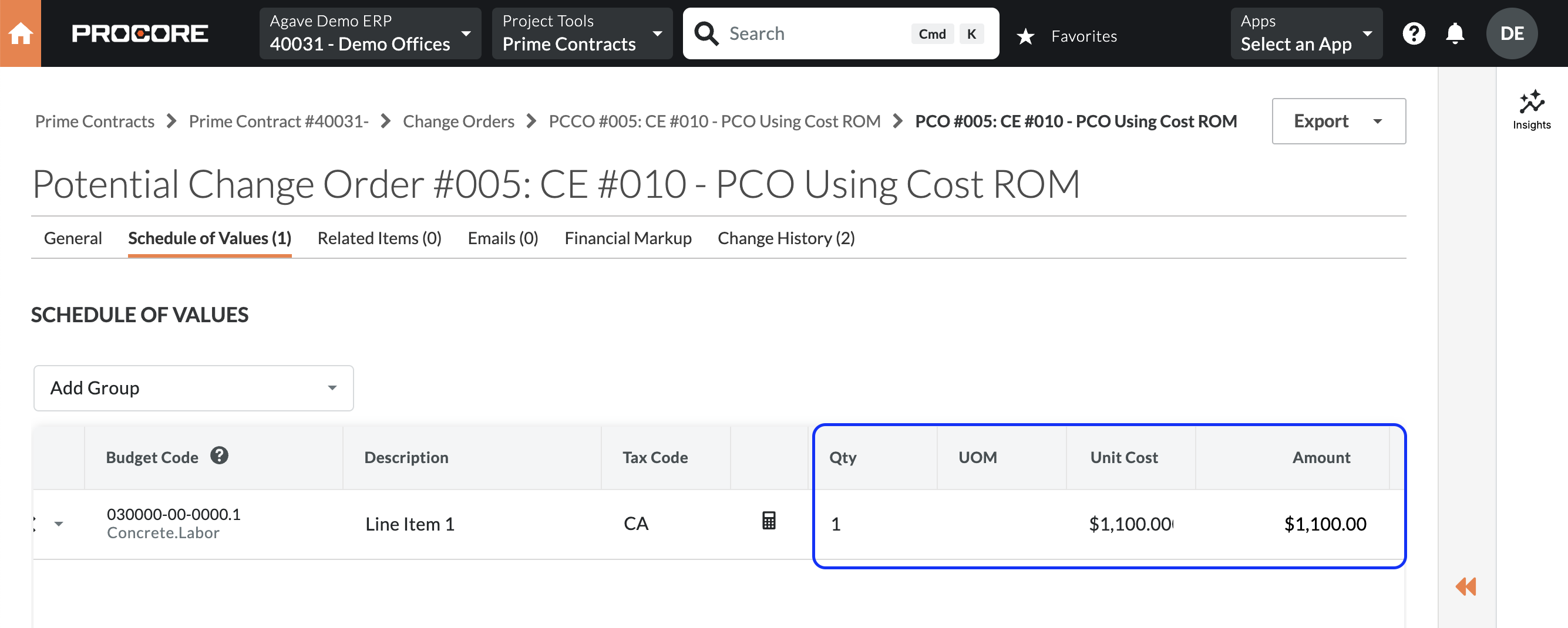
- Revenue continues to come from the Prime Contract Change Order
- Cost is derived from the associated Change Event’s Cost ROM
- This approach must be enabled by your Agave Account Manager
Considerations and limitations:
- A Cost ROM can be updated after it has been associated with a Prime Contract Change Order that has already synced
- Cost ROM values can be difficult to surface or reconcile in Procore’s Budget View
Best used when:
- You are not using Procore’s Markup Tool
- You maintain reliable and stable Cost ROMs on Change Events
In the below example, the Cost or Estimate amount is equal to the Change Event Cost ROM (see red rectangle), while the Revenue amount is equal to the PCO Line Item amount total (see blue rectangle):