AR Invoices
Agave Sync allows you to export Procore Owner Invoices to ComputerEase AR Invoices.
Agave Sync exports AR Invoices to ComputerEase in a Posted status.
Visual Mapping
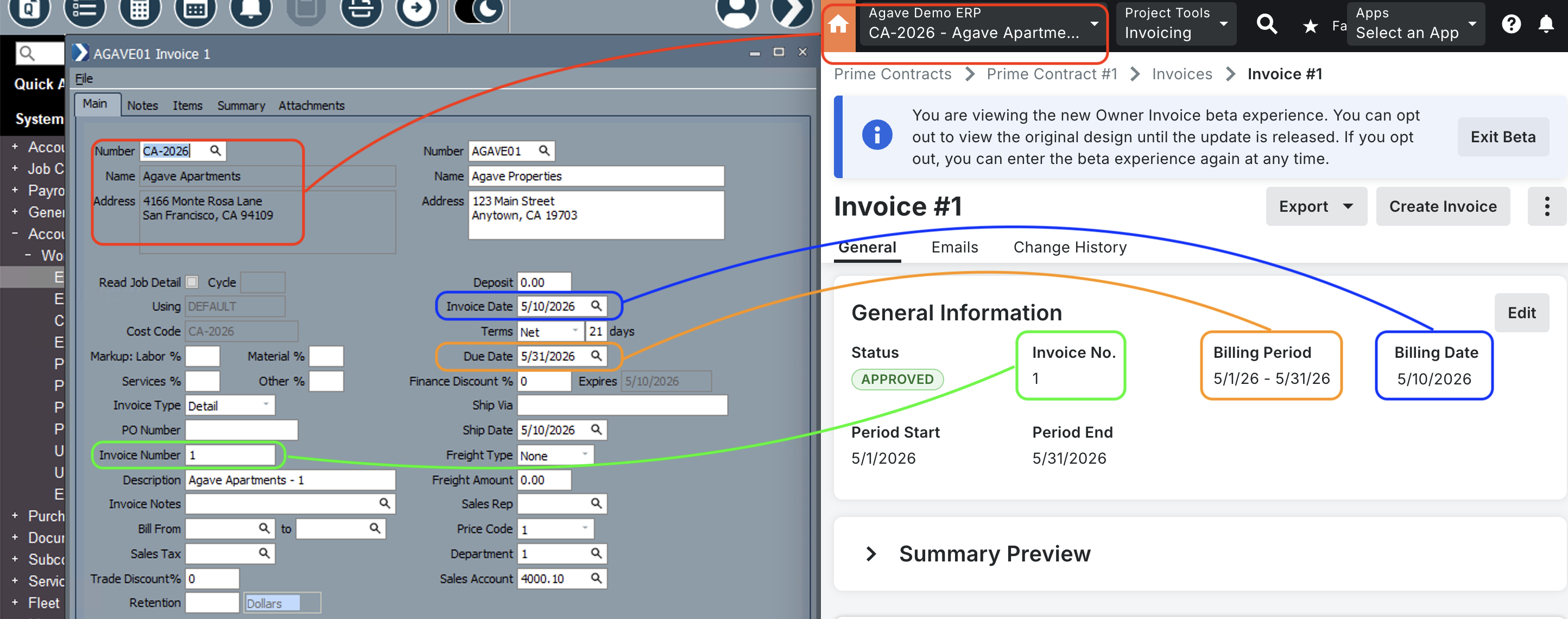
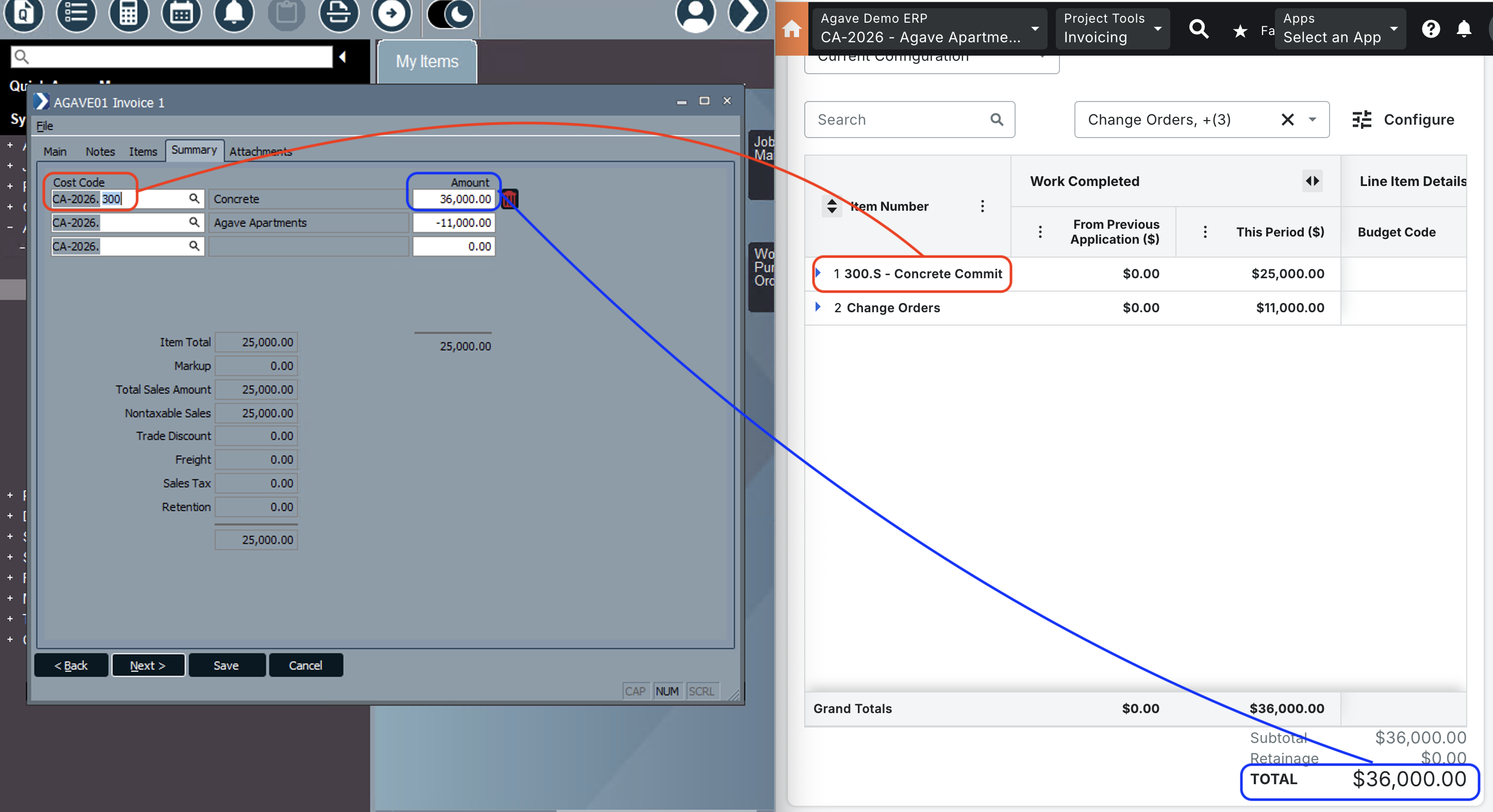
Common Errors and FAQs
Are there any pre-requisites to syncing AR Invoices?
Yes. The following records must exist in ComputerEase before an AR Invoice can be synced:
- The Customer associated with the AR Invoice.
- For AR Invoices with Job Distribution line items: the Project, Cost Code, and Sub Job referenced by each line item. Job Distribution line items bill against a specific job in ComputerEase, so those job records must already exist before Agave can create the invoice.
- For AR Invoices with Item line items: a Ledger Account for each line item. Item line items are general billing lines (not tied to a job) and require a G/L account in ComputerEase to post against. If your system does not send Ledger Accounts, Agave can apply a default — see the Default Ledger Account section below.
The Agave Connector must also be installed and running on the ComputerEase machine.
Does the Agave Connector need to be open for AR Invoice syncs to work?
Yes — we recommend keeping it open and minimized.
What types of line items are supported?
ComputerEase Freeform AR Invoices support two line item types:
- Item — A standard invoice line item with a quantity, unit price, and Ledger Account. Use this for fixed-fee or lump-sum billing.
- Job Distribution — A job cost distribution line item linked to a Project, Cost Code, and Sub Job. Use this for job-cost-based billing.
Both types can appear on the same AR Invoice.
What is a default Ledger Account and do I need one?
Item line items require a Ledger Account. If your Project Management System does not include Ledger Accounts, Agave can apply a default Ledger Account to all Item line items automatically.
To set up a default Ledger Account, share the ComputerEase Ledger Account ID you'd like to use with your Agave Account Manager.
What types of AR Invoices can be synced?
Agave Sync supports creating Freeform AR Invoices in ComputerEase.
Can I sync a duplicate AR Invoice?
No. ComputerEase enforces unique invoice numbers per customer. If an AR Invoice with the same invoice number already exists for that customer in ComputerEase, Agave Sync will return a duplicate error and the sync will not proceed.
How are the subtotal and retention amounts calculated for each Line Item?
Subtotal Amount
Agave Sync calculates the subtotal for a Procore Owner Invoice Line Item using this formula:
subtotal = work_completed_this_period + materials_moved + (materials_presently_stored - materials_previously_stored on the last Owner Invoice)
This ensures the subtotal reflects only the new work and materials completed or stored during the current billing period, by subtracting any materials already reported on the previous invoice.
Retention Amount
Agave Sync calculates the retention amount for a Procore Owner Invoice Line Item as:
retention = work_completed_retainage_retained_this_period + materials_retainage_retained_moved + (materials_stored_retainage_retained_this_period - materials_preivously_stored_retainage_retained_this_period on the last Owner Invoice)
This formula accounts for new retainage amounts held during the current period, including any adjustments for materials that have moved categories (e.g., from stored to installed), while subtracting retention already reported in prior periods to avoid duplication.