AP Invoices (Cost Payment Applications)
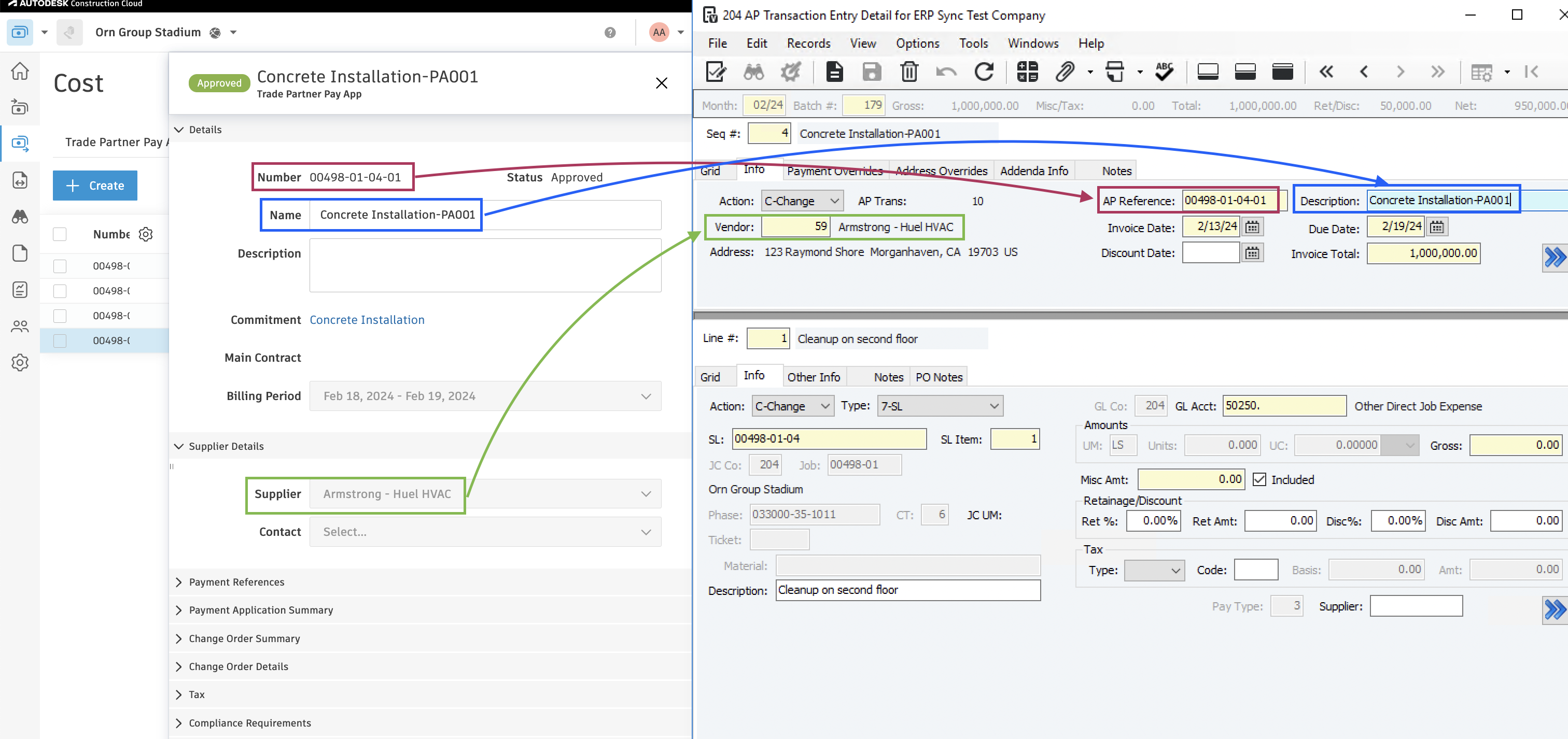
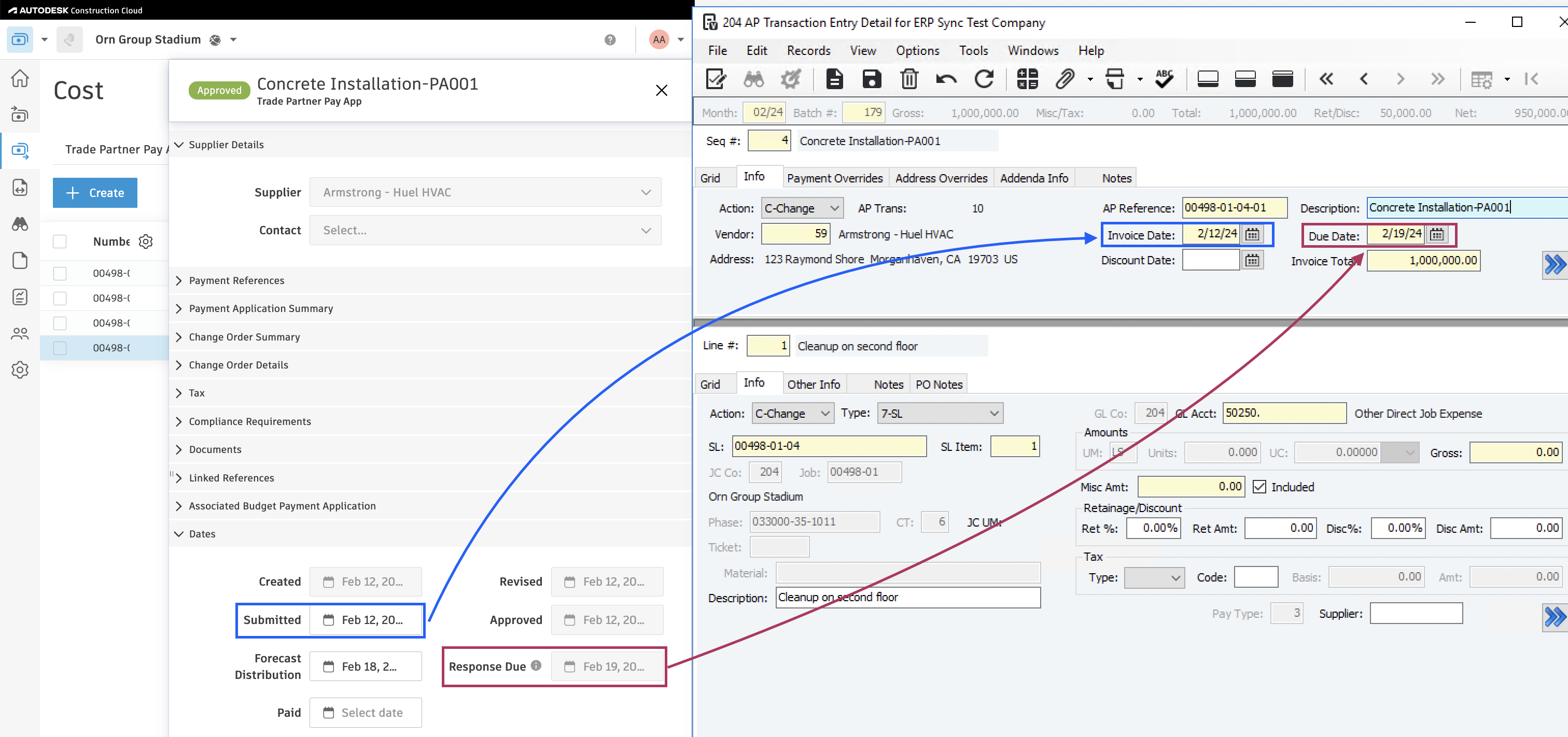
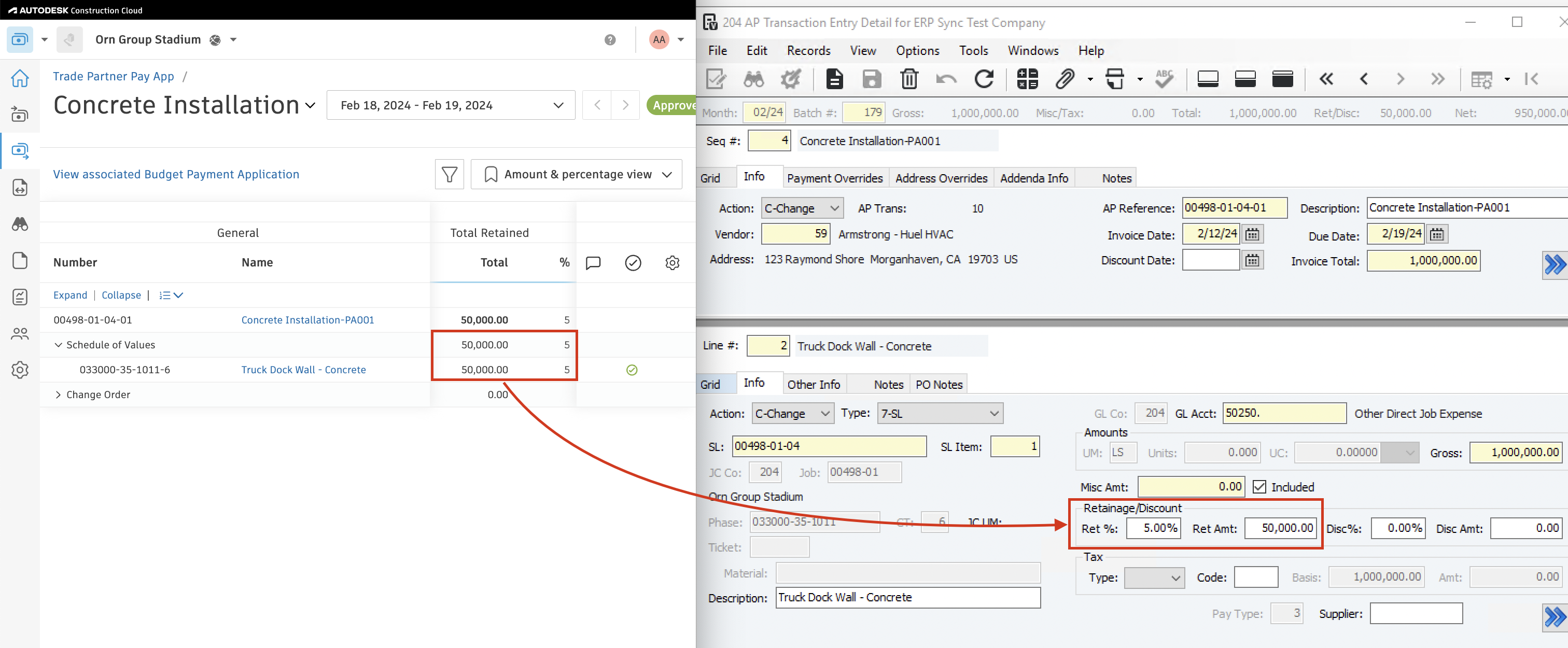
Agave Sync allows you to export Autodesk Build Cost Payment Applications to Vista AP Transactions.
Visual Mapping

Video Tutorial
Common Errors and FAQs
Does Agave Support Syncing Sub-items from Autodesk Build?
Yes, Agave supports syncing one level of sub-items from Autodesk Build for the following record types:
- Subcontracts
- Purchase Orders
- Change Orders
- AP Invoices
- Prime Contracts
- Prime Contract Change Orders
- AR Invoices
To enable syncing for sub-items, ask your Agave Account Manager to enable it for you.
How It Works
Autodesk Build records have a hierarchical structure with:
- Root items — parent line items
- Sub-items — child line items
- Sub-sub items — which are explicitly filtered out (only one level of nesting is supported)
Agave Sync will include root items and their direct sub-items when syncing. Any items nested deeper than one-level are excluded.
How is the Batch Month Determined When Syncing AP Invoices?
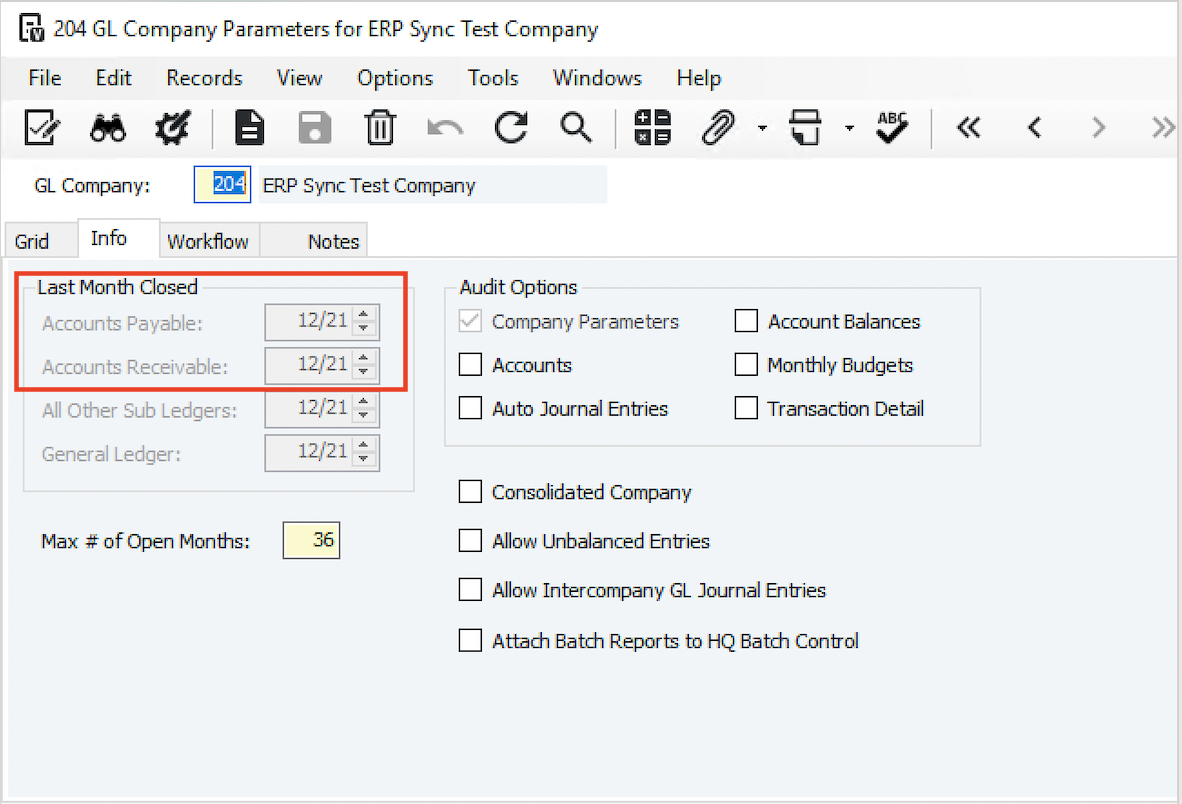
When syncing AP Invoices to Vista, we use the latest open AP Batch month. This is the month after the last closed month in GL Company Parameters.
Using the Accounts Payable Last Month Closed from the below screenshot as an example, if an AP Invoice was synced to Vista on 2/5/2022, the Batch Month would be set as "1/22" because this is the month after the last month closed for Accounts Payable (i.e. 12/21):