Units of Measure
Agave Sync allows you to link Sage Intacct default Units of Measure to Autodesk Build Units of Measure in each Project.
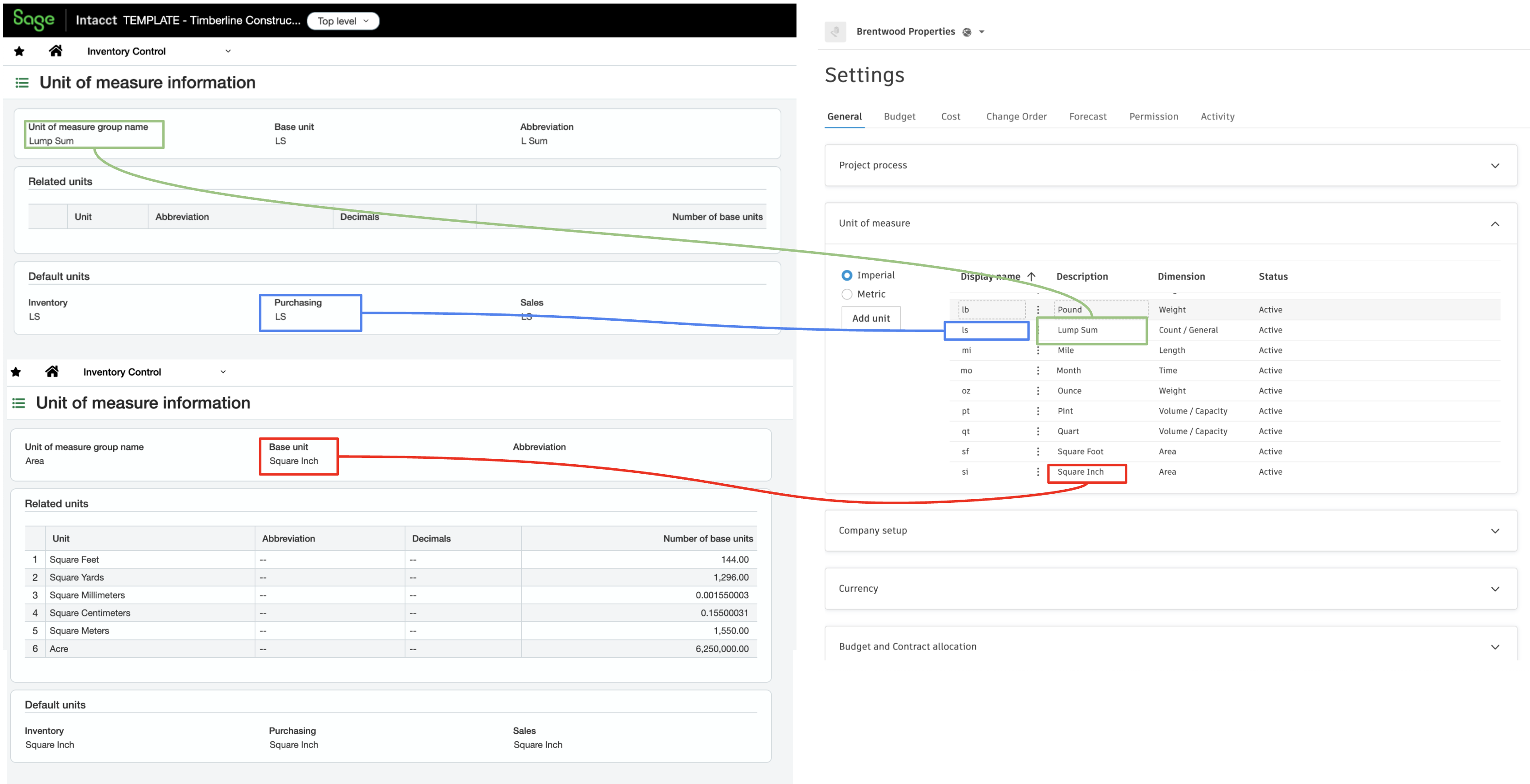
Visual Mapping
Video Tutorial
Configuration in Sage Intacct
UoM Guidance
- Add, don't delete: Sage Intacct's default UoM groups cannot be altered or deleted. If a UoM used in Autodesk Build is missing from Sage Intacct, simply add it. Sage Intacct's predefined UoM groups include: Area, Count, Length, Time, Volume, and Weight.
- UoMs must match 1:1: every UoM used in Autodesk Build must exist in Sage Intacct so the sets line up exactly.
- Sync the Code, not the Group: the Sage Intacct UoM Code (e.g.,
LS,Each) must exactly match the value used in Autodesk Build, including capitalization. Do not try to match the Group Name (e.g., "Lump Sum"). - Set a fallback for inactive users: if you don't actively use UoM groups, set the Default group in Purchasing configuration to
Count(Base unit:Each). Sage Intacct still requires a default unit to calculate prices behind the scenes — missing this will cause transaction errors. - UoMs are global: UoMs apply to all entities. Confirm before adding new ones, as it affects the entire Sage Intacct environment.
- Estimates are the exception: Budget Line Items (estimates) do not require strict mapping — their UoM can be any value (free text field).
- Where to find/configure UoMs: Units of Measure can be found and/or configured in three modules: Order Entry, Purchasing, and Inventory Control. You only need to add a UoM once — for example, if you add a UoM to the Order Entry module, it will automatically be made available in the other two modules.