Prime Contracts
Sage Intacct to Autodesk Build
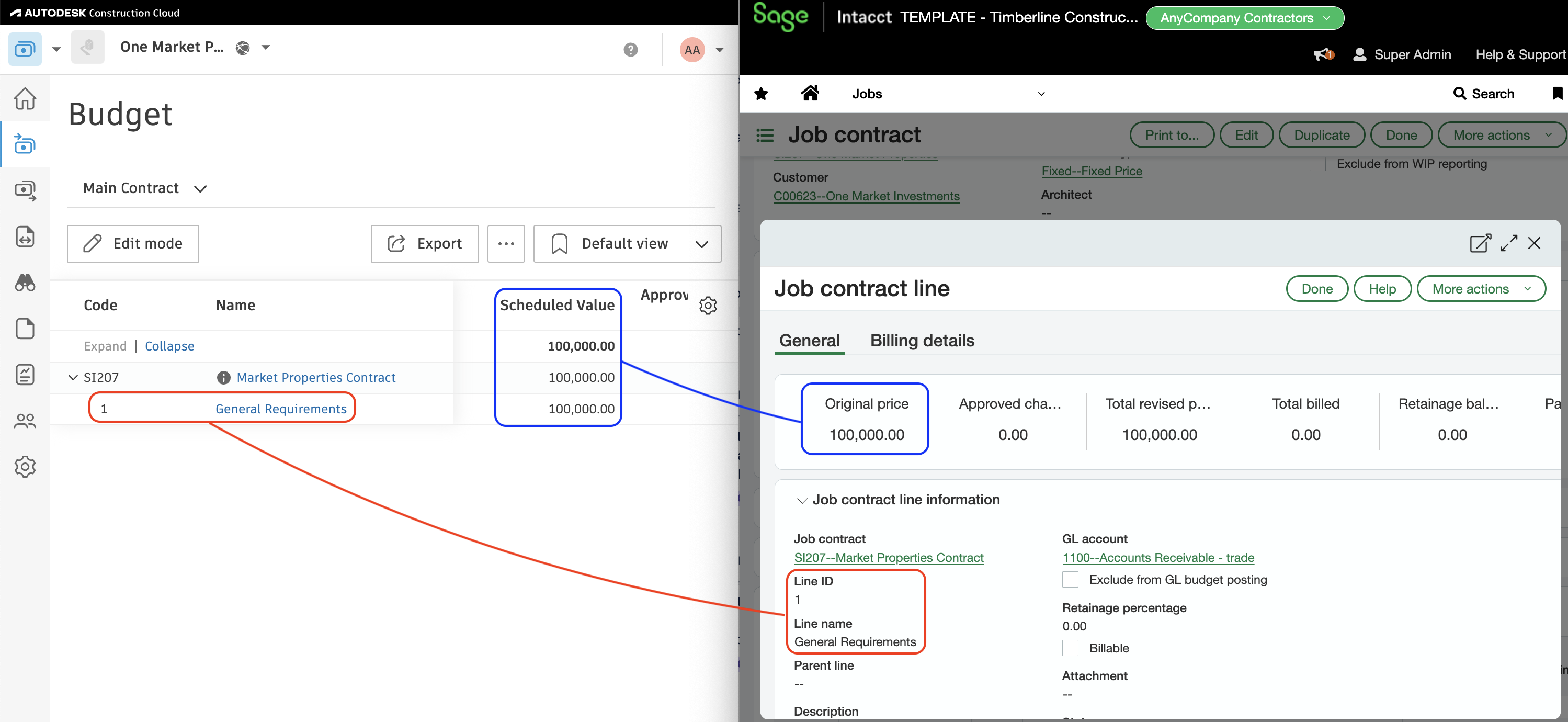
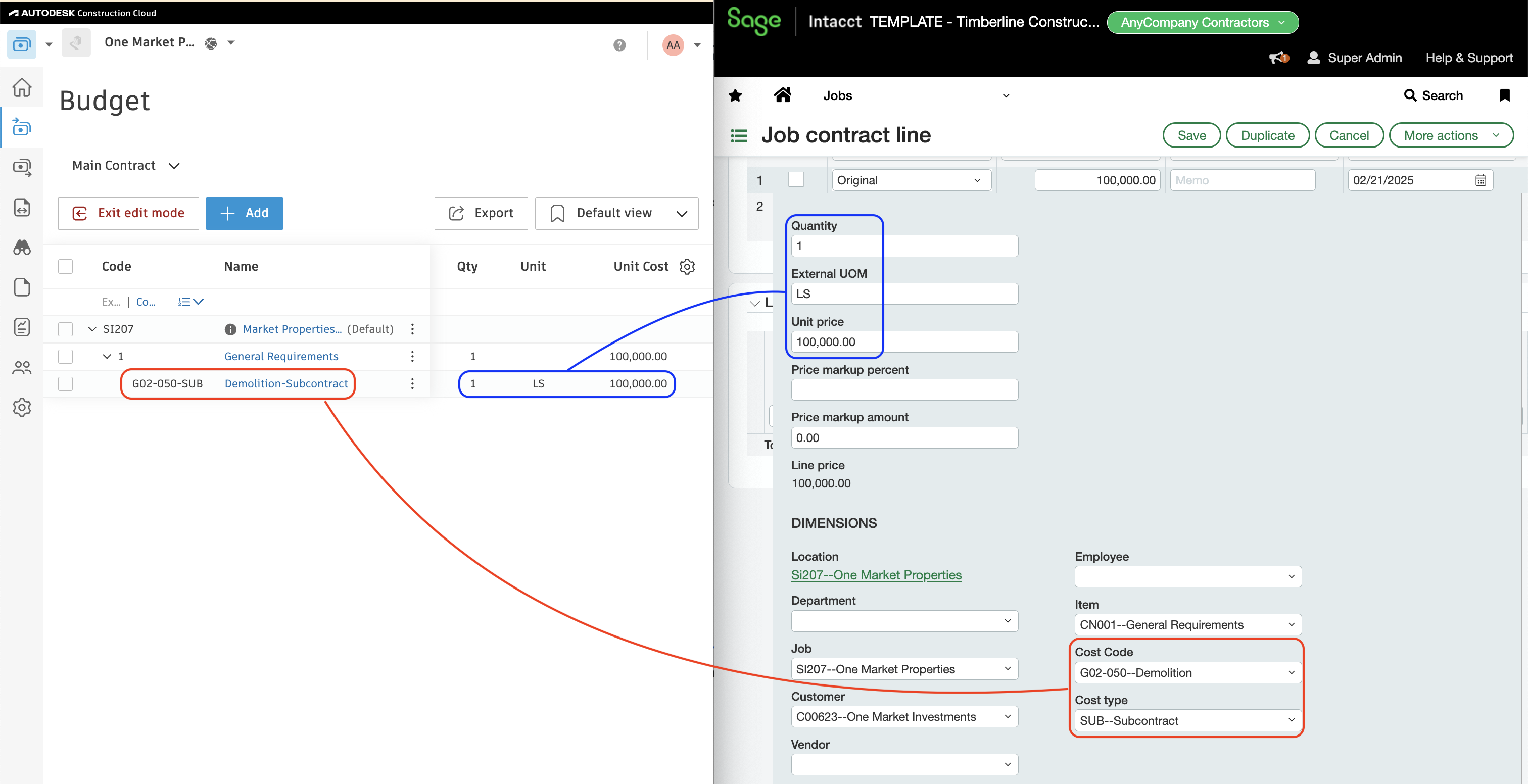
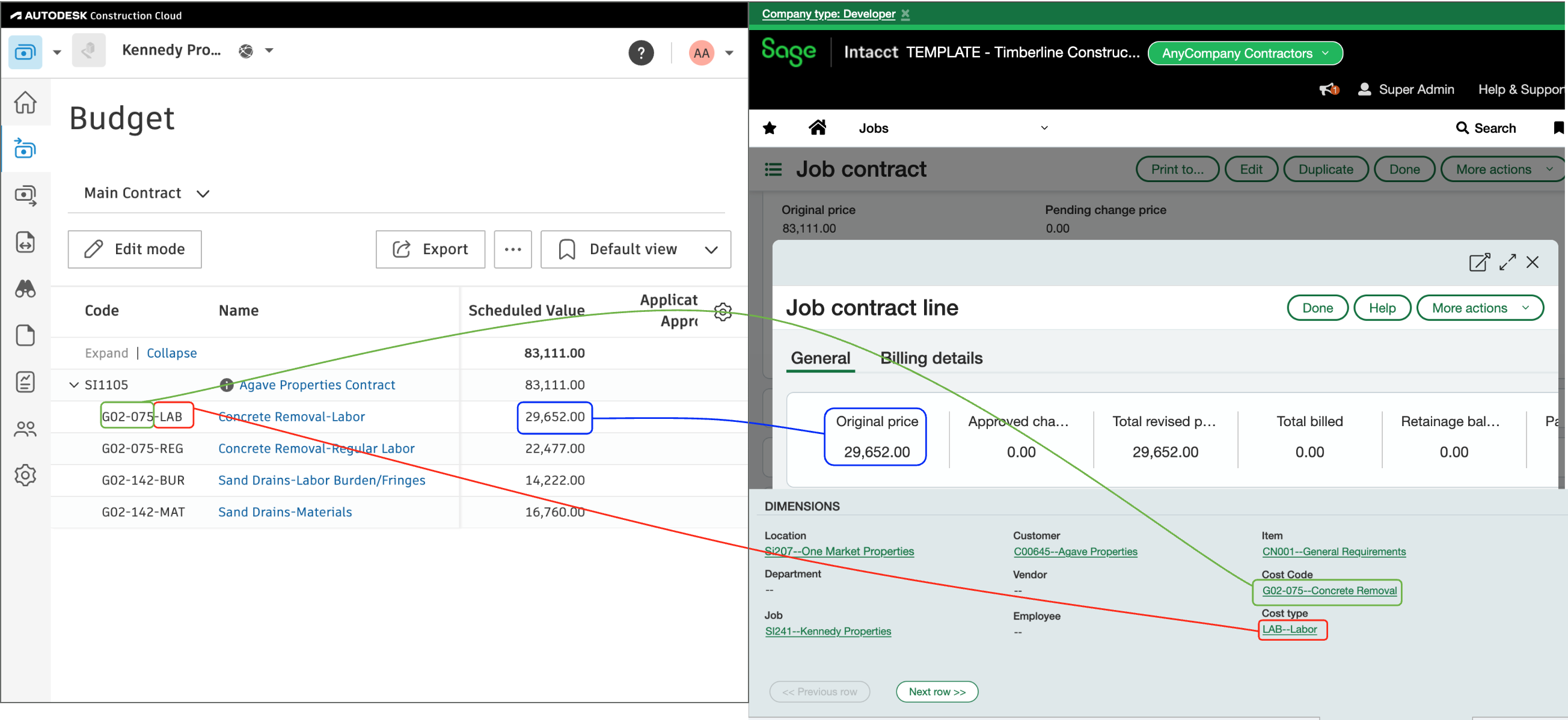
Agave Sync allows you to import Sage Intacct Job Contracts to Autodesk Build as Main Contracts.
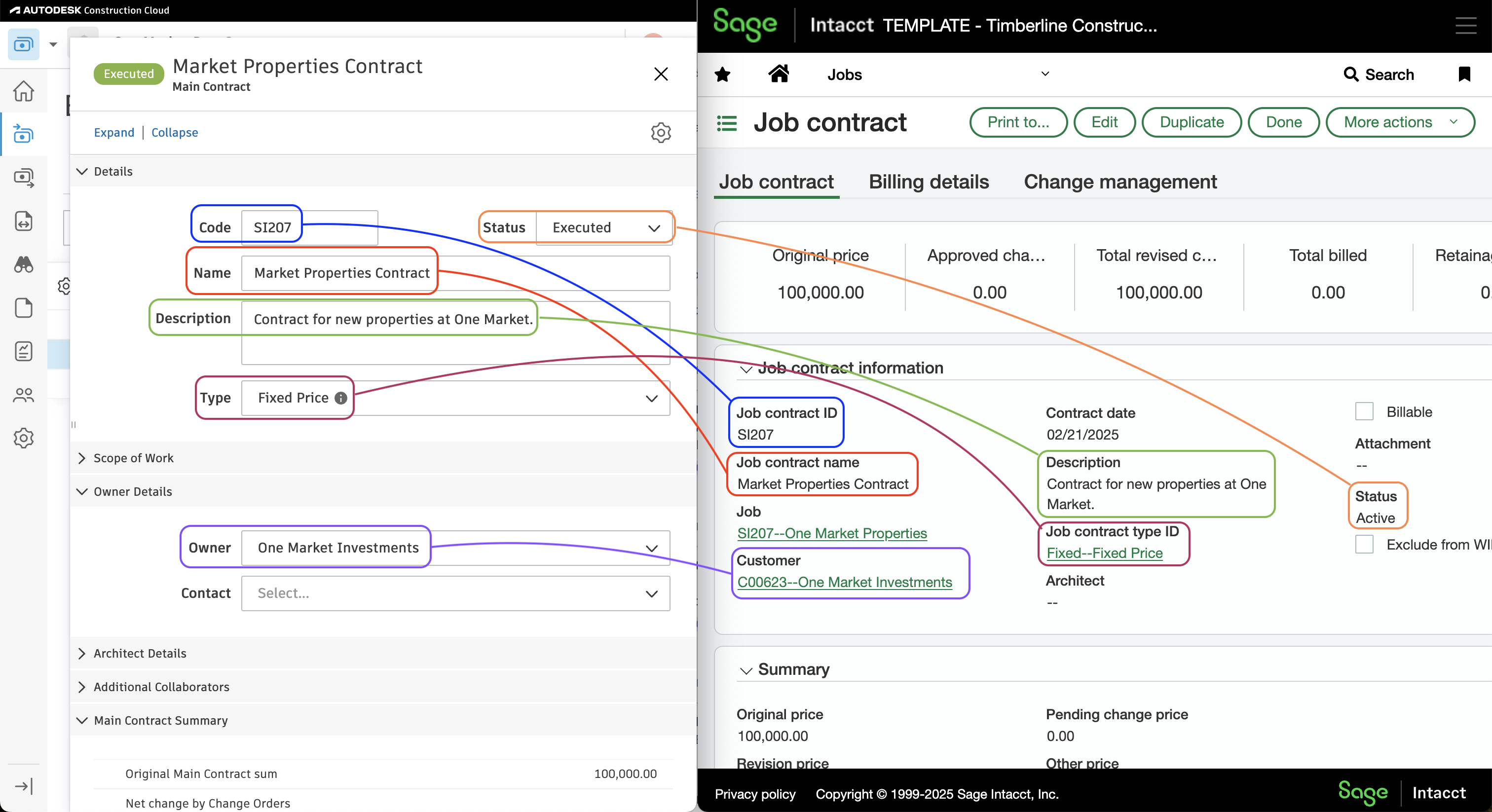
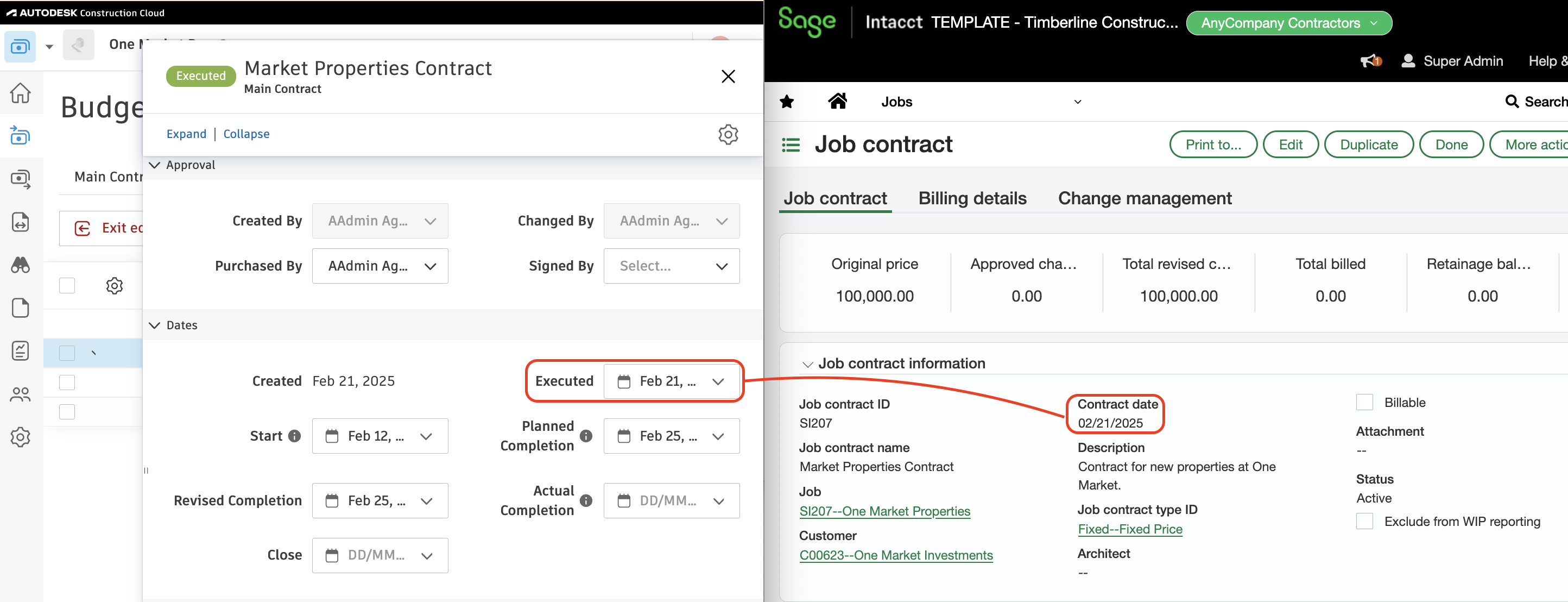
Visual Mapping
Video Tutorial
Common Errors and FAQs
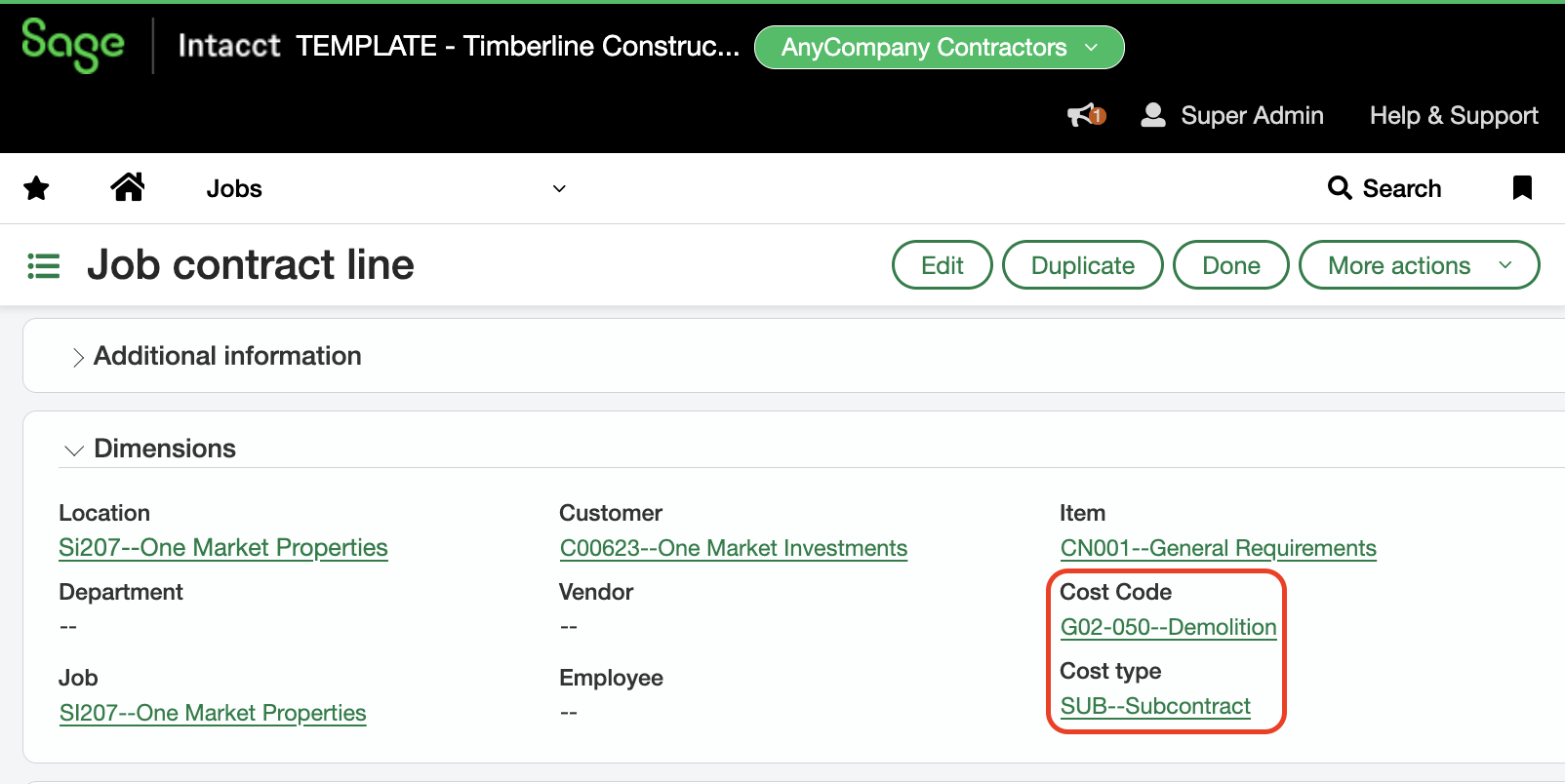
Does Agave automatically associate Budget IDs with Prime Contract Line Items in Autodesk?
Yes, insofar as a Cost Code and Cost Type are added to the Prime Contract Line Item in Sage Intacct:
What Prime Contract Line Item workflow types does Agave sync from Sage Intacct?
Agave will only sync Prime Contract Line Items that have a Workflow Type set to Original. This ensures that:
- Agave Sync only syncs the Original Amount to Autodesk Build.
- Other Line Item Workflow Types (e.g.,
Revision) are managed through Change Orders in Autodesk Build.
Autodesk Build to Sage Intacct
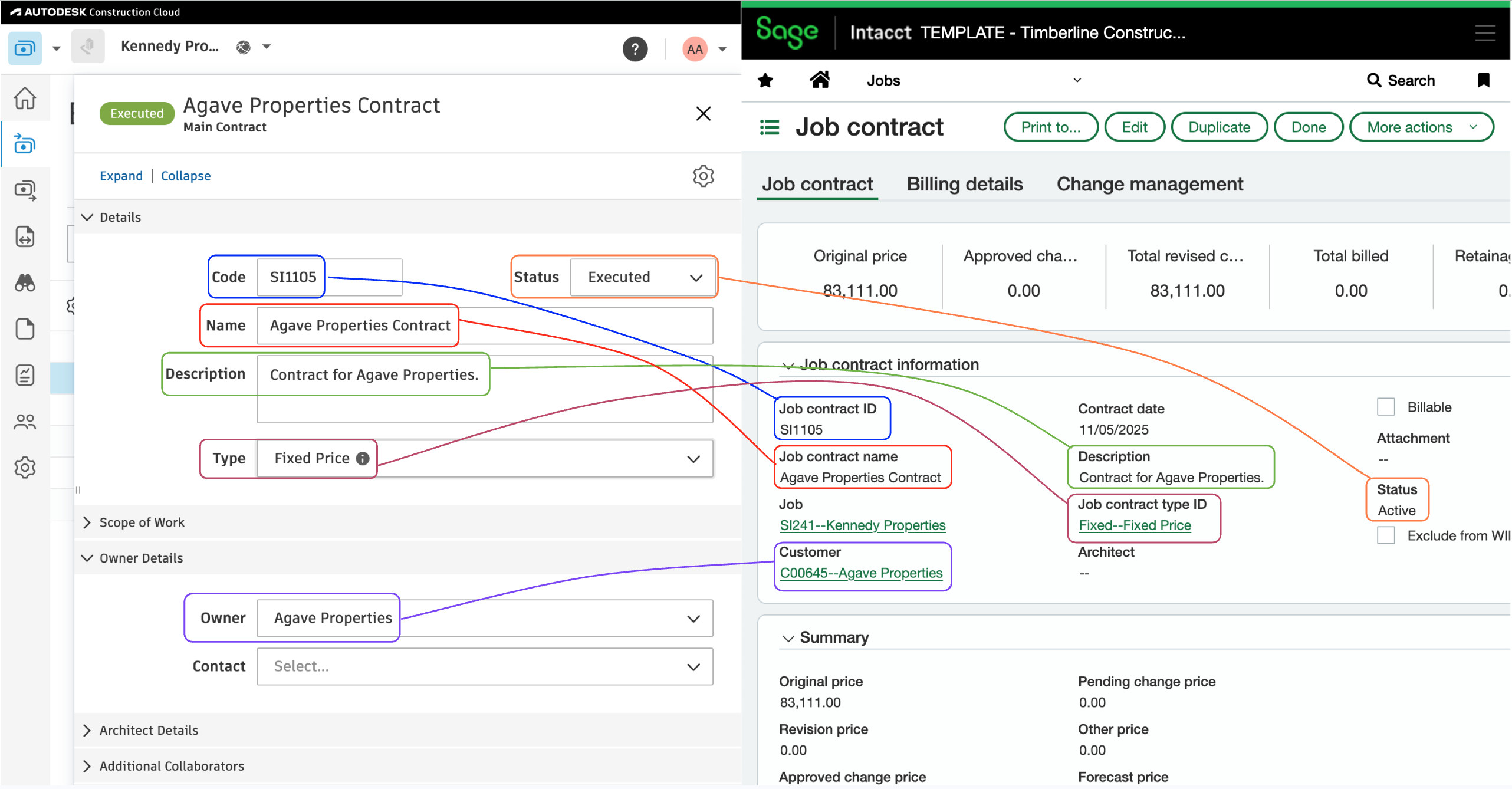
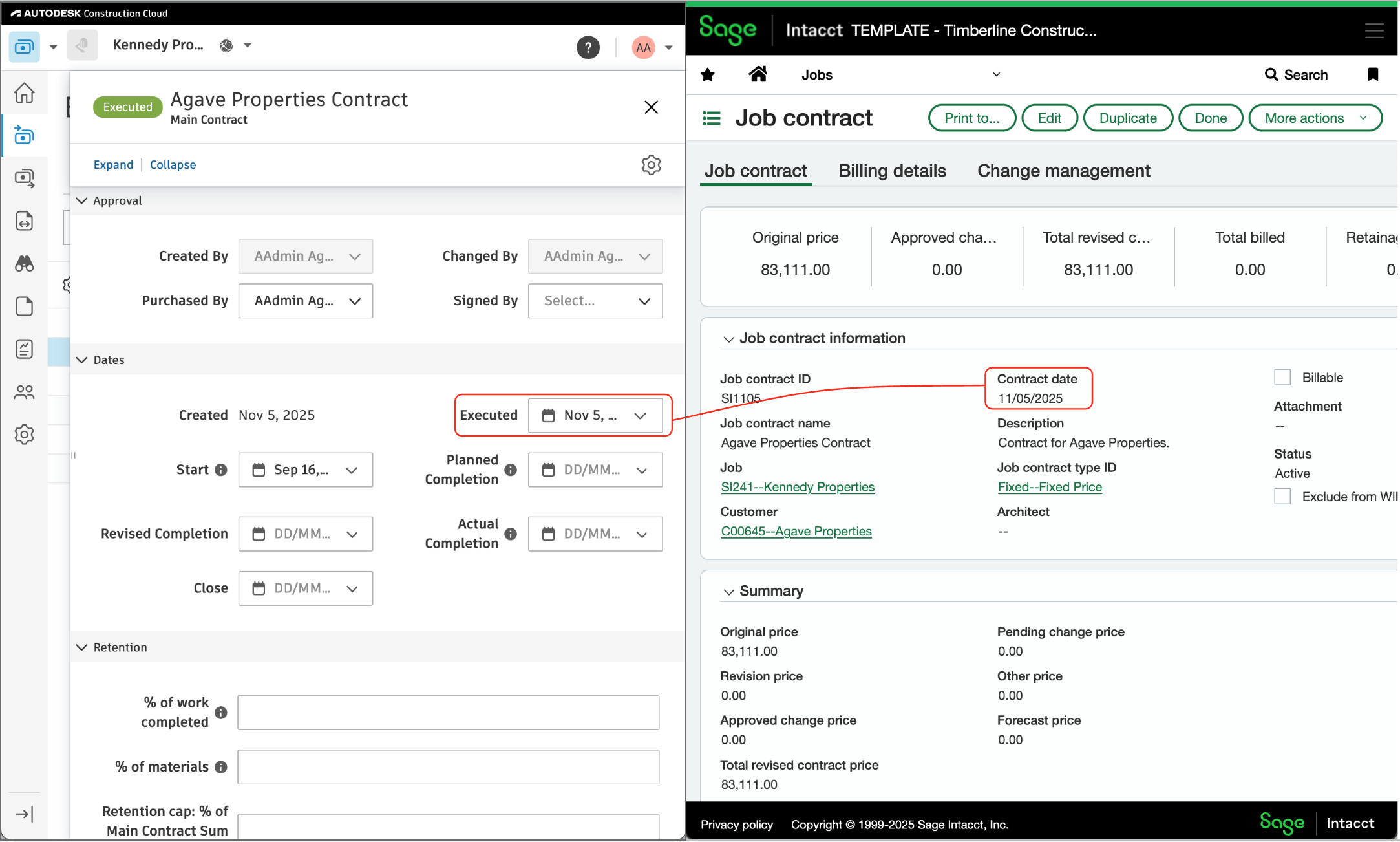
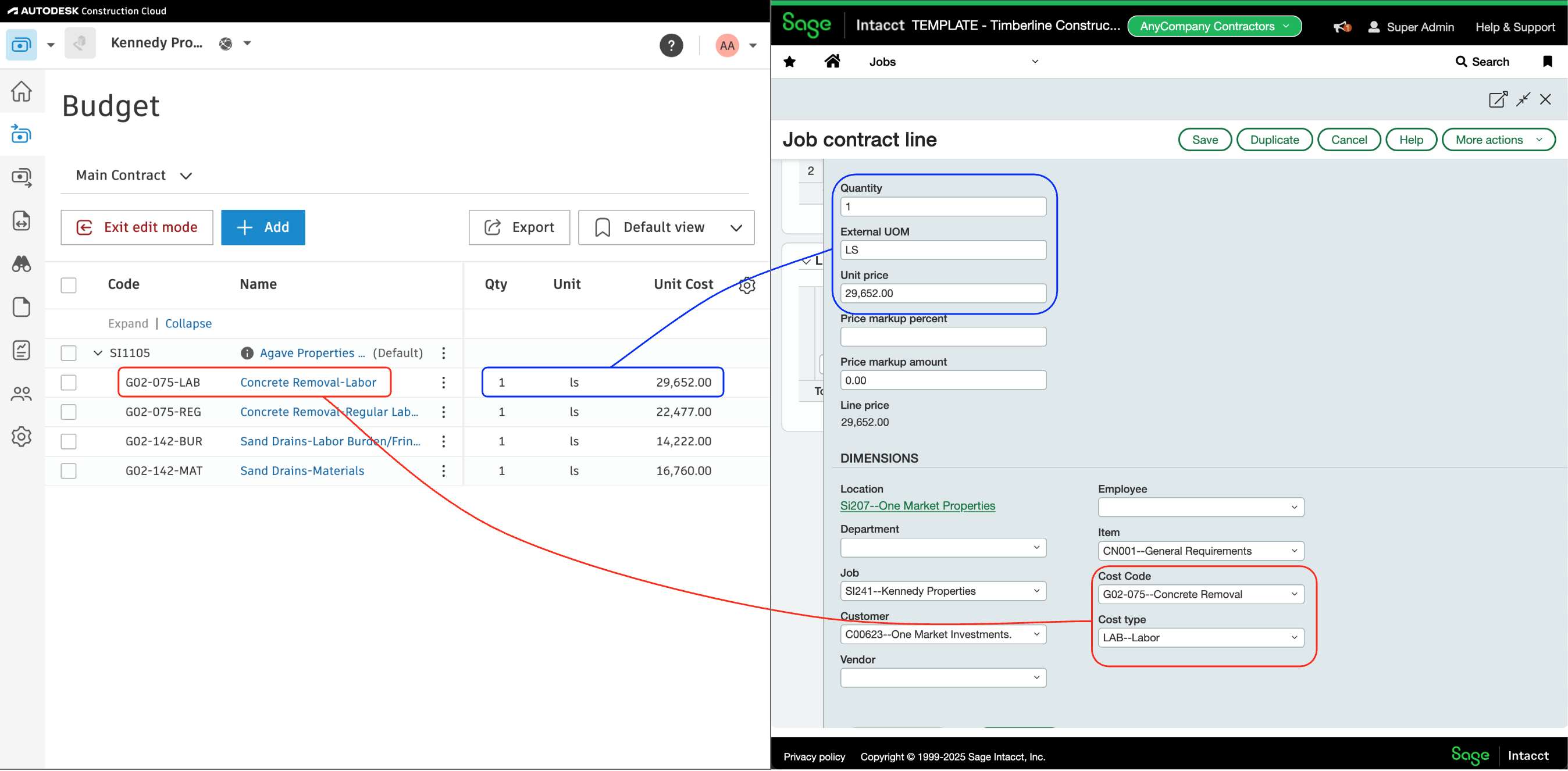
Agave Sync allows you to import Autodesk Build Main Contracts to Sage Intacct as Job Contracts.
Visual Mapping

Common Errors and FAQs
Why am I not seeing a contract type when syncing a Prime Contract from Autodesk Build to Sage Intacct?
This happens when your Sage Intacct setup uses customized contract types for jobs, please consult with your Agave account manager during onboarding to set a default value.
Why does the sync fail due to a missing General Ledger account number when syncing a Prime Contract?
Sage Intacct requires a general ledger account to use for your Prime Contract. Since Autodesk does not have ledger accounts, please consult with your Agave account manager during onboarding to set a default.
Why does the sync fail due to a missing “Item” on a Prime Contract line item?
Each line item in Sage Intacct must have an Item ID. Since Autodesk does not have items, please consult with your Agave account manager during onboarding to set an Item ID value.
Does Agave Support Syncing Sub-items from Autodesk Build?
Yes, Agave supports syncing one level of sub-items from Autodesk Build for the following record types:
- Subcontracts
- Purchase Orders
- Change Orders
- AP Invoices
- Prime Contracts
- Prime Contract Change Orders
- AR Invoices
To enable syncing for sub-items, ask your Agave Account Manager to enable it for you.
How It Works
Autodesk Build records have a hierarchical structure with:
- Root items — parent line items
- Sub-items — child line items
- Sub-sub items — which are explicitly filtered out (only one level of nesting is supported)
Agave Sync will include root items and their direct sub-items when syncing. Any items nested deeper than one-level are excluded.
Configuration in Sage Intacct
Project Contracts must originate in the Projects (Jobs) module
Create Project Contracts in the Projects (Jobs) module — not in Order Entry. Project Contracts created from the Projects (Jobs) module generate Job Contract Line Items, which are what AR Invoices bill against. Contracts created in Order Entry don't produce those line items, so there's nothing for the integration to sync invoices against.
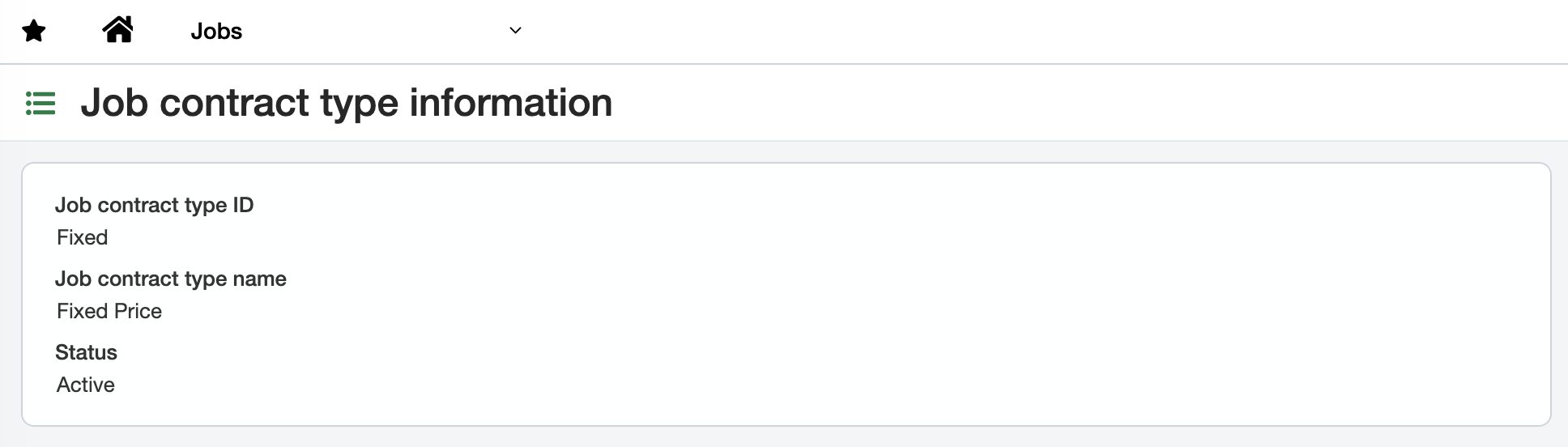
An active Job Contract Type is configured
The integration is flexible on the Job Contract Type name or ID — it only requires that at least one is active.
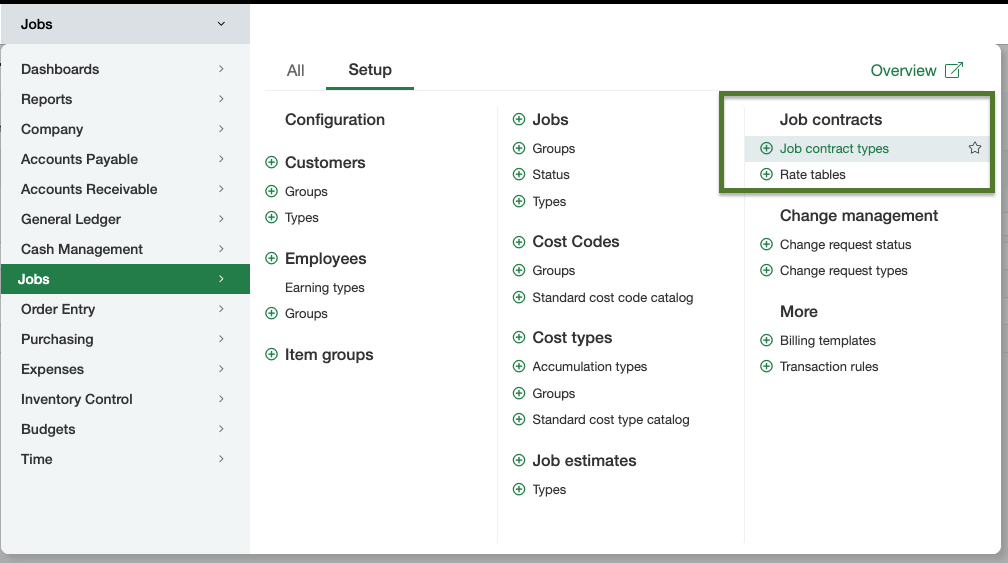
You can find Job Contract Types under Applications → Jobs → Setup → Job Contract Types.