Subcontracts
Agave Sync allows you to sync Sage Intacct Subcontracts (i.e. a type of Purchasing Transactions) to or from Autodesk Build Cost Contracts.
If you sync Subcontracts from Autodesk Build to Sage Intacct, Agave Sync will export Subcontracts to Sage Intacct in an Pending status. Subcontracts will appear in Sage Intacct's Purchasing Transactions module. You can then apply AP Invoices against them.
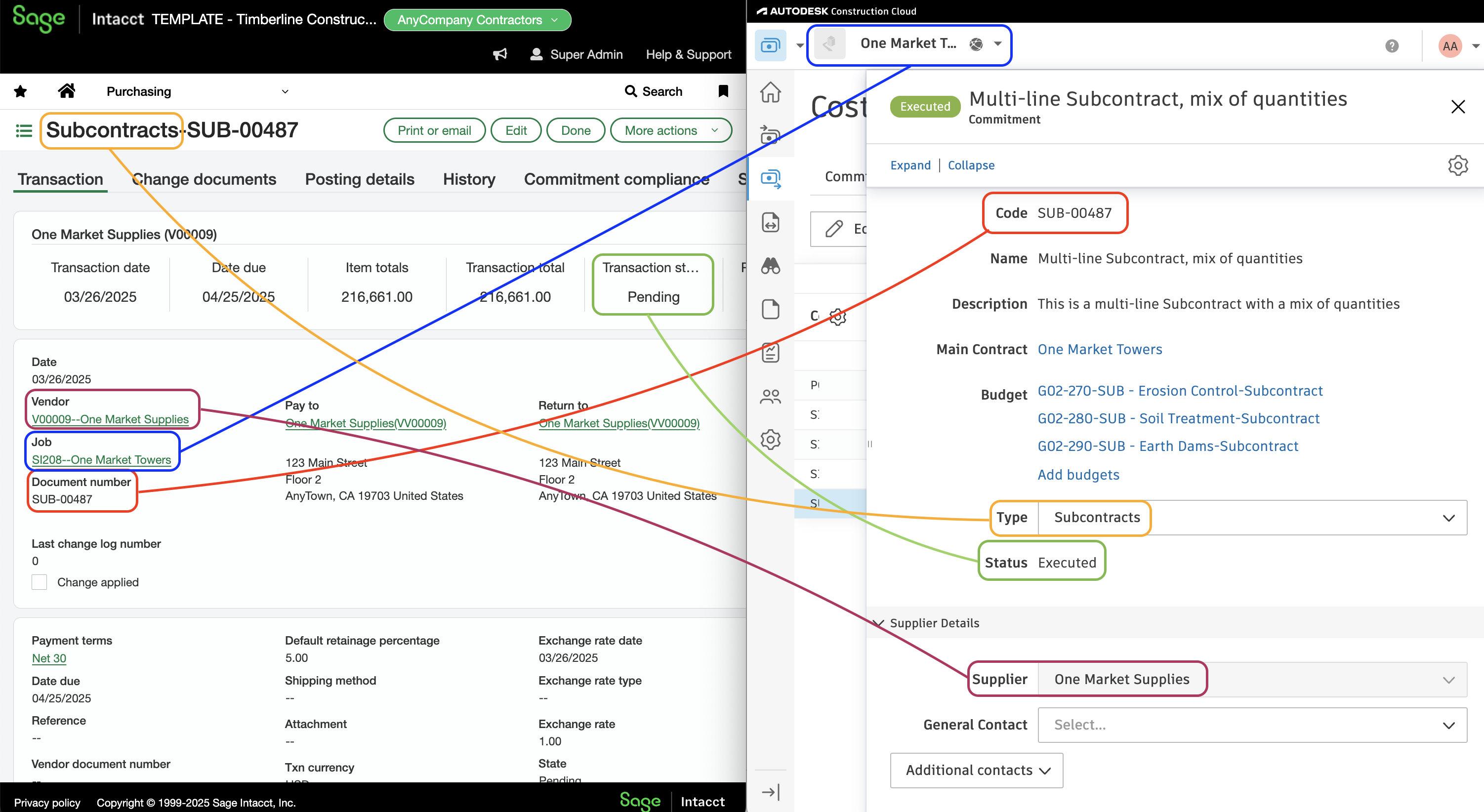
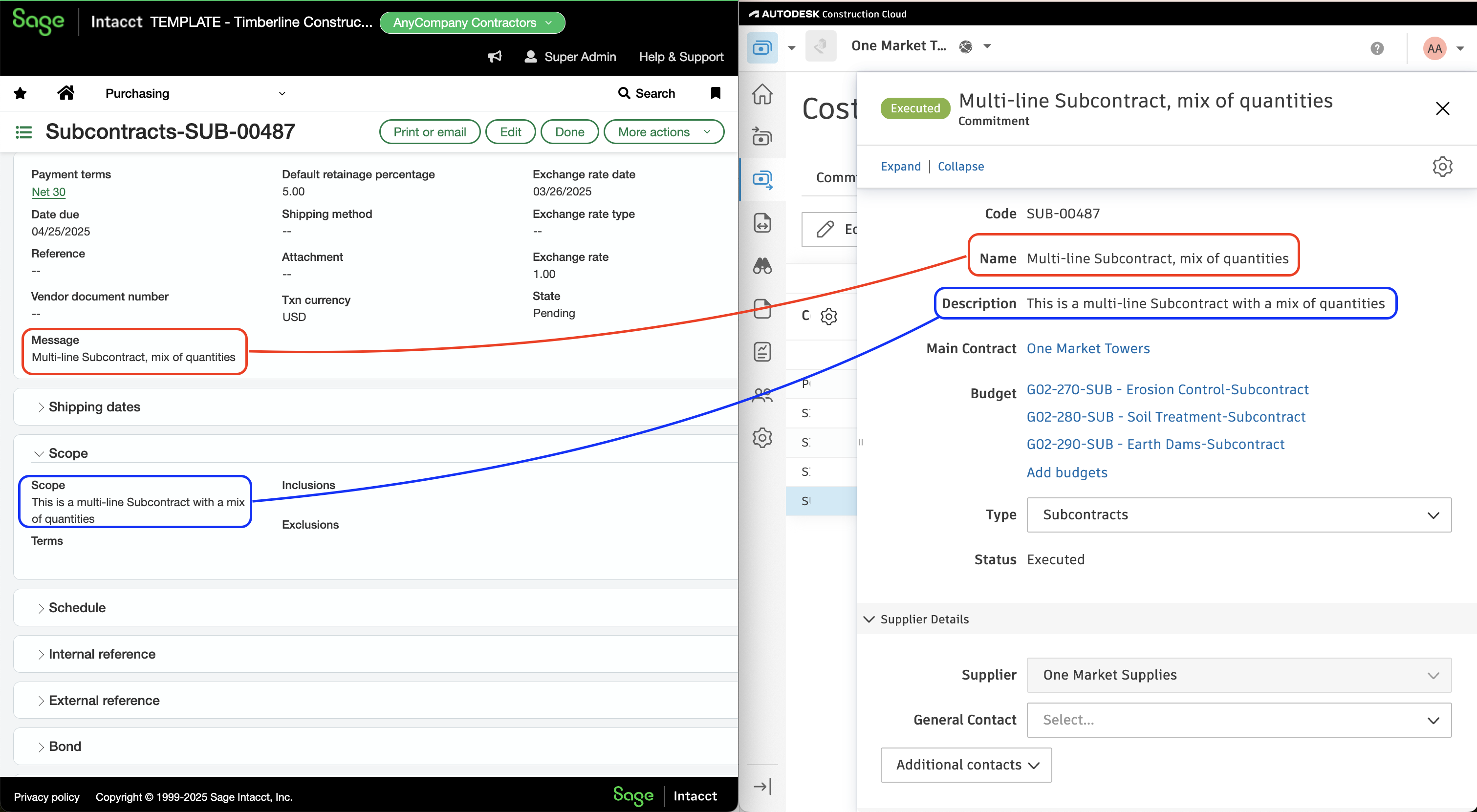
Visual Mapping
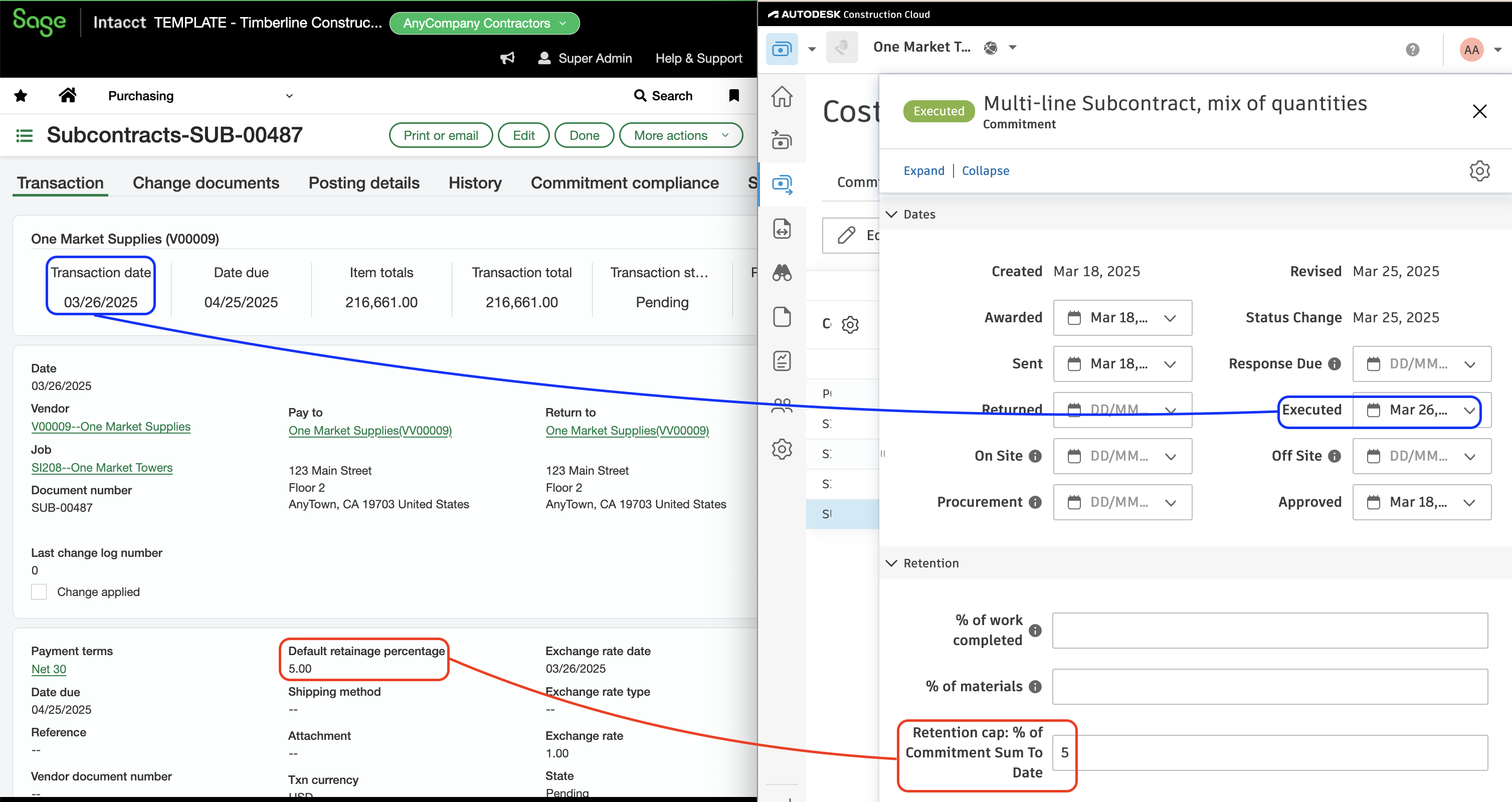
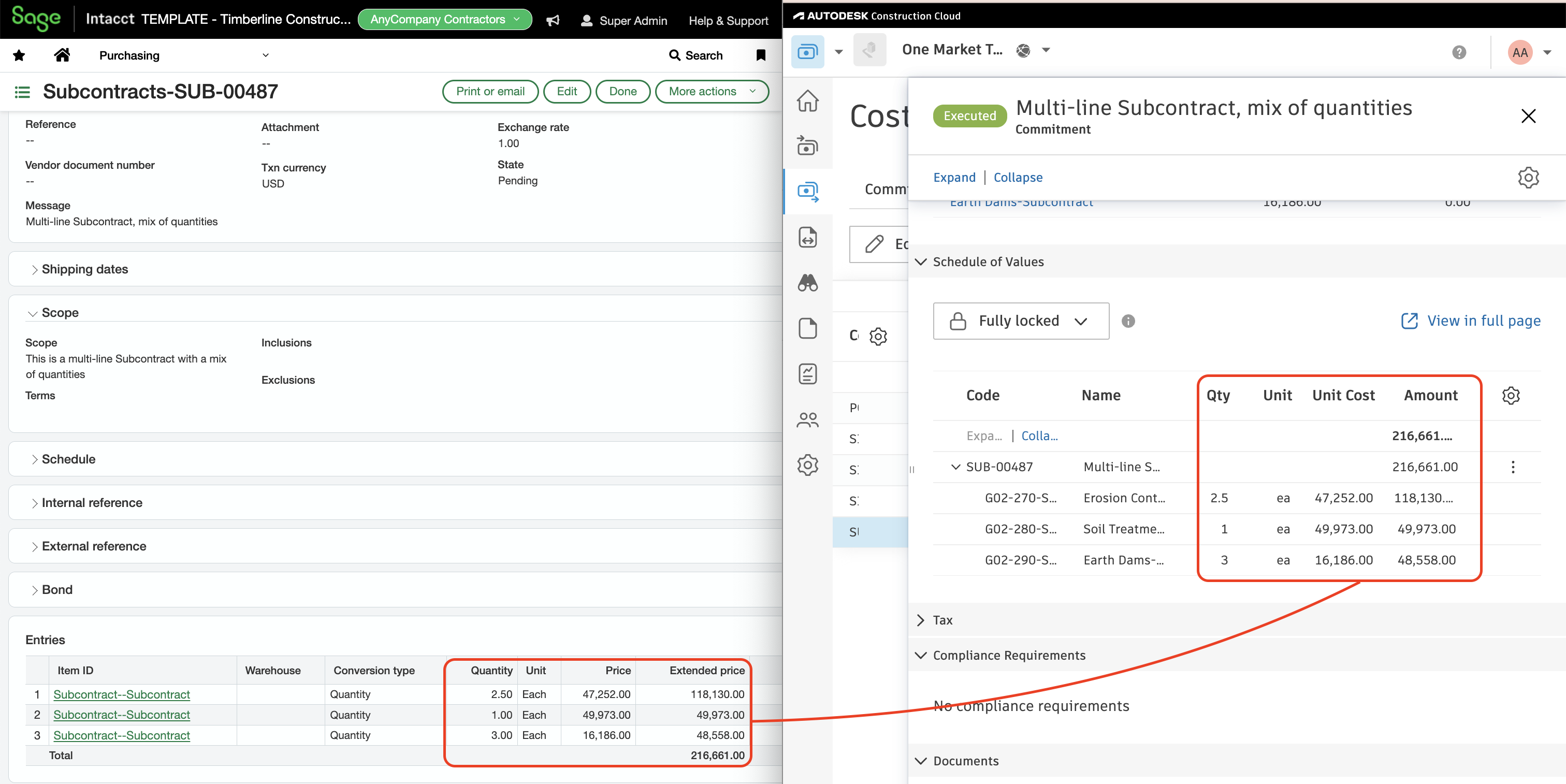
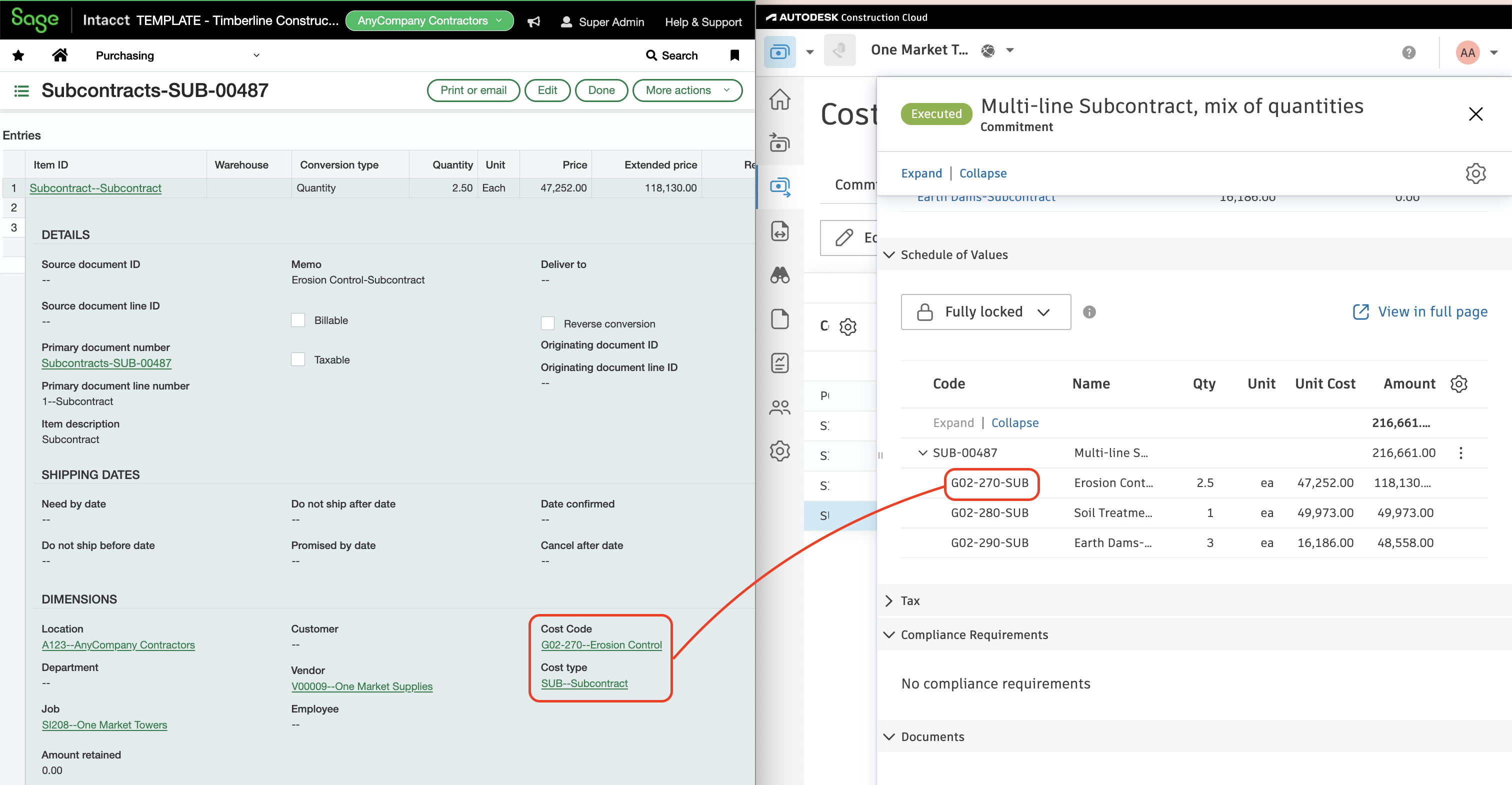
Video Tutorial
Common Errors and FAQs
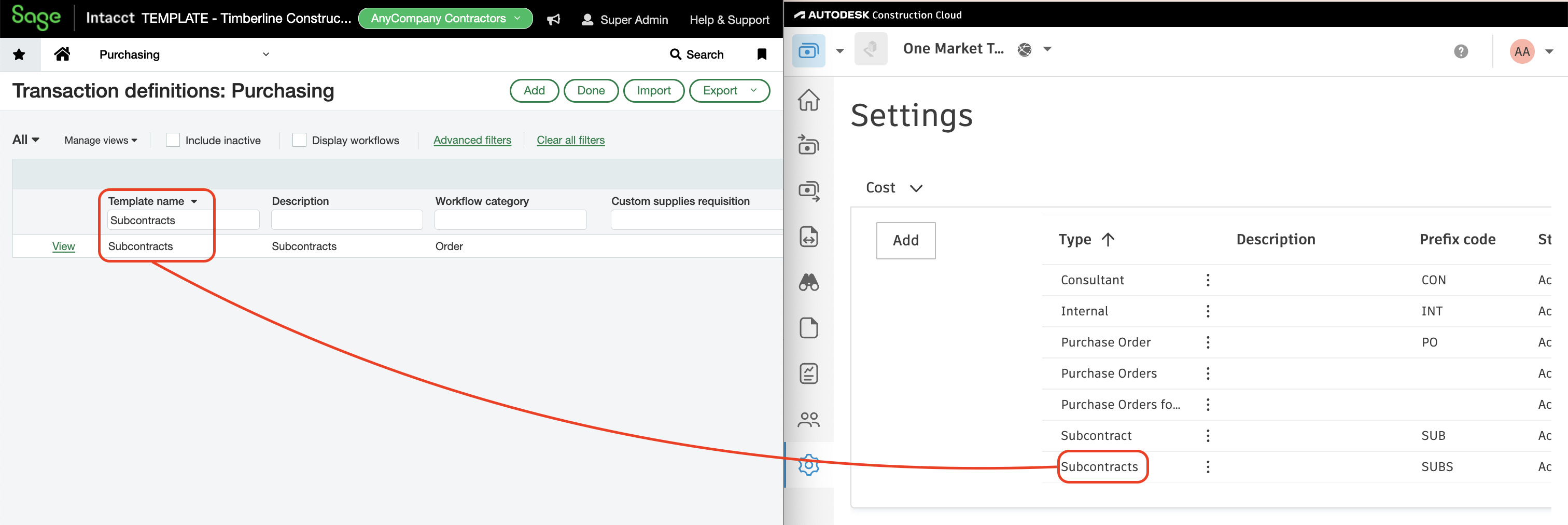
Matching Sage Intacct Purchasing Transaction Types to Autodesk Build Contract Types
To ensure a seamless sync, you will want to make sure your Purchasing Transaction Types match your Autodesk Build Cost Contract Types:
Error: Document Number is missing
This error occurs when your Sage Intacct configuration requires a document number for subcontracts. Please reach out to your Agave implementation team so that they can enable a setting in your configuration to fix this.
Does Agave Support Syncing Sub-items from Autodesk Build?
Yes, Agave supports syncing one level of sub-items from Autodesk Build for the following record types:
- Subcontracts
- Purchase Orders
- Change Orders
- AP Invoices
- Prime Contracts
- Prime Contract Change Orders
- AR Invoices
To enable syncing for sub-items, ask your Agave Account Manager to enable it for you.
How It Works
Autodesk Build records have a hierarchical structure with:
- Root items — parent line items
- Sub-items — child line items
- Sub-sub items — which are explicitly filtered out (only one level of nesting is supported)
Agave Sync will include root items and their direct sub-items when syncing. Any items nested deeper than one-level are excluded.
Configuration in Sage Intacct
Purchasing Transaction Definition for Subcontracts
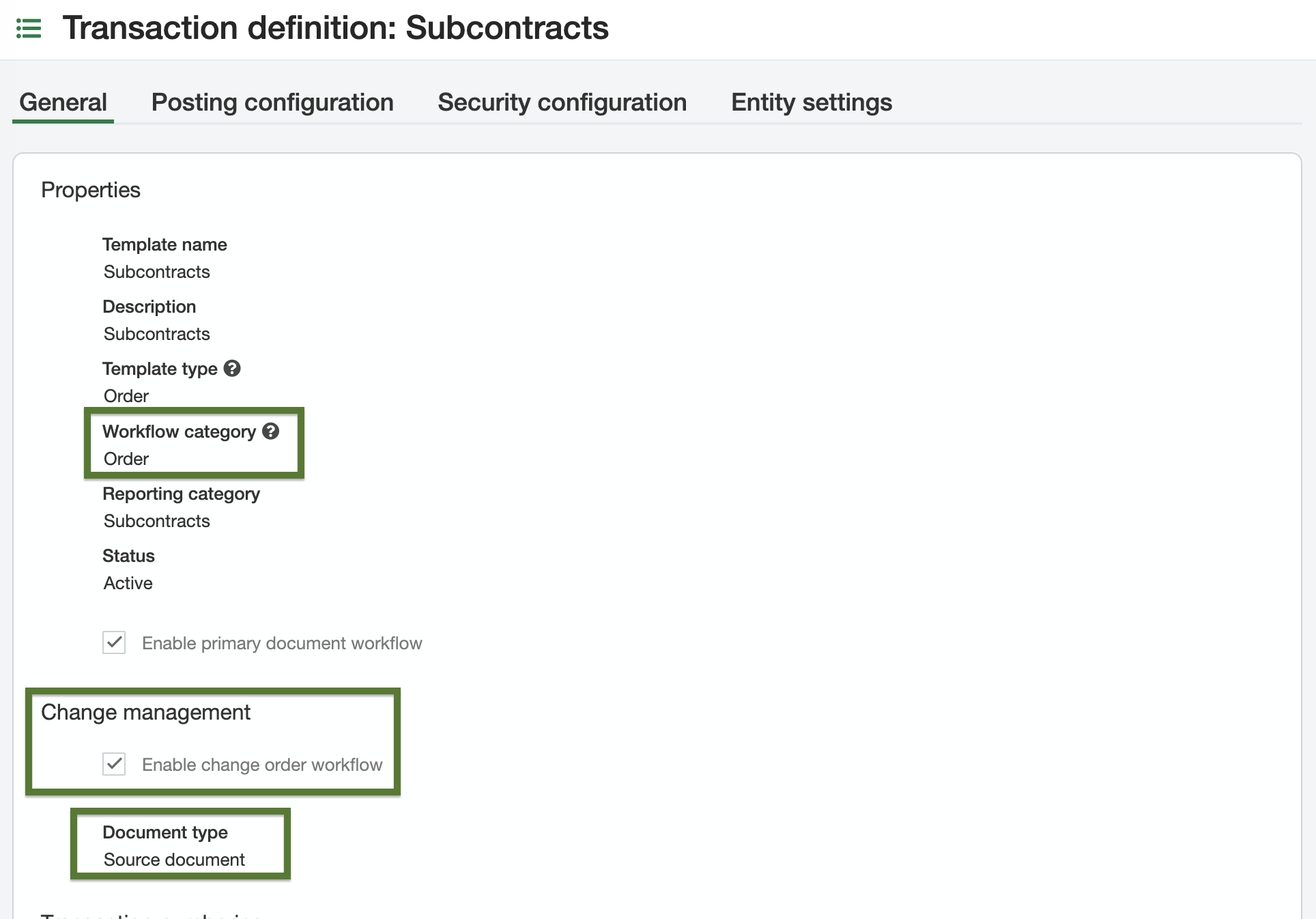
Configure a Purchasing Transaction Definition in Sage Intacct for Subcontracts. Template names are flexible; the required settings are:
- Workflow category:
Order - Change management workflow: enabled, with document type set to
Source Document
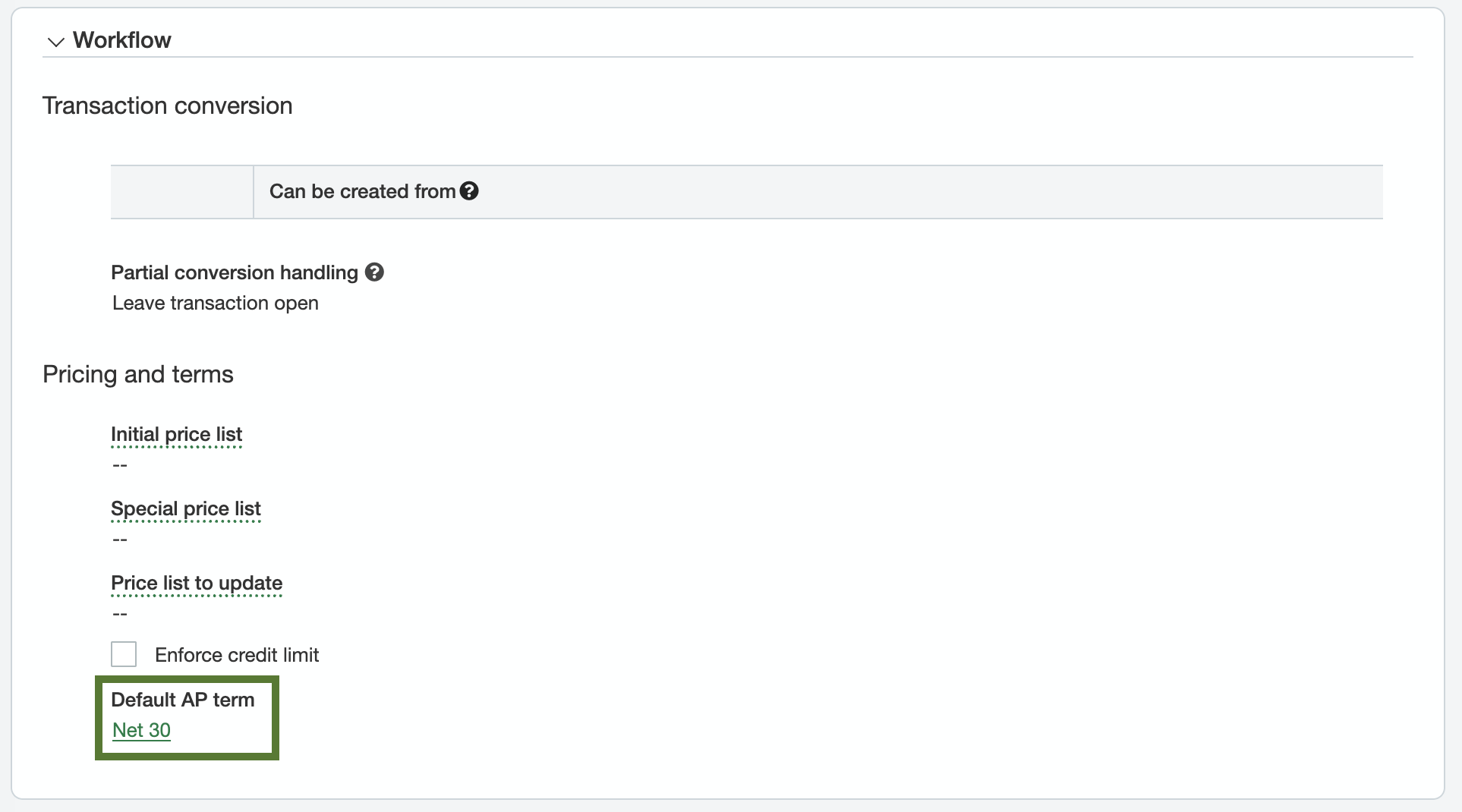
Optionally, configure a default AP term as a fallback for cases when terms aren't specified on the vendor record.
Top level vs entity level
Purchasing Transaction Definitions can live at the top level or the entity level. Top level definitions are inherited by all entities; entity level definitions are scoped to that entity only.
- If the same transaction definitions should apply across all entities, configure them at the top level.
- If entities need their own distinct transaction definitions, configure them at the entity level.
Item IDs on Subcontract Line Items
Sage Intacct requires Item IDs on every line item for Purchasing Transactions, but Autodesk Build does not assign Item IDs. Items are also useful for categorizing Line Items (e.g. associating them with General Ledger Accounts, Units of Measure):
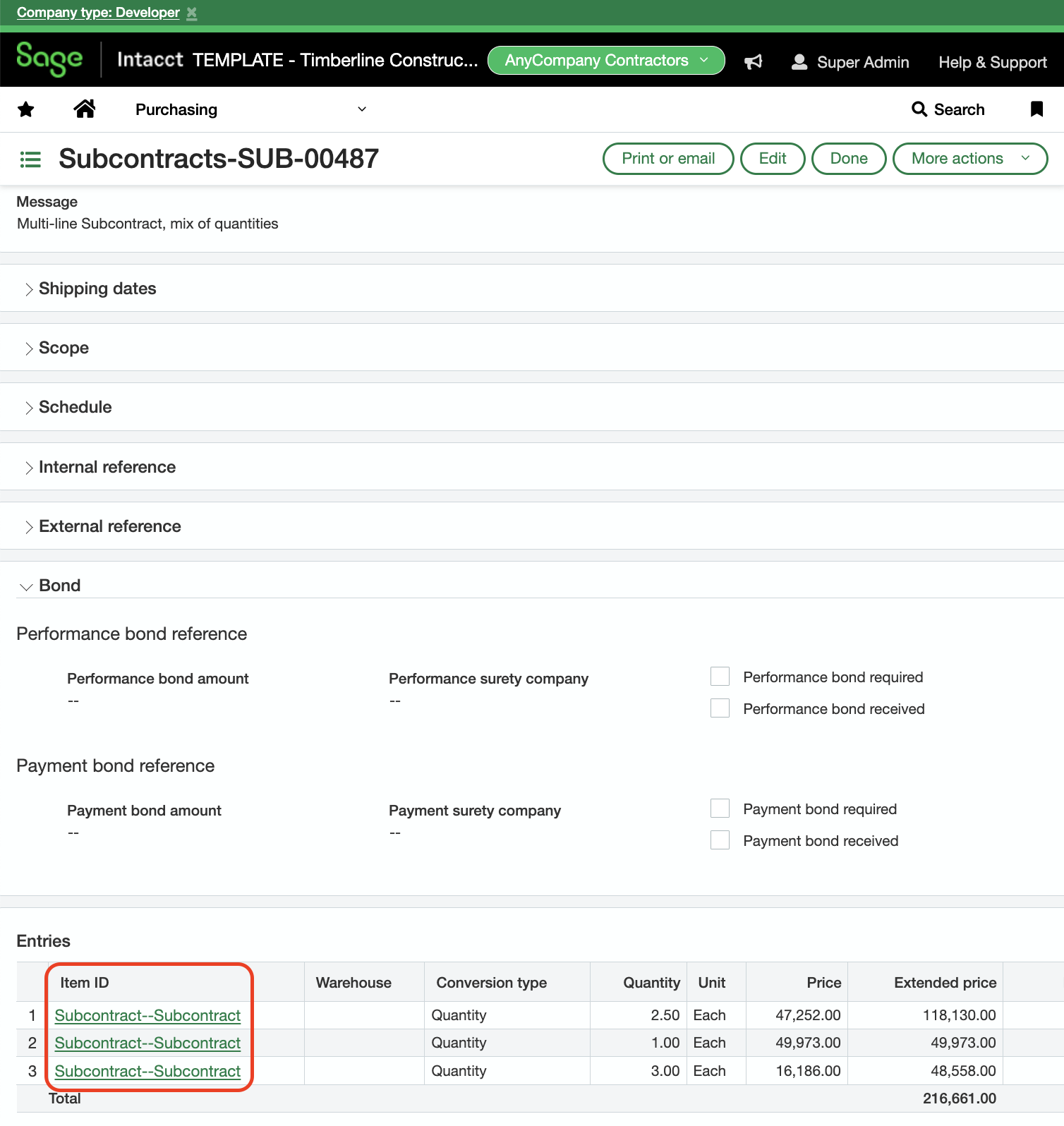
There are two supported approaches:
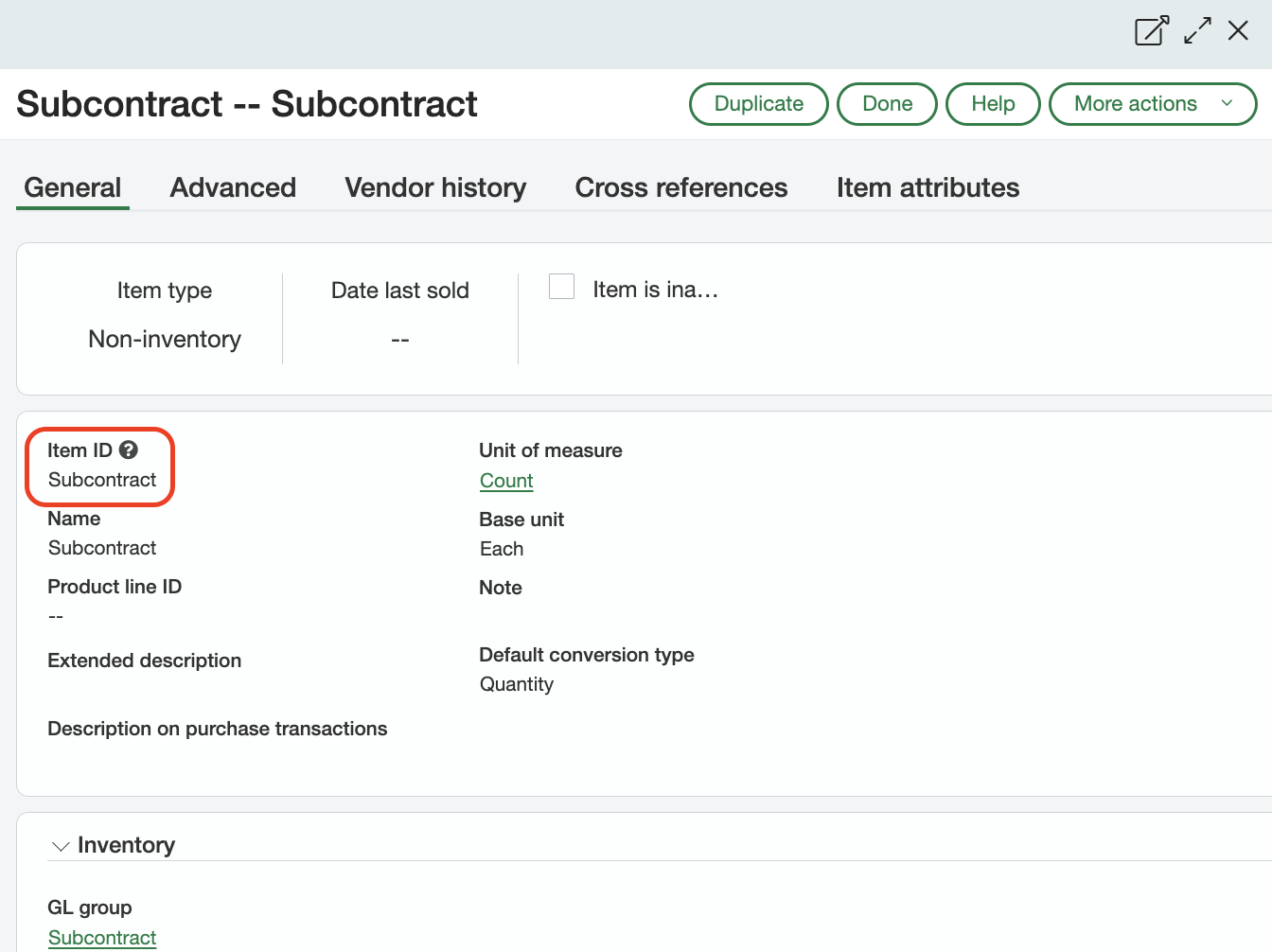
- Default Item ID approach — provide a single default Item ID that Agave applies to every Subcontract Line Item during the sync. Let your Agave Account Manager know which Item ID you'd like to use, and they can apply this default for you:
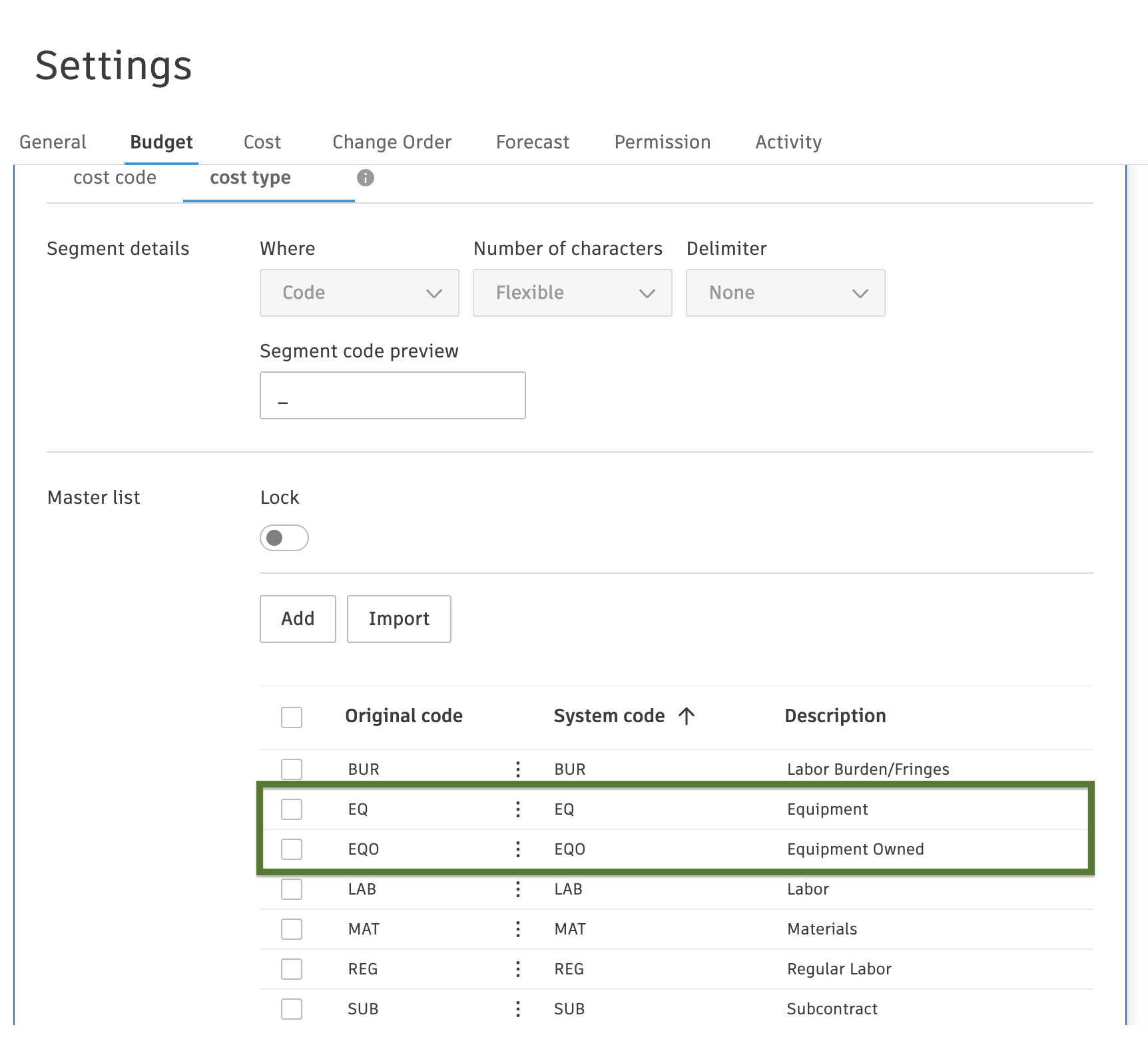
- Matched Item ID approach — configure Item IDs in Sage Intacct as exact string matches to the standard cost type IDs used in Autodesk Build. Typically, these Items belong to different GL Groups that correspond to different COGS accounts (Materials, Equipment, Subcontracts, etc.) — mirroring your cost types. This approach gives you per-cost-type GL posting.
Example of a subset of Item IDs in Sage Intacct (top image) matched to Cost Types in Autodesk Build (bottom image):