Purchase Orders
Agave Sync allows you to export Autodesk Build Purchase Orders to Sage 300 CRE Commitments that have a type of "Purchase Order".
Visual Mapping
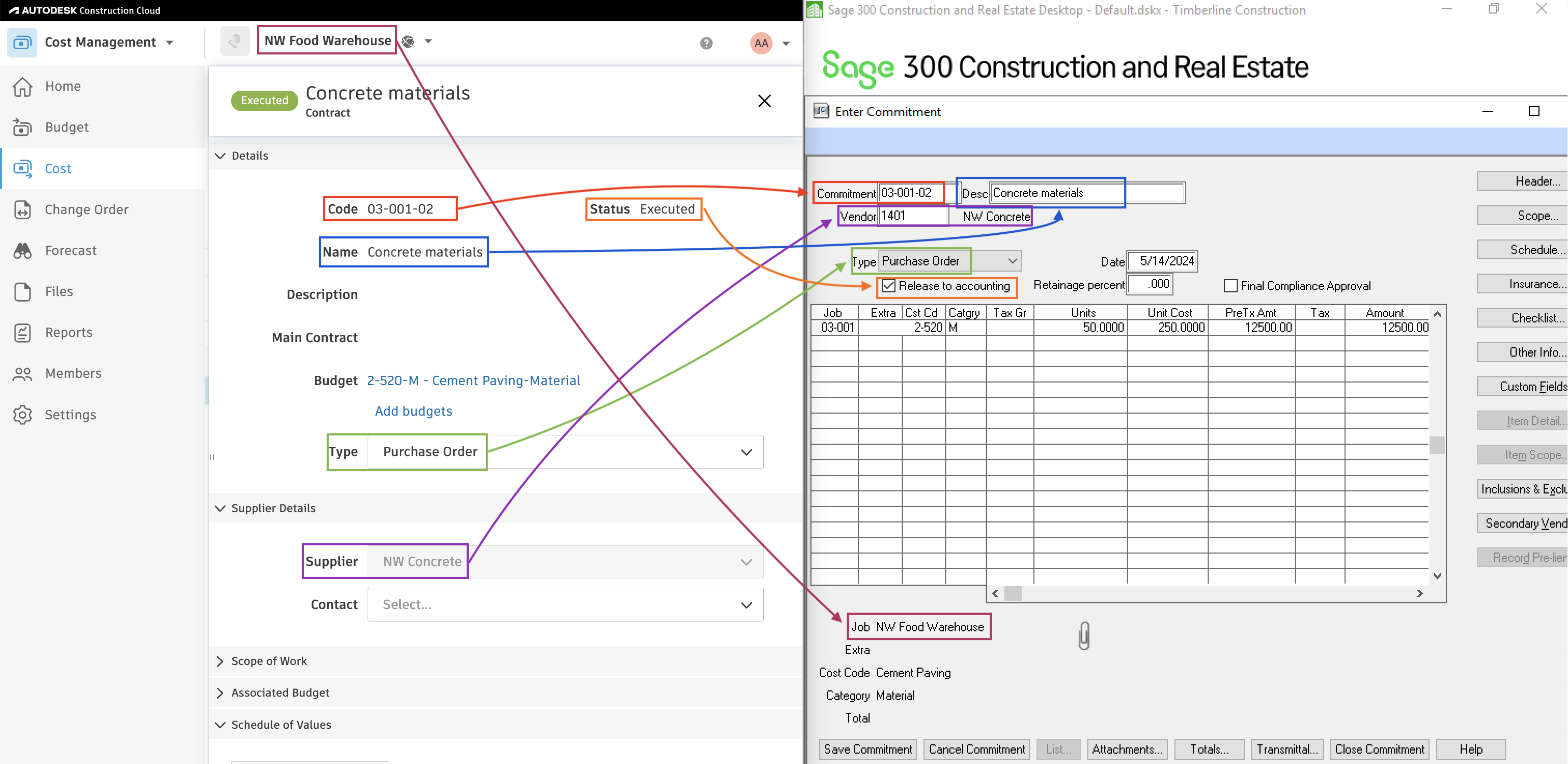
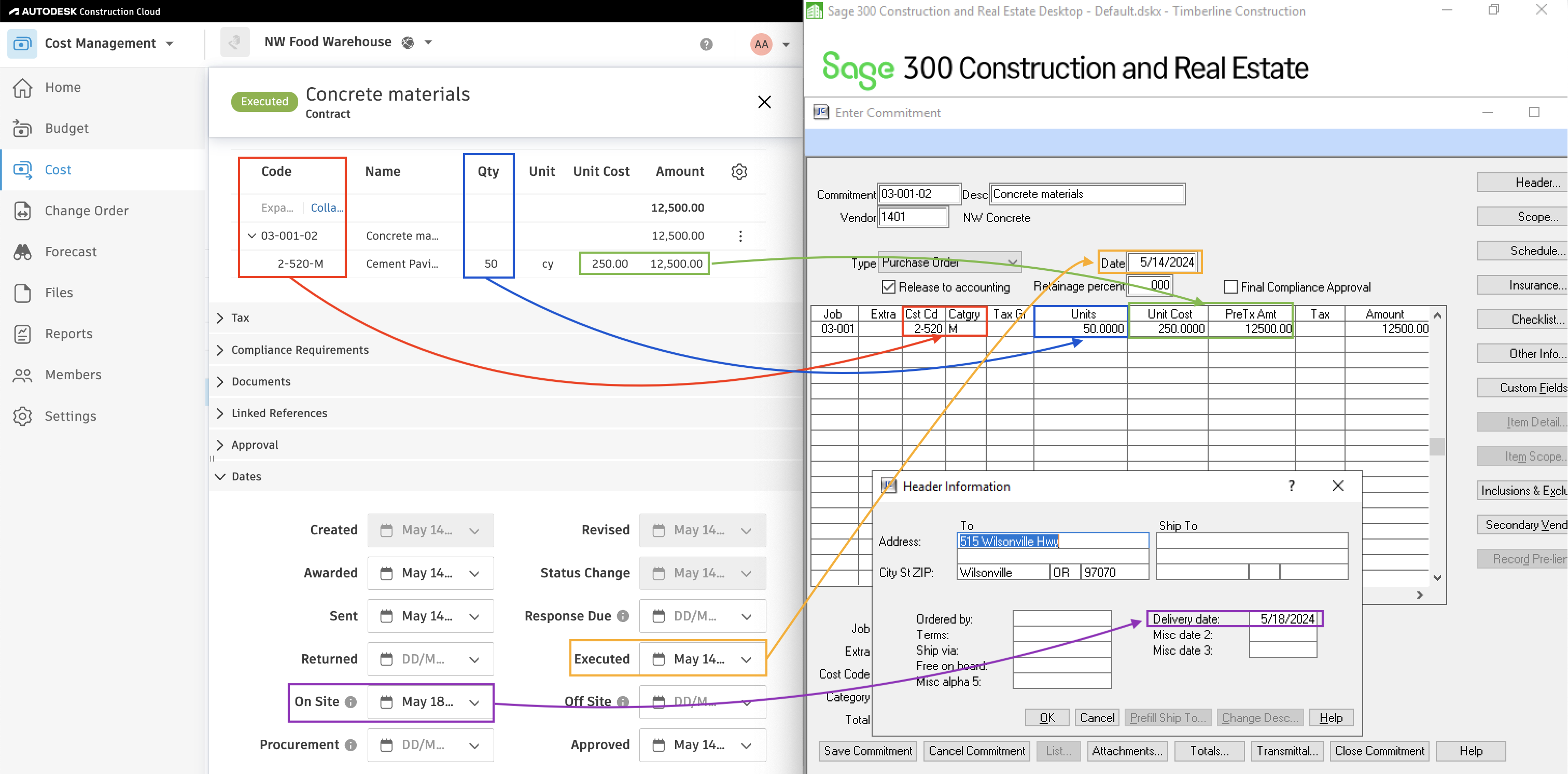
Contract Types
You may expect multiple Contract Types in your Autodesk Build instance to sync to Commitments that have a type of "Purchase Order" in Sage 300 CRE (e.g. "Purchase Order", "Purchase Agreement"). Let your Agave Account Manager know which Contract Types you would like to sync to Subcontracts in Sage 300 CRE and we can enable this mapping for you.
Common Errors and FAQs
Does Agave Support Syncing Sub-items from Autodesk Build?
Yes, Agave supports syncing one level of sub-items from Autodesk Build for the following record types:
- Subcontracts
- Purchase Orders
- Change Orders
- AP Invoices
- Prime Contracts
- Prime Contract Change Orders
- AR Invoices
To enable syncing for sub-items, ask your Agave Account Manager to enable it for you.
How It Works
Autodesk Build records have a hierarchical structure with:
- Root items — parent line items
- Sub-items — child line items
- Sub-sub items — which are explicitly filtered out (only one level of nesting is supported)
Agave Sync will include root items and their direct sub-items when syncing. Any items nested deeper than one-level are excluded.
How does the General Ledger info sync over?
For context, Autodesk does not have a General Ledger. All Customers appear to want the General Ledger Account to be specified at the line item-level in Sage 300 CRE for Purchase Orders. As a result, we will write the Purchase Order's General Ledger Account using the Line Item's Cost Type's Ledger Account.
How does retention % sync over from Autodesk Build to Sage 300 CRE?
We take the Retention % of Work Completed from Autodesk and sync them as Overall Retention on the Commitment in Sage 300 CRE.