Subcontractor Change Orders
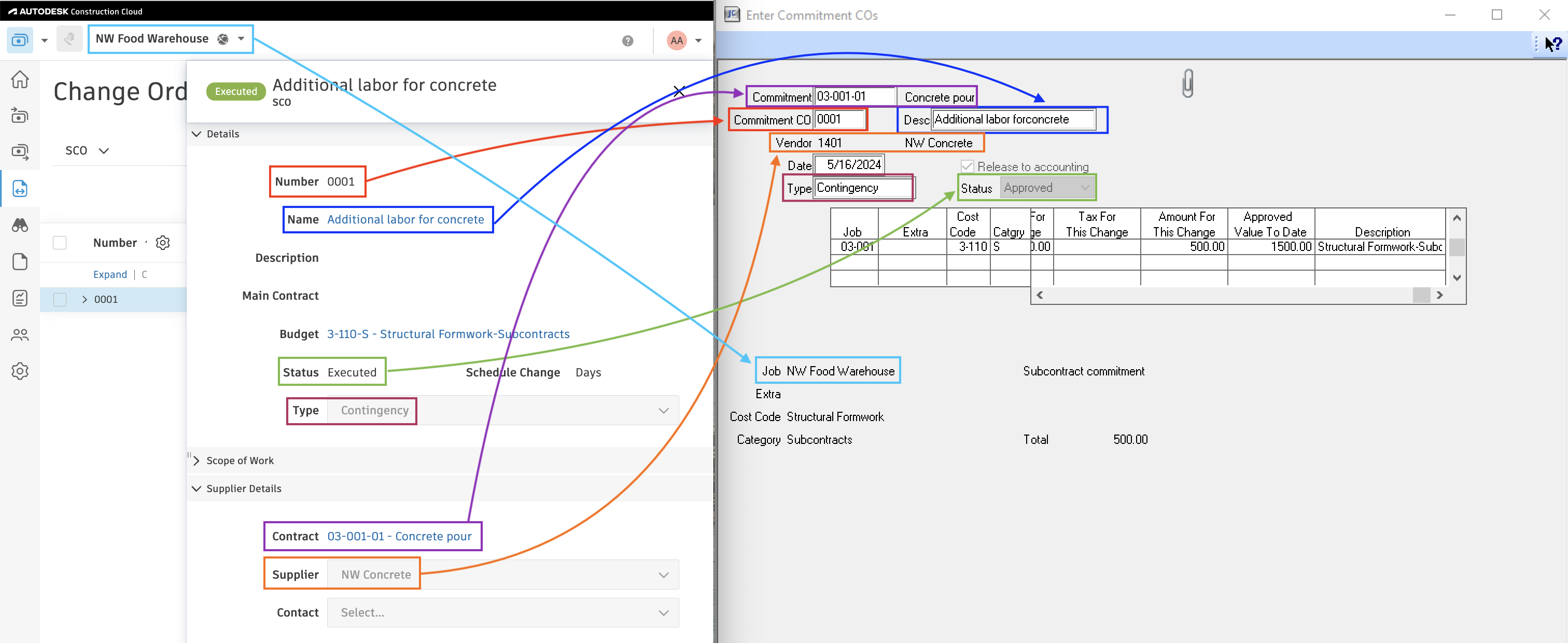
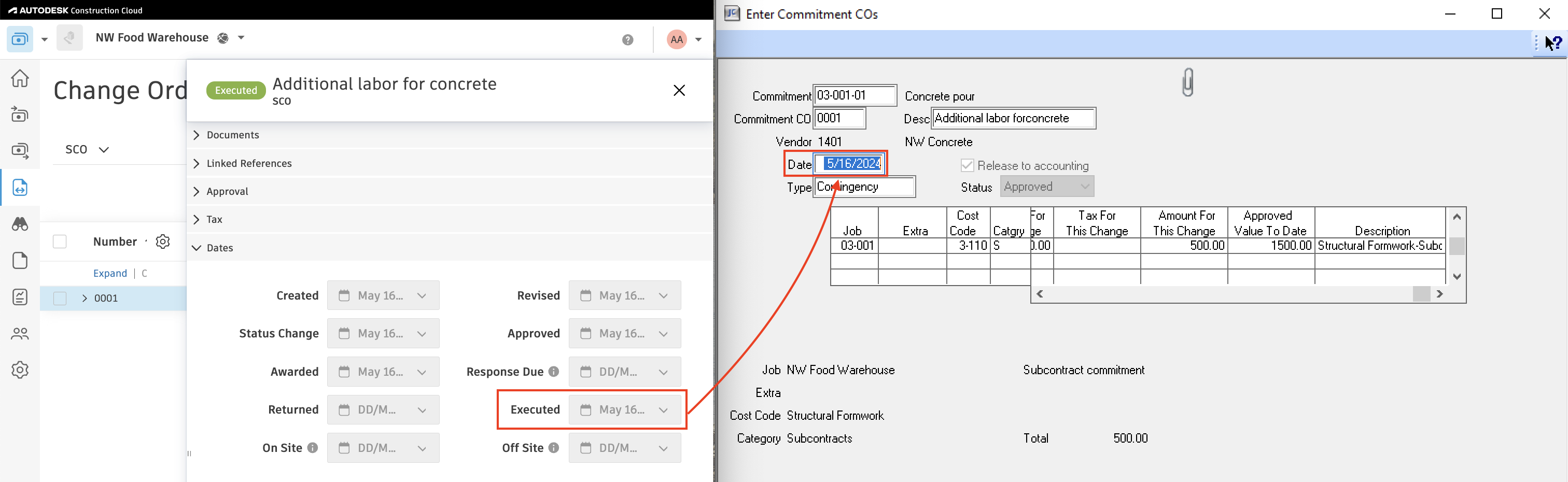
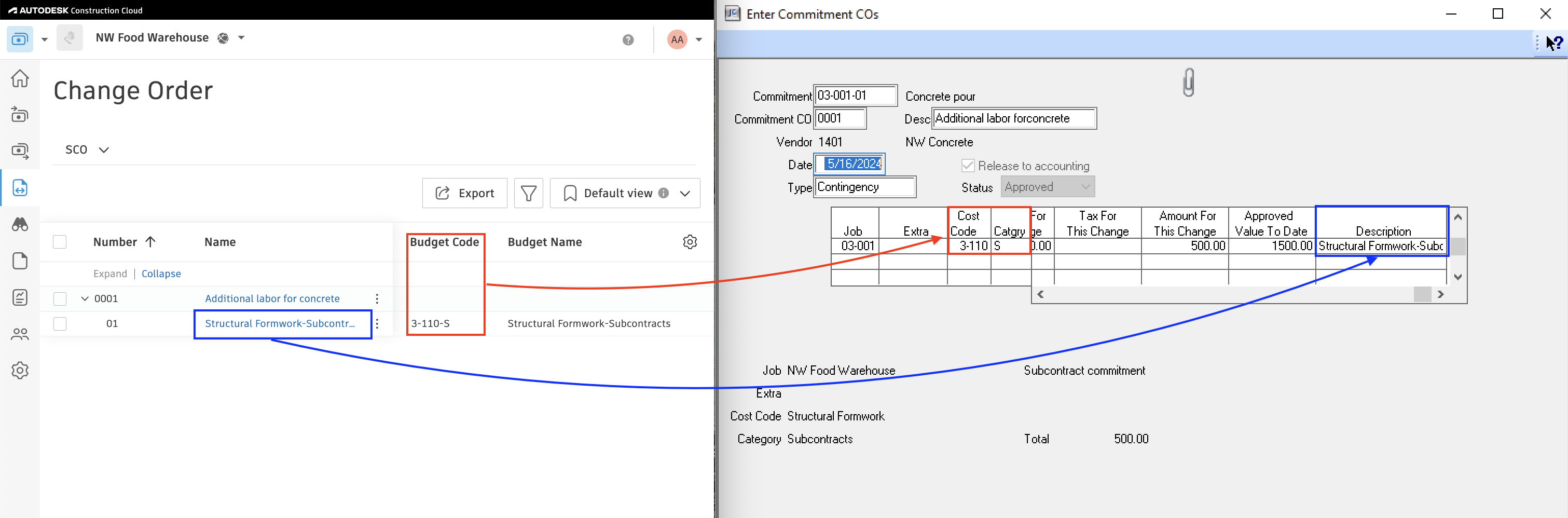
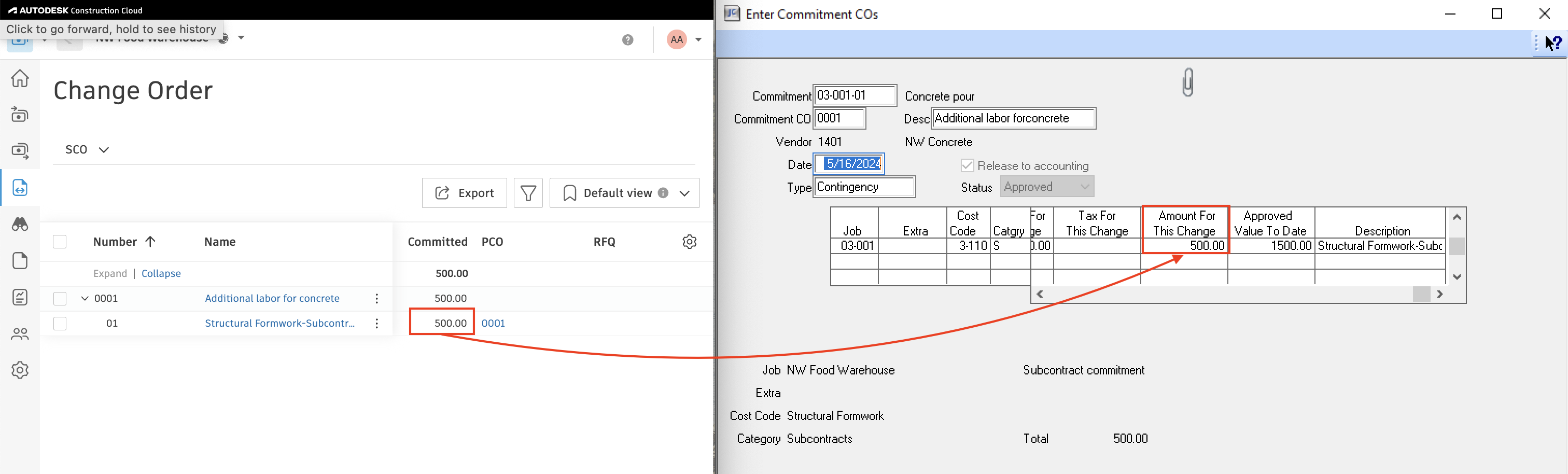
Agave Sync allows you to export Autodesk Build Subcontract Change Orders to Sage 300 CRE JC Commitment Change Orders.
Visual Mapping
Common Errors
Sage 300 CRE: Subcontract Change Order with source_id 'XXX' and id 'XXX' not found
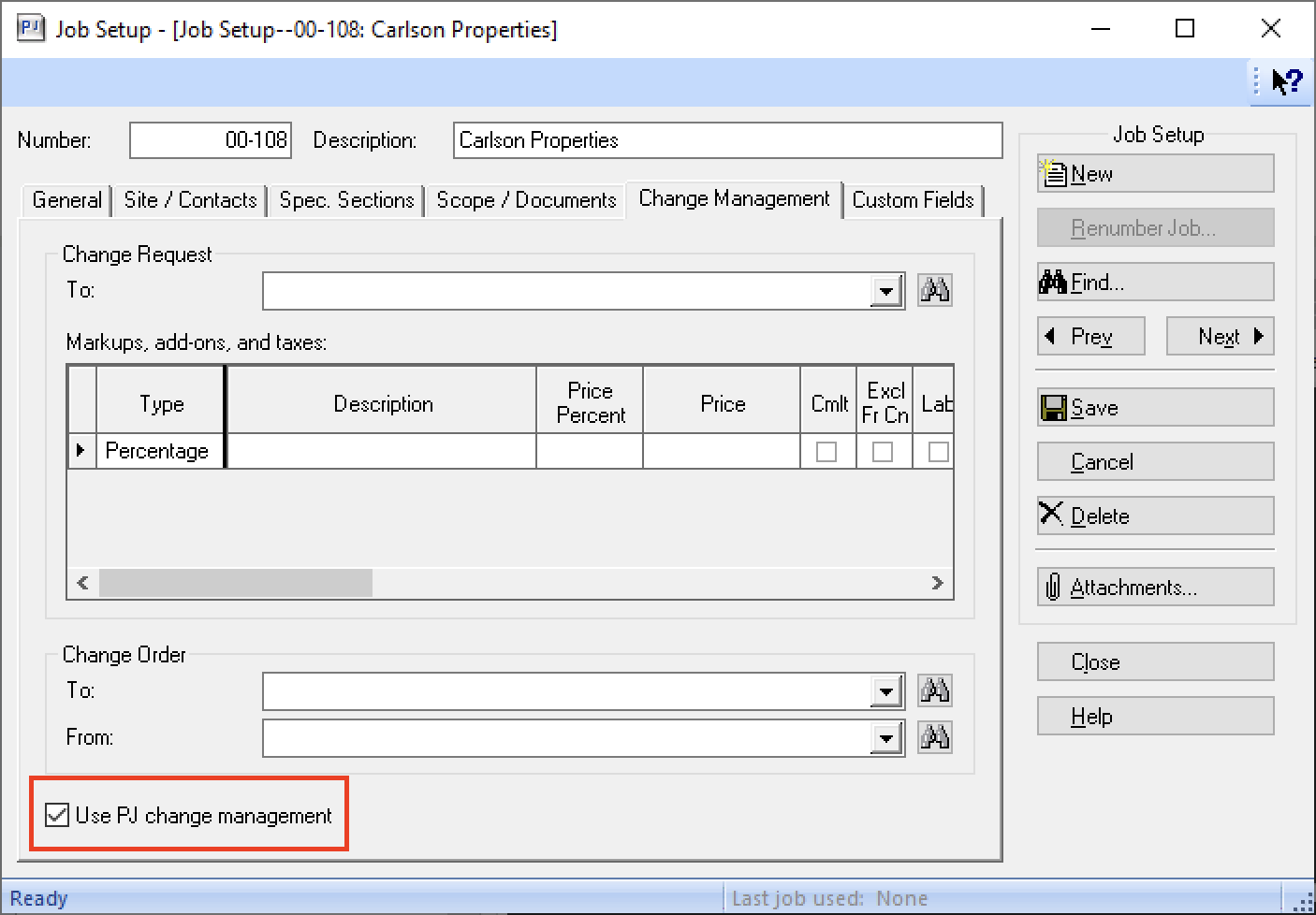
Agave currently only supports PJ Change Orders. Check this setting in your project and retry.
Unit Cost Mismatch
You may encounter an error like "Unit cost mismatch between contract line item 139200 and change order line item -8000.0000" when attempting to sync a Subcontract Change Order to Sage 300 CRE.
For context, Sage 300 CRE has two types of Commitments (i.e. Subcontracts or Purchase Orders):
- Lump Sum:
- Only amount fields exist on the Line Item. In other words, "unit cost" and "quantity" are not set.
- Subcontracts are typically Lump Sum Commitments.
- Unit Price:
- The amount is determined based on the "unit cost" multiplied by "quantity".
- Purchase Orders are typically Unit Price Commitments.
For Unit Price Commitments, Sage 300 CRE prohibits modifying the unit cost of an existing Subcontractor Change Order line item. Therefore, Agave Sync returns the "unit cost mismatch" error when you attempt to modify the unit cost for a Unit Price Commitment.
To resolve this error, you will either need to:
- Keep the same unit cost as the original Subcontract or Purchase Order and modify the quantity to match the amount, or
- Change the Subcontract or Purchase Order to be of type "Lump Sum" (so you can just modify the amount)
How do I fix a Subcontract Change Order that synced with the wrong information in Sage 300 CRE?
Sage doesn’t let Agave or any user edit or delete an existing Subcontract Change Order. To correct one that was coded to the wrong budget line item, you would need to create a second SCO in Sage with the same lines but negative values to reverse the original balance, then push the corrected SCO in Agave so the new change order allocates to the right budget code going forward.
Error: Sage 300 CRE: Record already exists
Sage 300 CRE only accepts the first 5 digits for a change order number and will truncate everything past 5 digits (e.g. SCO-001 and SCO-002 will truncate to the same number in Sage 300 CRE). Your implementation team can wire the unique number associated with each change order to fix this error.
Does Agave Support Syncing Sub-items from Autodesk Build?
Yes, Agave supports syncing one level of sub-items from Autodesk Build for the following record types:
- Subcontracts
- Purchase Orders
- Change Orders
- AP Invoices
- Prime Contracts
- Prime Contract Change Orders
- AR Invoices
To enable syncing for sub-items, ask your Agave Account Manager to enable it for you.
How It Works
Autodesk Build records have a hierarchical structure with:
- Root items — parent line items
- Sub-items — child line items
- Sub-sub items — which are explicitly filtered out (only one level of nesting is supported)
Agave Sync will include root items and their direct sub-items when syncing. Any items nested deeper than one-level are excluded.