Cost Codes
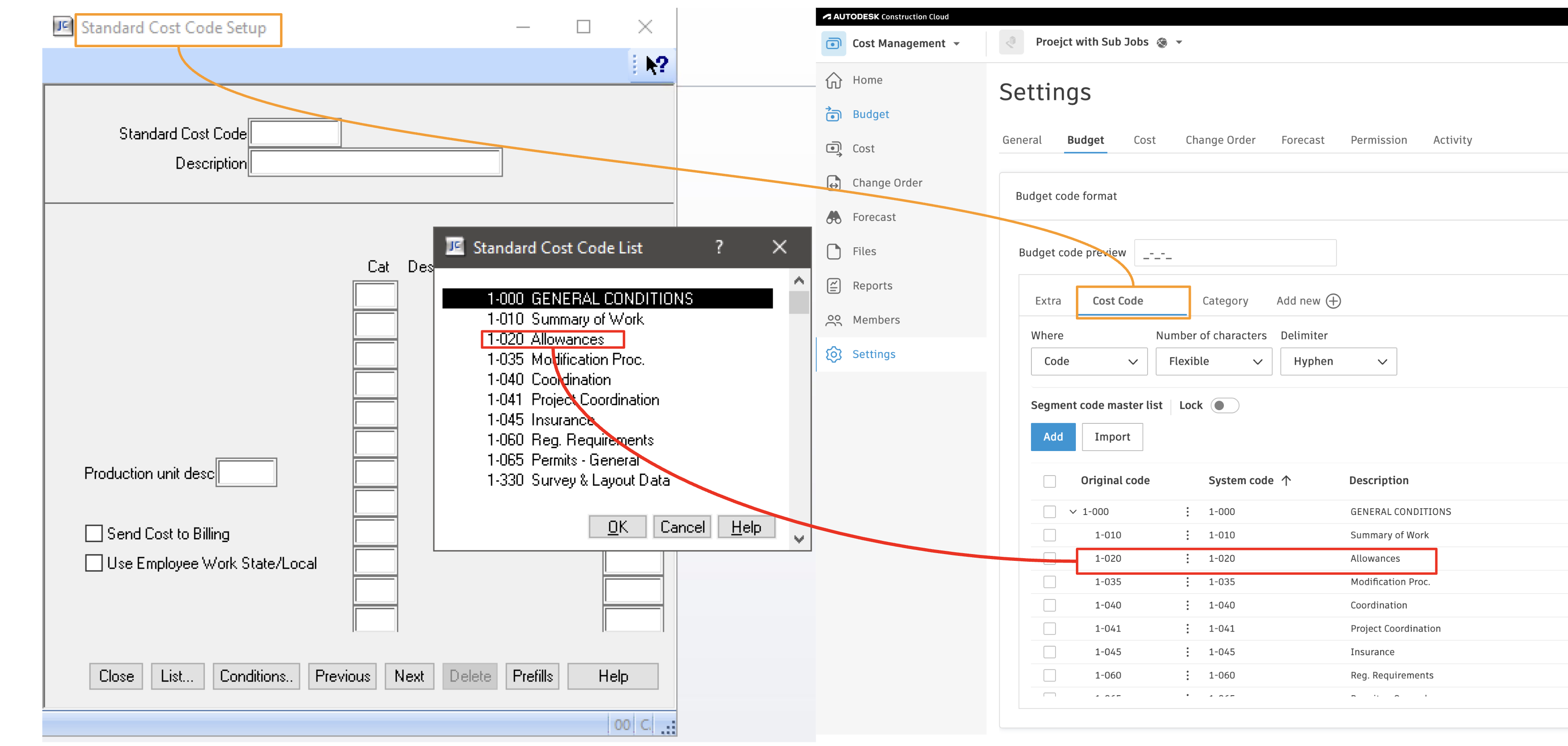
Agave Sync allows you to import Sage 300 CRE Cost Codes to an Autodesk Build Budget Code.
Common Errors and FAQs
Error: Unable to Create -- Segment Code Already Exists
If you see the error [Autodesk Build Error] ValidationException: Unable to create - segment code already exists, it means the Segment Code (such as a Sub Job, Cost Code, or Cost Type) you are trying to sync is already in the Project.
To fix this error, you will need to link the record to the existing Sub Job, Cost Code, or Cost Type in Autodesk Build.
If the Segment Code is not appearing in the "Link to Existing" list, trying pressing Fetch Latest Data to confirm you are seeing the latest list of Sub Jobs, Cost Codes, or Cost Types in Autodesk Build.
Error: The Name Field is Required.
To sync a Segment Code (i.e. a Sub Job, Cost Code, or Cost Type), Autodesk Build requires a description for it (e.g. "Floor 1", "Concrete Pour", "Material").
To fix this error, add a description to the corresponding Segment Code in your Accounting System and re-sync the record.
How does the integration handle Sage's parent cost codes vs. full cost codes?
Sage may use a parent cost code (for example, 1010) with child/full cost codes beneath it (for example, 1010.001, 1010.002). In Autodesk Build, the parent becomes the top level in the cost code tree, and the full cost codes become leaf-level codes tied to budget lines.
Should we sync global (company-level) cost codes or project-level cost codes from Sage?
Use project-level cost codes if you need project-specific codes or maximum flexibility. Use global/company cost codes only if your structure is very standardized and never varies by project.
How does Autodesk Build order cost codes, and why do they sometimes look out of order?
Autodesk Build sorts cost codes alphanumerically using ASCII order. Without leading zeros you might see 1, 10, 11, 2, 20…. Add leading zeros in Sage (for example, 0010, 0020) so the order matches expectations.
Should we maintain cost codes in Autodesk Build templates or only in Sage?
Maintain the authoritative cost code list in Sage. Use Autodesk Build templates to define segment structure (such as cost code and cost type segments) rather than a second list of codes, then push codes from Sage into each project as needed.
Can we sync Sage project "extras" or sub-jobs into Autodesk Build?
Yes. Sage sub-jobs/extras can map to an additional cost code segment (often called "Extras") in the Autodesk Build budget code structure. You may need separate project templates or configurations for projects that use extras.
Can we map Sage prime contract SOV line items to Autodesk Build budget codes automatically?
Not today. Sage prime contracts typically do not carry a full budget code per SOV line the way Autodesk Build expects. Sync the budget/cost codes first, then manually associate SOV line items with budget codes in Autodesk Build.