Change Orders
Note that both Owner Change Orders and Subcontract Change Orders are supported via the Agave Change Orders sync.
Owner Change Orders
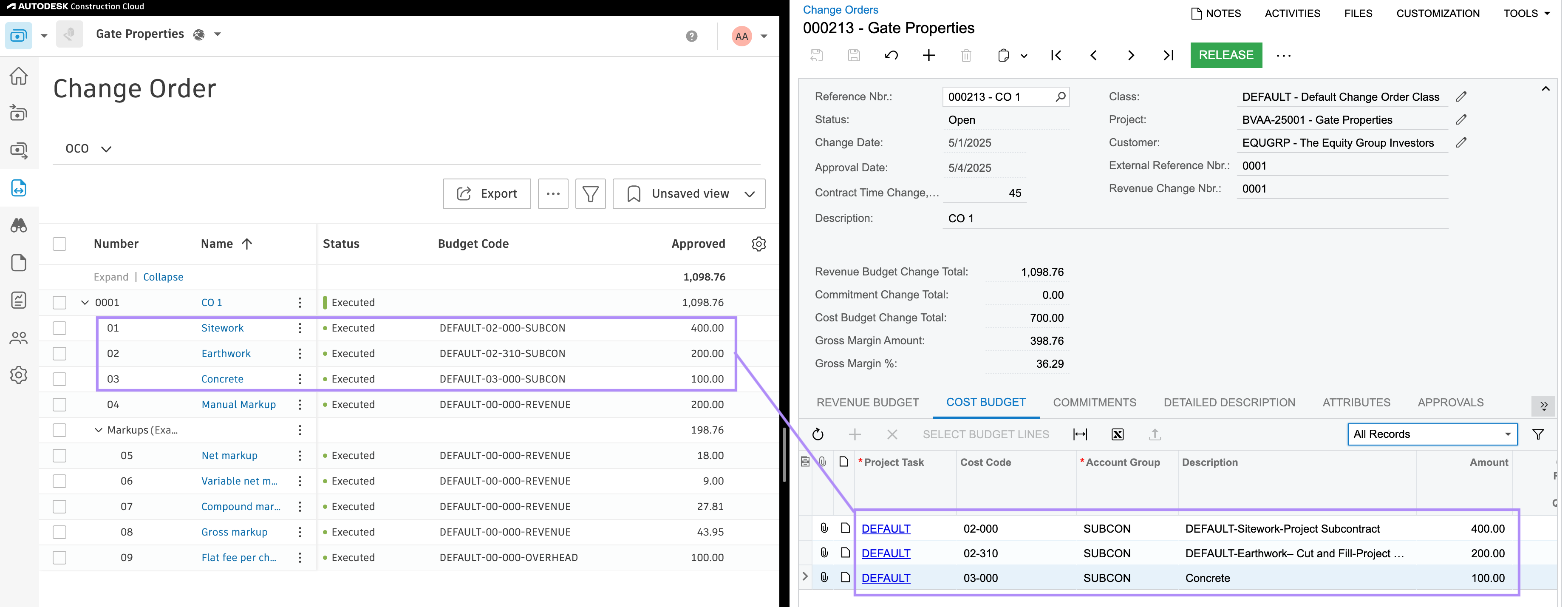
Visual Mapping
Header
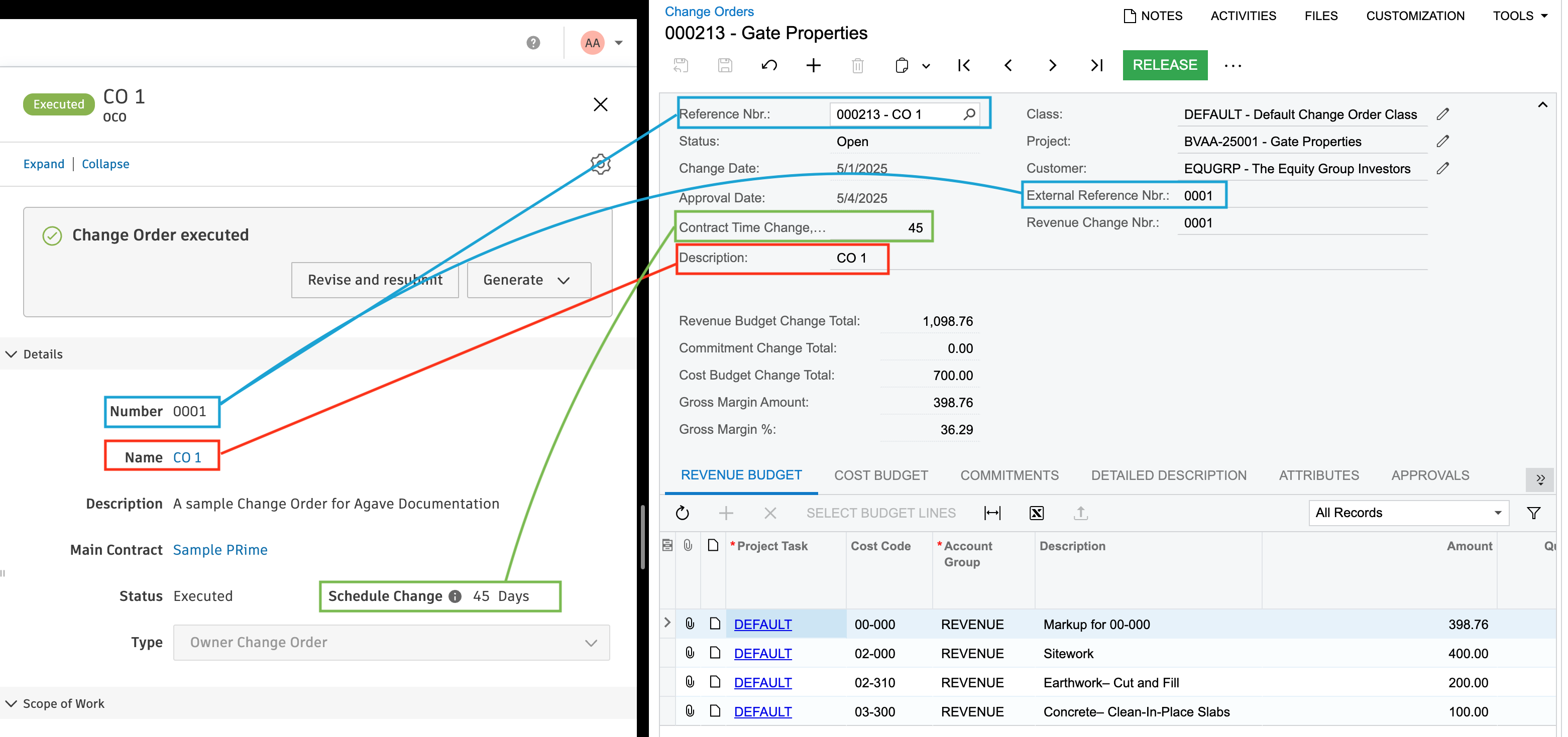
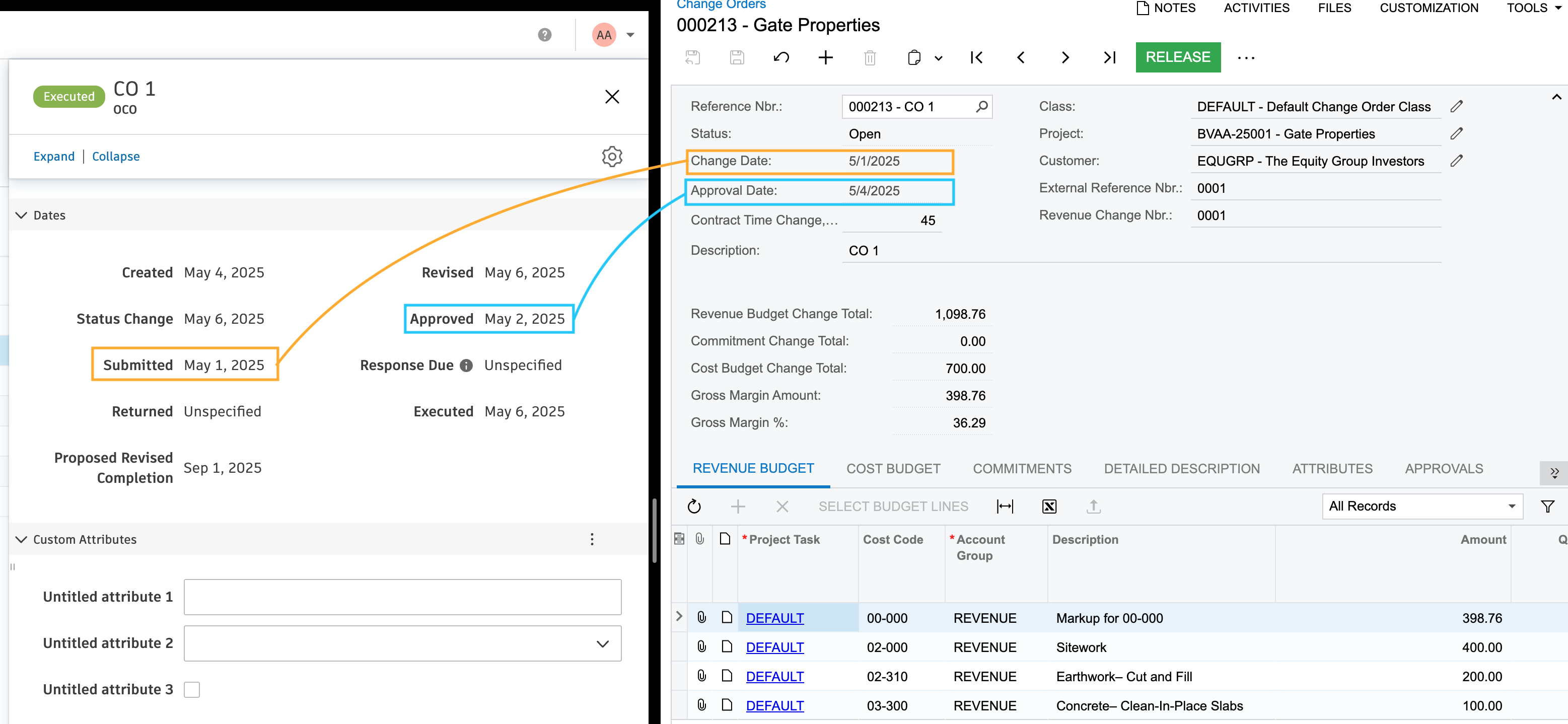
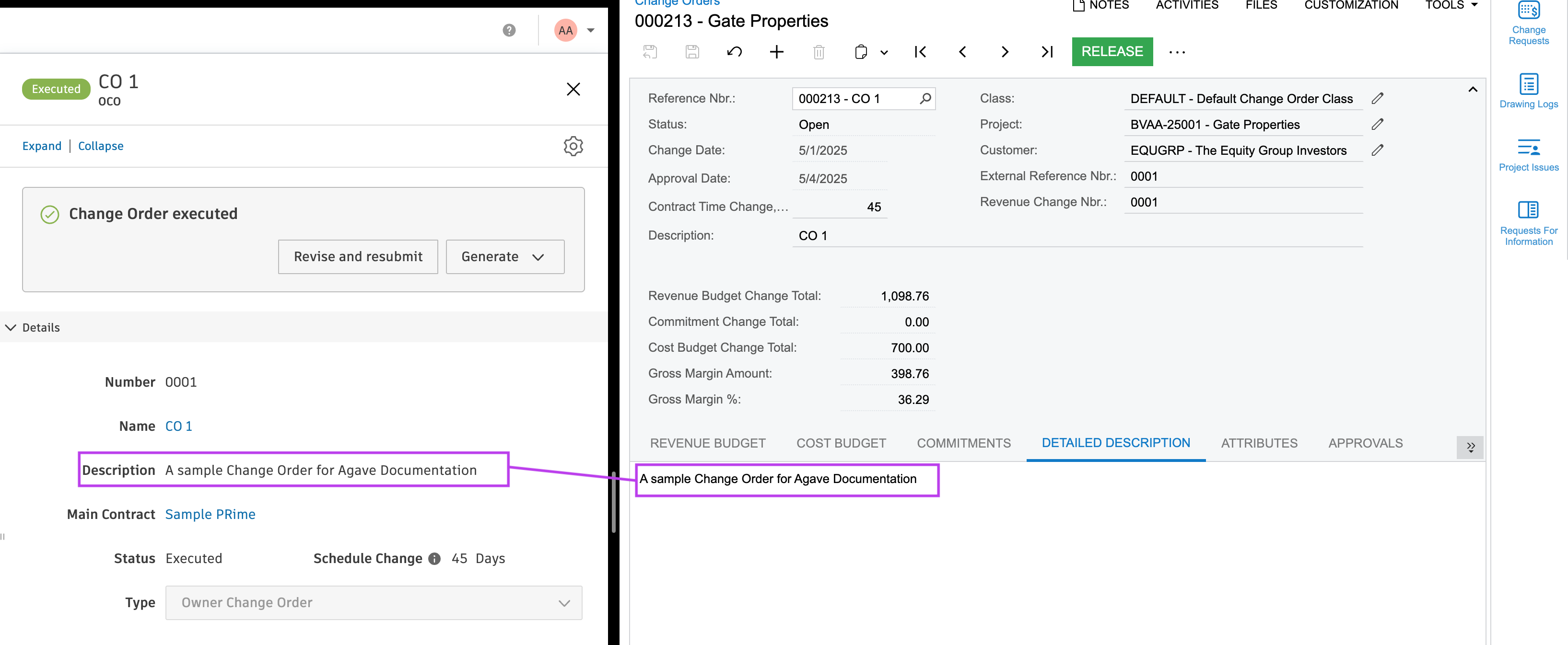
Revenue Lines
All lines on the Autodesk OCO (including markup lines) are included in the Revenue Budget tab in Acumatica.
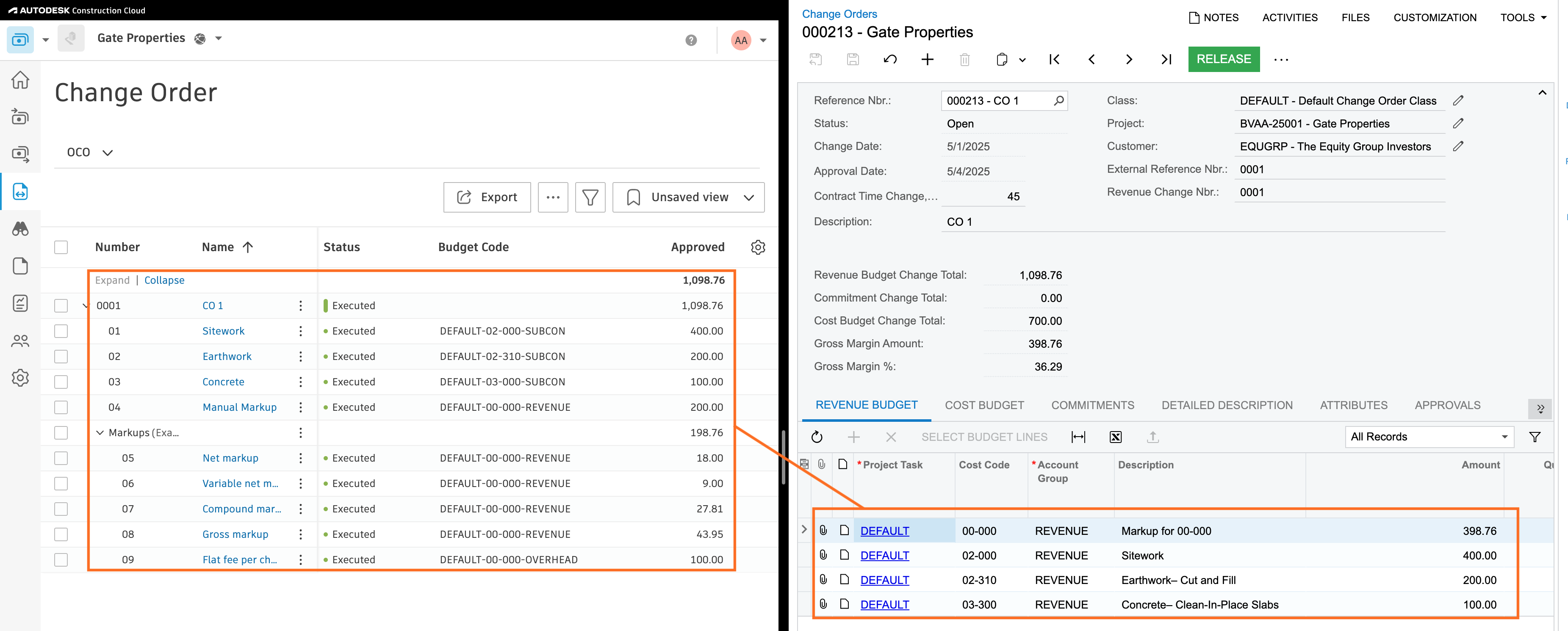
Cost Lines
All non-markup lines are included in the Cost Budget tab in Acumatica.
Configuration & FAQs
Markup and Margin
In Acumatica, the difference between the Revenue and Cost Budget tabs captures the margin on the Change Order. When Agave syncs an OCO from Autodesk to Acumatica, all non-markup SOV lines are included in both the Revenue Budget and Cost Budget tabs. Markup lines are included only in the Revenue Budget tab to preserve margin.
There are two methods for identifying margin on an Autodesk OCO:
- Using the Markup Tool - Any markups added via Autodesk's markups tool (e.g. lines 05-09 in the above visual mappings) will only be included on the Revenue Budget tab
- Using a Revenue Account Group - Any lines using a Revenue Cost Type (e.g. line 04 in the above visual mappings) will only be included on the Revenue Budget tab
Cost Types (Account Groups) for the Revenue Budget tab
Acumatica only allows revenue Account Groups on the Revenue Budget tab. Agave will automatically insert your default Revenue Account Group as part of the sync to the Revenue Budget tab in Acumatica (see Revenue Lines)
Sub Job (Task) Aggregation
If you use Task-Level Revenue Budgets in Acumatica, Agave will automatically aggregate by Task and ignore Cost Codes on the Revenue Budget tab.
Numbering
By default, Agave expects autonumbering enabled for Change Orders in Acumatica. If it is not, work with your Agave Account Rep to enable setting the number from Autodesk.
Commitment Change Orders
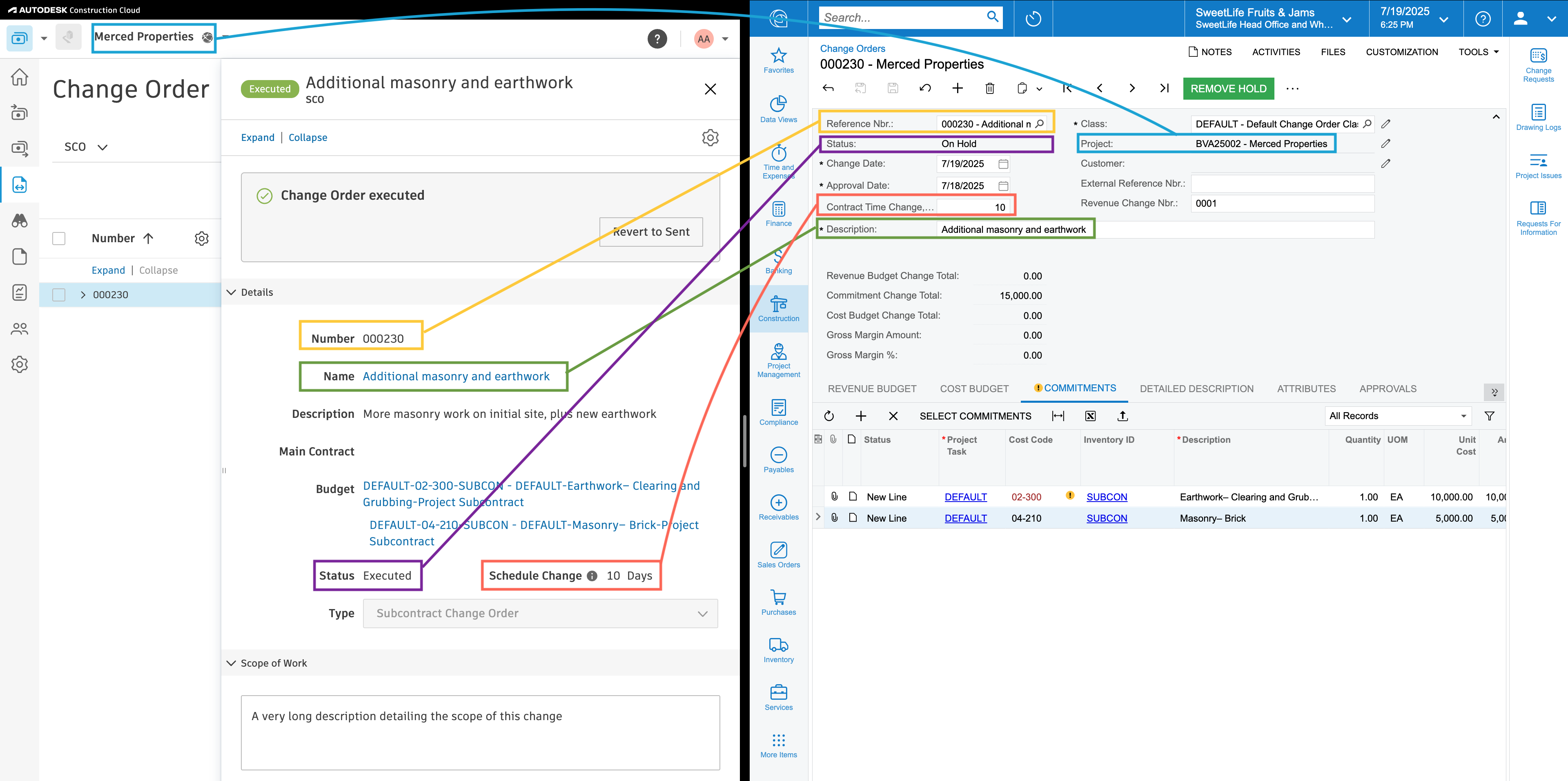
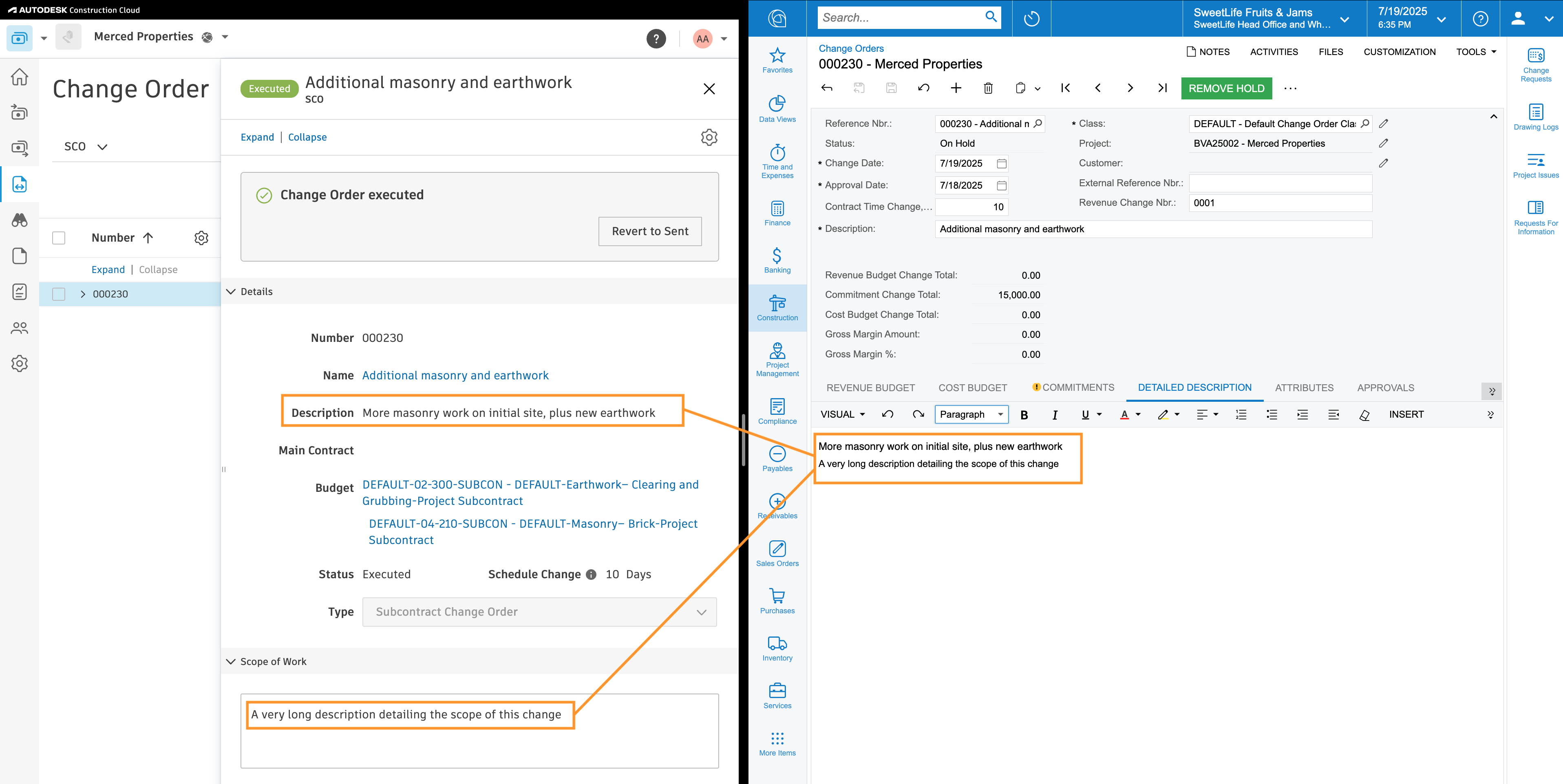
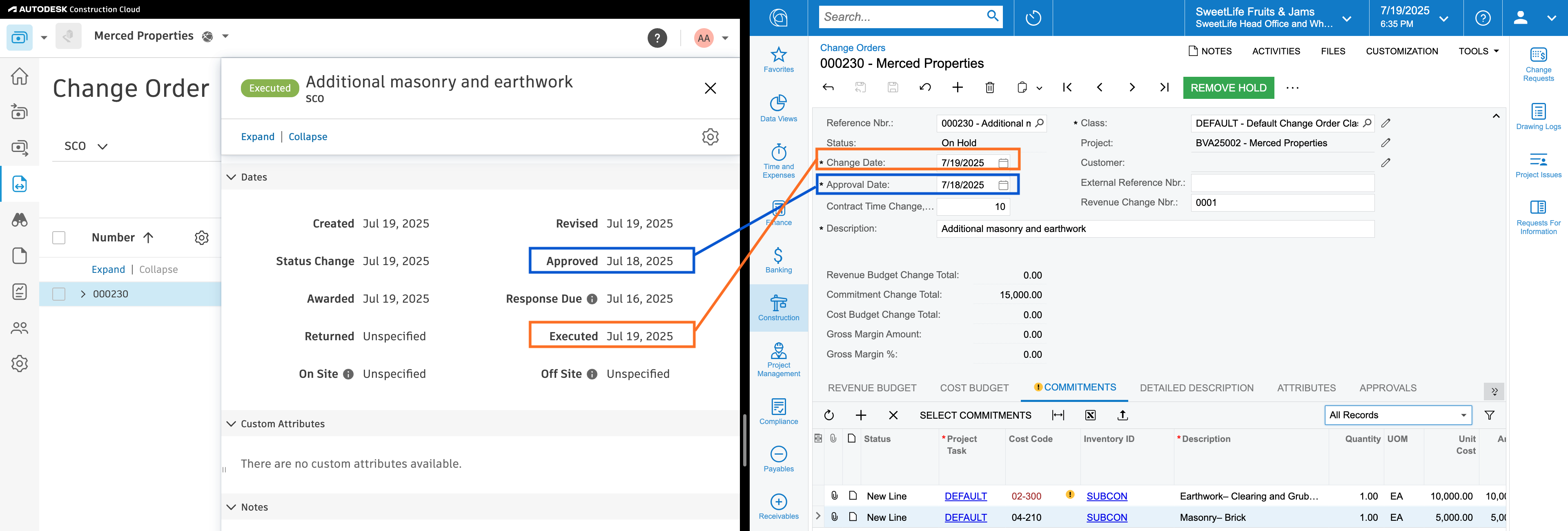
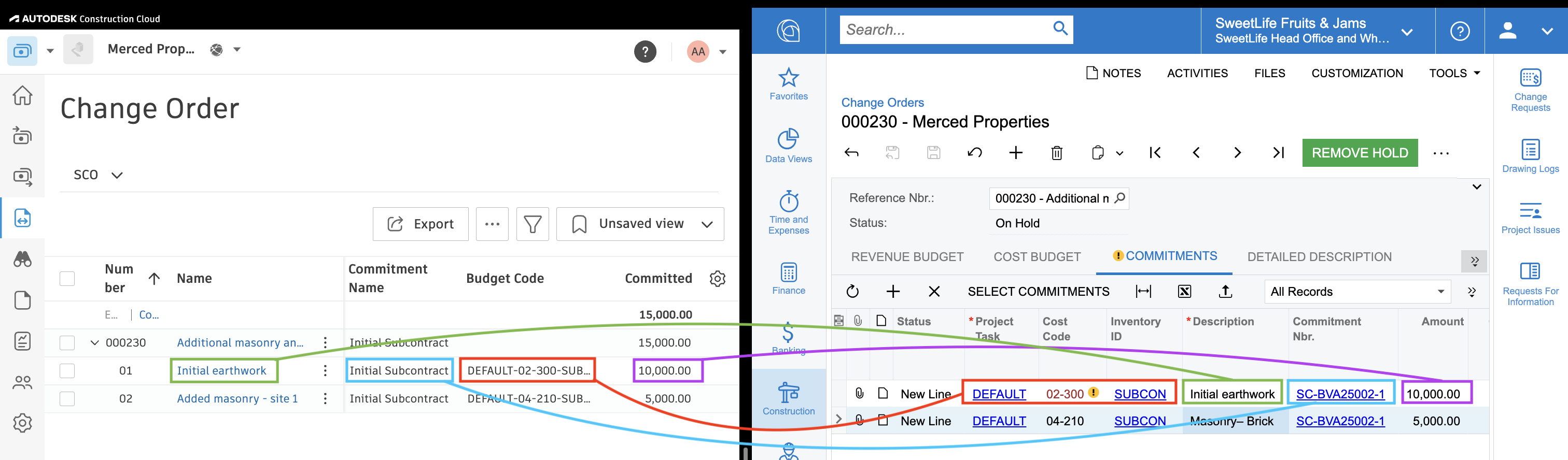
Visual Mapping
Configuration & FAQs
Numbering
By default, Agave expects autonumbering enabled for Change Orders in Acumatica. If it is not, work with your Agave Account Rep to enable setting the number from Autodesk.
Line Items
All Commitment Change Order lines will sync to Acumatica as new commitment lines rather than updating existing lines to ensure the Schedule of Values aligns between systems.
Inventory ID
Agave sends an InventoryID to each Acumatica line item based on the Account Group. This ensures that proper GL Account, tax, and other defaults are set.
See Setting Up Non-Stock Items for how to configure these.
Common Errors and FAQs
Does Agave Support Syncing Sub-items from Autodesk Build?
Yes, Agave supports syncing one level of sub-items from Autodesk Build for the following record types:
- Subcontracts
- Purchase Orders
- Change Orders
- AP Invoices
- Prime Contracts
- Prime Contract Change Orders
- AR Invoices
To enable syncing for sub-items, ask your Agave Account Manager to enable it for you.
How It Works
Autodesk Build records have a hierarchical structure with:
- Root items — parent line items
- Sub-items — child line items
- Sub-sub items — which are explicitly filtered out (only one level of nesting is supported)
Agave Sync will include root items and their direct sub-items when syncing. Any items nested deeper than one-level are excluded.