AR Invoices (Budget Pay Applications)
Agave syncs Autodesk Budget Pay Applications to Acumatica as Invoices (non-Pro-Forma).
Visual Mapping
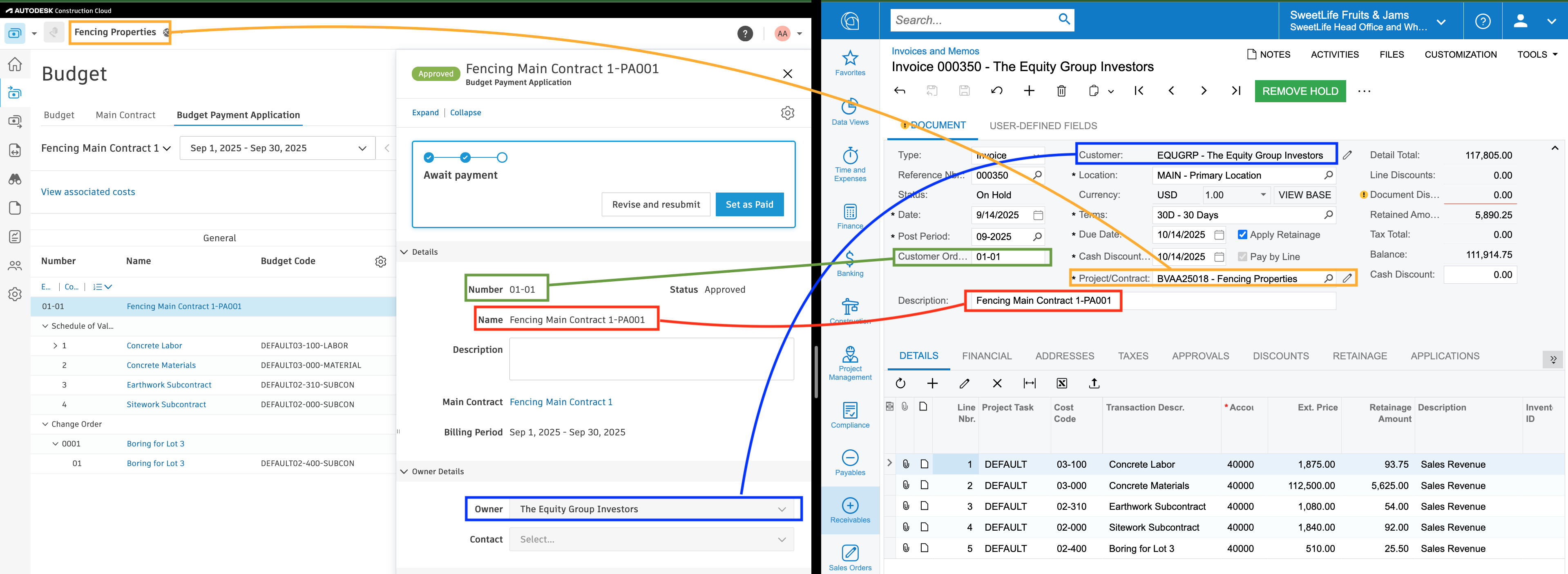
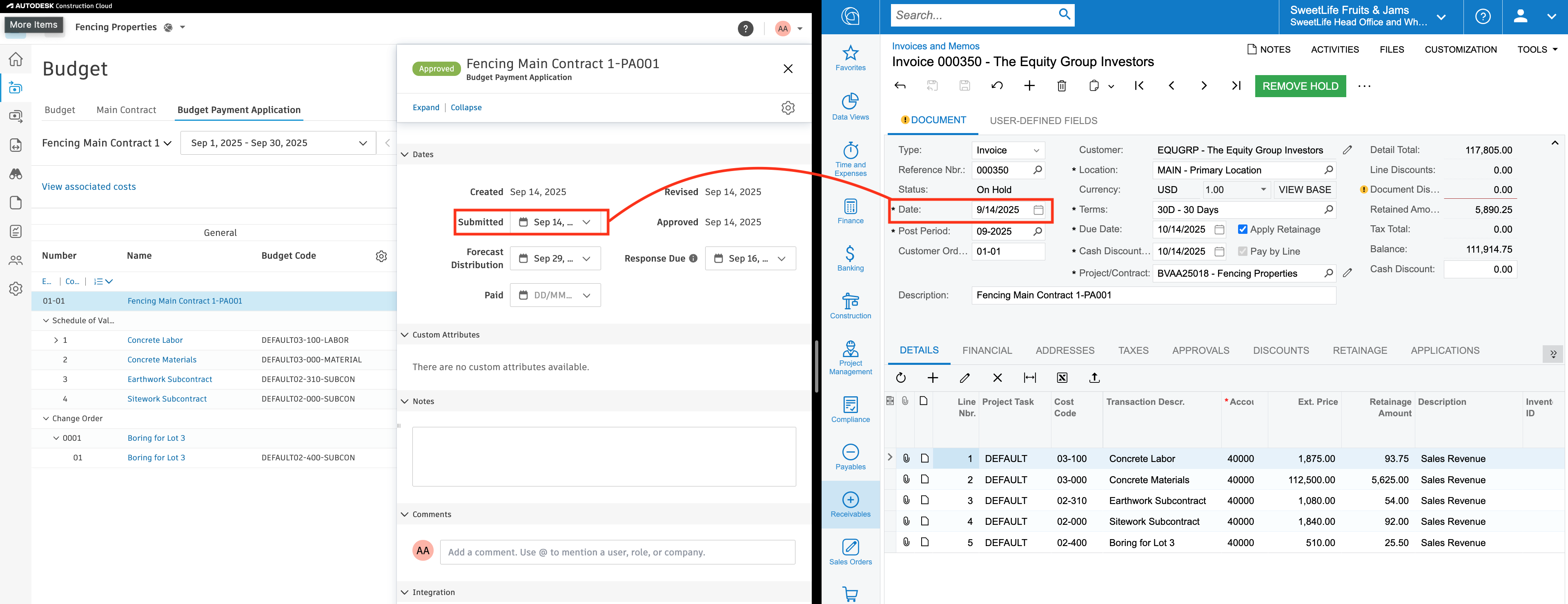
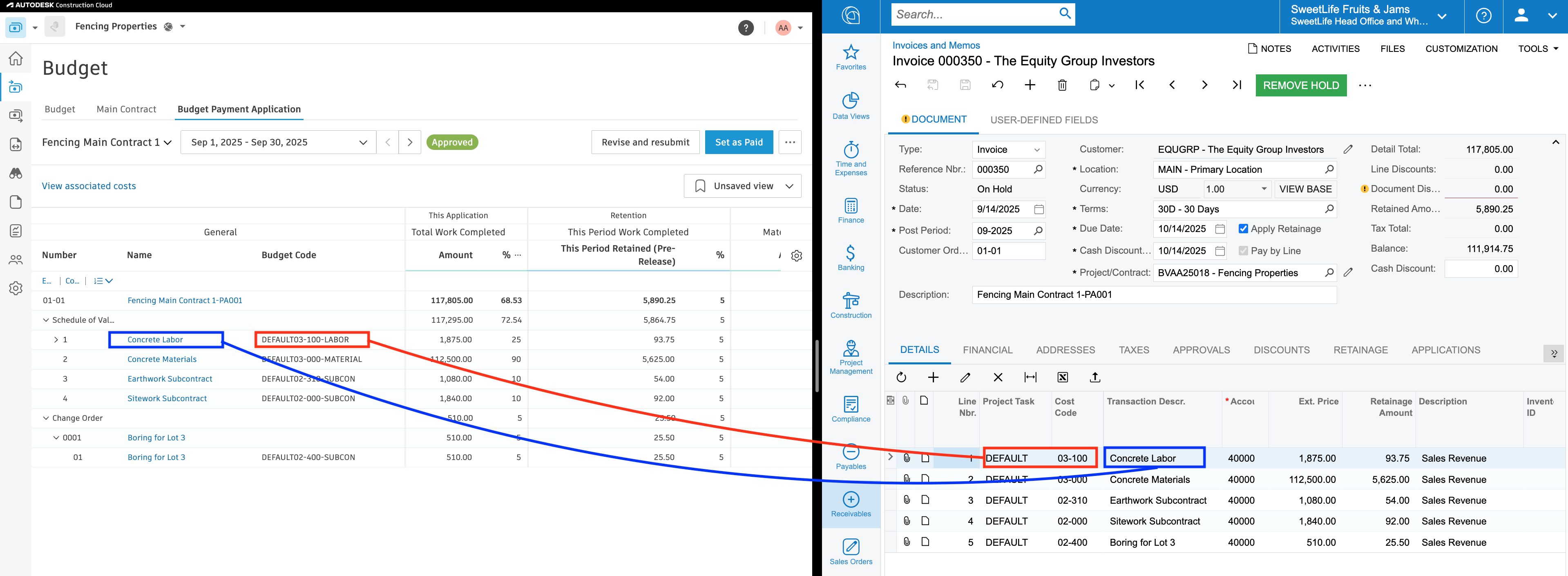
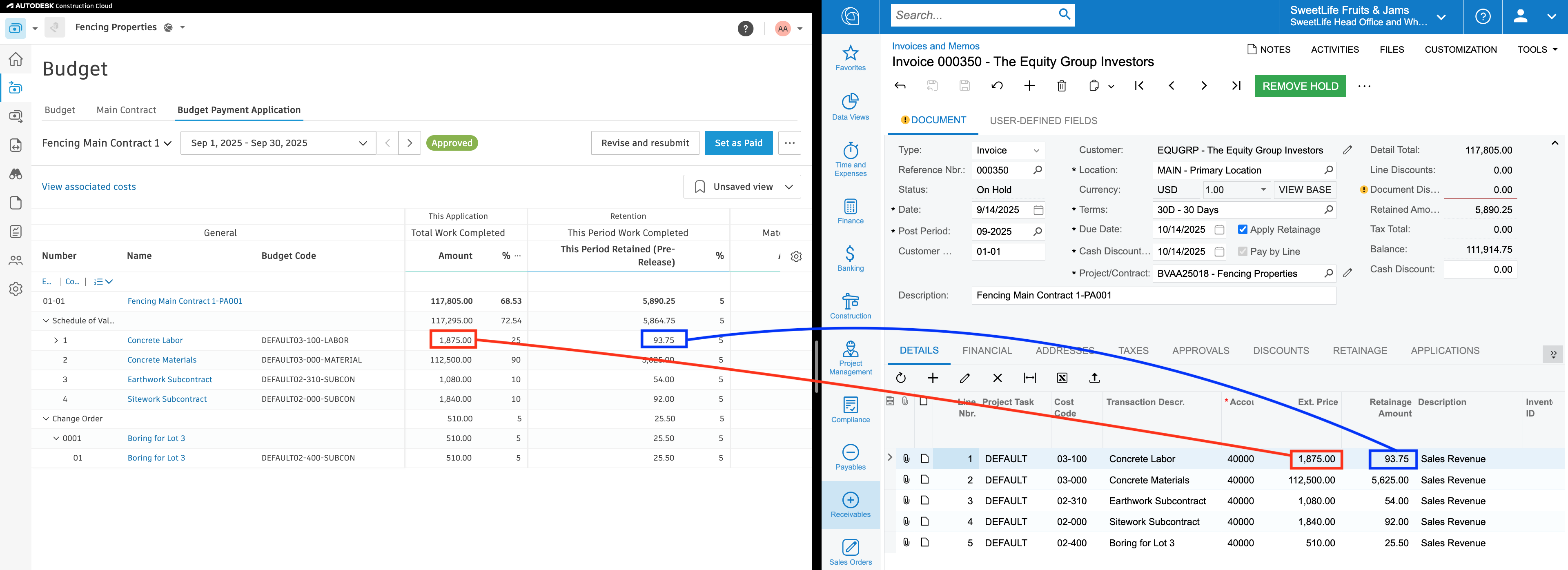
Configuration
GL Account
Agave can send a default Revenue GL Account on AR Invoices. Work with your account rep to enable this.
Sub Job (Task) Requirement
Acumatica requires that all AR Invoice line items have a "Task" associated with them. If your Main Contract in Autodesk does not have its Schedule of Values linked to Budget Codes, there will not be a Task for Agave to send.
Agave can set a single backup Task to send with all AR Invoices in this case. Work with your Agave account rep to enable this.
Sub Job (Task) Aggregation
Acumatica users may choose to track revenue solely at the sub job (Task) level (ignoring Cost Code detail) in Acumatica. This is set on the project record via the "Revenue Budget Level" setting:
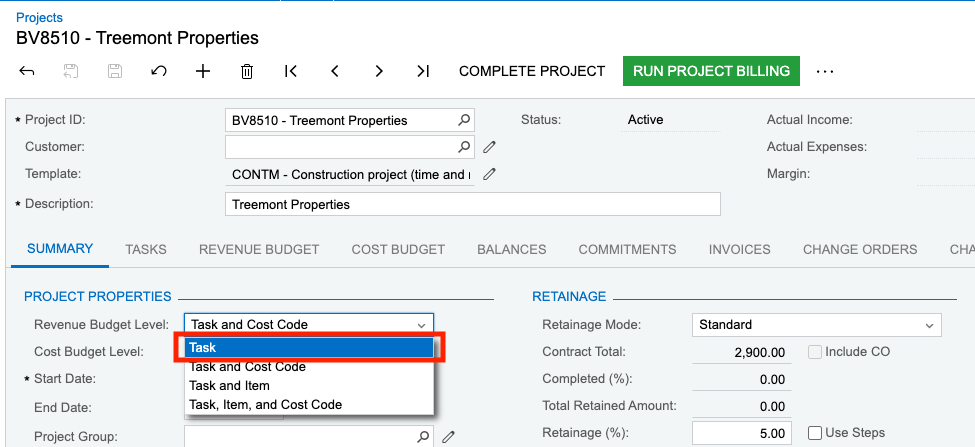
When syncing AR Invoices from Autodesk to Acumatica, Agave has a setting that will aggregate AR Invoice lines by Task and write them to Acumatica at the Task level. This allows you to keep your Autodesk Prime Contract at the Cost Code level to match your budget SOV.
Work with your Agave rep to enable this setting. Note that it will also impact other AR workflows (Prime Contract Change Orders and Prime Contracts).
Common Errors and FAQs
Does Agave Support Syncing Sub-items from Autodesk Build?
Yes, Agave supports syncing one level of sub-items from Autodesk Build for the following record types:
- Subcontracts
- Purchase Orders
- Change Orders
- AP Invoices
- Prime Contracts
- Prime Contract Change Orders
- AR Invoices
To enable syncing for sub-items, ask your Agave Account Manager to enable it for you.
How It Works
Autodesk Build records have a hierarchical structure with:
- Root items — parent line items
- Sub-items — child line items
- Sub-sub items — which are explicitly filtered out (only one level of nesting is supported)
Agave Sync will include root items and their direct sub-items when syncing. Any items nested deeper than one-level are excluded.