AR Payments
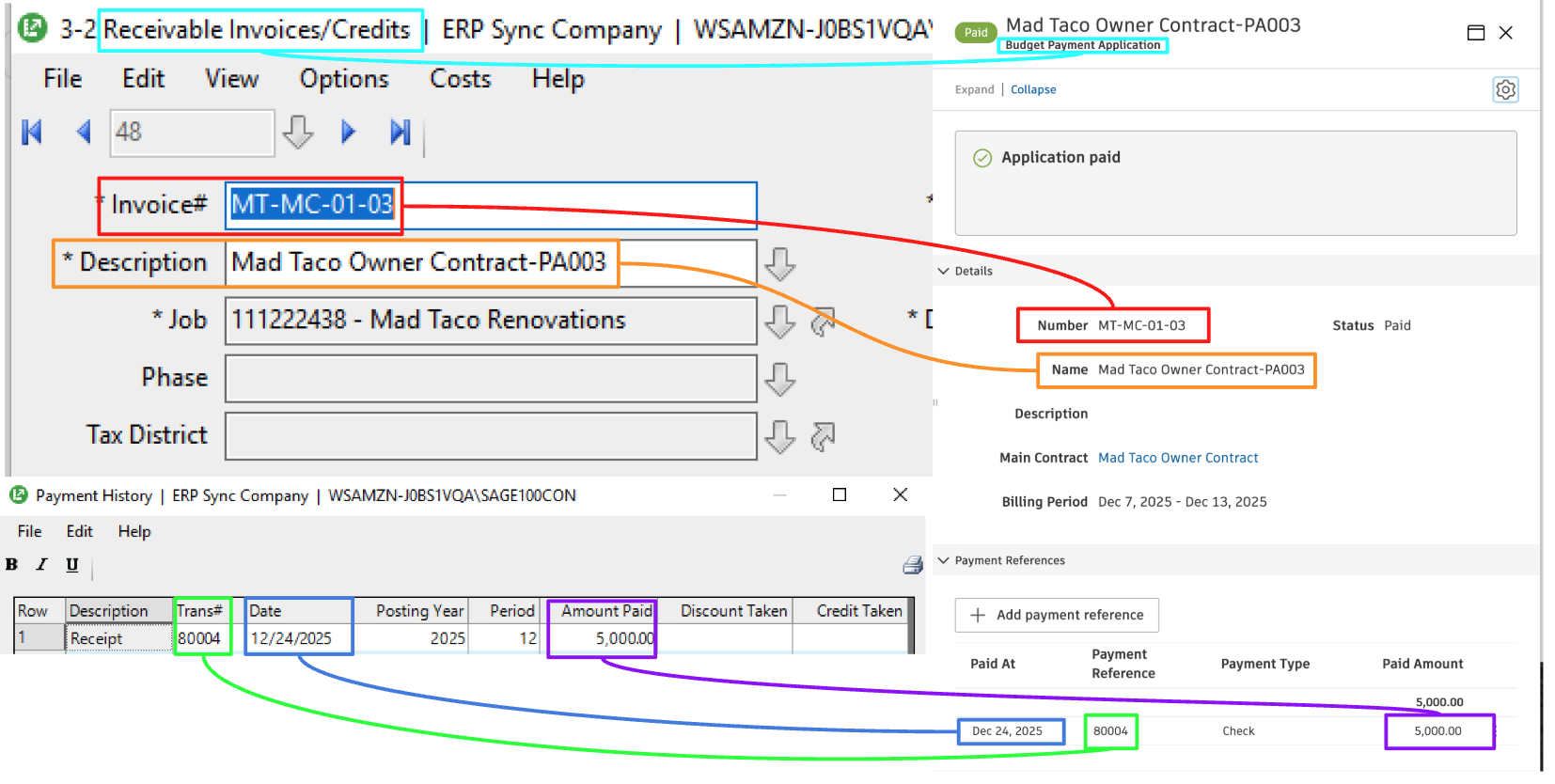
Agave Sync allows you to sync Sage 100 Contractor AR Payments to Autodesk Build as Payment References on Budget Payment Applications.
Visual Mapping
Common Errors and FAQs
Are there any pre-requisites to syncing AR Payments?
Yes. A payment attaches to an existing Budget Payment Application in Autodesk Build, so the following must be synced beforehand:
- Customers
- Projects
- AR Invoices (Budget Payment Applications)
Why is my payment showing Missing Dependency or not syncing?
This usually means the invoice the payment is applied to is not linked to Autodesk Build. Check that:
- The customer and project are synced and linked
- The AR Invoice is linked to a Budget Payment Application in Autodesk Build
Does Agave update the Budget Payment Application status to be "Paid"?
Yes, when the total of all AR Payments matches the full amount of the AR Invoice. Partial payments leave the application open until the remaining balance is paid.
What happens when one receipt pays several invoices?
Agave creates one payment per invoice. A receipt covering two invoices shows as two payments in Autodesk Build, each with the same Trans# as its reference.
How do I trace a synced payment between systems?
The Trans# from the Sage 100 Contractor Payment History syncs as the Payment Reference in Autodesk Build, and the payment Date syncs as Paid At. Use these to match a payment across both systems.