Budget Transfers
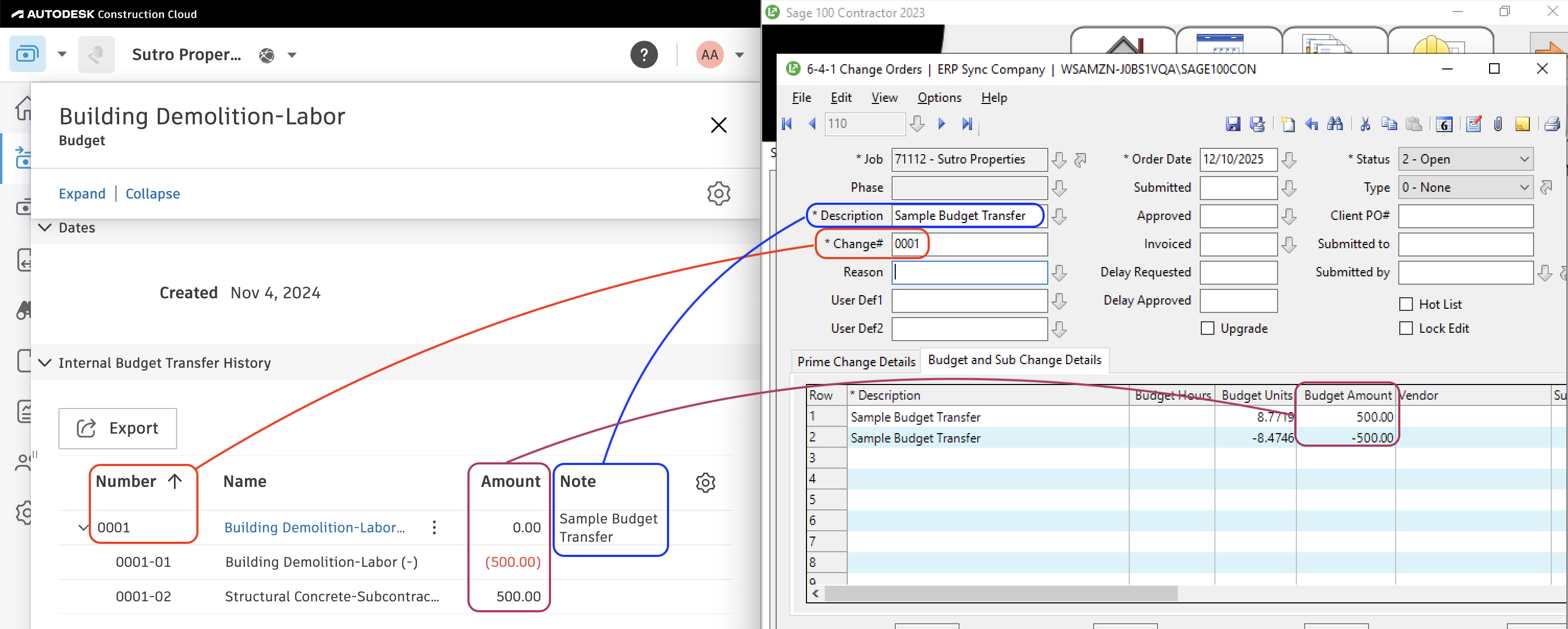
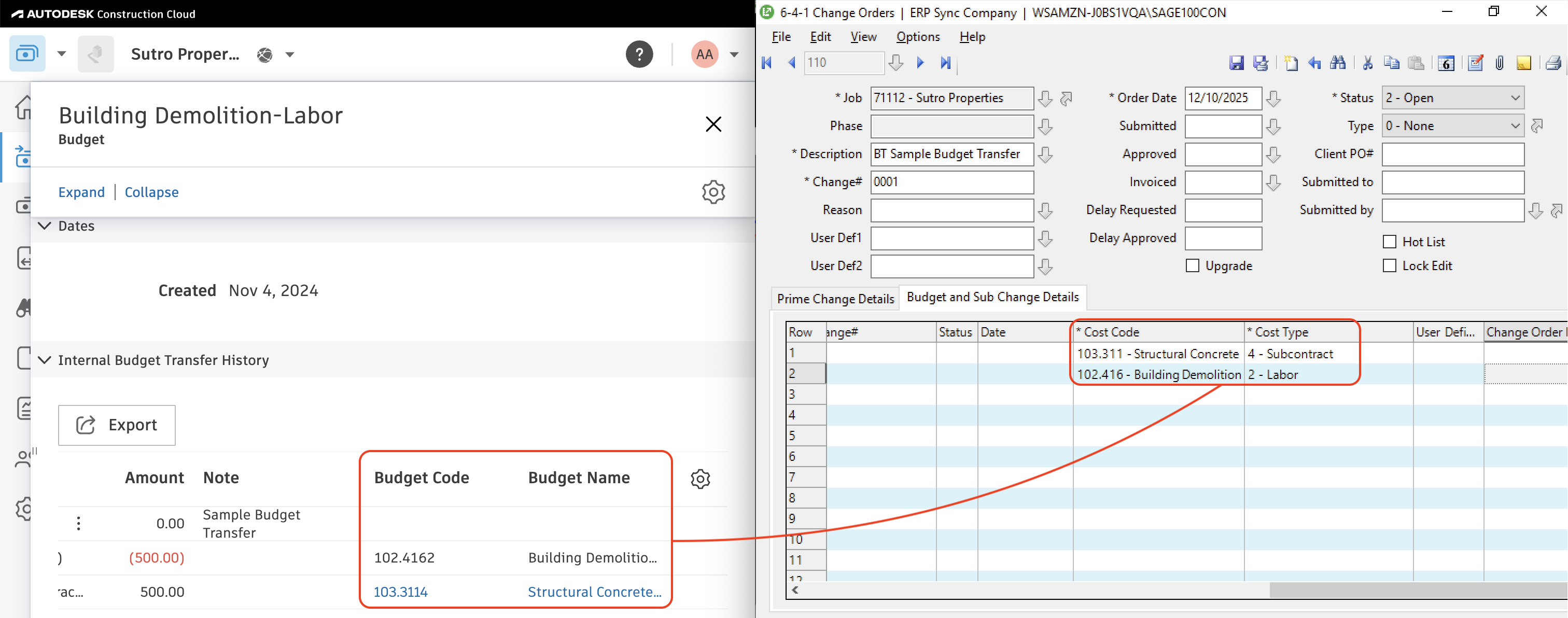
Agave Sync allows you to export Autodesk Budget Transfers to Sage 100C Change Orders with Budget and Sub Change Detail Line Items.
Visual Mapping
FAQs and Common Errors
Are there any pre-requisites to syncing Budget Transfers?
Yes. You will need to sync the following records referenced by the Budget Transfer:
- The Project ("Job"),
- If enabled, the Sub Job ("Phase"),
- The Cost Code,
- The Cost Type, and
- The Budget Line Item
How is the date of the Budget Transfer set in Sage 100C?
Agave Sync will default to the date the record is synced from Autodesk to Sage 100C.
How is the status of the Budget Transfer set in Sage 100C?
Agave Sync will default to a status of Open.