AP Invoices
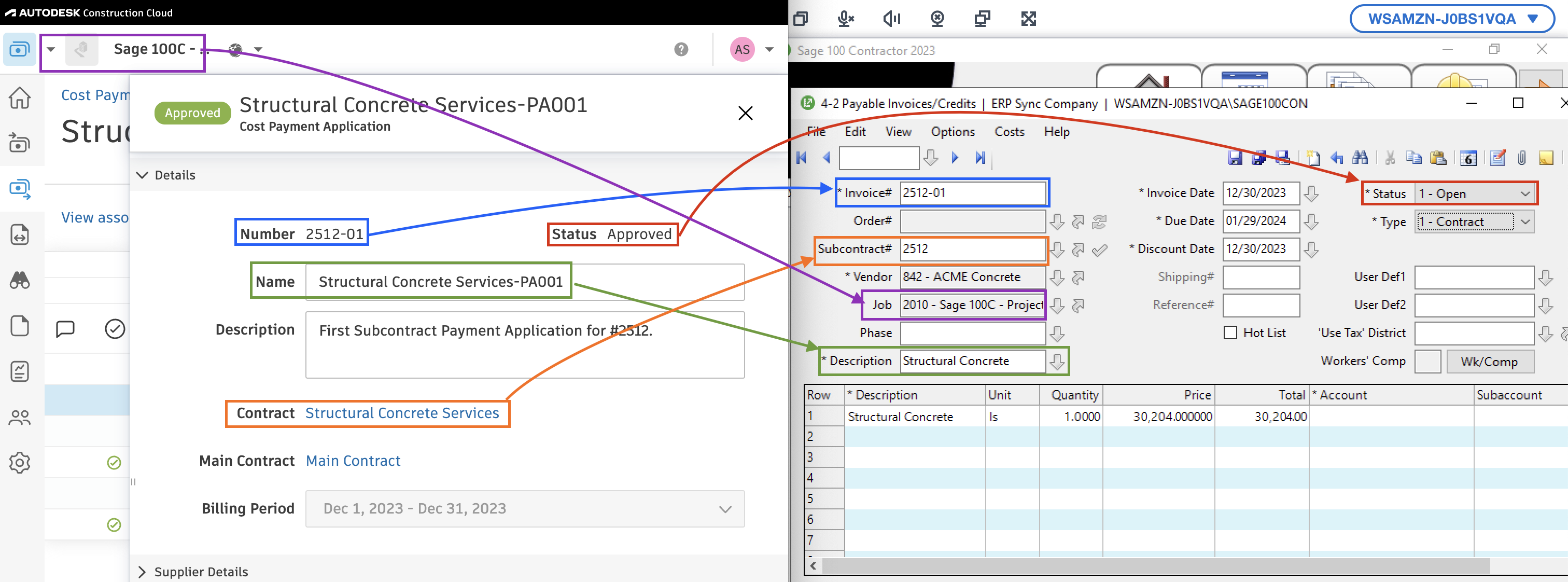
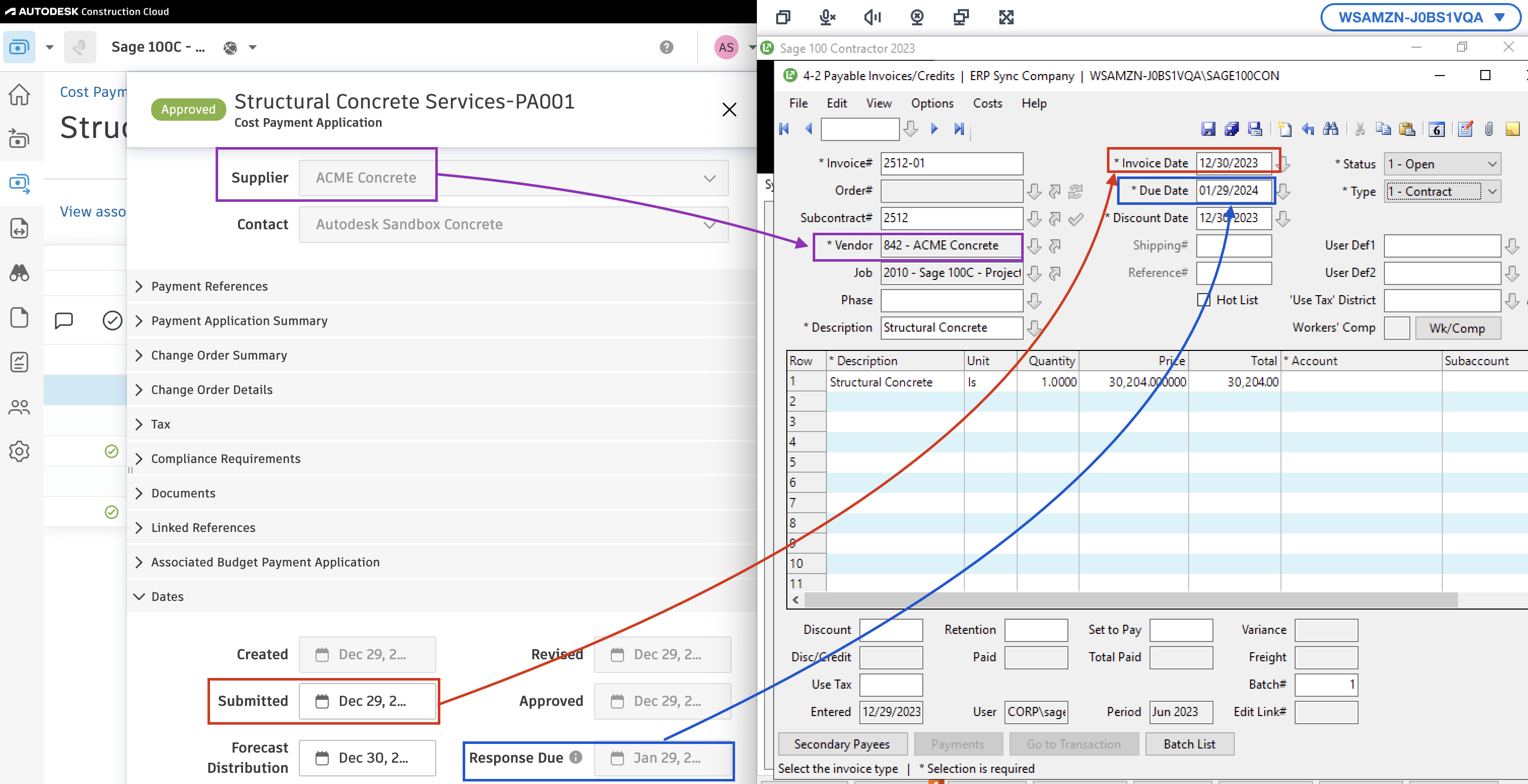
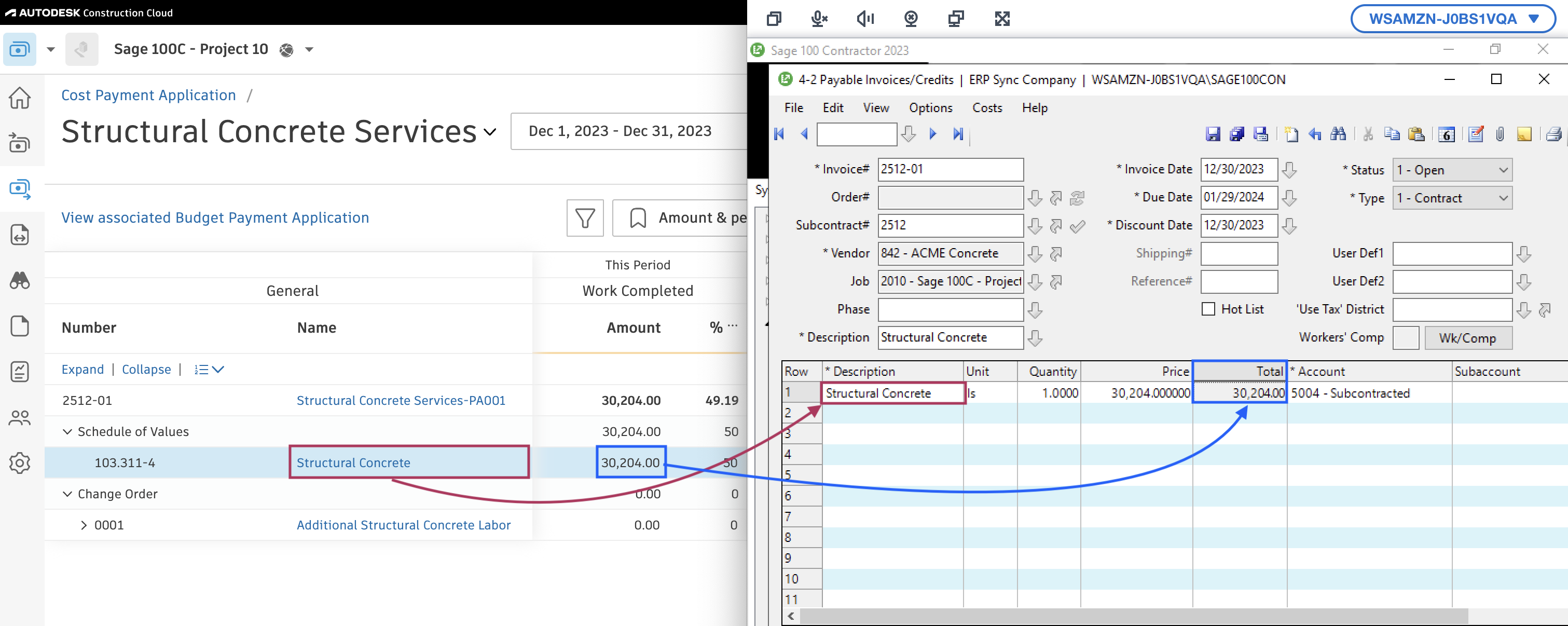
Visual Mapping

Common Errors and FAQs
How is the default ledger account set for Purchase Order and Subcontract AP Invoices?
For Sage 100 Contractor, Agave provides an account-level setting that allows you to define default ledger accounts for both purchase order AP invoices and subcontract AP invoices. These defaults are applied automatically when a ledger account is not specified at the line level, ensuring invoices can post successfully and reducing the need for manual intervention.
Does Agave Support Syncing Sub-items from Autodesk Build?
Yes, Agave supports syncing one level of sub-items from Autodesk Build for the following record types:
- Subcontracts
- Purchase Orders
- Change Orders
- AP Invoices
- Prime Contracts
- Prime Contract Change Orders
- AR Invoices
To enable syncing for sub-items, ask your Agave Account Manager to enable it for you.
How It Works
Autodesk Build records have a hierarchical structure with:
- Root items — parent line items
- Sub-items — child line items
- Sub-sub items — which are explicitly filtered out (only one level of nesting is supported)
Agave Sync will include root items and their direct sub-items when syncing. Any items nested deeper than one-level are excluded.