AR Invoices (Budget Pay Apps / Invoices)
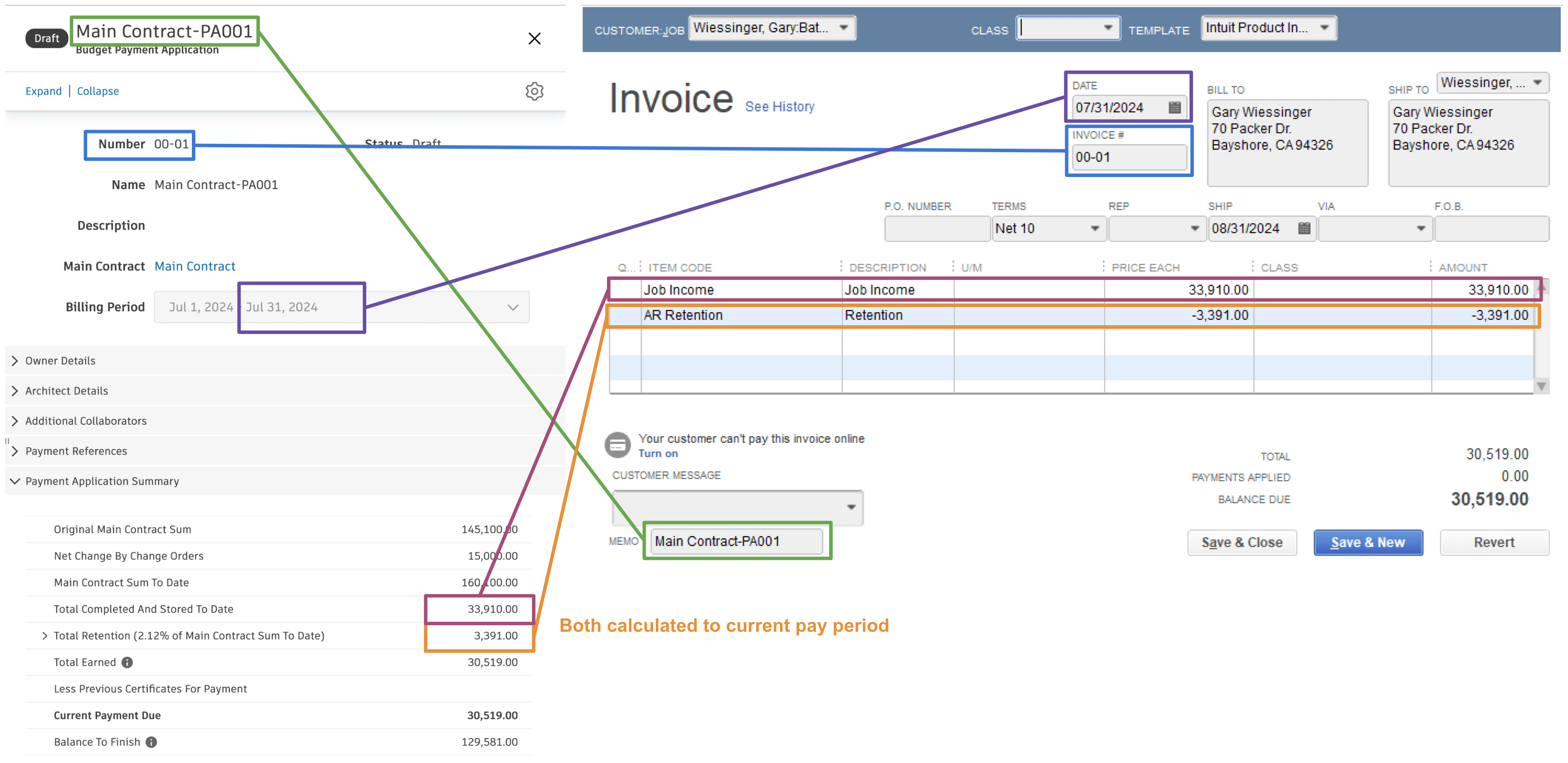
Visual Mapping
Agave Sync allows you to sync Budget Payment Applications in Autodesk Build to Invoice in QuickBooks Desktop.
Video Tutorial
Common Errors and FAQs
Does Agave Support Syncing Sub-items from Autodesk Build?
Yes, Agave supports syncing one level of sub-items from Autodesk Build for the following record types:
- Subcontracts
- Purchase Orders
- Change Orders
- AP Invoices
- Prime Contracts
- Prime Contract Change Orders
- AR Invoices
To enable syncing for sub-items, ask your Agave Account Manager to enable it for you.
How It Works
Autodesk Build records have a hierarchical structure with:
- Root items — parent line items
- Sub-items — child line items
- Sub-sub items — which are explicitly filtered out (only one level of nesting is supported)
Agave Sync will include root items and their direct sub-items when syncing. Any items nested deeper than one-level are excluded.
How is Retention on AR Invoices synced to QuickBooks Desktop?
For retention, we write additional line items on the AR invoice with a negative amount that referenes the service item created.
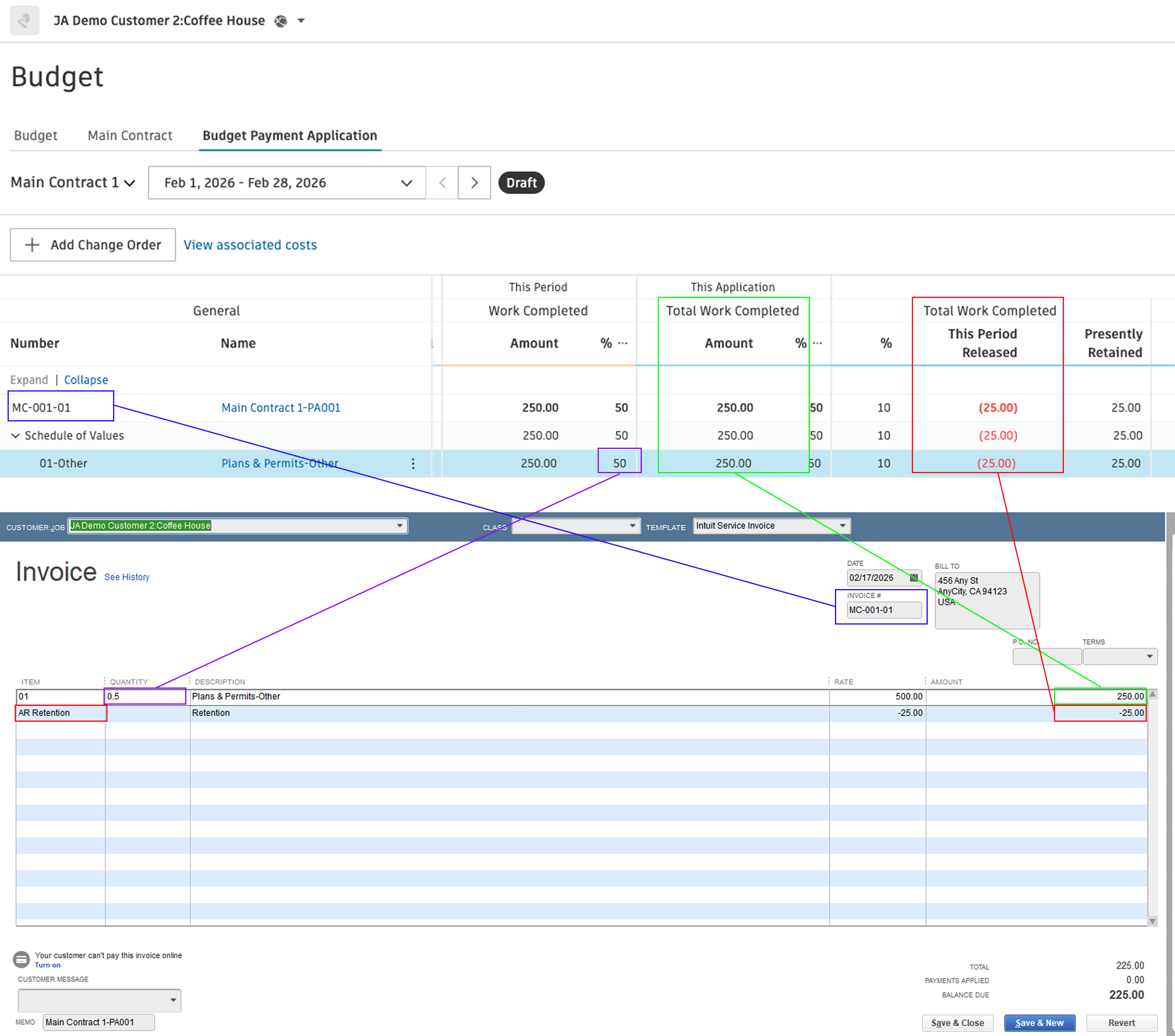
When creating AR invoices with retention, you should specific which service item Agave should use when syncing AR invoices with retention to QuickBooks Desktop. Let your Agave implementation manager know so they can configure this setting.