Budget Transfers
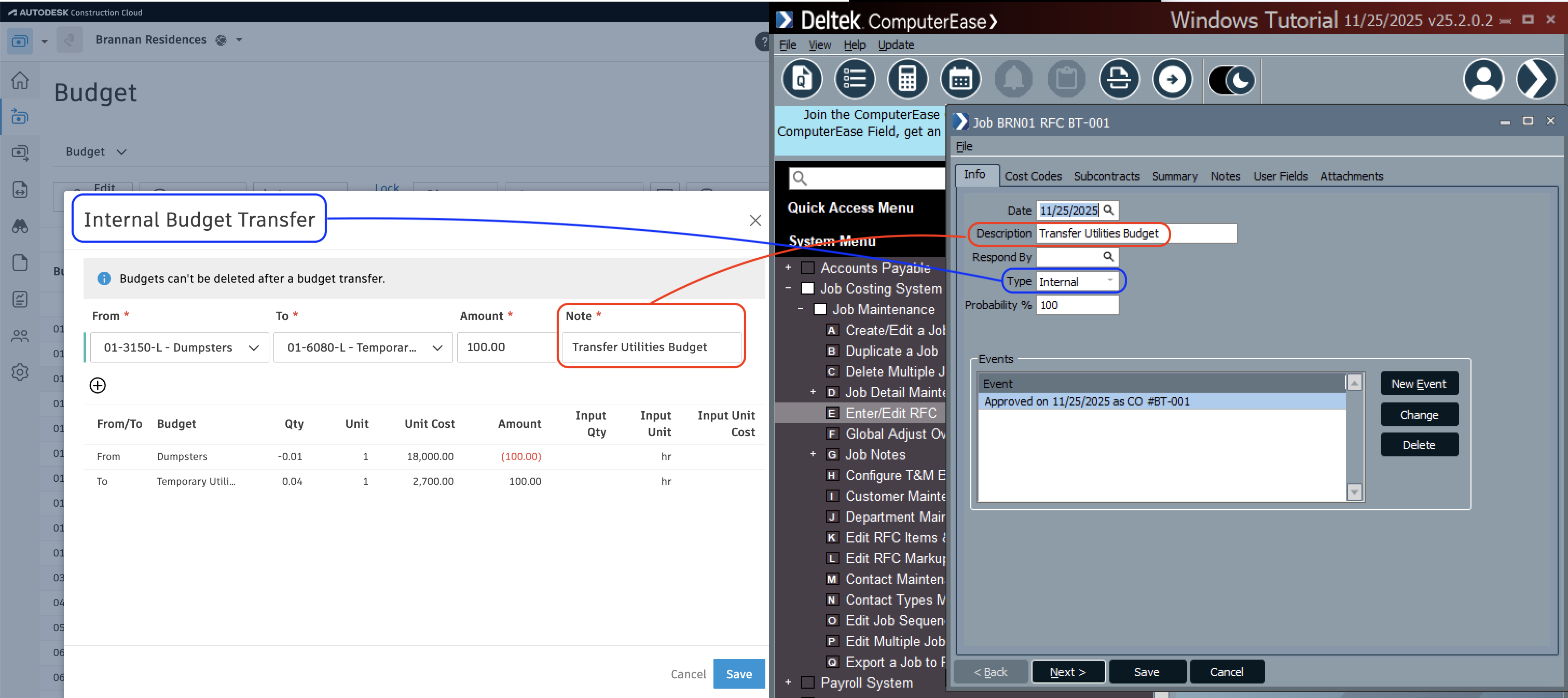
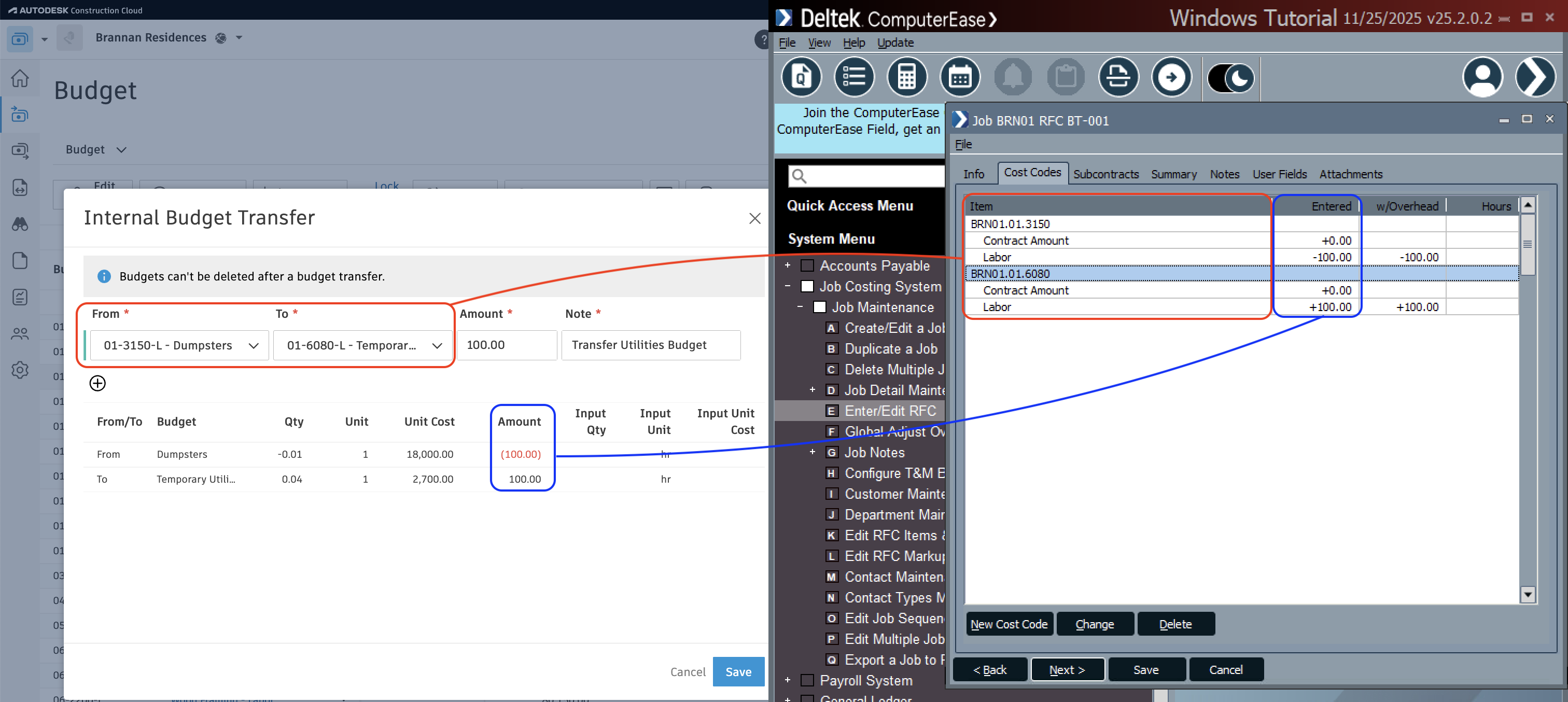
Agave Sync allows you to sync Autodesk Build Budget Transfers to ComputerEase Job Request for Changes (RFCs).
note
Agave Sync exports Prime Contract Change Orders to ComputerEase with a type of Internal.
Visual Mapping
Common Errors and FAQs
Are there any pre-requisites to syncing Budget Transfers?
Yes:
- The Project, and any Sub Jobs (if used), Cost Codes, and Cost Types associated with the Budget Transfer must be synced beforehand.
- A prefix must be defined for Job RFC numbers to distinguish these internal transfers from Customer Job RFCs in ComputerEase. Agave’s default prefix is “BT-”, but your Agave Account Manager can customize this.
What defaults does Agave apply when syncing Internal Budget Transfers to ComputerEase?
Agave uses the following defaults:
- The Job RFC date and approval date are set to the date the Budget Transfer was created in Autodesk Build.
- The Job RFC number uses the defined prefix (default: “BT-”) plus an auto-incrementing sequence (e.g., “BT-001”, “BT-002”, etc.).