AR Invoices (Budget Pay Apps / Invoices)
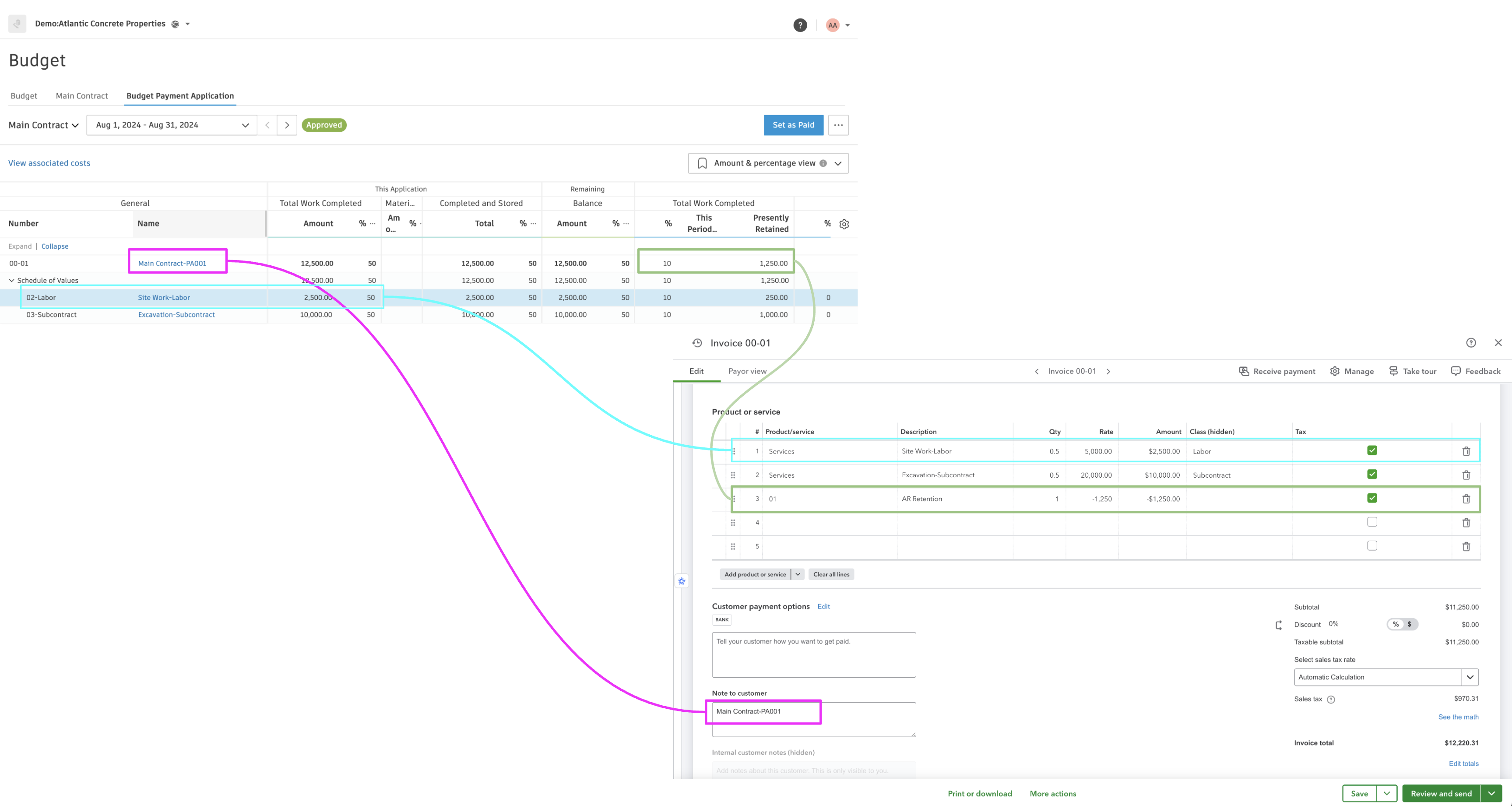
Visual Mapping
Agave Sync allows you to sync Budget Payment Applications (Budget Pay Apps) from Autodesk Build to Invoices in QuickBooks Online.
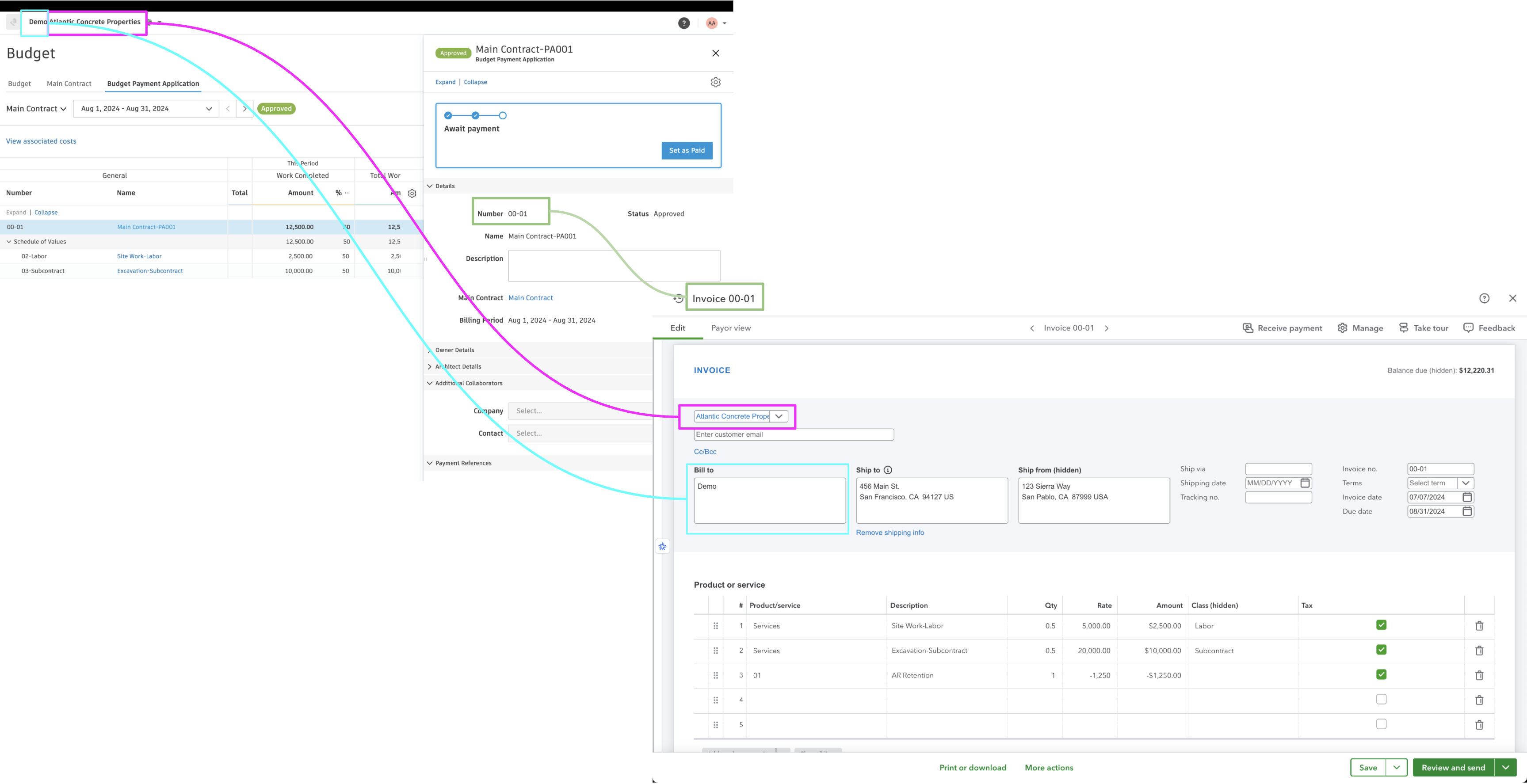
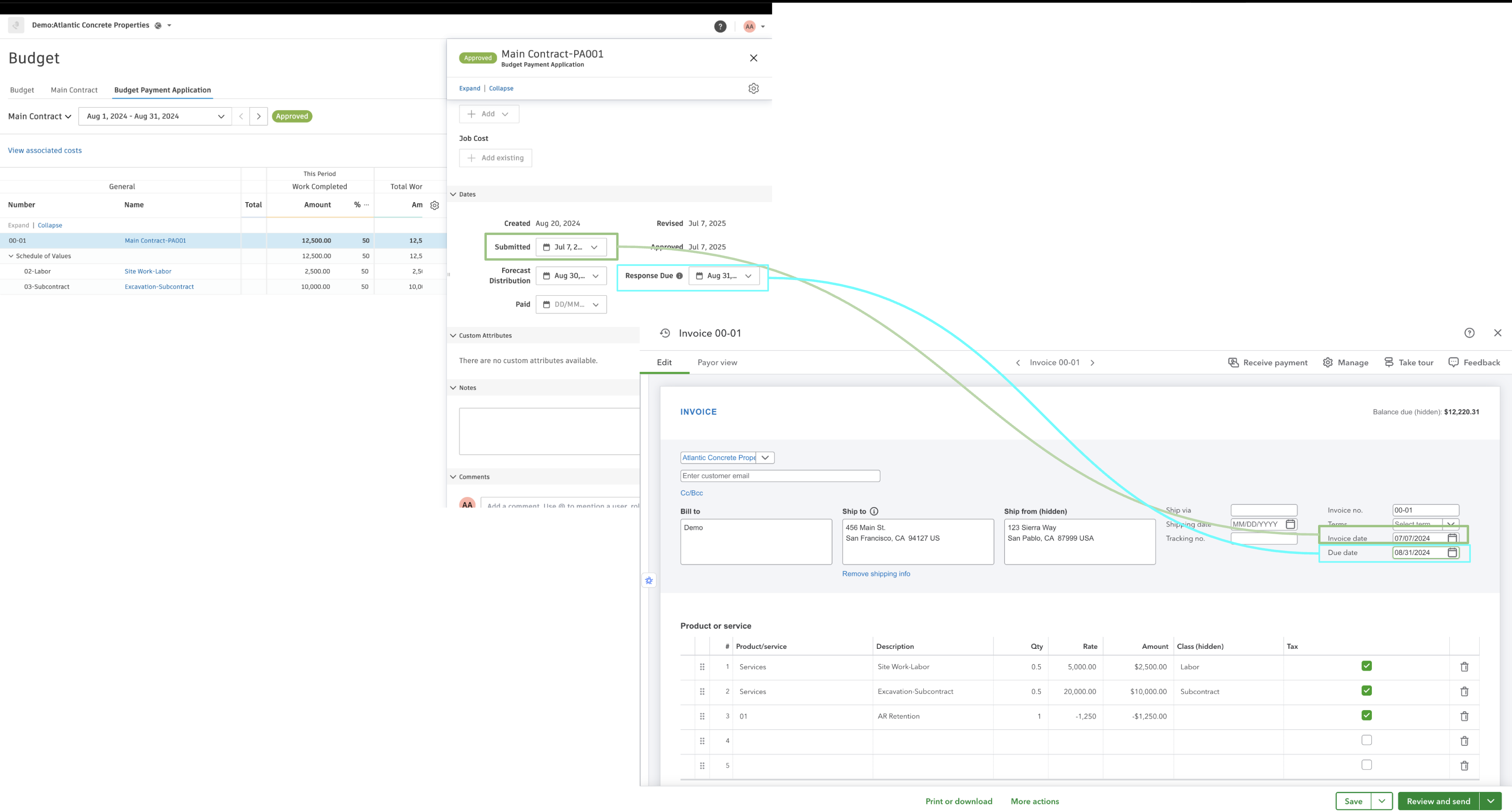
If there is retention on the line items from Autodesk Build, it will be synced as an additional line item in the Invoice with the negative amount.
Video Tutorial
Configuration & FAQs
Status
By default, Agave syncs AR Invoices into QuickBooks Online with the Open status. If you prefer a different status, work with your Agave rep to have it configured.
Income Account
Agave will apply a default income account of your choosing to AR Invoices. Work with your Agave rep to configure the appropriate income account mapping.
Numbering
Agave is compatible with QuickBooks Online's automatic numbering. The invoice number from Autodesk Build will be used as the reference. Work with your Agave rep to enable a different numbering pattern if needed.
Tax Handling
Tax calculations from Autodesk Build will be preserved in QuickBooks Online. Ensure that your tax settings are properly configured in both systems for accurate synchronization.
Does Agave Support Syncing Sub-items from Autodesk Build?
Yes, Agave supports syncing one level of sub-items from Autodesk Build for the following record types:
- Subcontracts
- Purchase Orders
- Change Orders
- AP Invoices
- Prime Contracts
- Prime Contract Change Orders
- AR Invoices
To enable syncing for sub-items, ask your Agave Account Manager to enable it for you.
How It Works
Autodesk Build records have a hierarchical structure with:
- Root items — parent line items
- Sub-items — child line items
- Sub-sub items — which are explicitly filtered out (only one level of nesting is supported)
Agave Sync will include root items and their direct sub-items when syncing. Any items nested deeper than one-level are excluded.