AP Invoices
Visual Mapping
Agave Sync allows you to sync Cost Payment Applications in Autodesk Build to Bill in QuickBook Online.
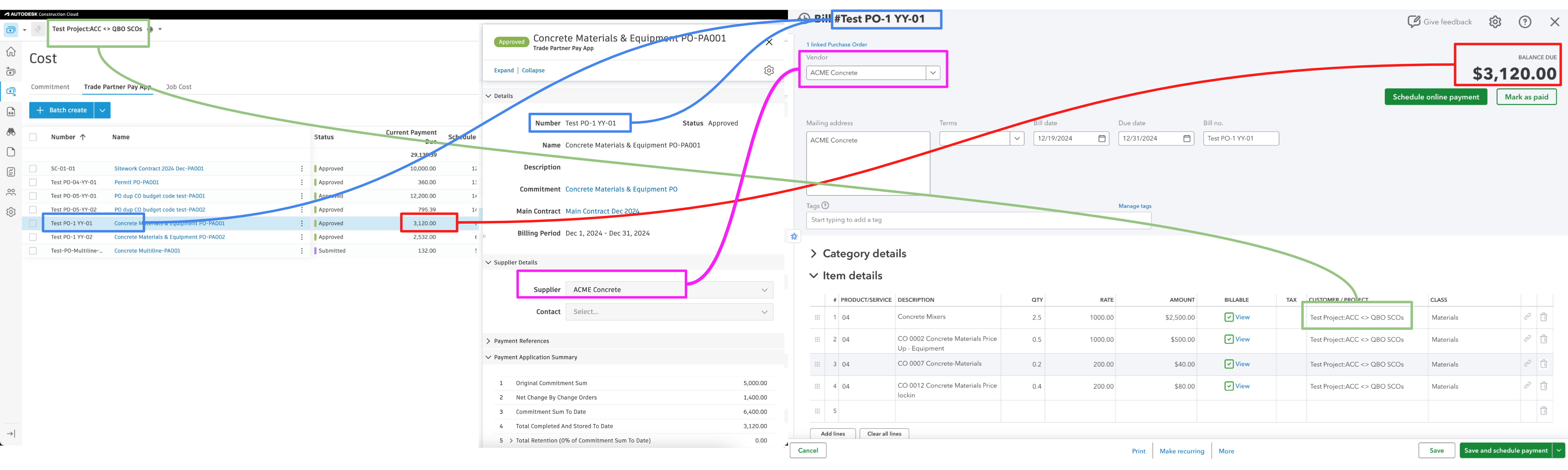
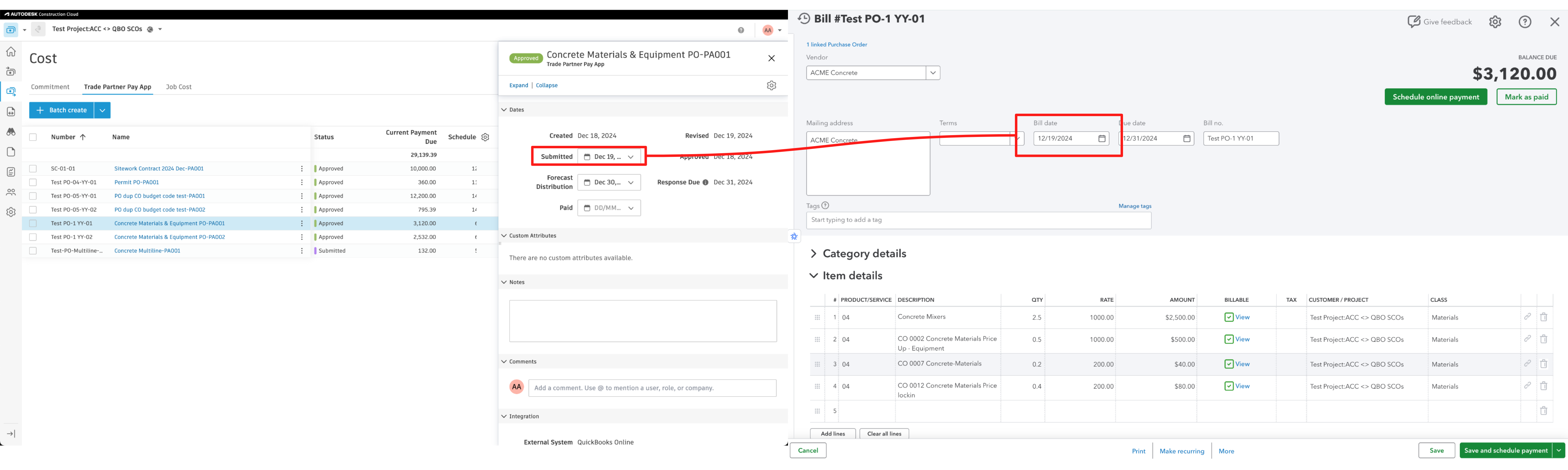
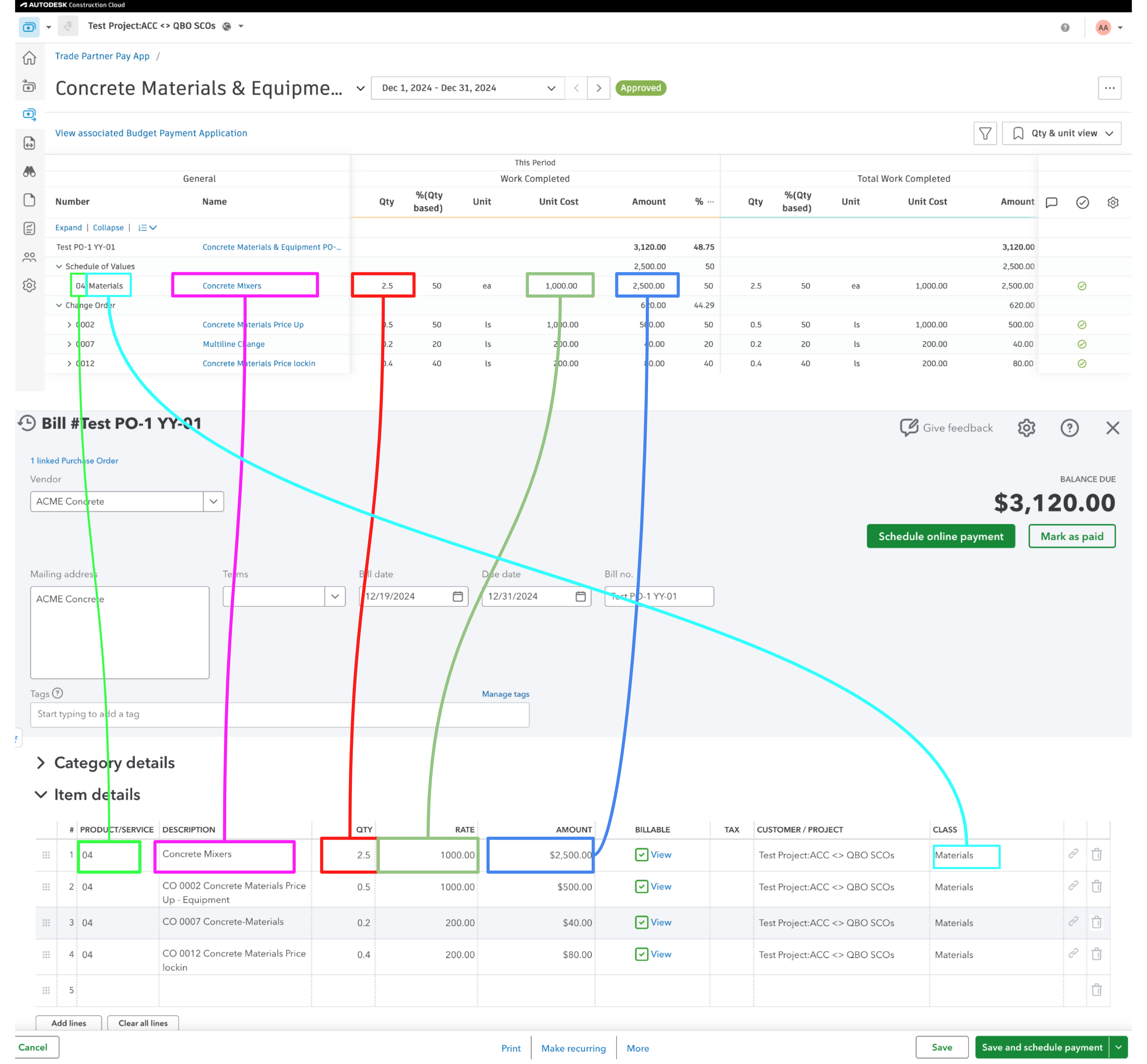
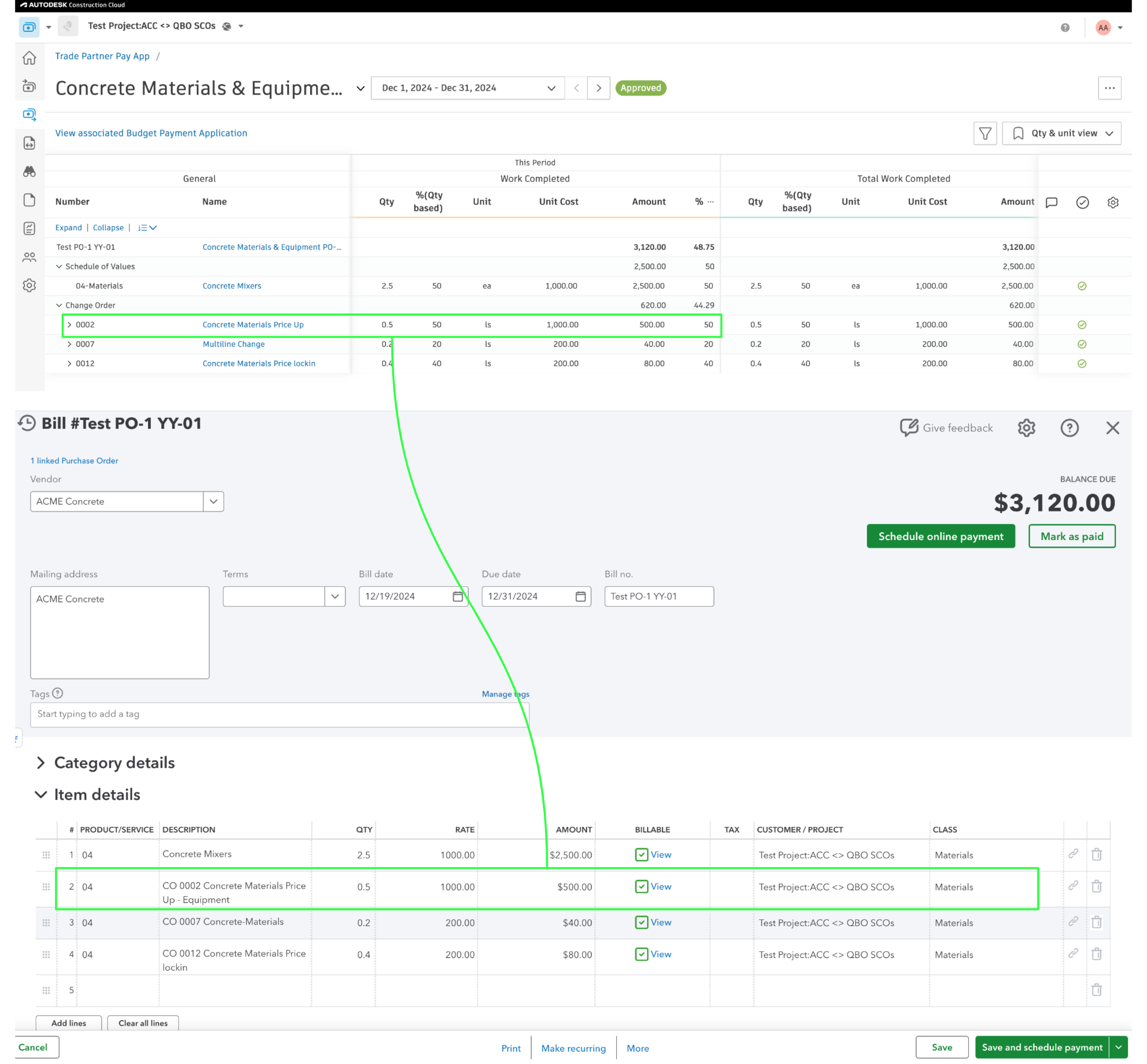
If there are Change Orders associated with the Cost Payment Application, it will be synced as an additional line item in the Bill.
If there is retention on the line items from Autodesk Build, it will be synced as an additional line item in the Bill with the negative amount.

Video Tutorial
Common Errors and FAQs
Does Agave Support Syncing Sub-items from Autodesk Build?
Yes, Agave supports syncing one level of sub-items from Autodesk Build for the following record types:
- Subcontracts
- Purchase Orders
- Change Orders
- AP Invoices
- Prime Contracts
- Prime Contract Change Orders
- AR Invoices
To enable syncing for sub-items, ask your Agave Account Manager to enable it for you.
How It Works
Autodesk Build records have a hierarchical structure with:
- Root items — parent line items
- Sub-items — child line items
- Sub-sub items — which are explicitly filtered out (only one level of nesting is supported)
Agave Sync will include root items and their direct sub-items when syncing. Any items nested deeper than one-level are excluded.
Why does my Cost Payment Application fail with "Negative amounts on your purchase order will not automatically carry over to any linked transactions"?
The full error reads:
QuickBooks Online: A business validation error has occurred while processing your request: Business Validation Error: Negative amounts on your purchase order will not automatically carry over to any linked transactions. To include them, you can still manually add them in the linked transaction after you add your purchase order.
This is an Intuit API limitation, not an Agave setting. Agave links each Bill line to its line on the Purchase Order in QuickBooks Online, and QuickBooks Online rejects any linked line whose amount has the opposite sign of the Purchase Order line.
On a Cost Payment Application, this means the This Period amount on every line must have the same sign as that line's Scheduled Value. A single line with the opposite sign is enough for QuickBooks Online to reject the whole Bill, even when the Cost Payment Application total is positive.
| Scheduled Value | This Period | Syncs? |
|---|---|---|
| Positive | Positive | Yes |
| Negative | Negative | Yes |
| Positive | Negative | No |
| Negative | Positive | No |
How to resolve it
In Autodesk Build, open the Cost Payment Application and find any line where the This Period amount has the opposite sign of the Scheduled Value. Then either:
- Correct those lines in Autodesk Build so every This Period amount matches the sign of its Scheduled Value, then sync again.
- Enter the Bill manually in QuickBooks Online. Add all lines, but do not link the opposite-sign lines to the Purchase Order. Then mark the Cost Payment Application as Paid in Autodesk Build directly.