Logs
The Logs page displays a full audit log of all sync actions.
Use it to:
- Monitor actions for all users and automation
- View the history of actions taken on a specific record
- Investigate issues or errors
Overview
By default, the logs page displays the data type, action, source/target project, and record name for every record synced:
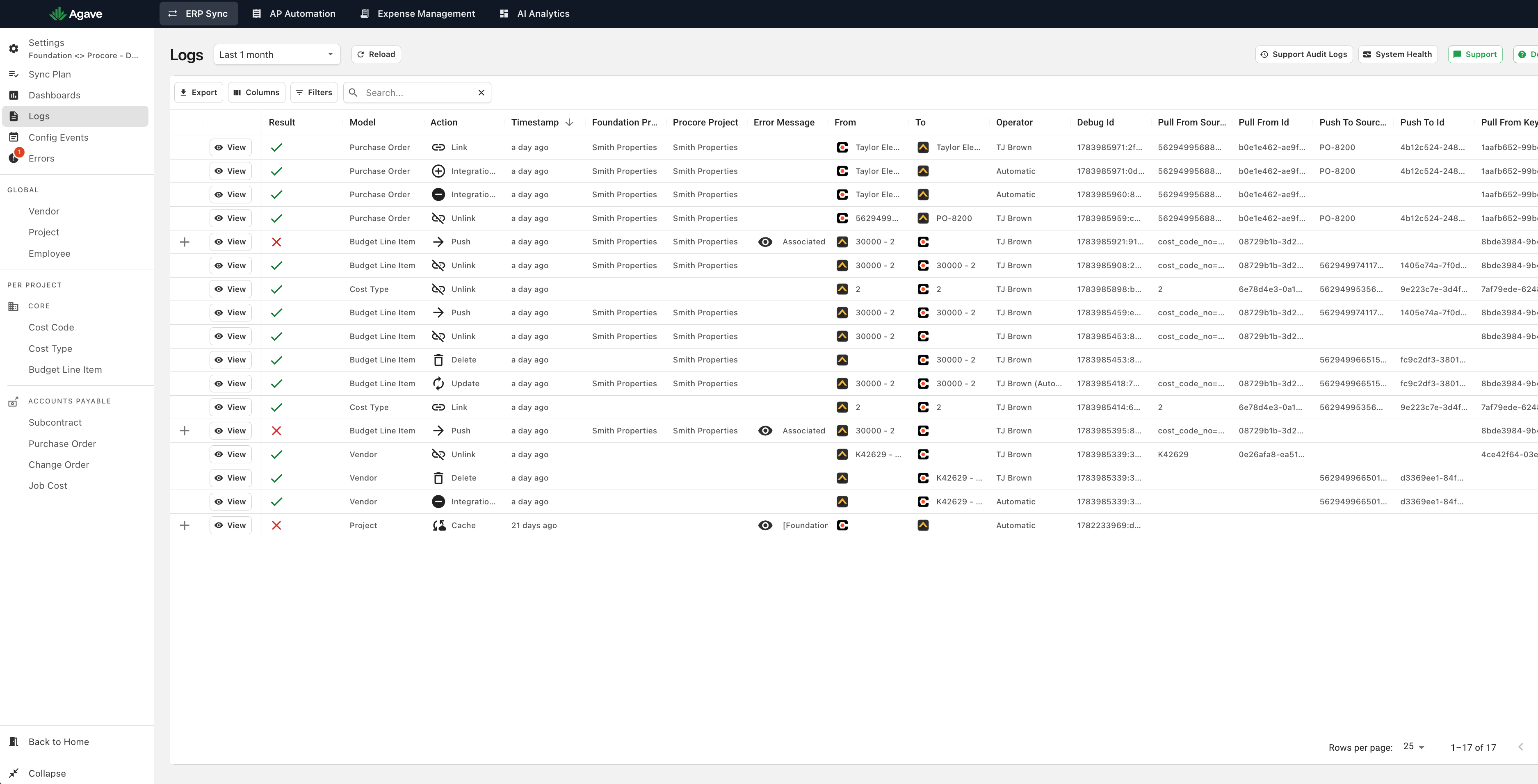
You can select the time period using the dropdown in the top left. Note: Logs are currently limited to the most recent 1000 actions.
Filtering, sorting, and searching work similarly to Data Pages.
Operator
The "Operator" column located on the right side of the table shows who took each action within Agave Sync:
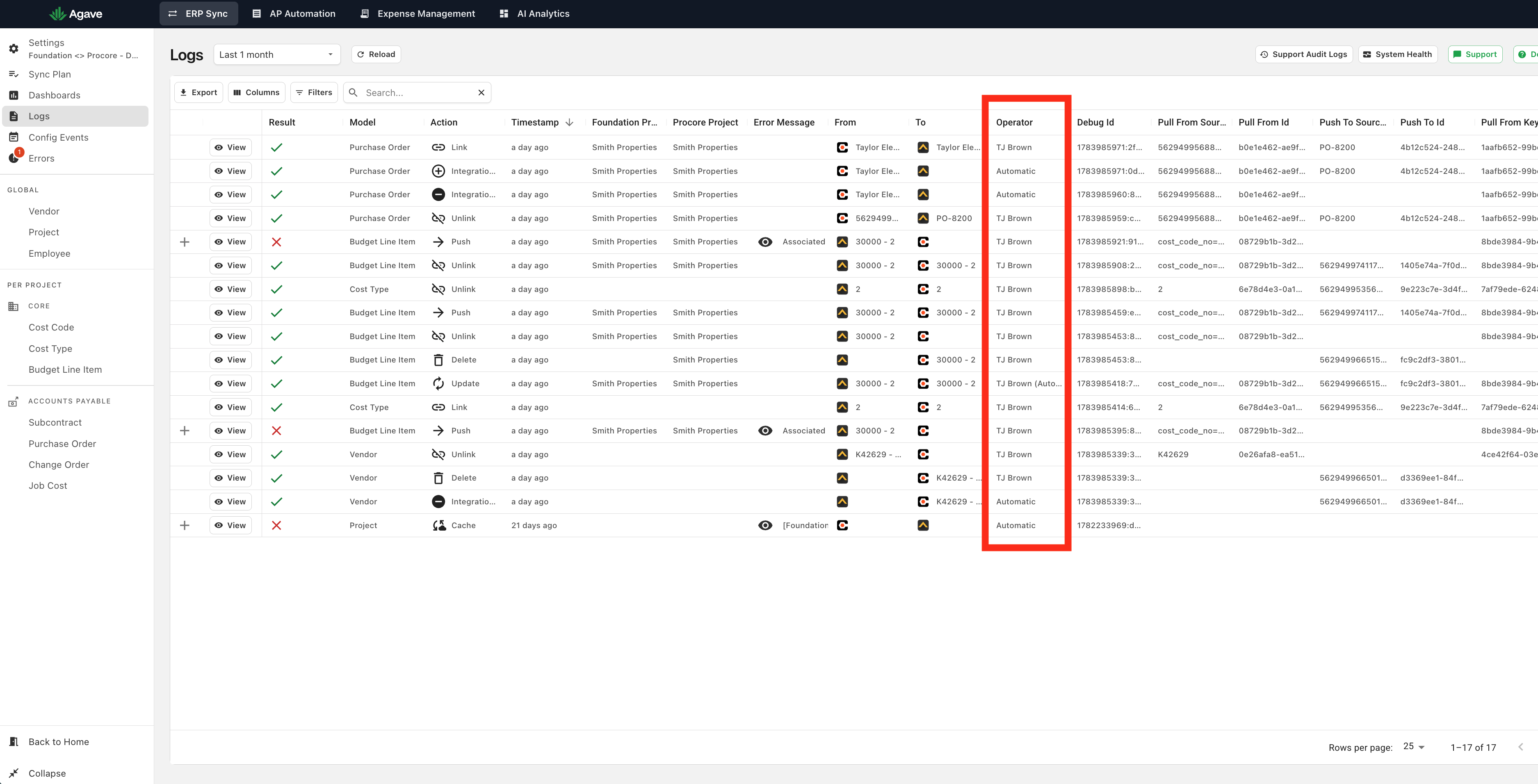
Syncs that are run automatically are denoted with "Automatic."
Errors
Errors are denoted with a red "X" in the "Result" column. Click on the "+" sign to view a description of the error:
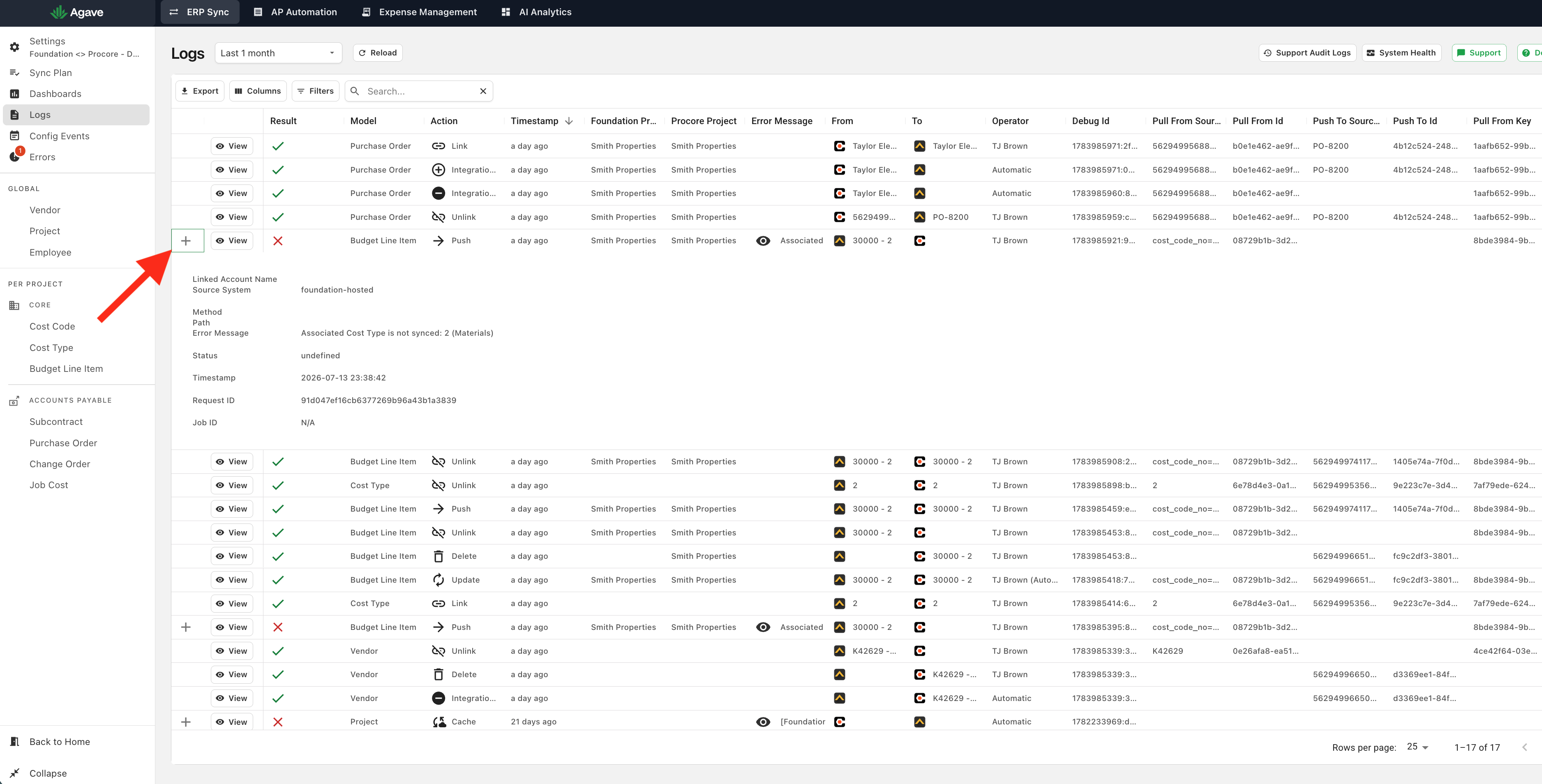
Clicking the same button again will collapse it.