Modifying Synced Records
Filters control which records appear on a Data Page and, as a result, which records are eligible to sync. Use them to exclude records that should never move between systems, such as inactive vendors or records created before you started using Agave.
Filter Types
There are two kinds of filters, and they behave differently.
Agave-Applied Filters
Grey filters are applied by Agave and appear locked on the data page. They do not change unless you request an update from your Agave account rep.
Grey filters apply to both manual syncing and automatic syncing. Because they are the only filters that gate automation, they are the correct place to enforce any exclusion that must hold once you go live.
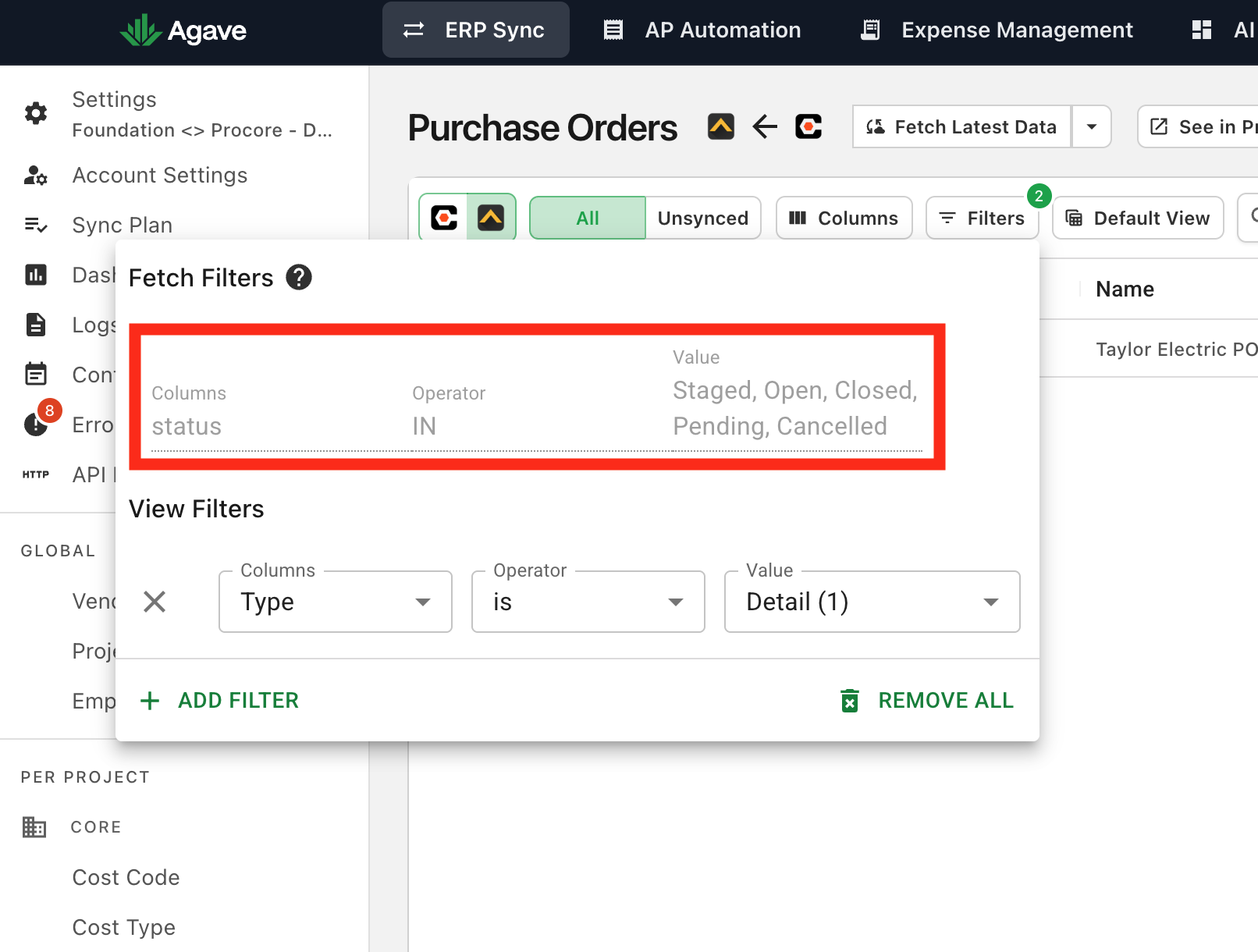
Your Filters
You can add your own filters from the Filters dropdown on any data page. Your filters change what you see in the table and which records are selected when you sync manually.
Filters you add yourself affect the data page view and manual sync selections only. They are not applied to automatic syncs. To exclude records from automation, either ask your Agave rep to add a grey filter or ignore the specific records.
Adding a Filter
- Open the Filters dropdown on the data page.
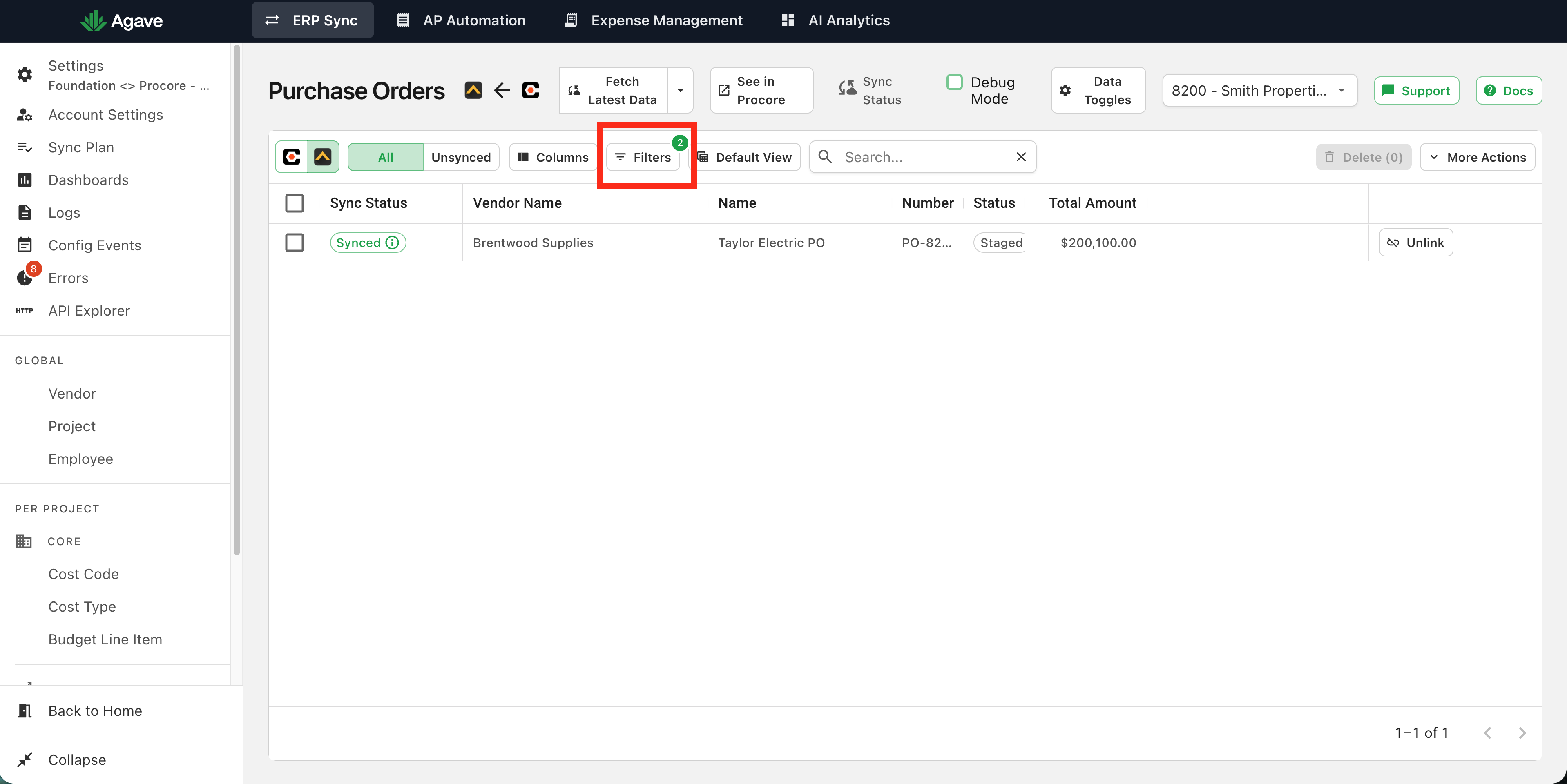
- Choose the field to filter on, select an operator, and enter a value. Using Vendor Name as an example:
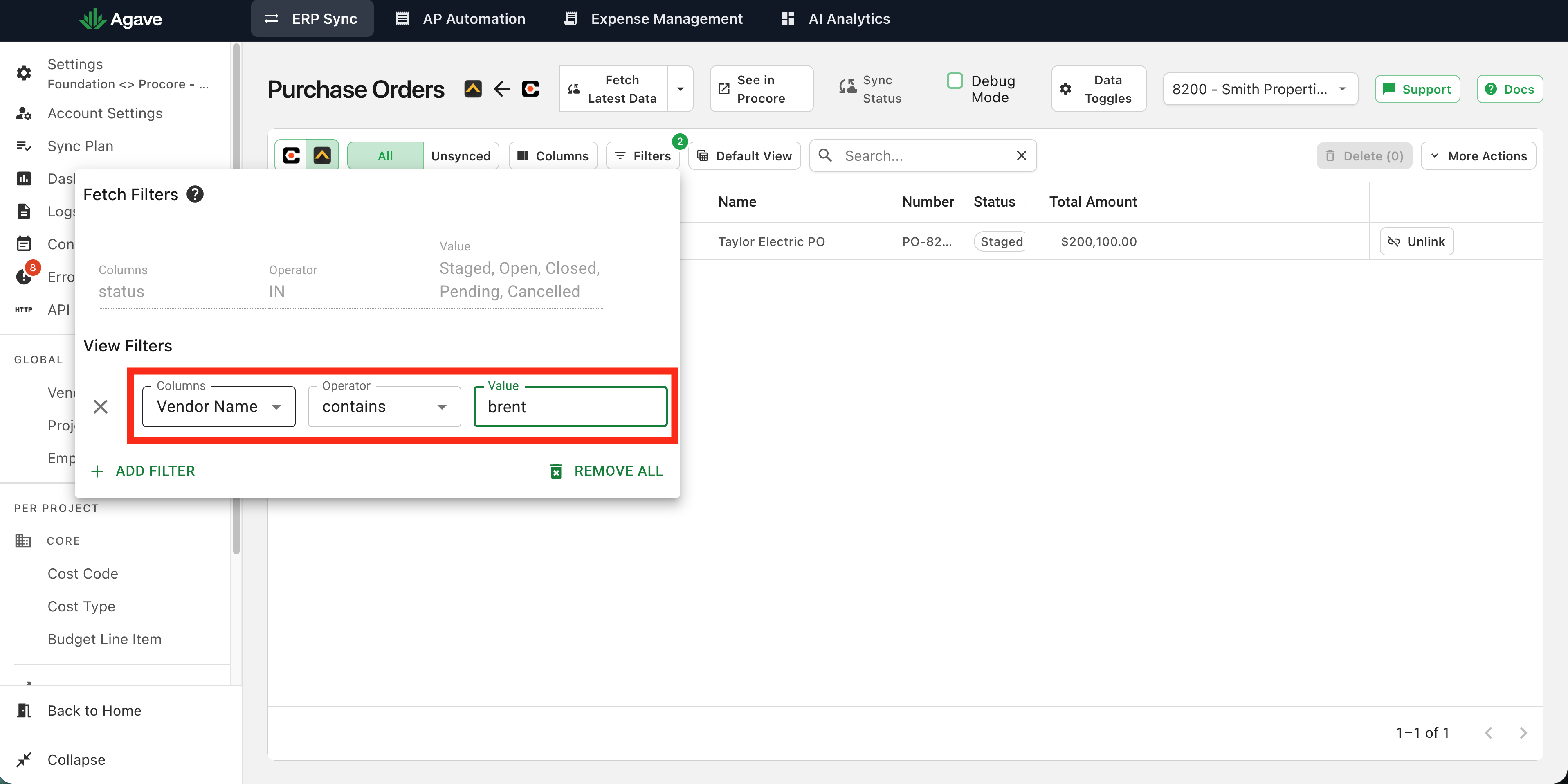
- The table will update to show only the records that match the filter you configured.
Removing a Filter
Open the Filters dropdown and clear the filter you added. Grey (Agave-applied) filters cannot be removed here; contact your Agave account rep to change them.
Filters vs. Ignoring Records
Filters and ignoring records both keep records from syncing, but they solve different problems.
- Filters are best for patterns, such as excluding records created before a date, of a certain type, or with an inactive status.
- Ignoring is best for one-off records that do not share a common pattern and would be impractical to target with a filter.
Both grey filters and ignored records are respected by automatic syncing. Your own filters are not.