Errors
The Errors Page displays unresolved errors, defined as records that encountered an error and have not successfully synced since. You can treat this page as your "to-do list" for resolving issues. As soon as a record is synced successfully, it will disappear from this list.
Overview
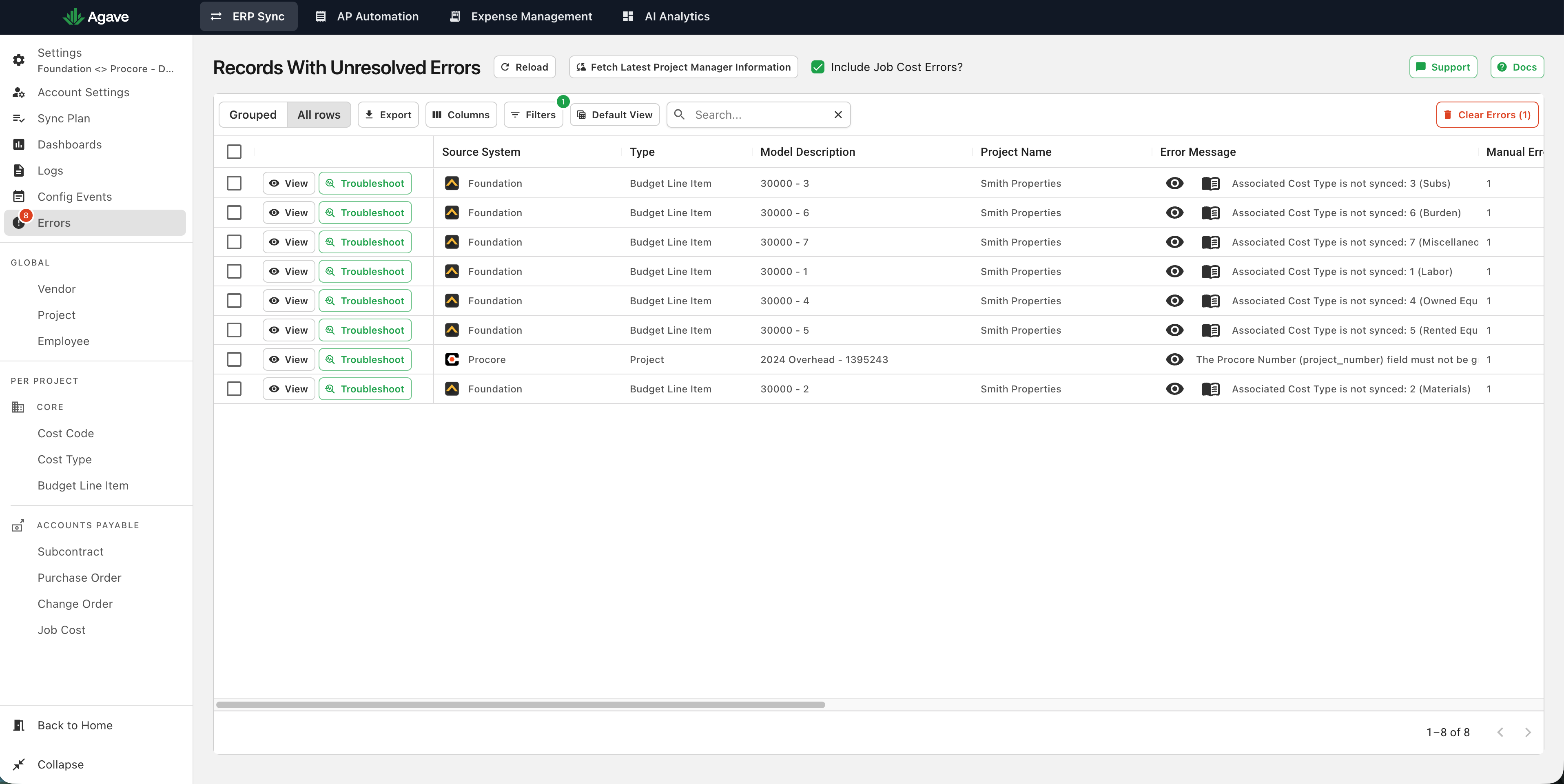
The errors page displays the data type, action, project, and error message for every unresolved error:
On the right side of the table, additional calculations on error occurrences are available:
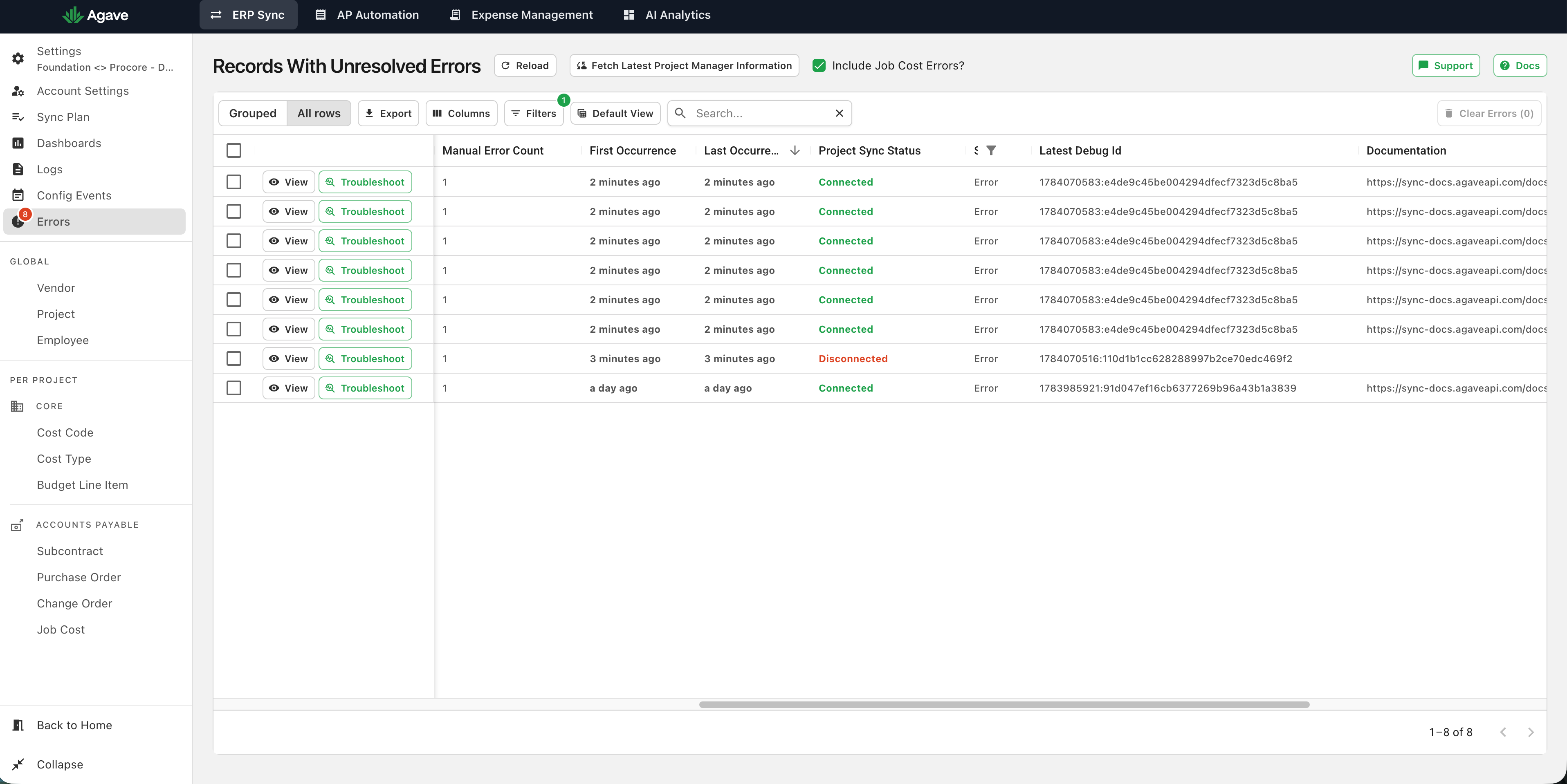
- Manual Error Count - The number of times this error has occurred on this record with a manual operator
- First Occurrence - Time since the error first occurred on this record
- Last Occurrence - Time since the most recent occurrence of the error on this record
Filtering, sorting, and searching work similarly to Data Pages.
Resyncing the Record
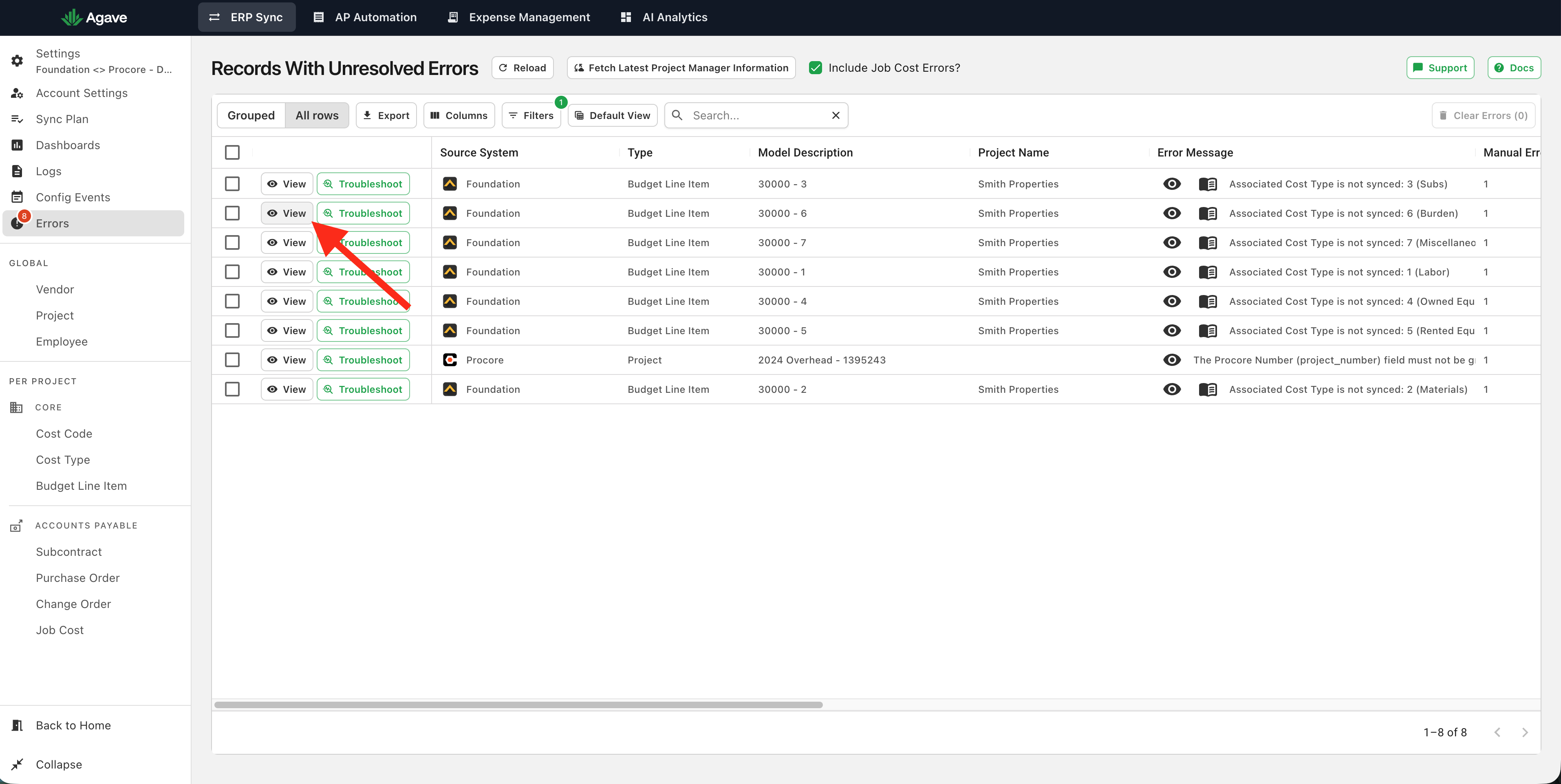
After resolving the error, click the "View" button to navigate to the Data Page for the error:
The correct project and record are automatically selected for convenience:
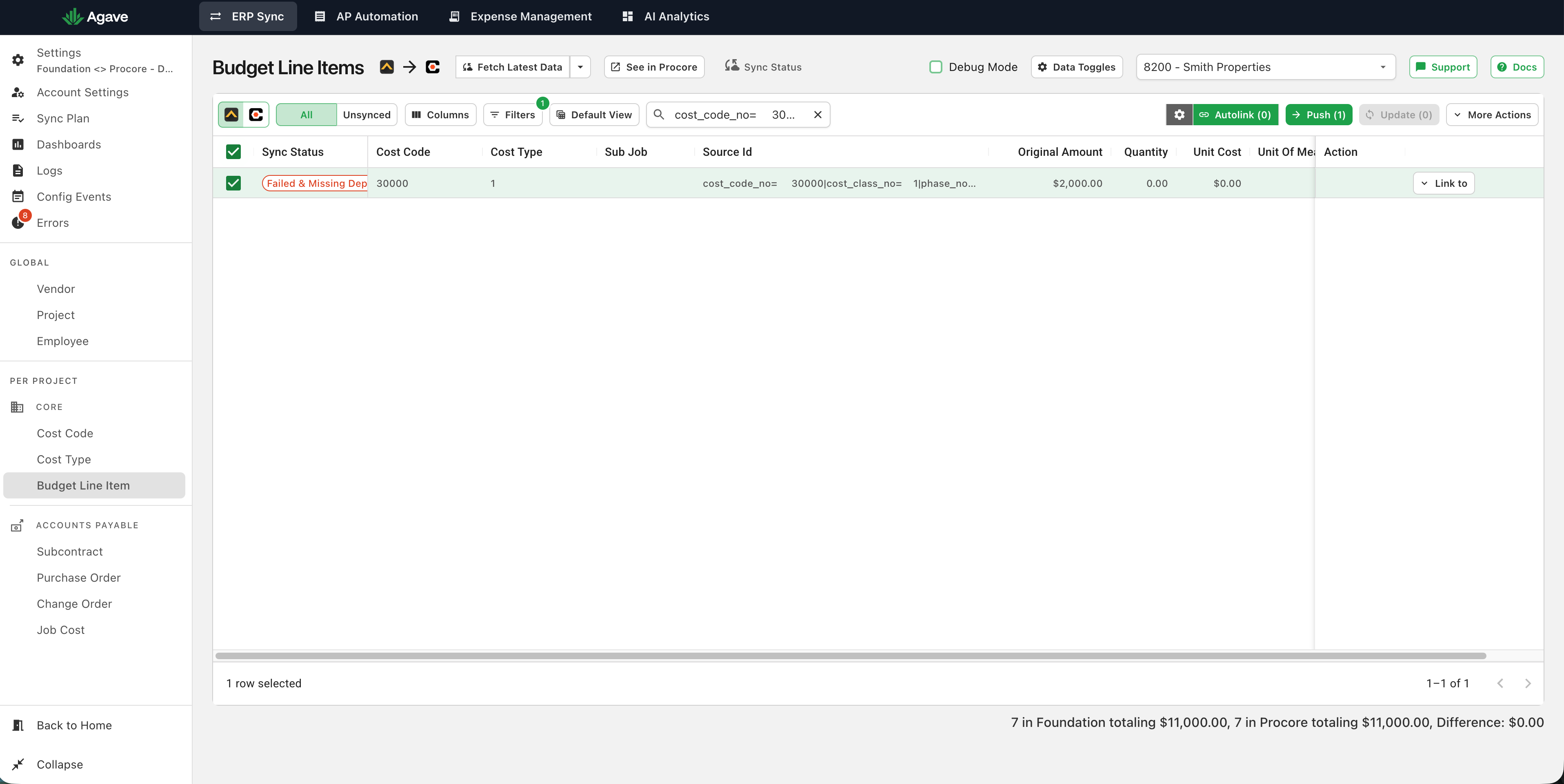
Then, you can resync the record.
Grouped View
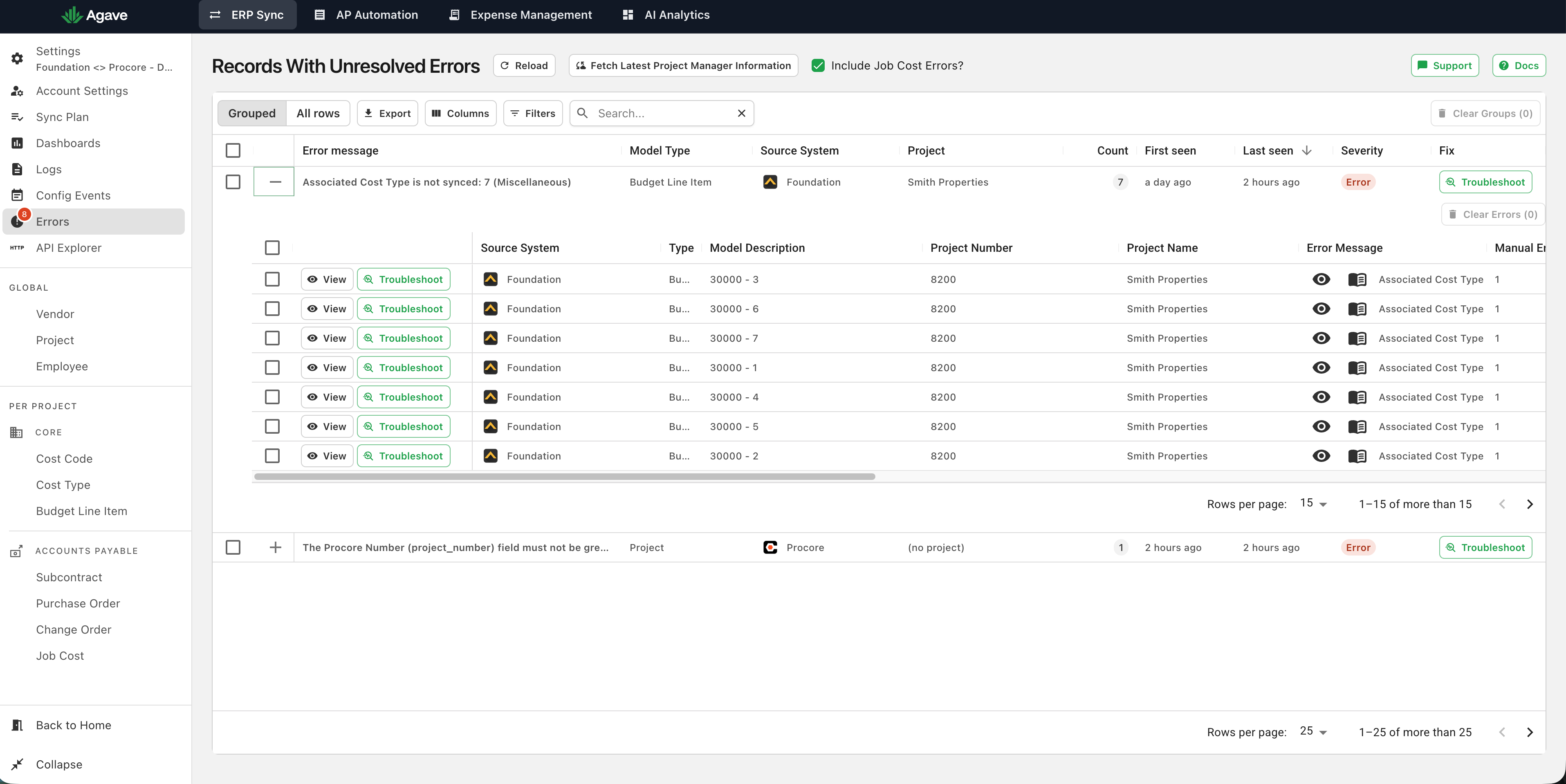
The Grouped / All rows toggle above the table controls how errors are displayed. Grouped (the default) combines errors that share the same message and model type into a single row, with a Count of how many records are affected, so you can see how widespread an issue is at a glance. The First seen / Last seen columns contain the earliest and most recent occurrence across the group. All rows lists every affected record individually.
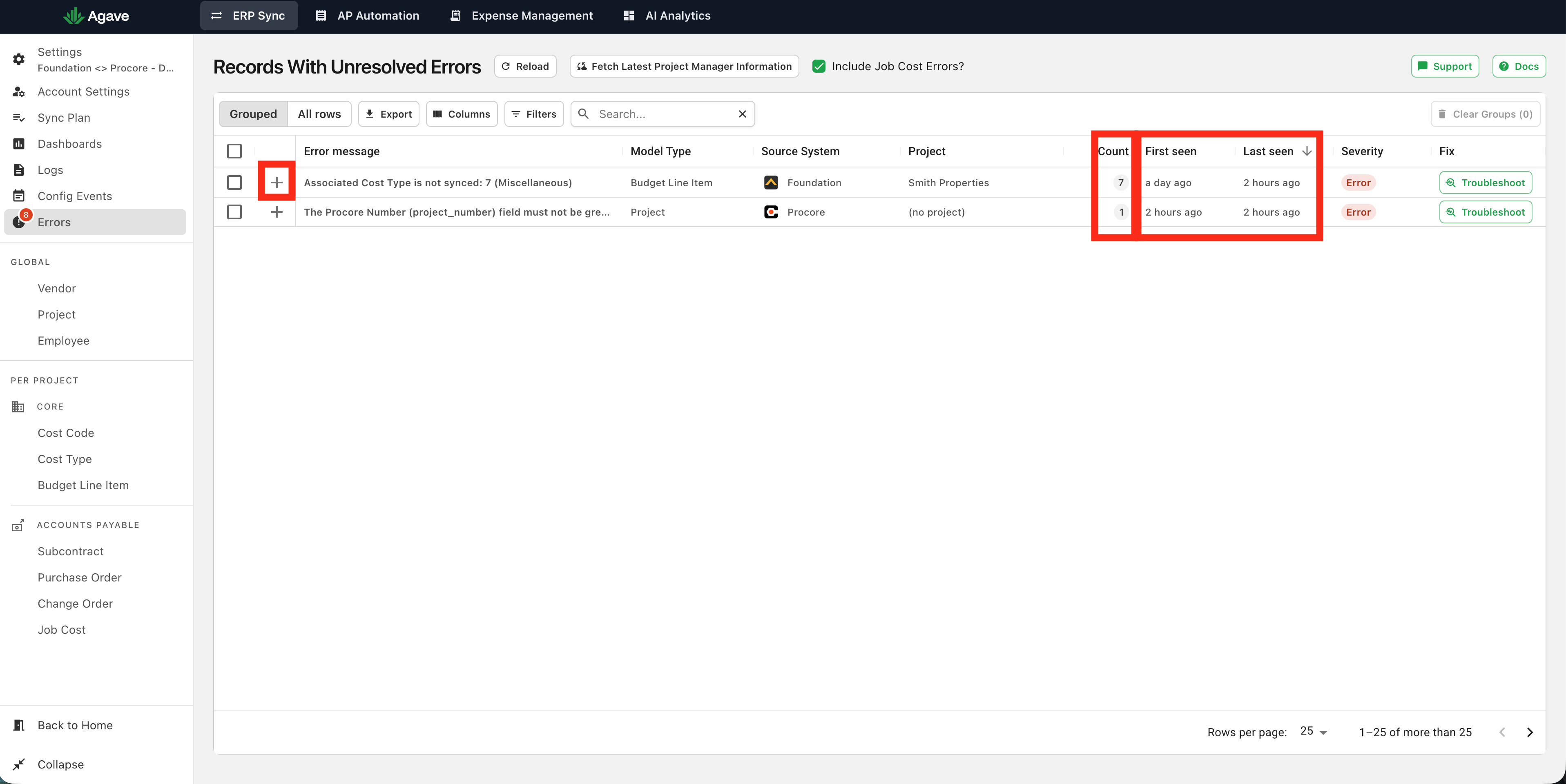
Click the + icon on a grouped row to expand it and view the individual records in that group. Each record keeps its own View and Troubleshoot actions: