Jobs
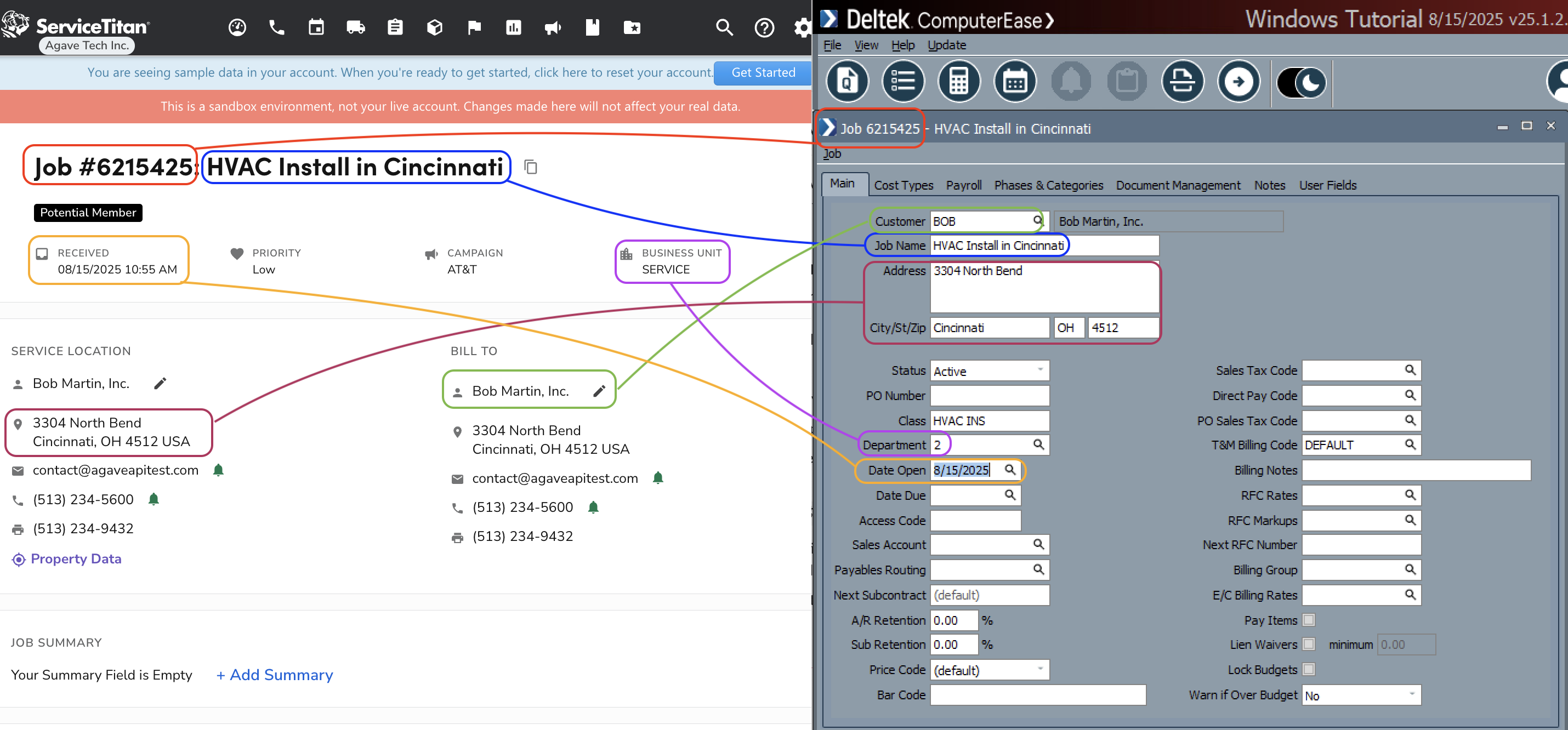
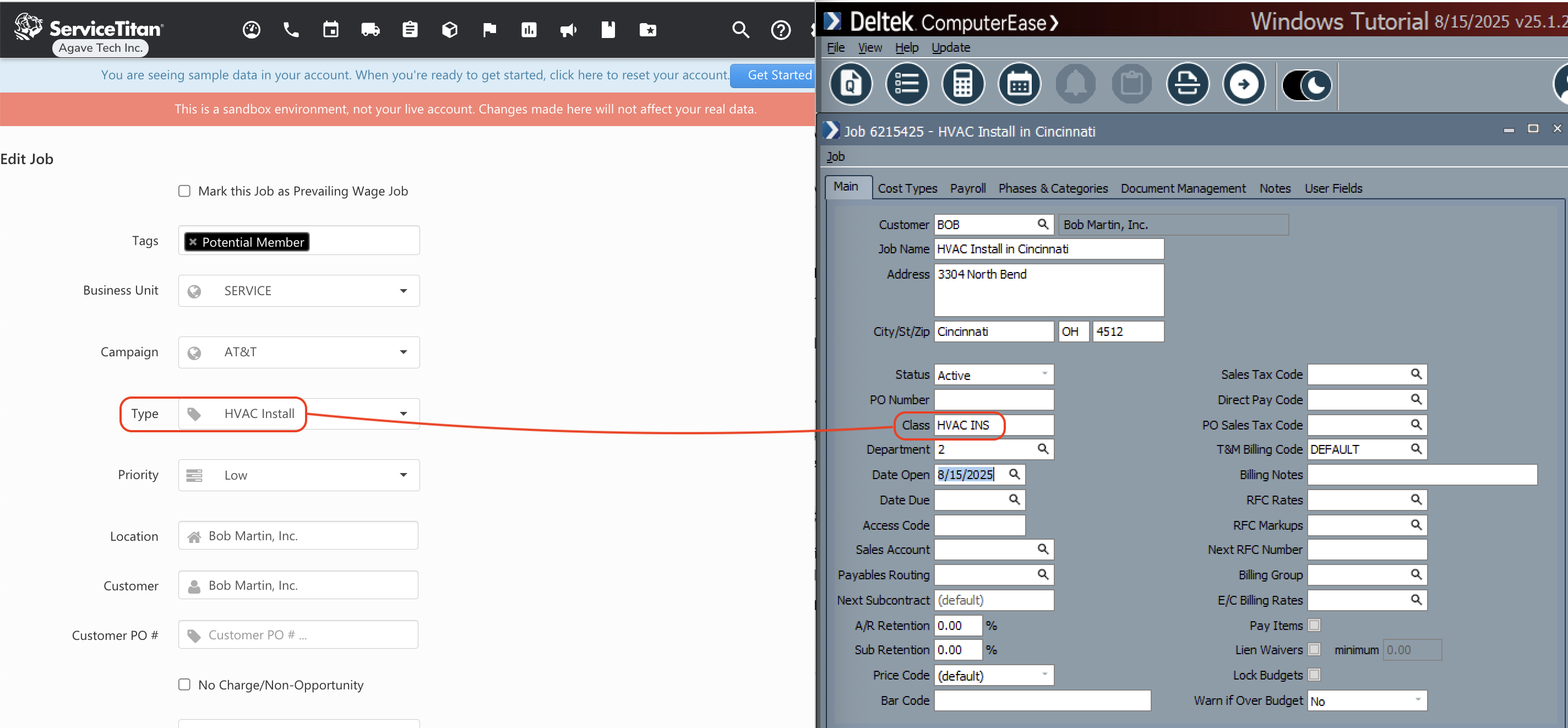
Agave Sync allows you to export ServiceTitan Jobs to Deltek ComputerEase Jobs.
Visual Mapping
Video Tutorial
Common Errors and FAQs
Are there any pre-requisites to syncing Jobs?
Yes, you must sync or link the following records associated with a Job beforehand:
- Customer
- Department or Business Unit (if applicable)
Importing Jobs from ComputerEase to ServiceTitan
If you choose to import Jobs from ComputerEase to ServiceTitan, there are a few important details to keep in mind:
- Job Location: Agave will default to the Customer's default Location when importing the Job.
- Appointment: since ServiceTitan requires an Appointment, Agave will default to the "Date Open" from ComputerEase.
- Other Default Fields: ServiceTitan requires the following fields to be set. You can work with your Agave Account Manager to apply default values for these:
- Business Unit (Department)
- Job Type
- Priority
- Campaign