Delete Records
Overview
You may unintentionally sync some unwanted records to Autodesk. Instead of manually unlinking and deleting them, you can use Agave Sync to delete records you have synced to Autodesk in bulk.
Video Tutorial
To delete records you have synced to Autodesk:
-
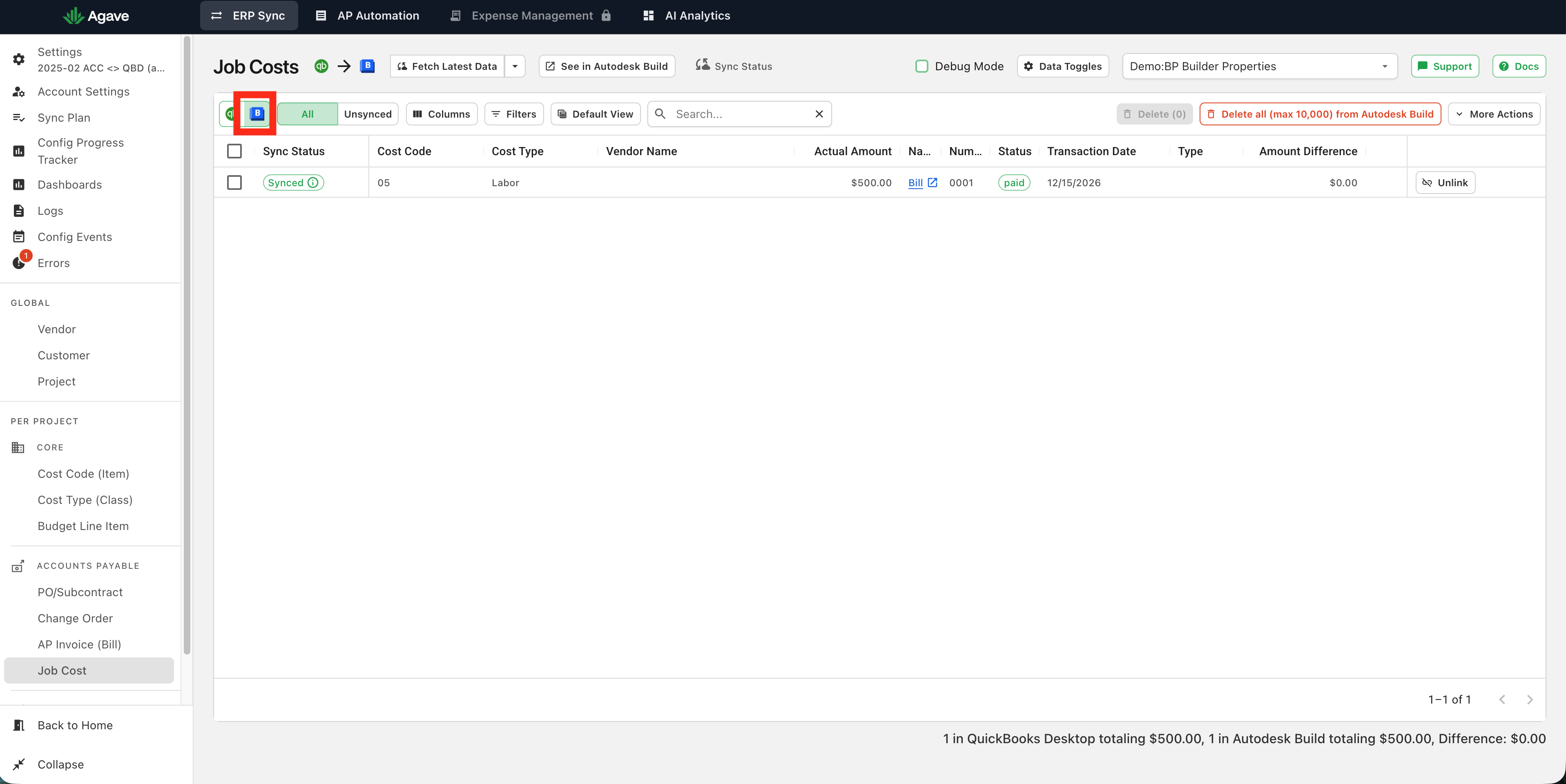
Navigate to the Autodesk tab in the page of the record you want to delete (e.g. Job Costs)
-
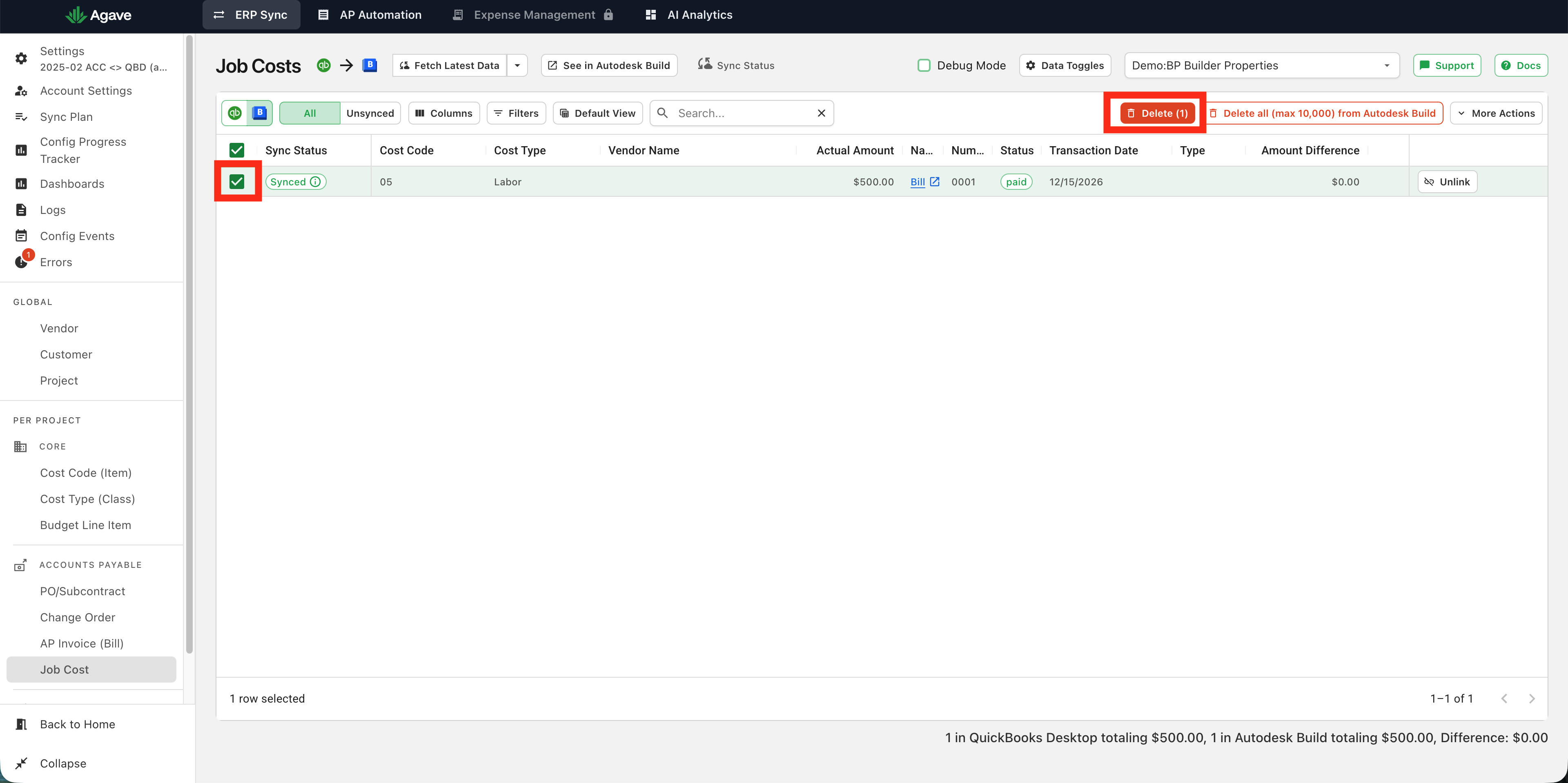
Identify the record(s) in Agave Sync that you would like to delete, select them, and click the "delete" button in the header:
-
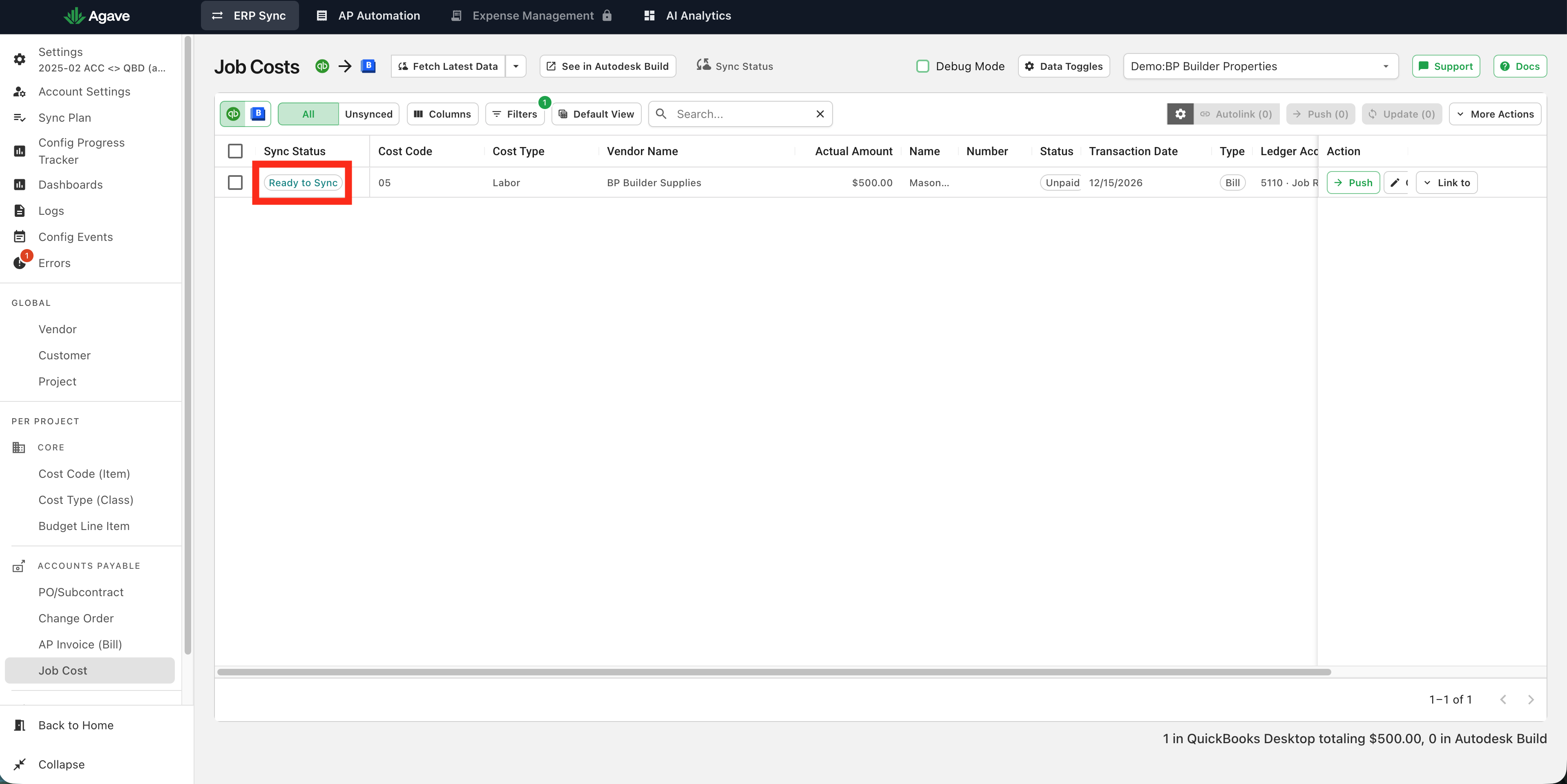
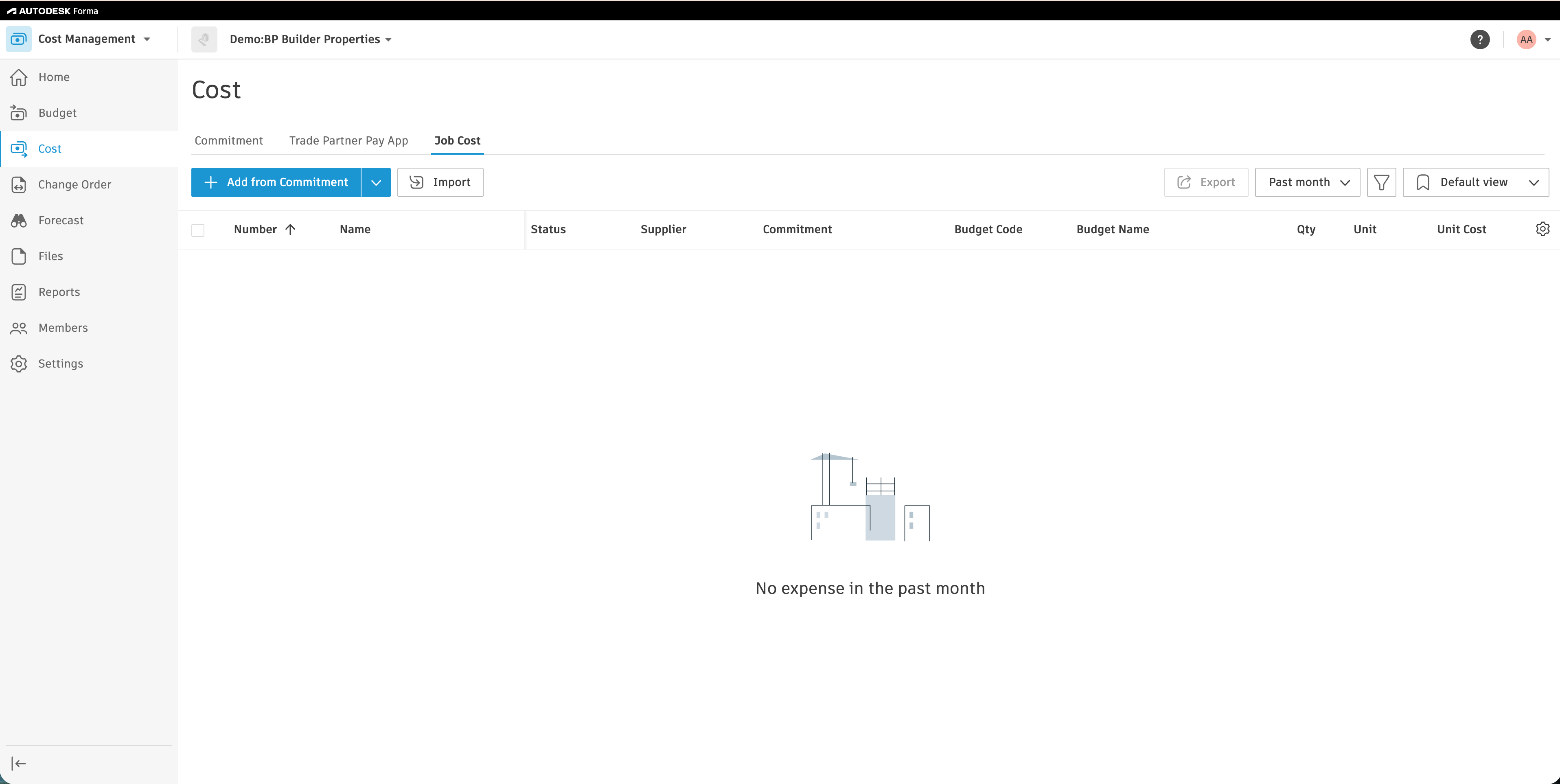
The records will now appear as syncable but they will no longer exist in Autodesk:
note
Agave Sync will delete the records in Autodesk, but not in the original source system (i.e. your accounting system).