AR Invoices
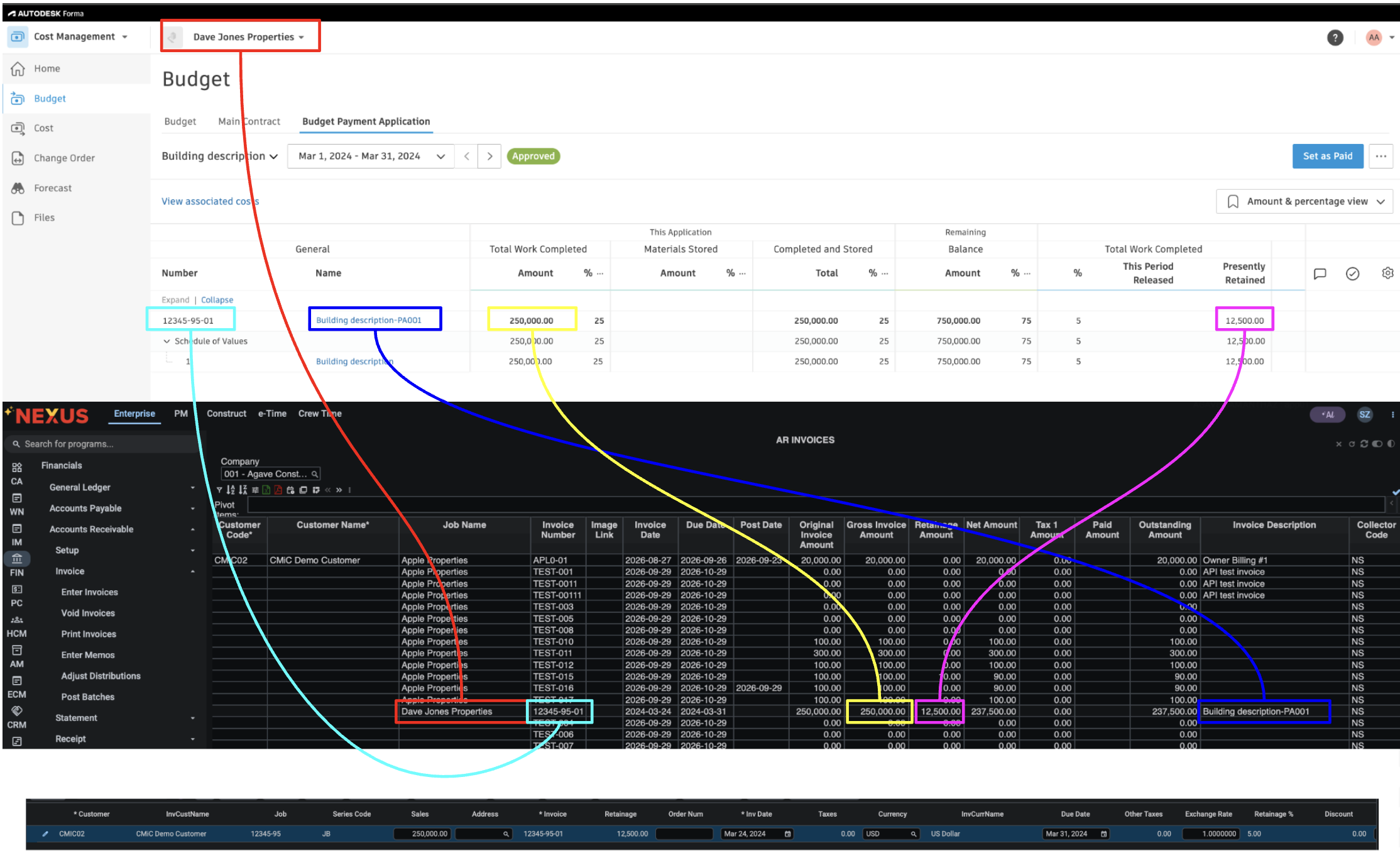
Agave Sync allows you to export Autodesk Build Budget Payment Applications to CMiC AR Invoices (Accounts Receivable > Invoice > Enter Invoices).
Visual Mapping
FAQs
1. How will Agave Handle Retention?
CMiC supports retention codes that can have different retainage % based on project progress. Autodesk only support one retention % for the entire lifecycle of a main contract.
If you are just using one consistent %, we recommend setting it up as default in Autodesk.
If you need to change retainage % for different billing periods, you might need to manually update it in Autodesk.
Alternatively, we are open to sync net amount instead of gross amount for the "Work Complete" field in Autodesk.
Does Agave Support Syncing Sub-items from Autodesk Build?
Yes, Agave supports syncing one level of sub-items from Autodesk Build for the following record types:
- Subcontracts
- Purchase Orders
- Change Orders
- AP Invoices
- Prime Contracts
- Prime Contract Change Orders
- AR Invoices
To enable syncing for sub-items, ask your Agave Account Manager to enable it for you.
How It Works
Autodesk Build records have a hierarchical structure with:
- Root items — parent line items
- Sub-items — child line items
- Sub-sub items — which are explicitly filtered out (only one level of nesting is supported)
Agave Sync will include root items and their direct sub-items when syncing. Any items nested deeper than one-level are excluded.