Customers
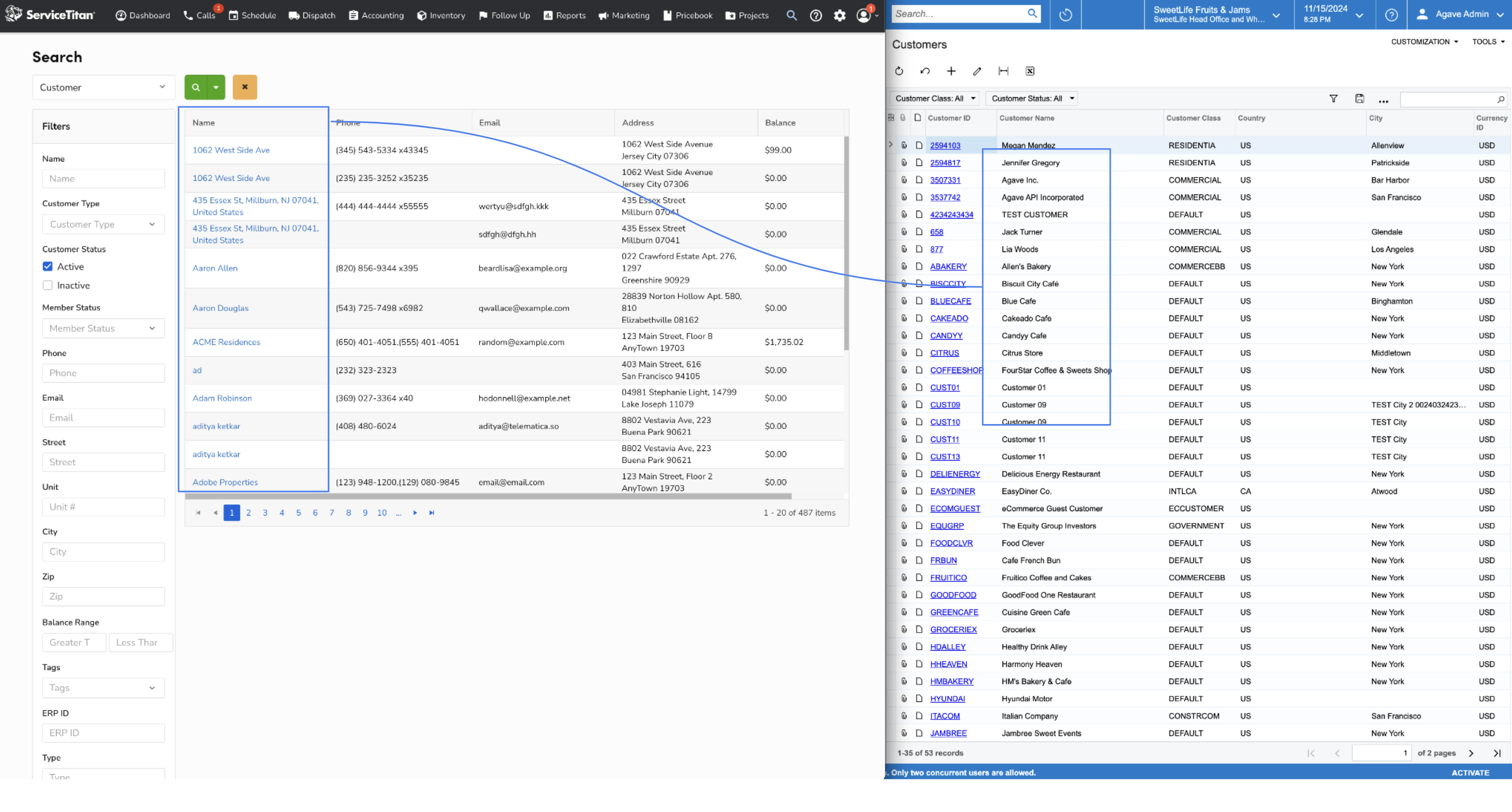
Agave Sync allows you to import ServiceTitan Customers to Acumatica.
Data Map
| ServiceTitan | Acumatica | Notes & Additional Information |
|---|---|---|
| Name | Name | |
| Status | Status | |
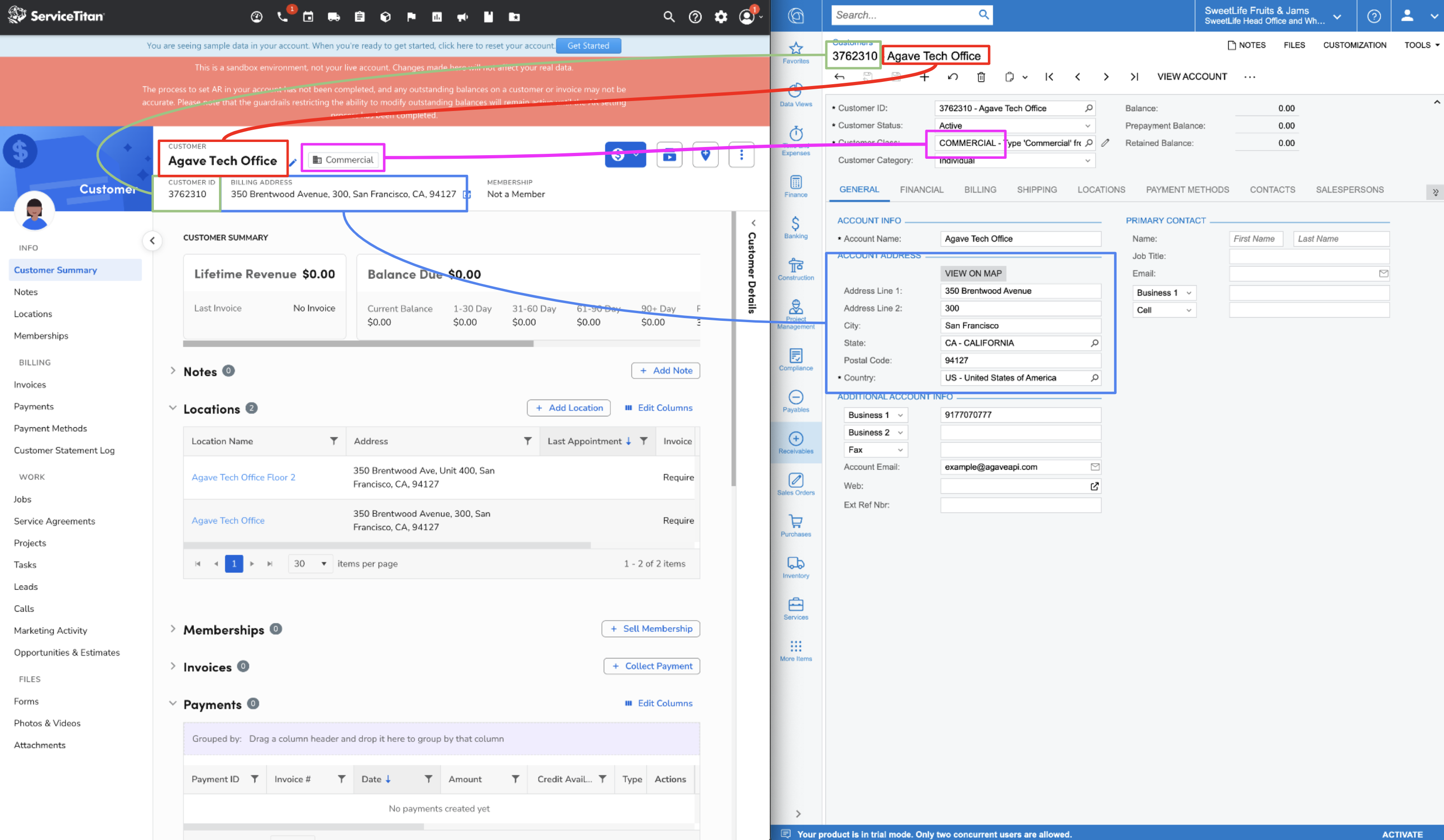
| See Notes | Customer Class | This can be mapped based on ST customer type (Residential, Commercial) |
| Address | Main Contact Address | |
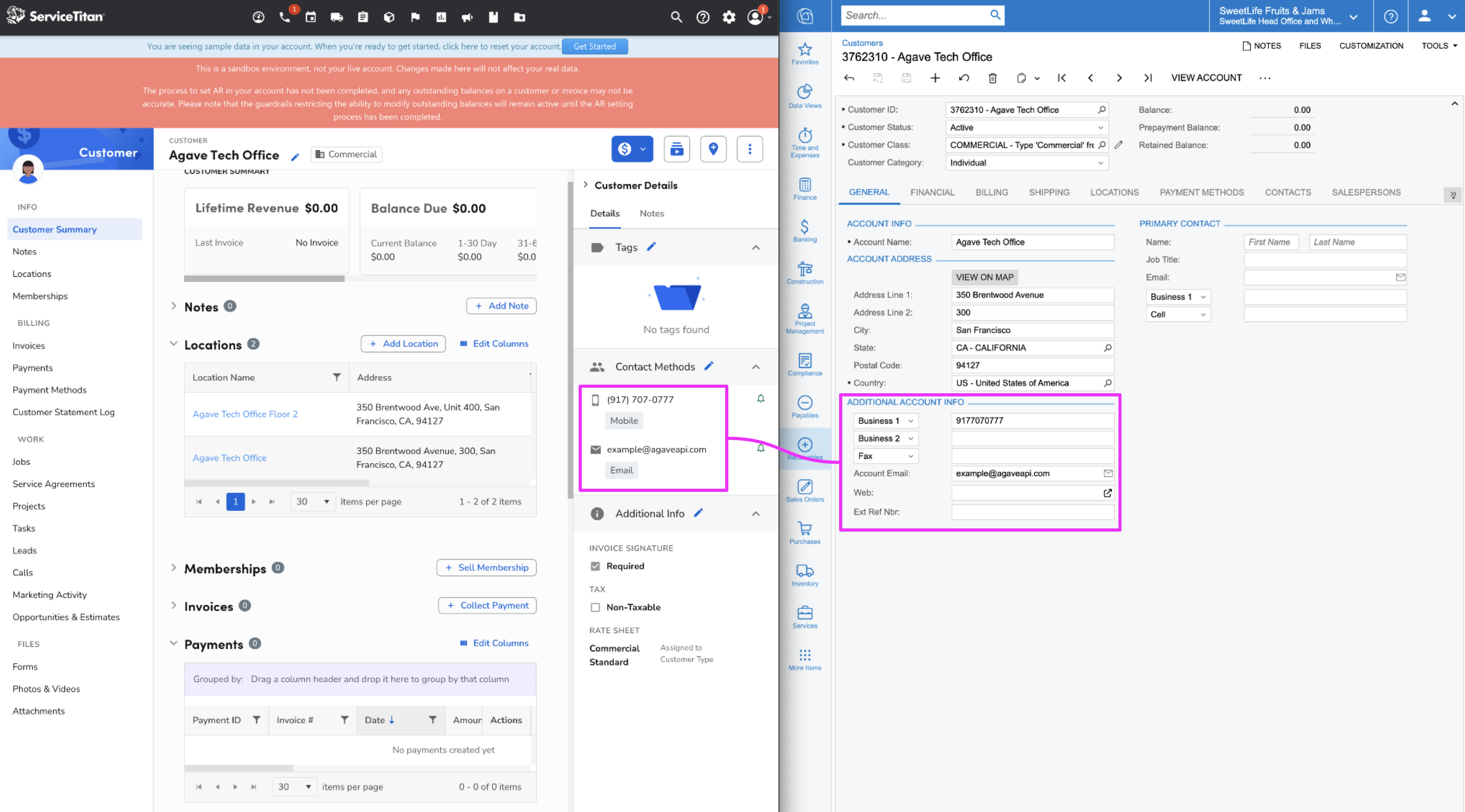
| Main Contact Email | ||
| Phone | Main Contact Phone | |
| N/A | Terms | ServiceTitan does not provide Terms on the customer record. A default will need to be set |
Customer Types & Customer Class
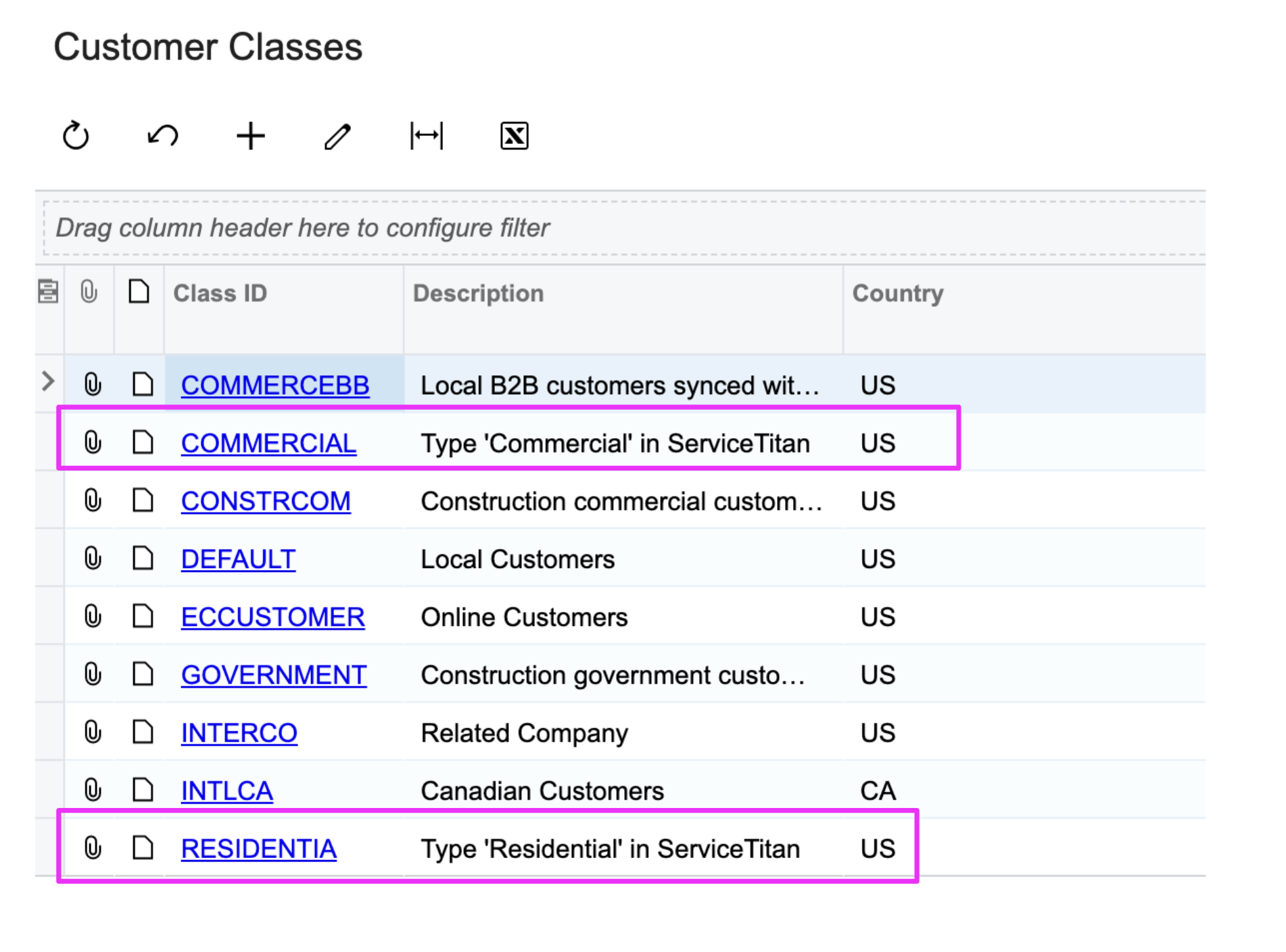
To sync ServiceTitan Customer Type of "Commercial" or "Residential" to Acumatica smoothly, you will want to create the Customer Class in Acumatica to match the Customer Types in ServiceTitan. In the below screenshot, you can see that these 2 types of Customer Classes must exist in Acumatica for them to sync. Note that the Customer Class ID must be "RESIDENTIA" and "COMMERCIAL" in Acumatica.