[Spectrum Error] G/L date is outside of min/max range for A/P or A/R
Symptoms
When pushing AR or AP documents, you get the error message: [Spectrum Error] G/L date is outside of min/max range for (A/P, A/R).
Causes
This error occurs because we are attempting to date the transaction to a processing date that is closed in Spectrum.
How to fix
To open the processing dates, follow these steps:
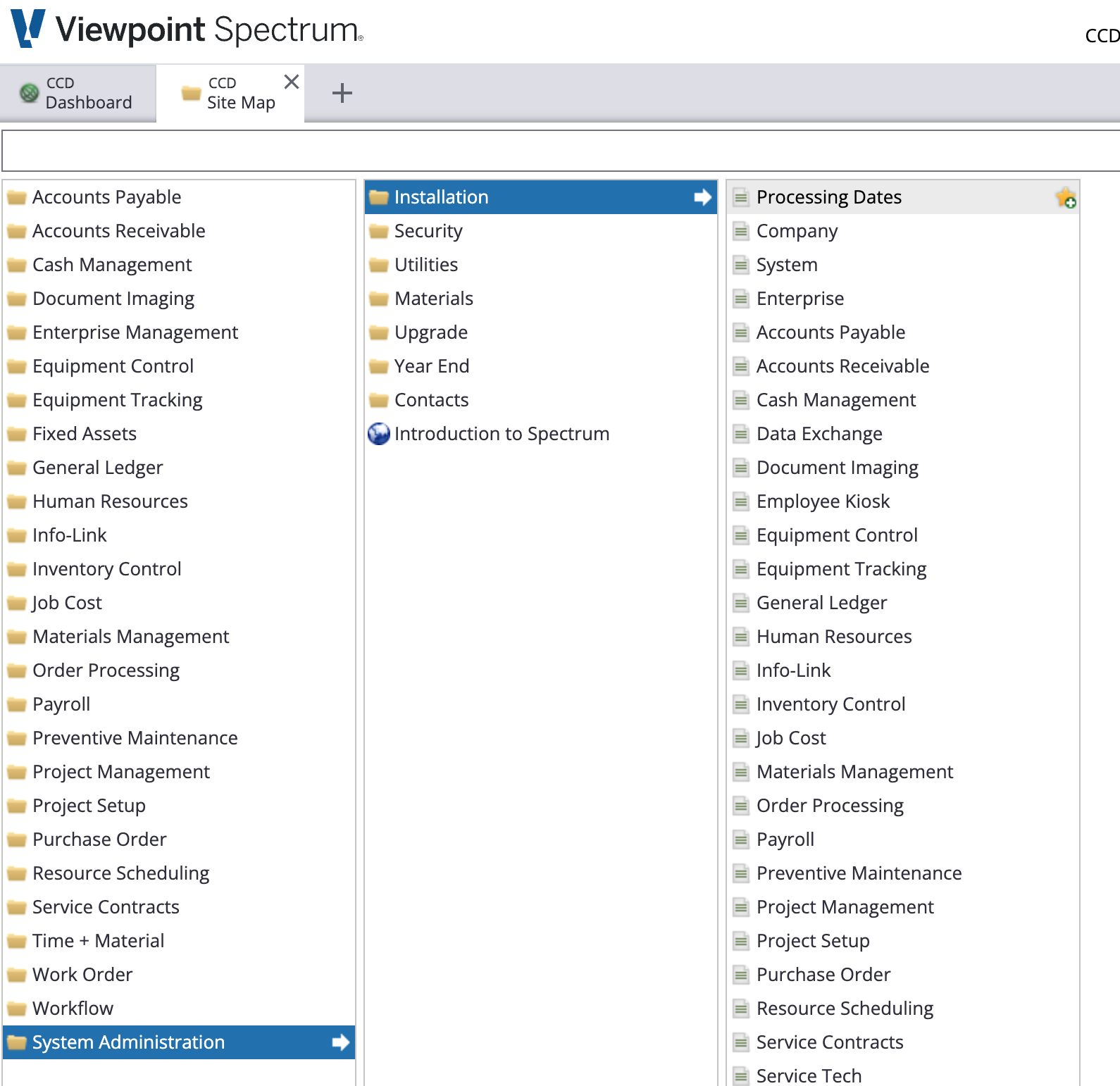
- Navigate to System Administration > Installation > Processing Dates
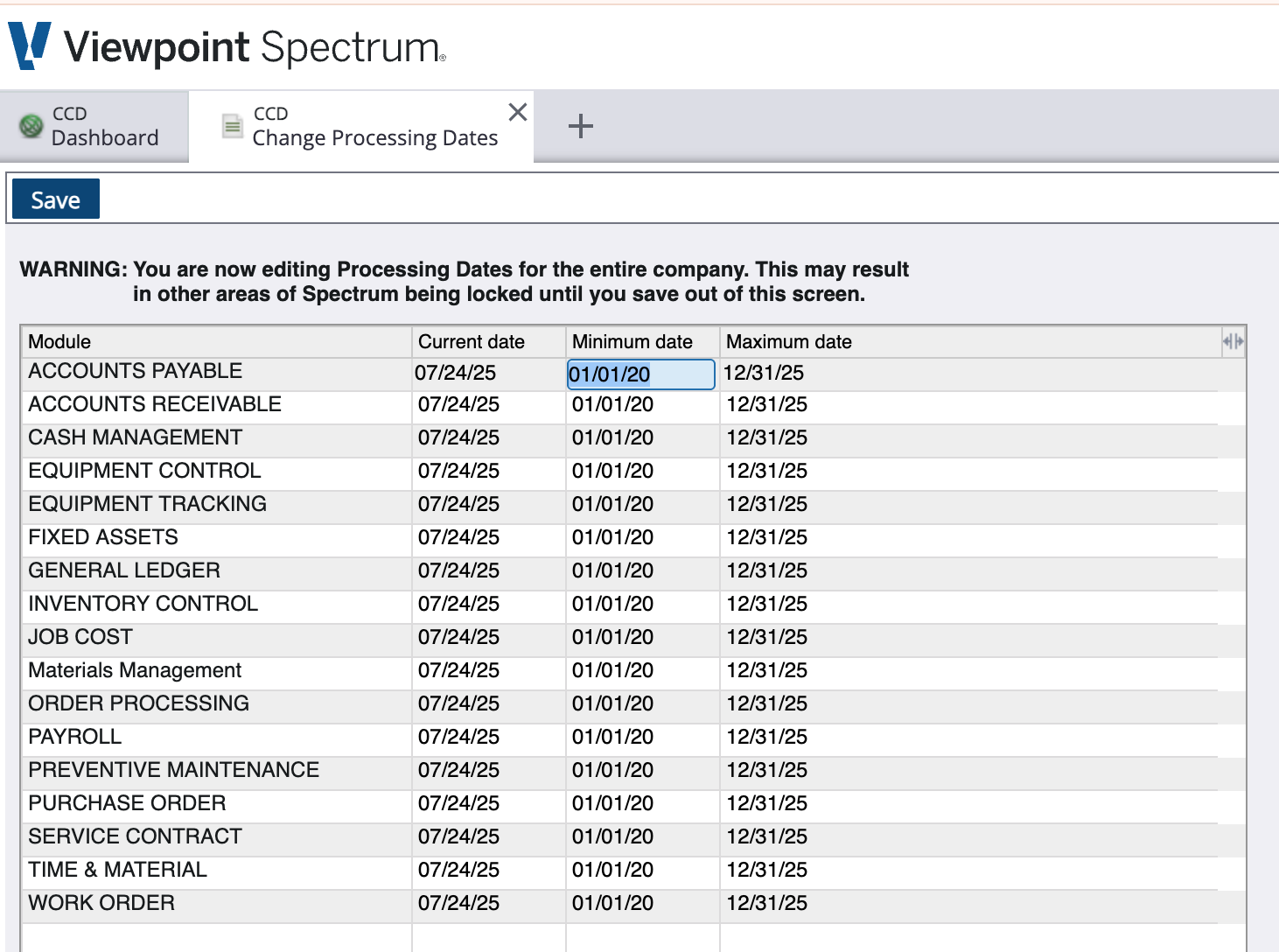
- Tap Edit and update the Minimum or Maximum date to allow the transaction to be written to Spectrum
- Retry pushing the record, or if autosync is on, Agave will retry on the next run.
Still having trouble?
Contact Agave Support for help